
Why a Used Voucher Still Shows in My Rewards
Why a Used Voucher Still Shows in My Rewards
What Is This?
A customer used a voucher last week, but it still sits in their My Rewards. This guide shows you how to tell what happened in a few clicks. Most of the time the voucher is fine, and you just need to know which copy you are looking at.
How It Works
Pixalink keeps a separate copy of a reward for each time a customer gets it. Each copy has its own status:
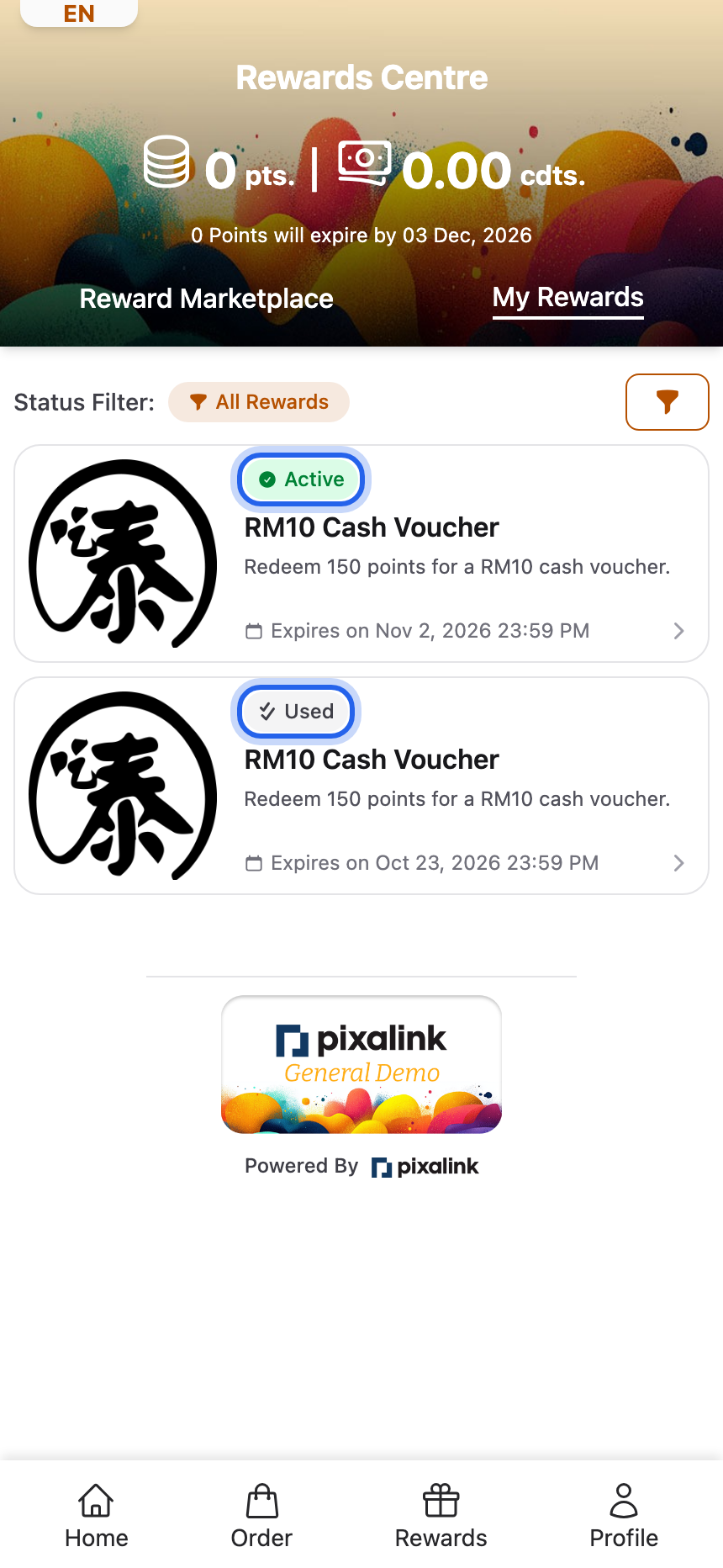
- Pending means it has not been used yet. The customer sees it as Active.
- Used means it was redeemed. It gets a Used Date.
- Expired means the expiry date passed first.
My Rewards opens on Active Rewards, so it lists only copies that are still Pending. If a "used" voucher shows there, Pixalink has a Pending copy of it.
Check the customer's rewards list
Go to CRM → Customers, open the customer, and click the Customer Rewards tab.
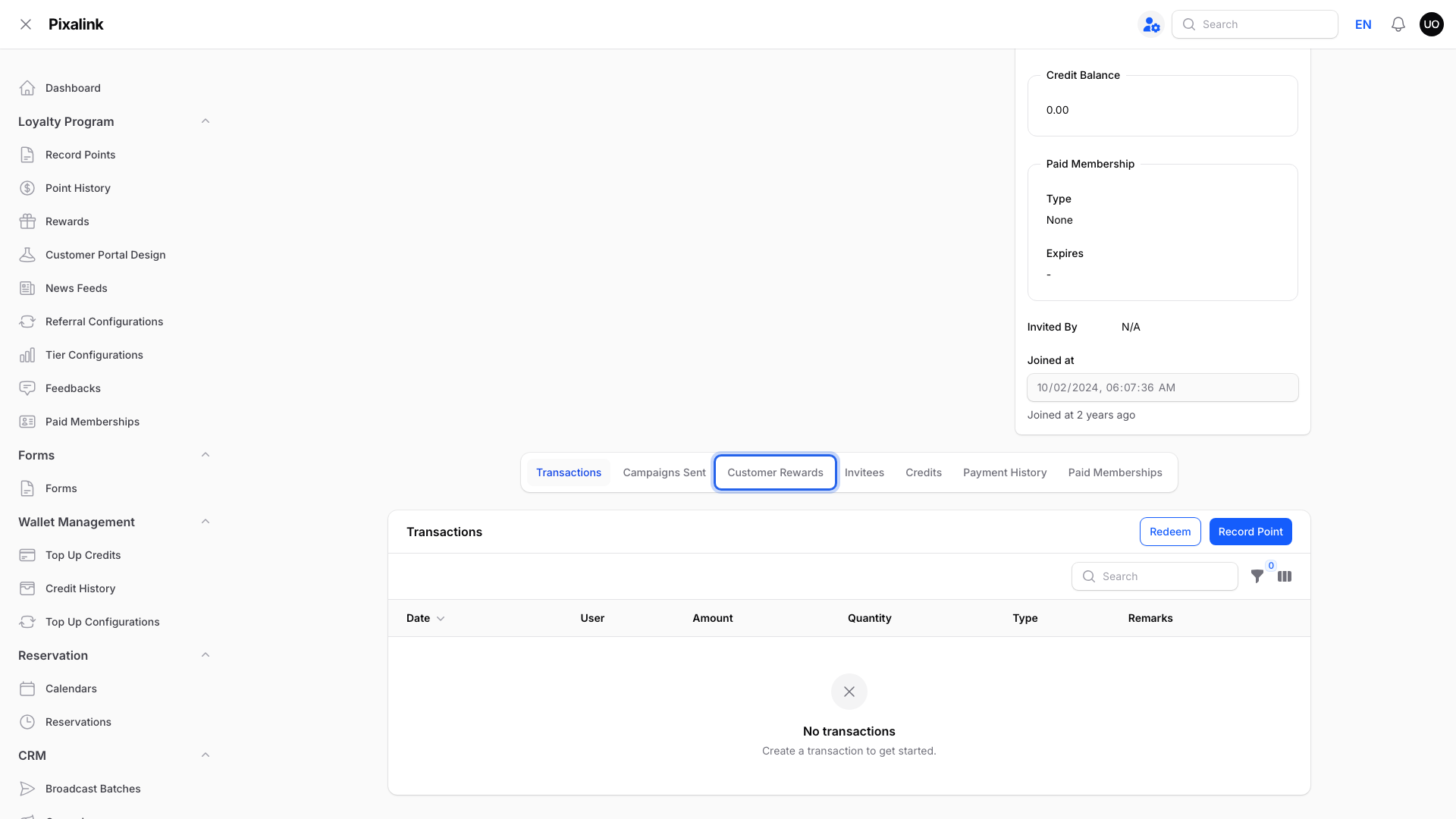
The Customer Rewards tab sits under the customer's profile, after Campaigns Sent.
The list only shows Pending rewards at first. Open the filter and clear Status to see every copy.
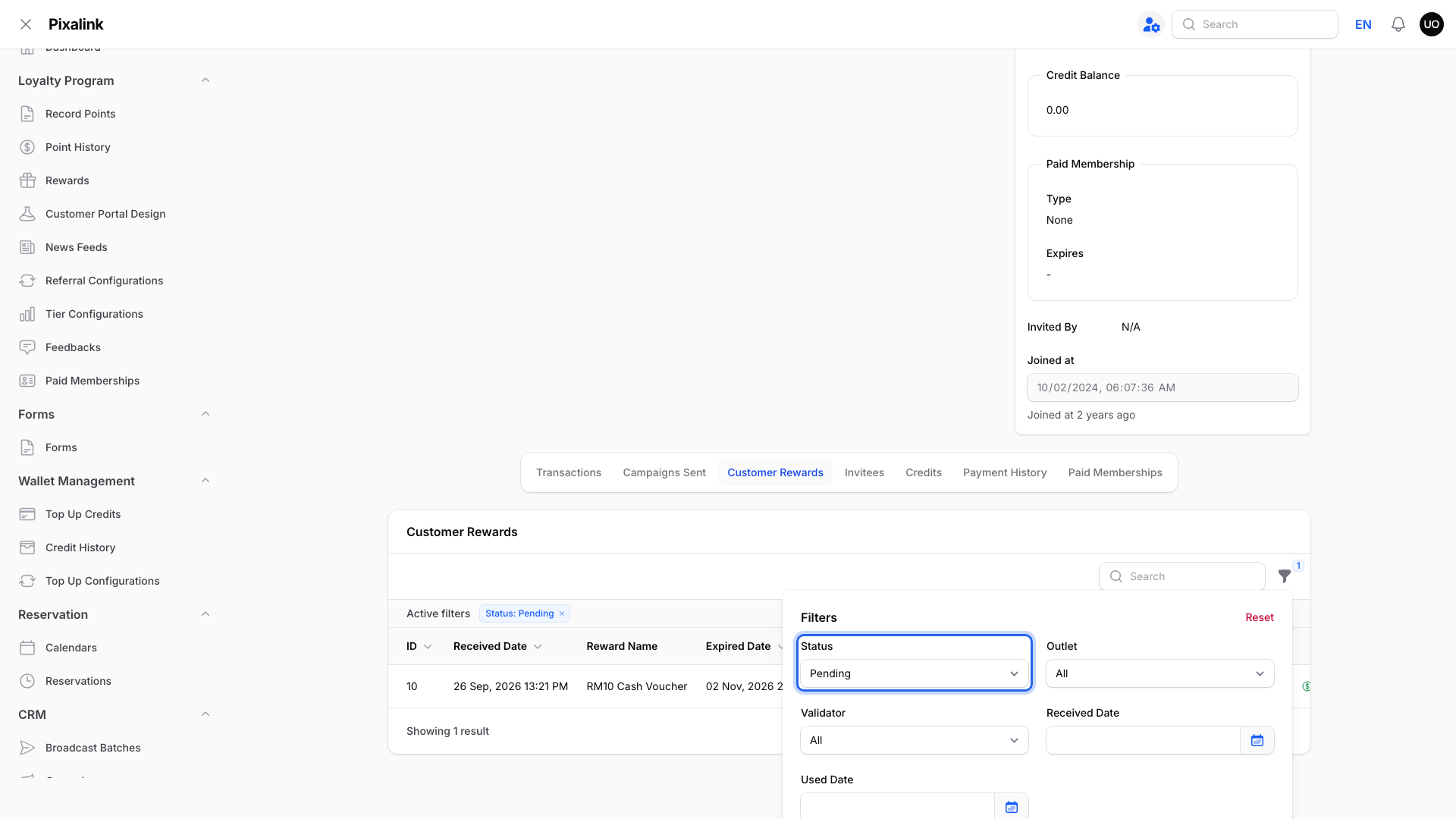
Set Status to All to see used and expired copies too.
Now compare the Received Date, Used Date and Redeem Status of each row.
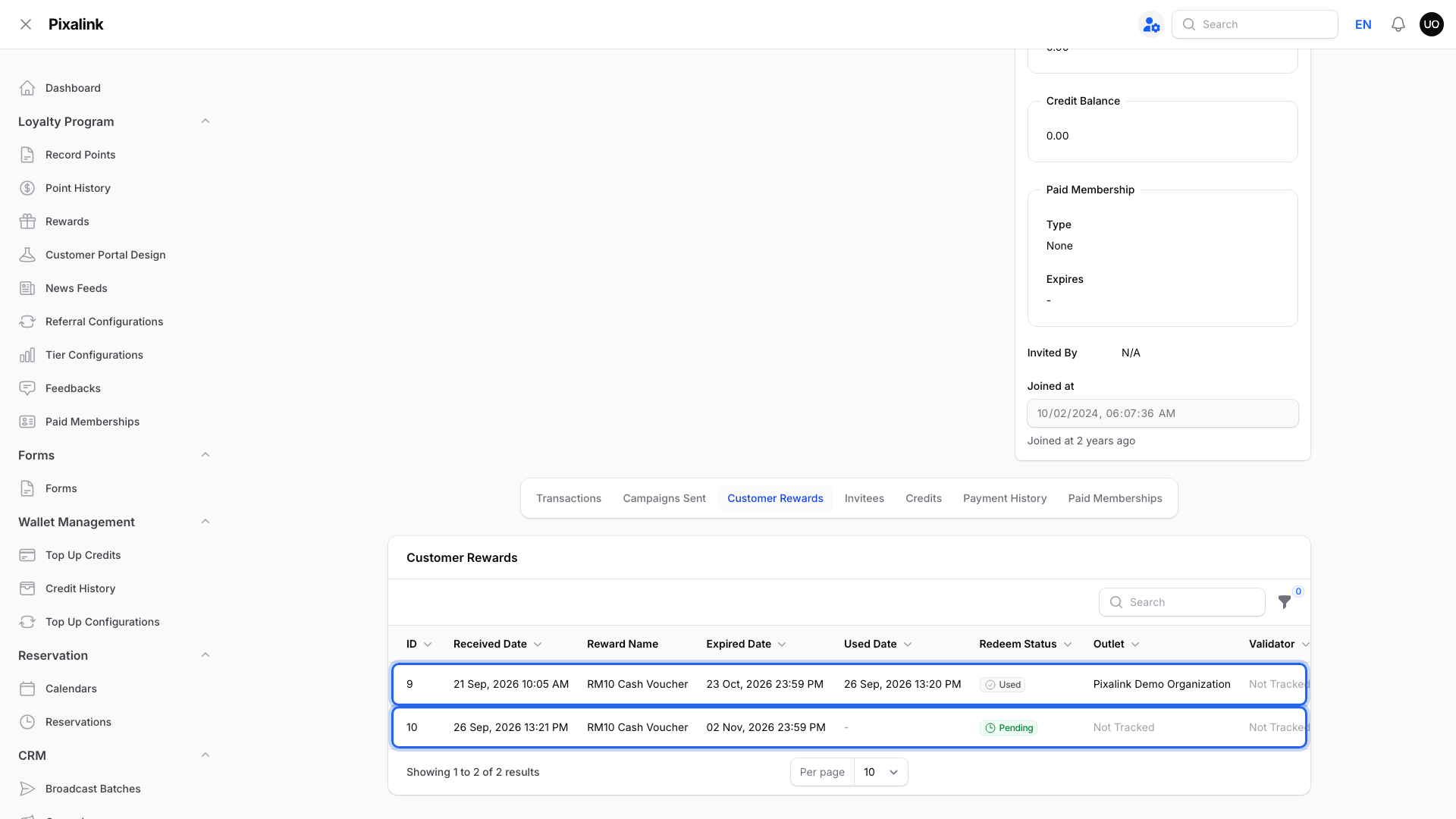
Here, the first copy was used. A new Pending copy arrived one minute later.
What the list tells you
| What you see | What it means |
|---|---|
| A Used row and a newer Pending row | The customer got a new copy. Check Auto-Renewing Reward below. |
| Only a Pending row, no Used Date | Pixalink has no record of the use, or a voided bill put it back. |
| The row is Used | It's recorded as used. The customer is viewing Used Rewards, All Rewards or, once it expires, Expired Rewards. |
Auto-Renewing Reward gives the customer a new copy each time they use one. Find it under Loyalty Program → Rewards, Edit, then the Settings tab.
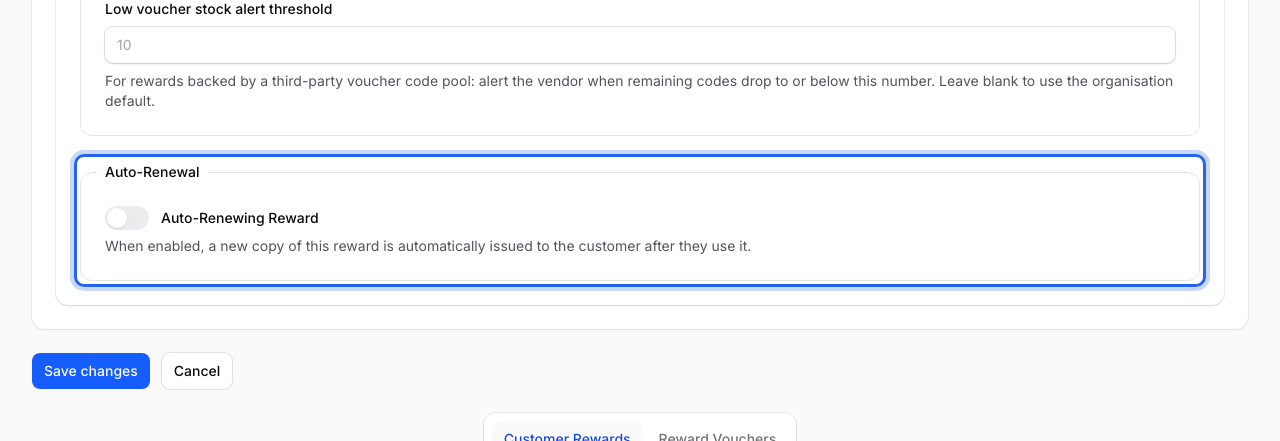
Turn it off if customers shouldn't get a fresh copy after each use.
POS vouchers are marked as used only when the cashier applies the customer's Pixalink voucher on their bill. A manual discount keyed in at the POS doesn't reach Pixalink. With Eats365, voiding the bill also puts the voucher back to Pending.
If the customer really did use it, click Mark as used on the Pending row.
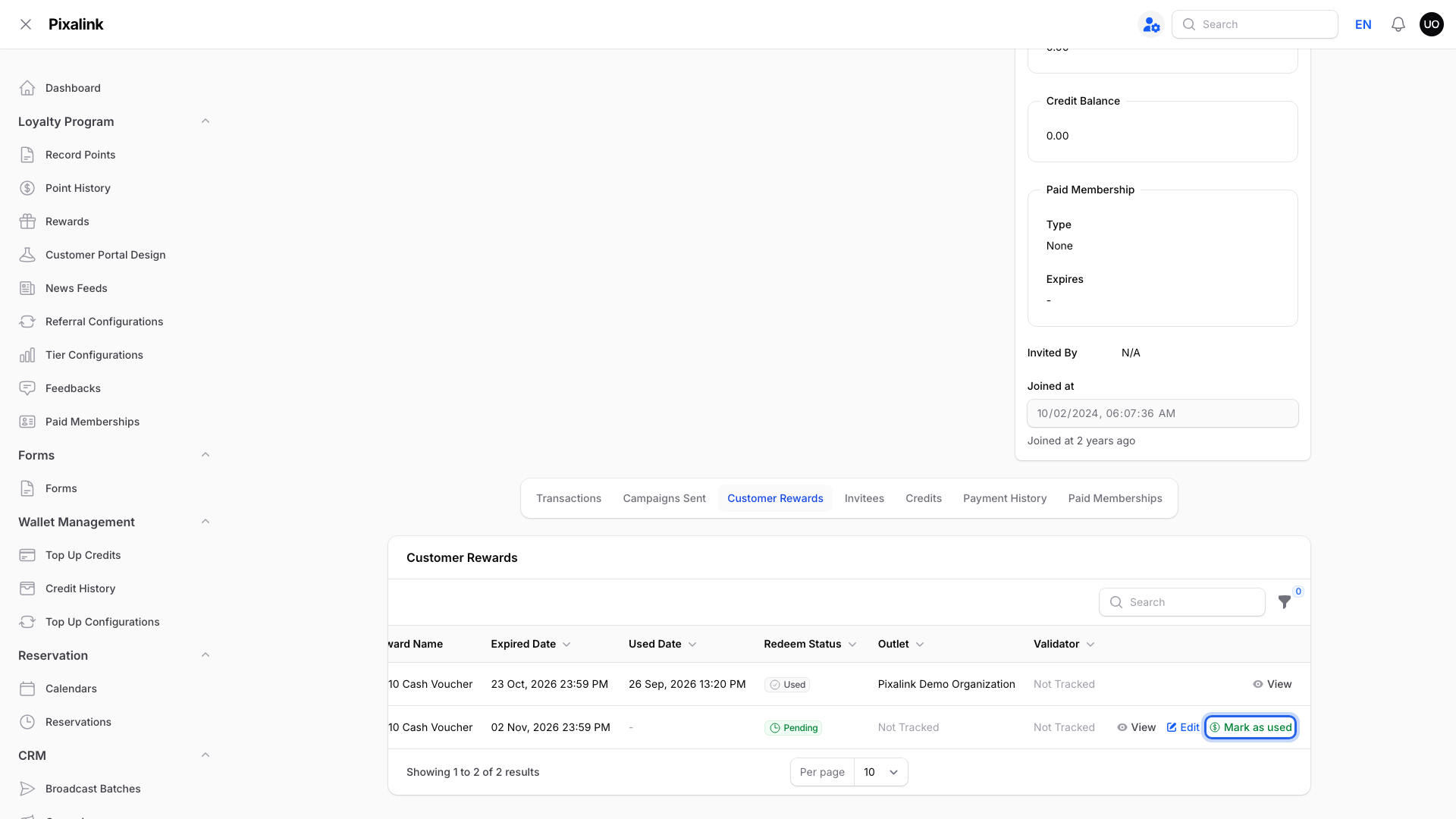
Mark as used only shows on Pending rows.
Real-Life Example
Siti runs a cafe in Shah Alam with Eats365 as her POS. A regular says her RM10 voucher still shows after she used it last week. Siti opens the customer's Customer Rewards tab and clears the Status filter. She sees one Used copy and a new Pending copy issued a minute later. The reward had Auto-Renewing Reward turned on by mistake. Siti turns it off, and customers stop getting a fresh copy after each use.
Good to Know
-
Customers can switch My Rewards to All Rewards to see used copies with a grey Used badge.
-
Marking an auto-renewing voucher as used issues the customer another copy.
-
If you set a Cooldown Period (Hours), the new copy can't be used until it ends.
-
Uploaded voucher codes have their own statuses. See What Do Reward Voucher Statuses Mean?.
Need Help?
Contact our support team with the customer's phone number and the reward name.