
Who Can See and Redeem a Reward in the Customer Portal
Who Can See and Redeem a Reward in the Customer Portal
What Is This?
When you create a reward, every customer can see it in the portal by default. Seeing a reward and redeeming it are two different things. A customer without enough points still sees the reward and its price, so it works as a goal to save up for.
How It Works
See or Redeem: the Difference
| Who it applies to | What decides it | |
|---|---|---|
| See the reward | Customers who match your visibility settings | Active, dates, marketplace display, tags, tiers, paid membership |
| Redeem the reward | Customers who can see it and meet its claim rules | Points (or credits), dates, claim limits, stock and conditions |
Who Sees the Reward
A reward shows in the Reward Marketplace when all of these are true:
- Active is on, and the Expiration Date has not passed.
- Display in Customer Portal (Marketplace) is on.
- Today falls inside the Set Visibility Period dates, if you set them.
- The Distribution End Date has not passed, if you set one.
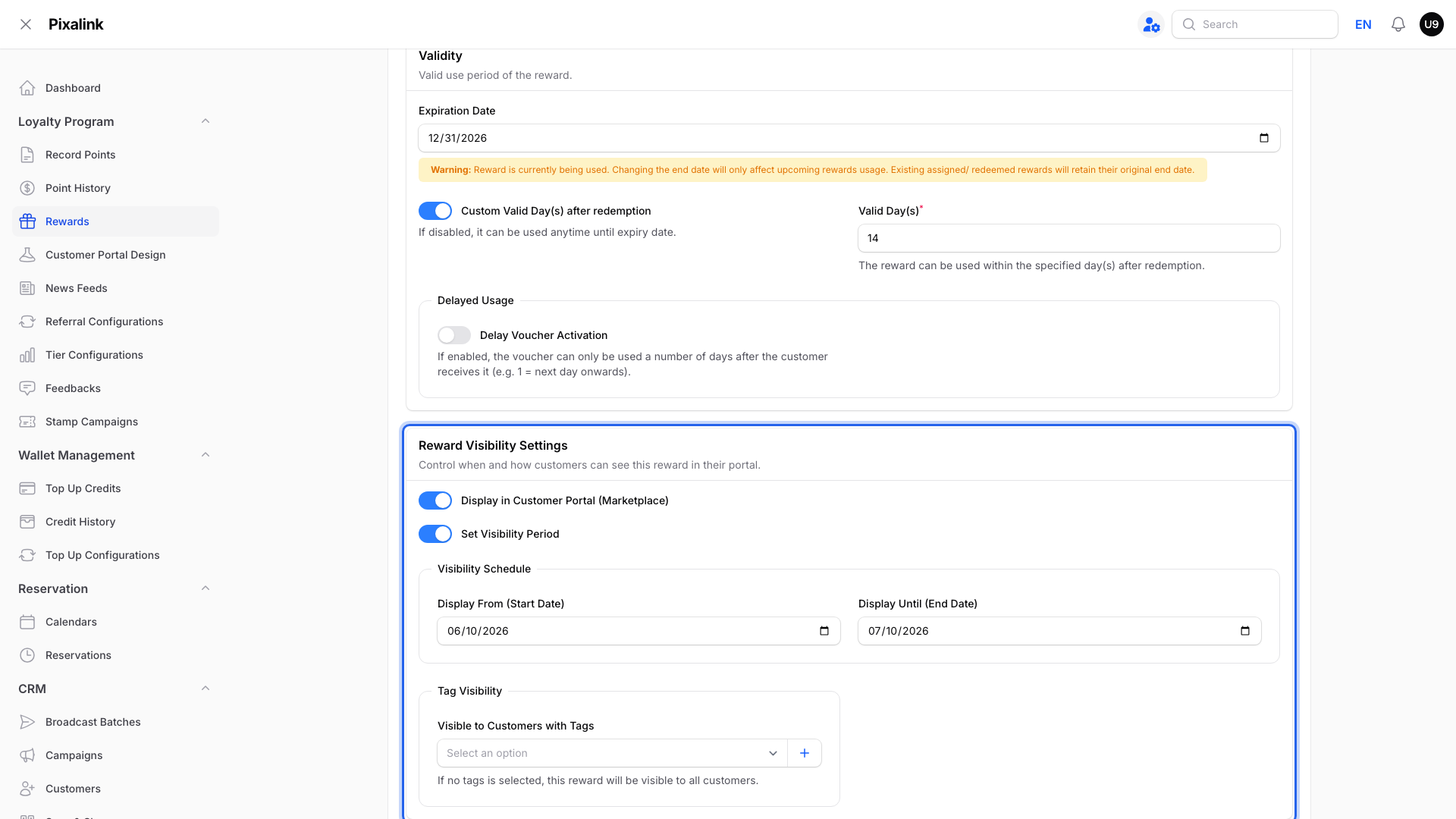
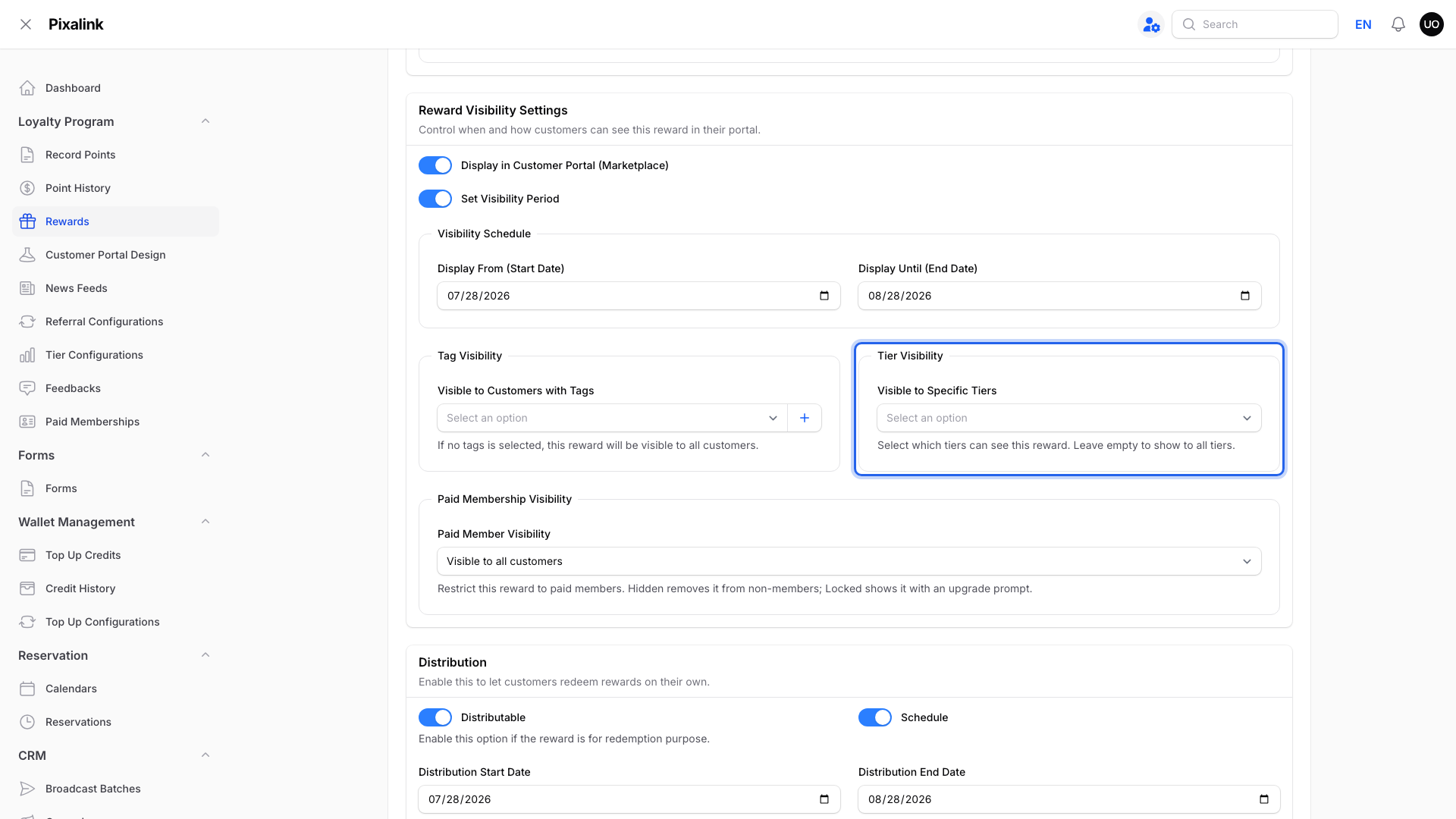
To show a reward to only some customers, go to Loyalty Program → Rewards → Edit → Settings → Reward Visibility Settings.
-
Tag Visibility shows the reward only to customers with one of the tags you pick. Leave it empty for everyone.
-
Tier Visibility shows the reward only to customers in the tiers you pick. This box only appears if you use loyalty tiers. A customer without a tier won't see a tier-only reward.
-
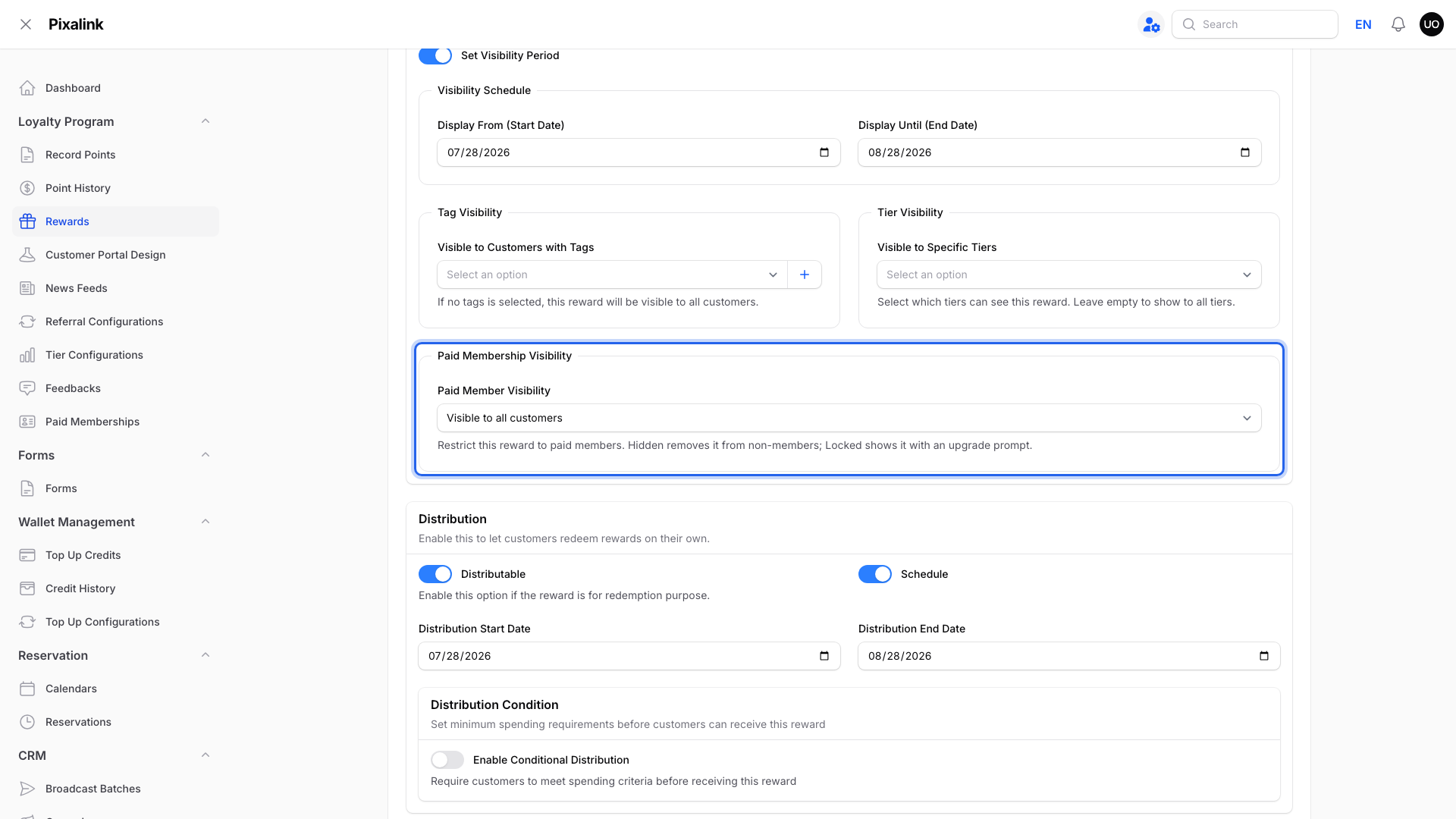
Paid Membership Visibility only appears if you sell paid memberships. It can hide the reward from non-members, or show it locked with an upgrade prompt.
Who Can Redeem It
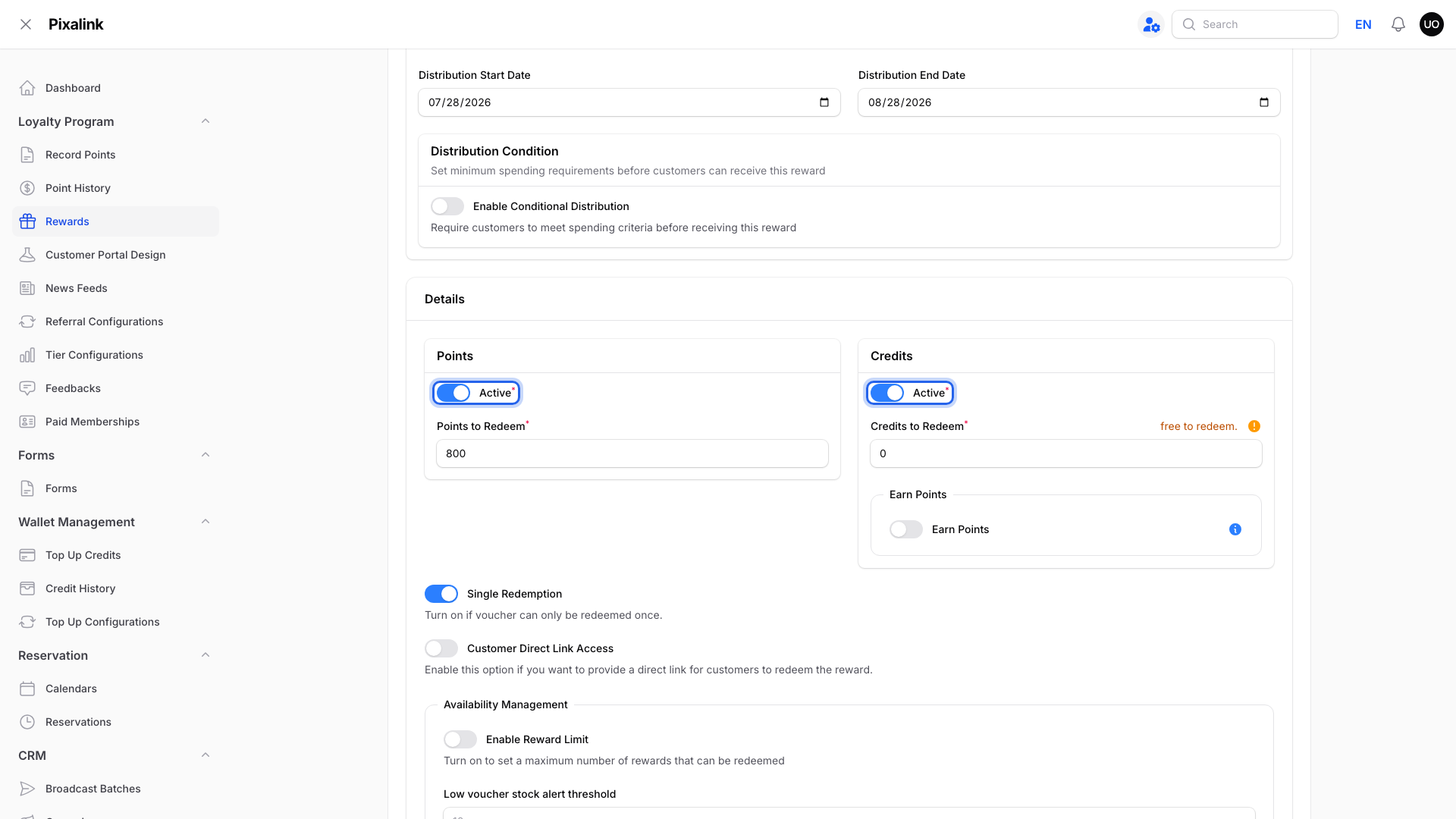
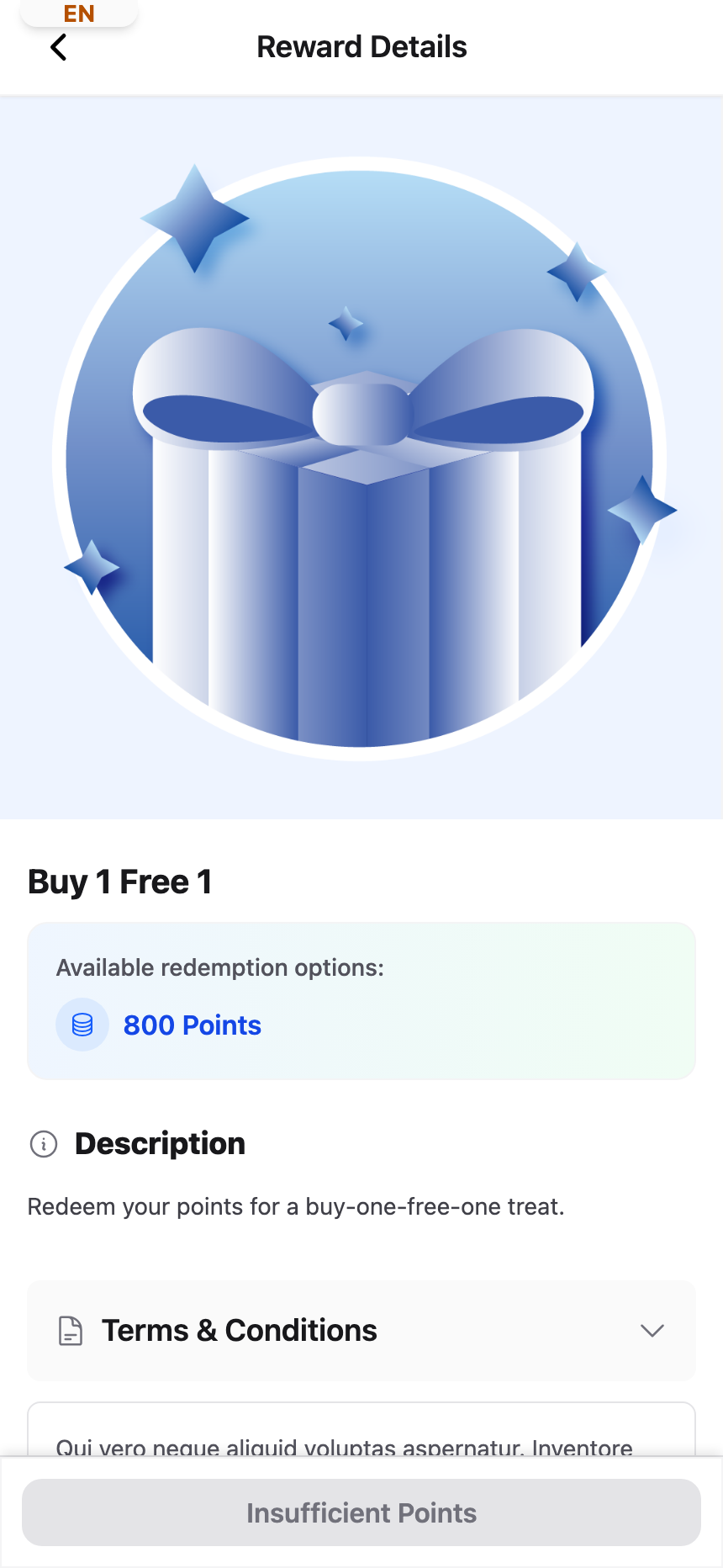
For a points-priced reward, customers need at least the Points to Redeem amount and must meet its other claim rules. If you offer credit payment, they may use credits instead.
If they have fewer points, the reward still shows in the marketplace with its price.
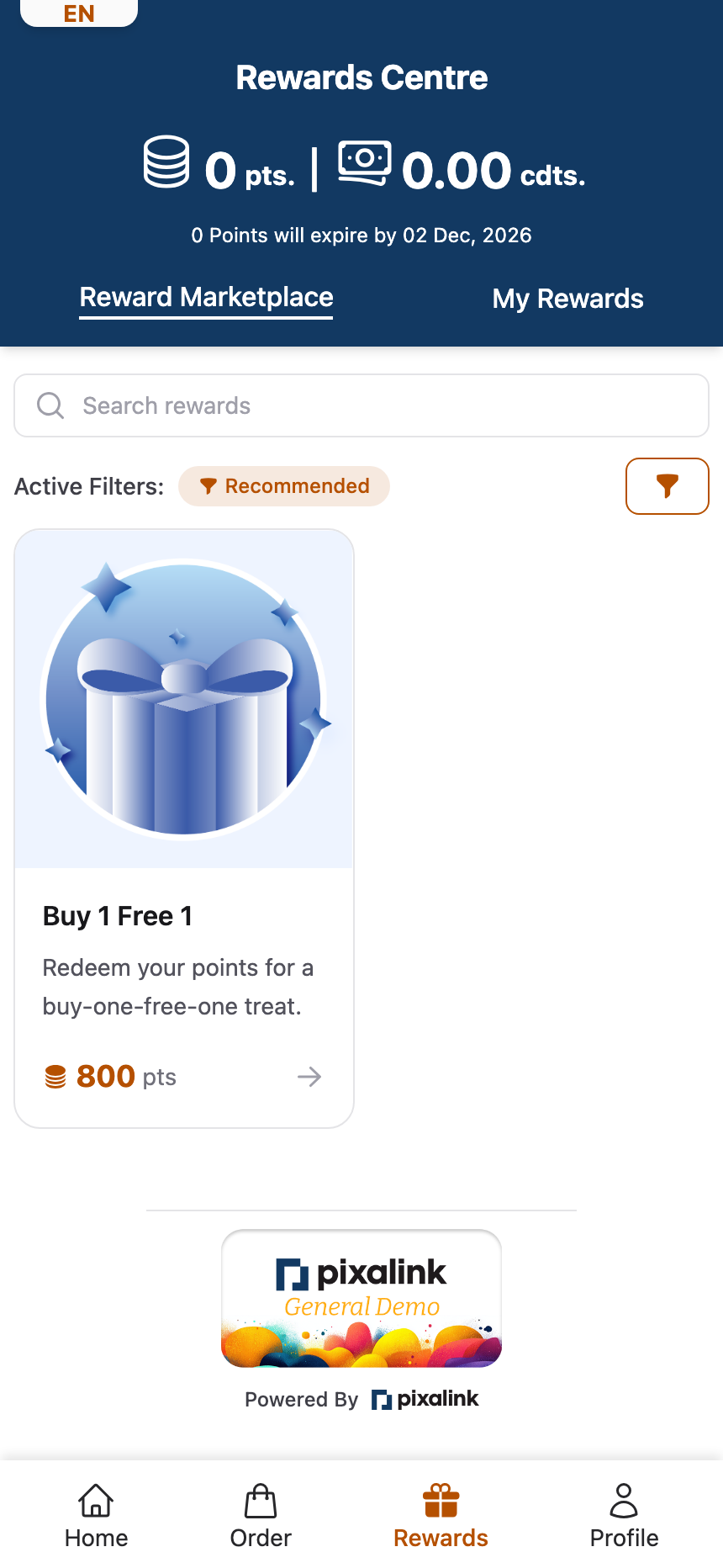
When they open it, the button at the bottom says Insufficient Points and is greyed out. They can't tap it until they earn more points.
Note
Points come off the customer's balance only when they redeem, not when they view the reward.
Real-Life Example
Aishah runs Boba Lab, a bubble tea shop in Petaling Jaya. She creates a "Free Bubble Tea" reward for 100 points. Nurul has 60 points, so she sees the drink but her button says Insufficient Points. Two visits later Nurul reaches 100 points, and the button turns into Redeem Now. Aishah also makes a Gold-only reward and picks Gold under Tier Visibility. Bronze and Silver members never see that one at all.
Good to Know
- A reward set to 0 Points to Redeem costs no points. Its dates, membership rules, claim limits and other conditions still apply.
- Display in Customer Portal (Marketplace) off hides the reward from the marketplace. You can still give it to customers yourself.
- A redeem button can also be blocked for other reasons, like a used-up limit. See How to Set Up Conditional Reward Distribution for spending conditions.
Need Help?
If a customer can't find a reward they should see, contact our support team.