
When a Voucher Shows Sold Out in the Customer Portal
When a Voucher Shows Sold Out in the Customer Portal
What Is This?
If you give out partner vouchers from a stock of codes, customers should never spend points on a voucher with no code left. Pixalink handles this for you. When the last code is gone, the voucher shows Sold Out and customers can't redeem it. There's no switch to turn on.
How It Works
Which Vouchers Can Show Sold Out
Rewards that use a stock of voucher codes can show Sold Out. These include codes you upload yourself, such as partner codes, and codes created by a connected online store or POS system.
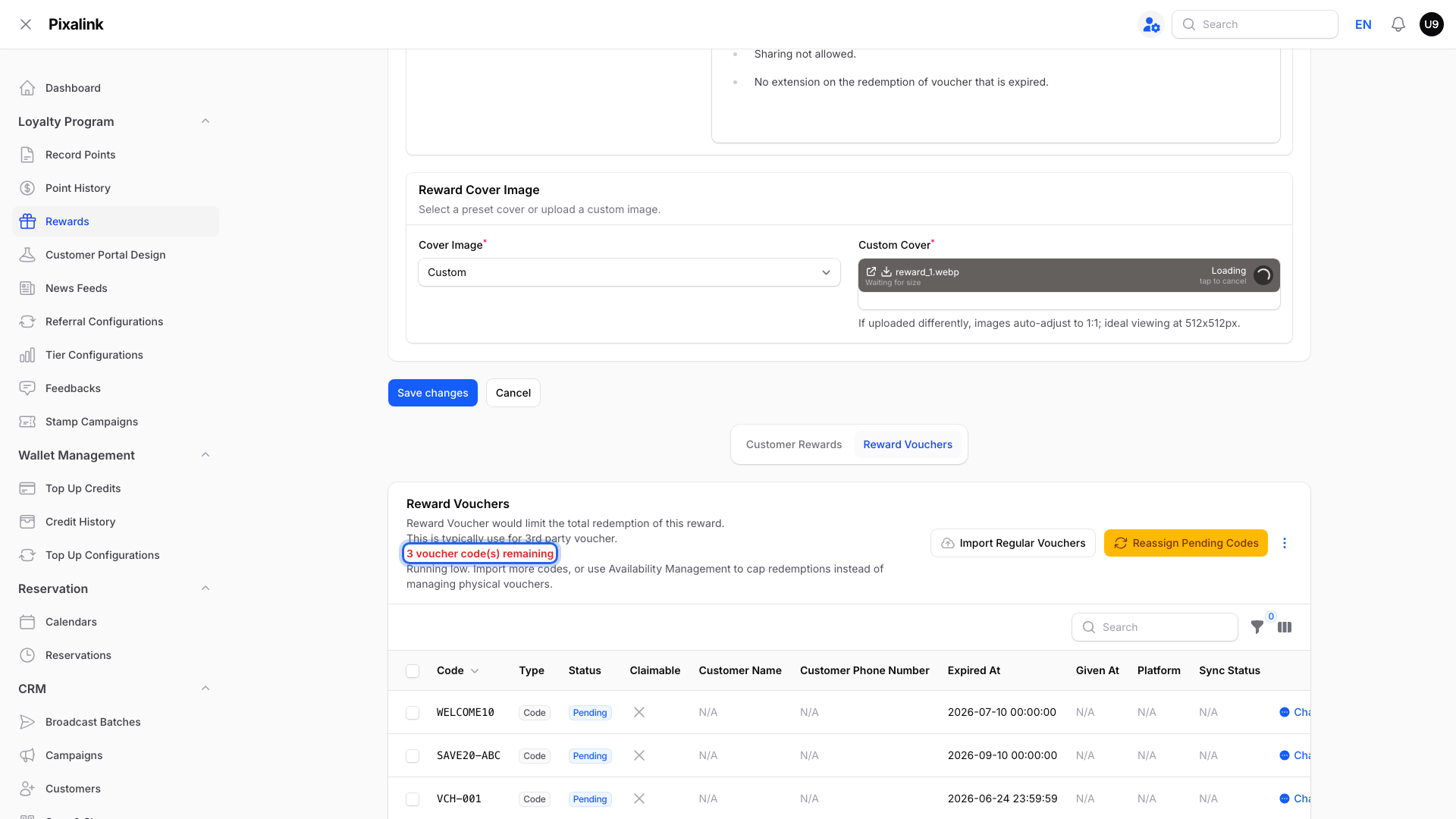
You'll find the codes in Loyalty Program → Rewards → Edit, on the Reward Vouchers tab below the form. This tab only appears when voucher codes are turned on for your business, or a supported online store or POS system is connected.
When Sold Out Appears
Each code has a Status. Only Pending codes are still free to give out. The line above the list shows how many are left. When it reaches 0, the voucher shows Sold Out.
What customers see. The voucher stays in the portal with a red Sold Out badge, and its button says Sold Out. They can see it but can't spend points on it.
What about expired codes? Each code has its own Expired At date. Once a day, Pixalink moves codes past that date to Expired, and they stop counting as left. So Sold Out appears after that daily check, not the minute the last code expires.
Update Your Stock Straight Away
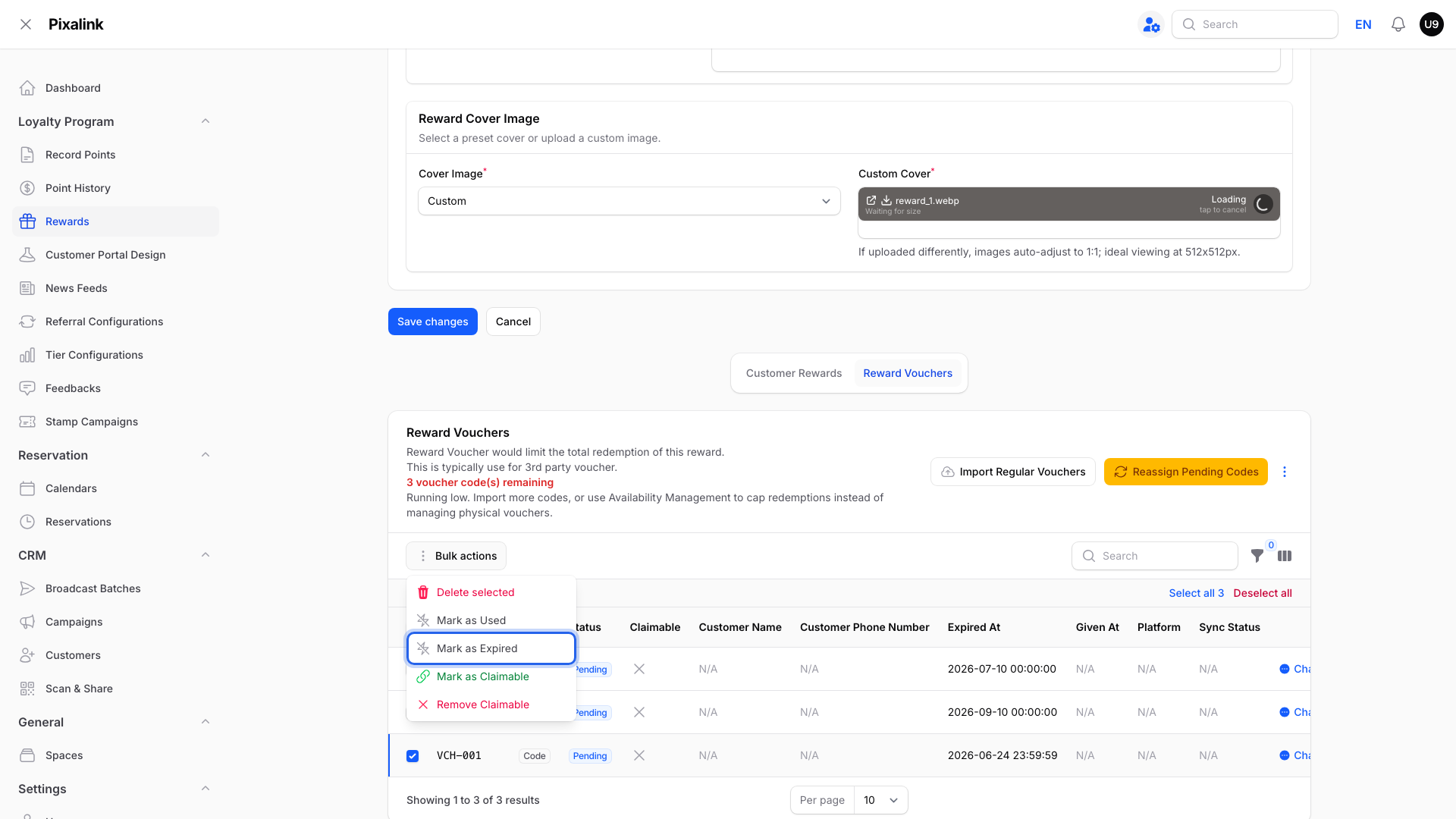
Don't want to wait for the daily check? Tick the old Pending codes, open Bulk actions and pick Mark as Expired.
Warning
Only tick codes that are still Pending. If a customer already holds a code, Mark as Expired also expires the voucher in their account.
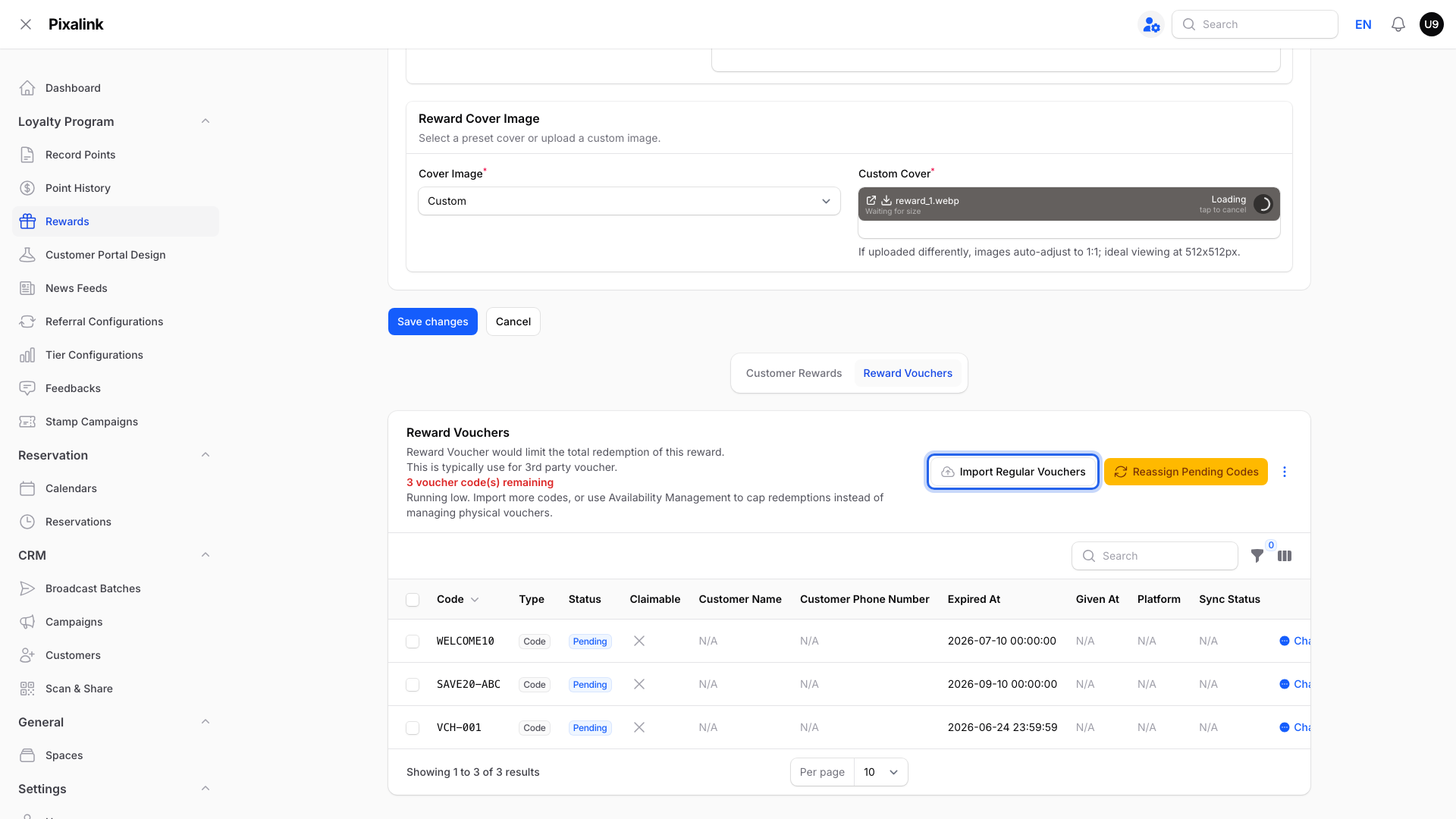
Bringing it back. Click Import Regular Vouchers to add a fresh batch. Sold Out goes away by itself once there are Pending codes again.
Get Warned Before Codes Run Out
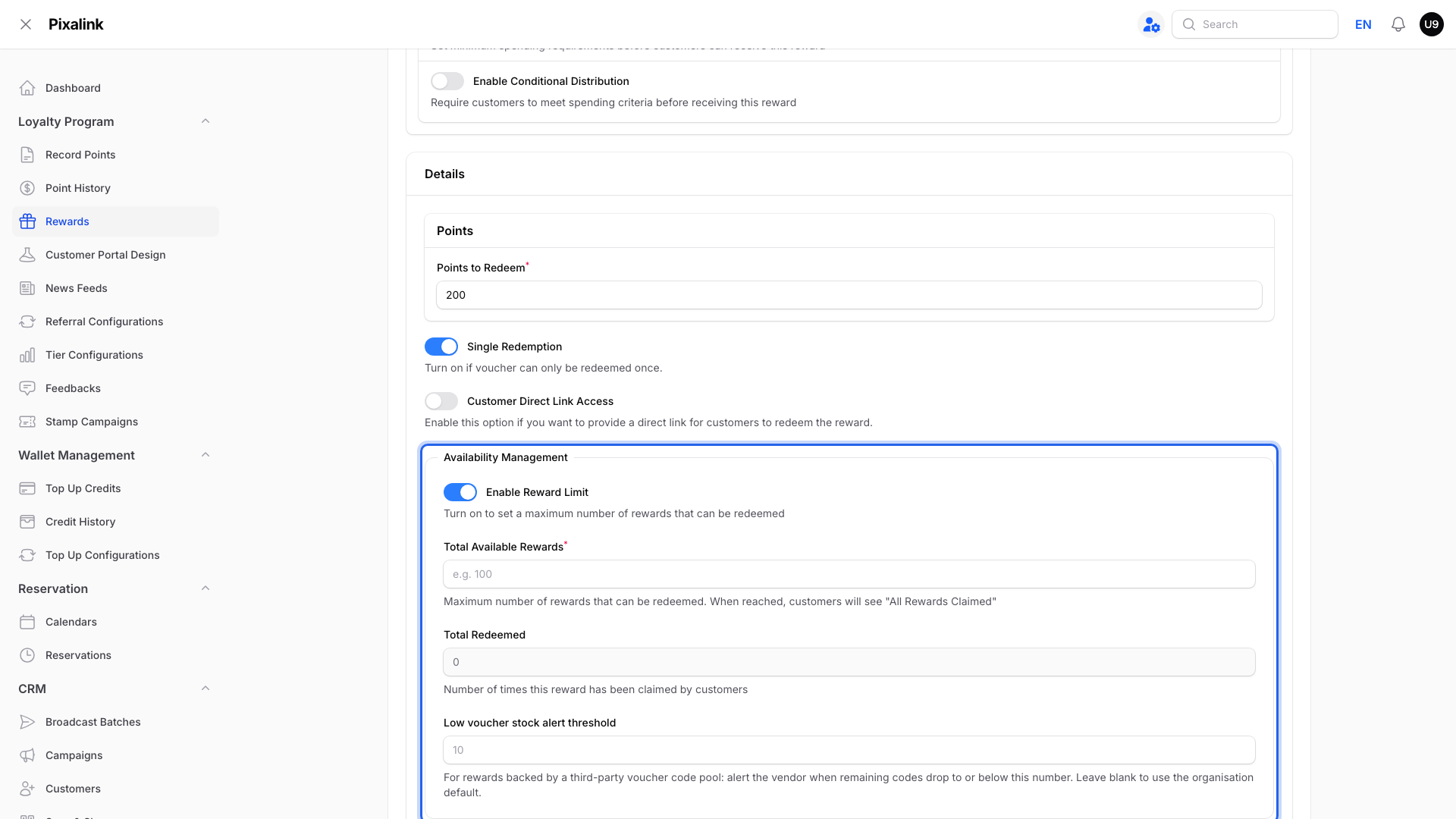
You can get an alert before a reward's codes run out. See How to Enable Low Stock Notifications for Voucher Codes.
Real-Life Example
Aishah runs Boba Lab in Petaling Jaya. She uploads 50 partner coffee voucher codes and prices the voucher at 300 points. Customers claim 40 codes, and the last 10 expire unused on 31 March. The next day those 10 move to Expired and the count drops to 0. The voucher now shows Sold Out, so no one spends points for nothing. Aishah imports a fresh batch, and the voucher opens again.
Good to Know
-
Rewards that have never used a stock of voucher codes don't show Sold Out. To cap those, use Enable Reward Limit. When the limit is reached, no more claims are allowed.
-
When the voucher's own Expiration Date passes, it leaves the portal entirely instead of showing Sold Out.
Need Help?
If a voucher shows Sold Out while Pending codes are still left, contact our support team.