
Tier Vouchers and Minimum Spend Explained
Tier Vouchers and Minimum Spend Explained
What Is This?
You can reward members the moment they reach a new tier. Pixalink drops a voucher into their account by itself.
This guide answers two common questions. Can members use that voucher on any package? And is there a minimum spend?
Video Walkthrough

How It Works
| Question | Short answer |
|---|---|
| When does the voucher arrive? | Automatically, when the member reaches the tier. |
| Is it limited to certain packages? | No. Your staff check which packages qualify. |
| Is there a minimum spend? | Only if you write one in the terms. Your staff enforce it. |
1. The voucher arrives when the member reaches the tier
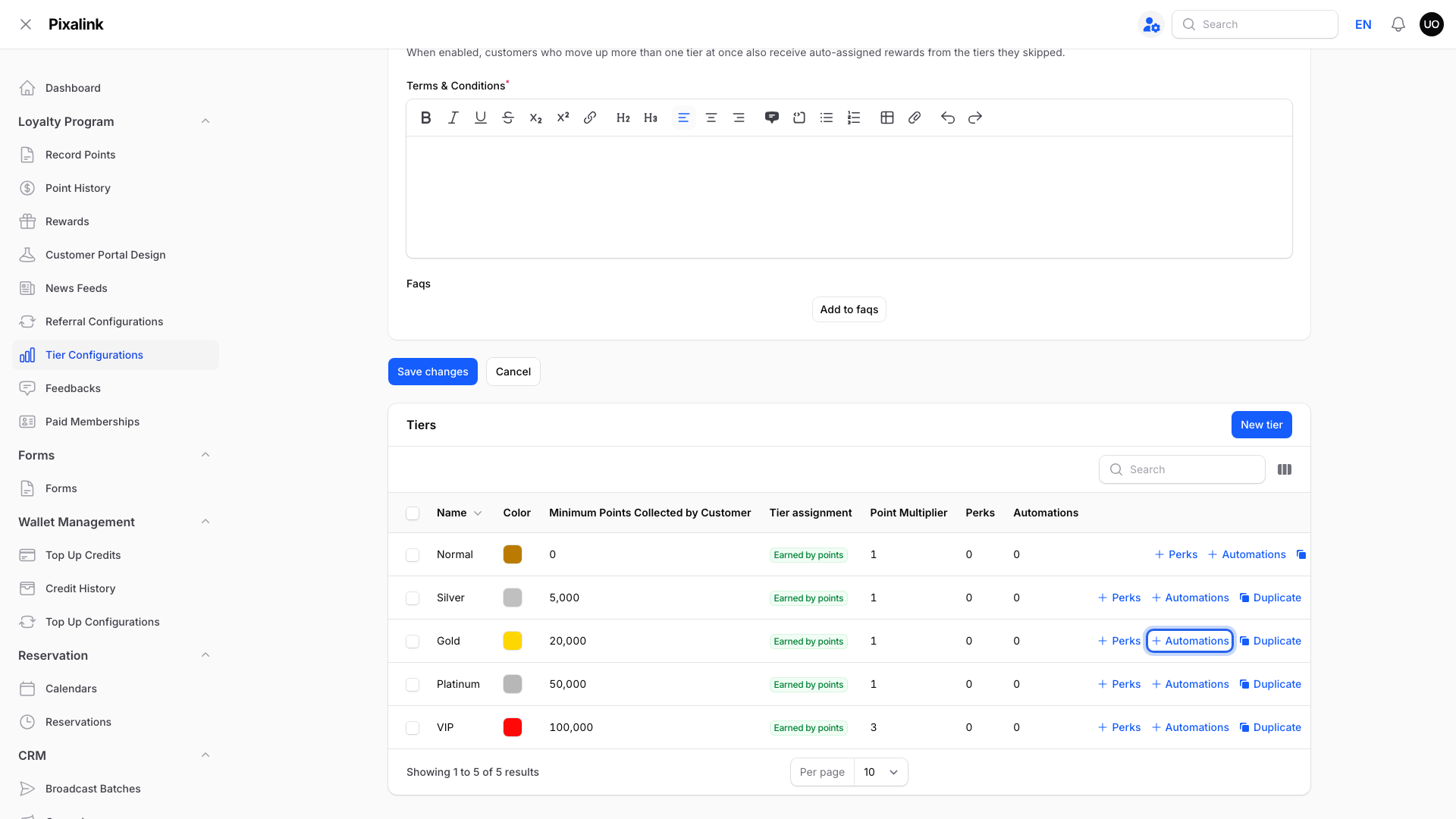
Go to Loyalty Program → Tier Configurations and open your configuration. In the Tiers table, click Automations on the tier you want.
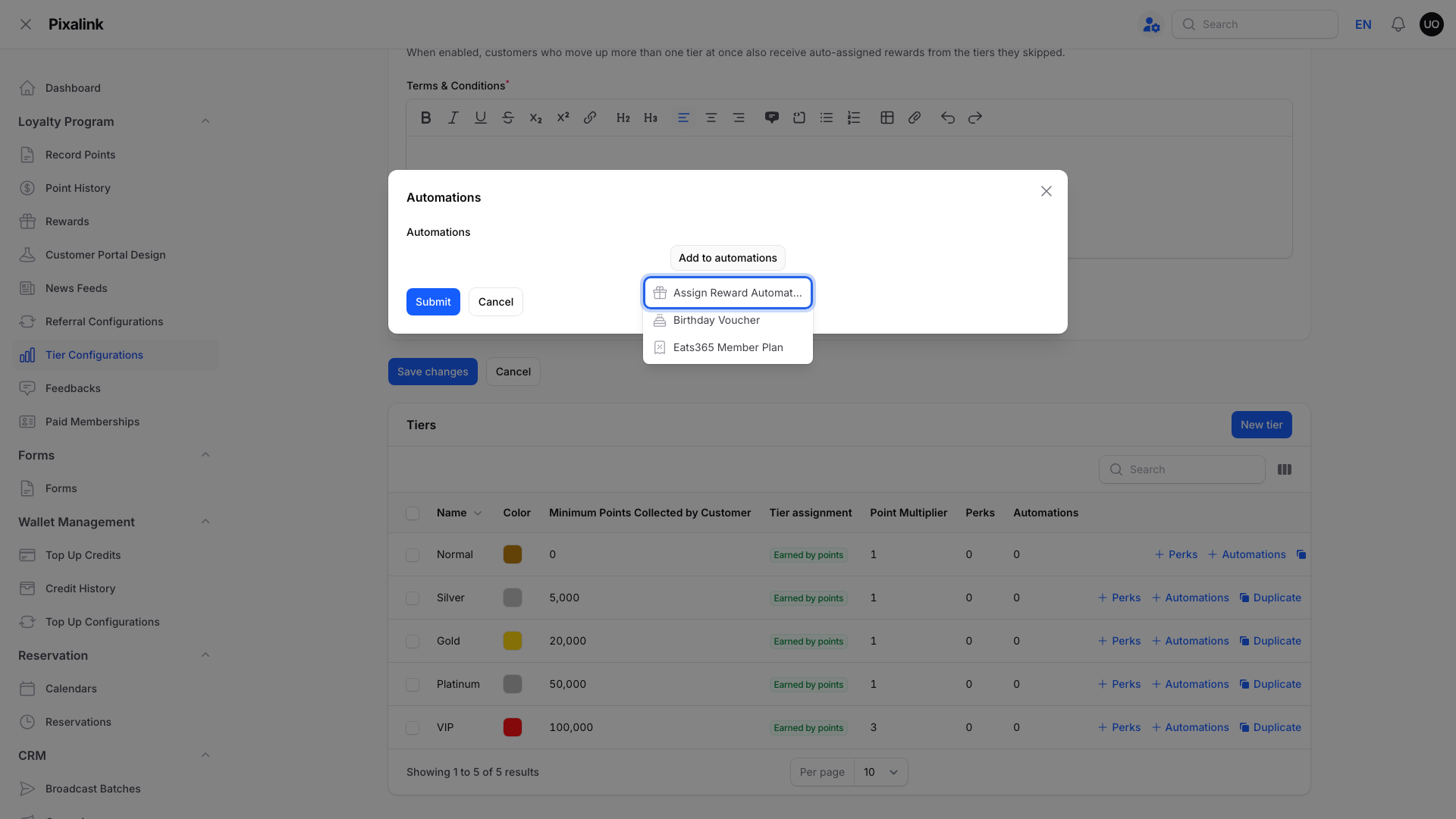
Click Add to automations, then choose Assign Reward Automatically.
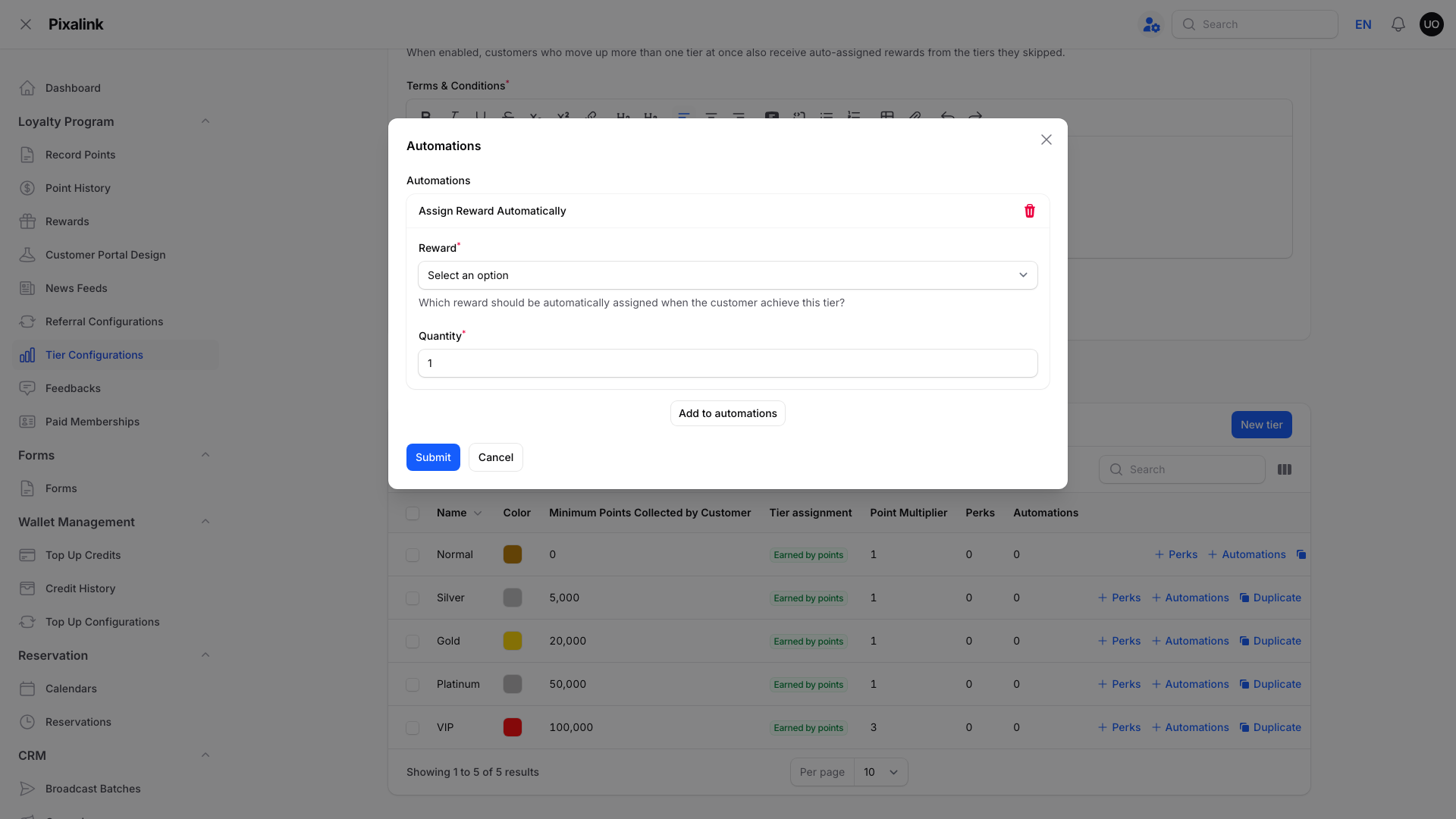
Pick the Reward and the Quantity, then click Submit. Only active rewards that cost 0 points appear in the list.
2. Your staff check which packages qualify
Pixalink checks that the voucher can be used, including its expiry, activation date and any waiting period between uses. Counter redemption does not check the package price or enforce rules written in the terms. Your staff must check those before redeeming it.
3. Your staff enforce a minimum spend written in the terms
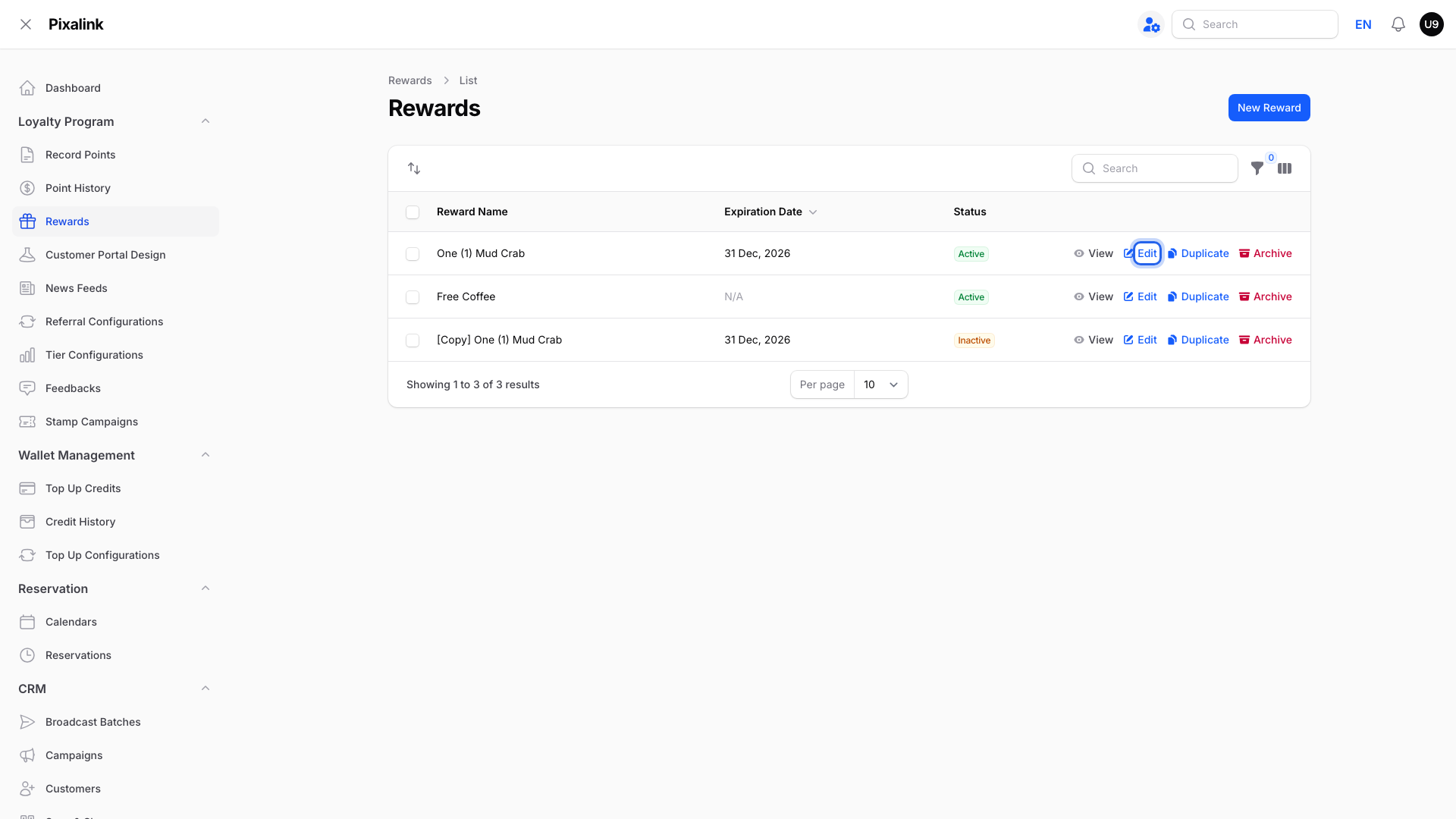
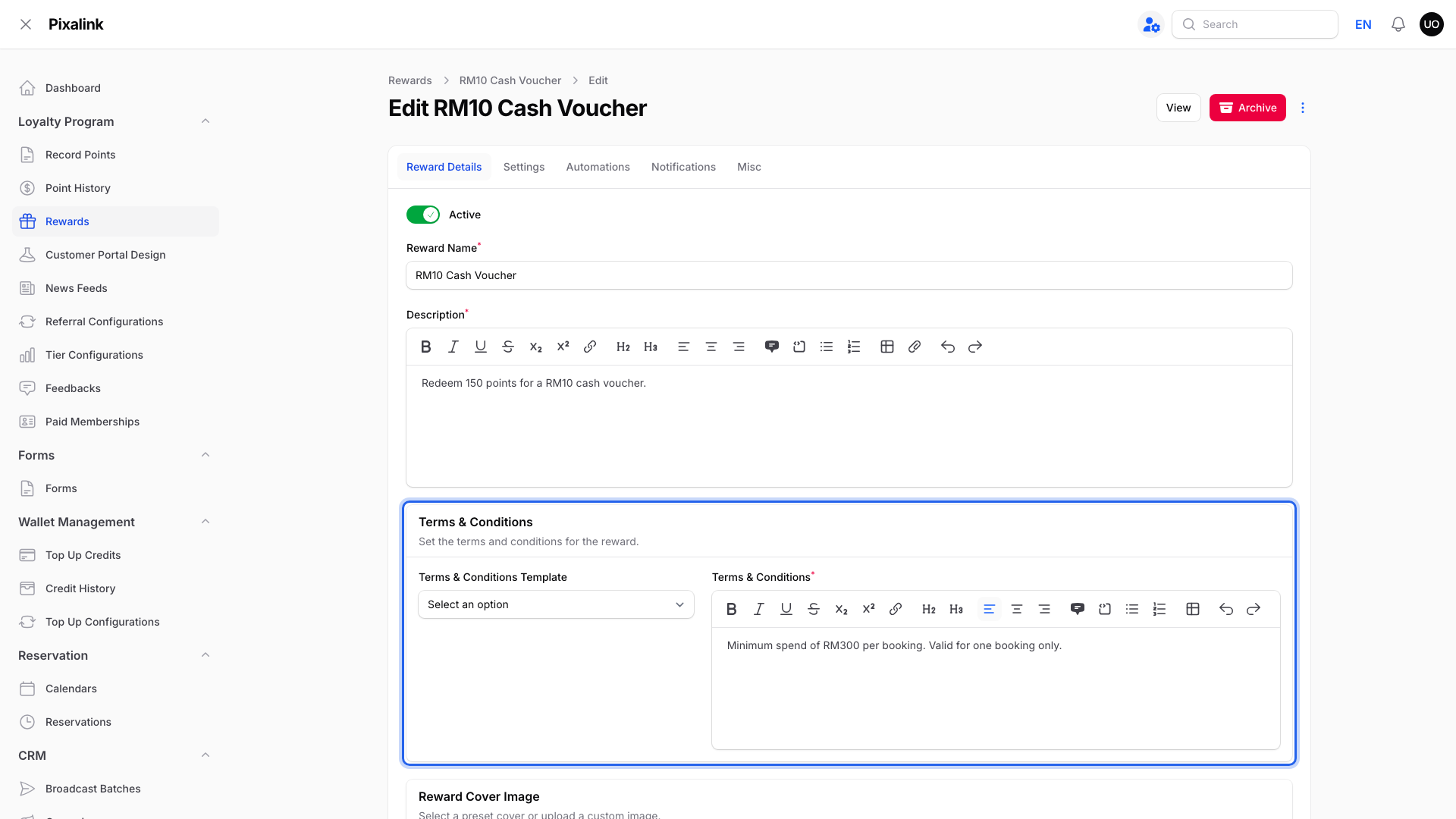
Go to Loyalty Program → Rewards and click Edit on the reward.
On the Reward Details tab, write your rule in Terms & Conditions, for example "Minimum spend of RM300 per booking." Members see the terms on their voucher.
Important
Pixalink does not check the bill against your terms. Your staff check the bill before redeeming the voucher.
What Your Members See
The voucher appears in the member's portal under Rewards → My Rewards as soon as they reach the tier, with its expiry date.
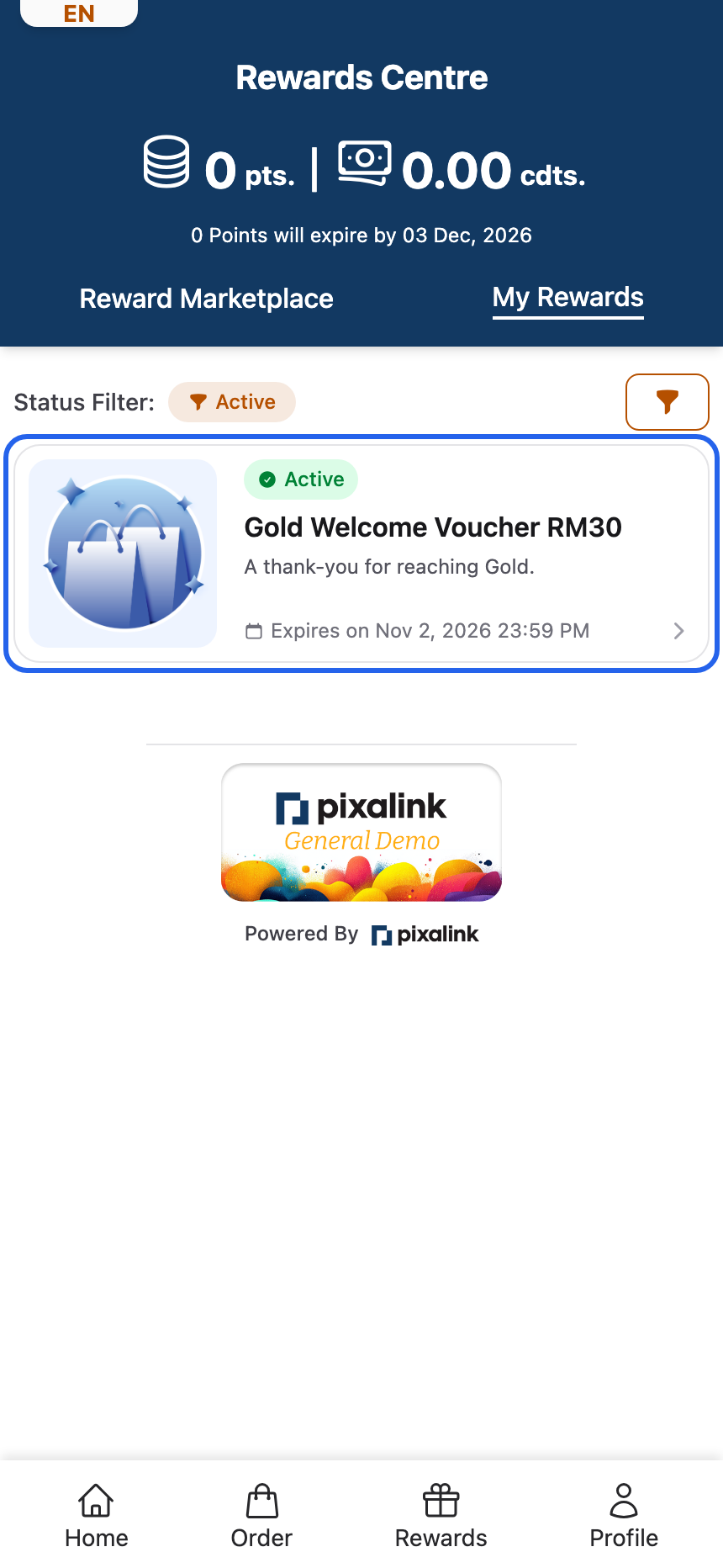
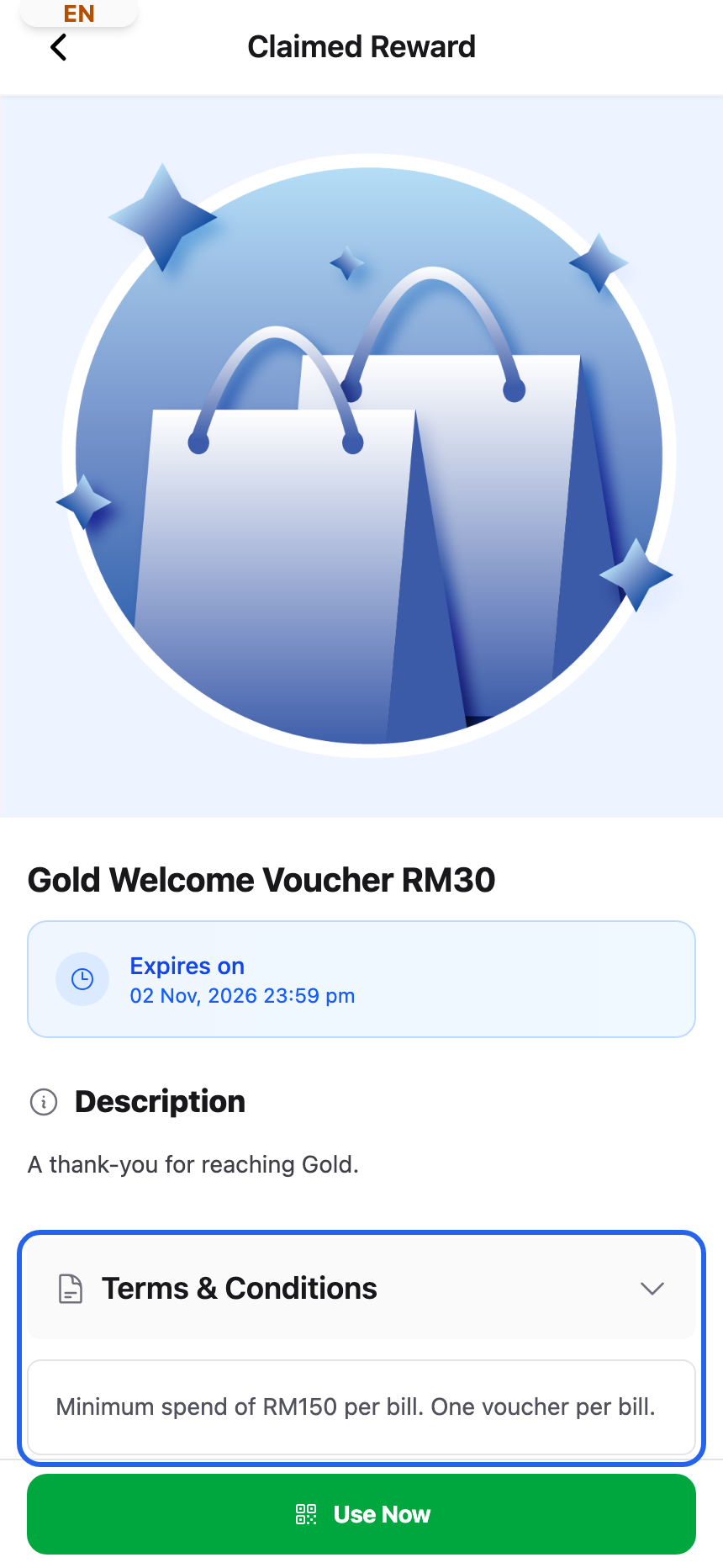
When they open it, your minimum spend shows under Terms & Conditions, right above the Use Now button.
Real-Life Example
Farah runs a travel agency in Shah Alam with Silver and Gold tiers. She gives every new Gold member an RM100 travel voucher. A member asked if he could use it on a small RM150 day trip.
Farah wanted it saved for bigger trips. So she added "Minimum spend of RM1,500 per package" to the voucher terms. Now her staff check the package price before they redeem it.
Good to Know
- Given once. A member who received that reward before does not get it again.
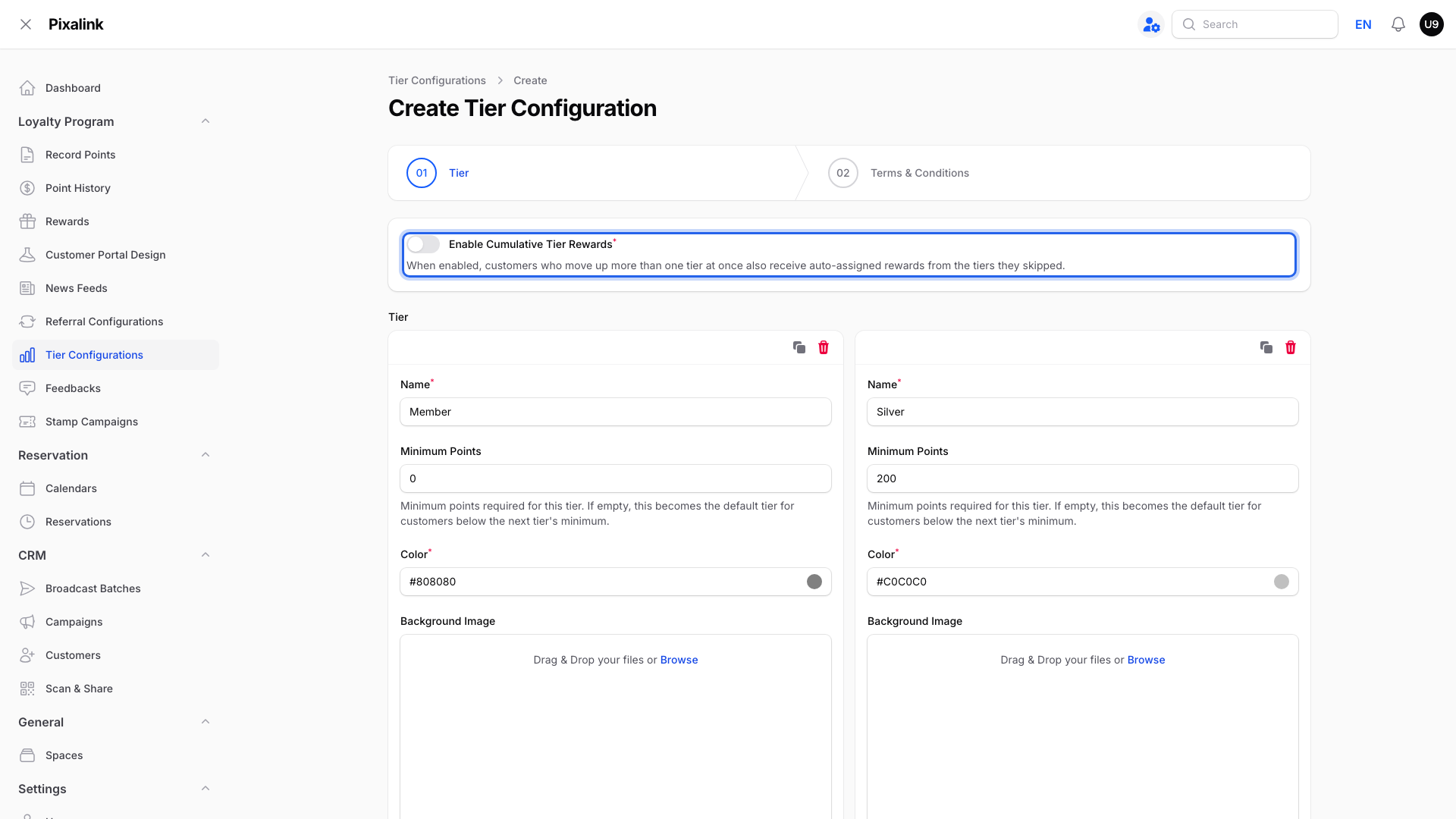
- Skipped tiers. With Enable Cumulative Tier Rewards on, an automatic upgrade within the same tier setup can include rewards from skipped tiers. This does not apply to a member's first tier assignment or a manually assigned tier.
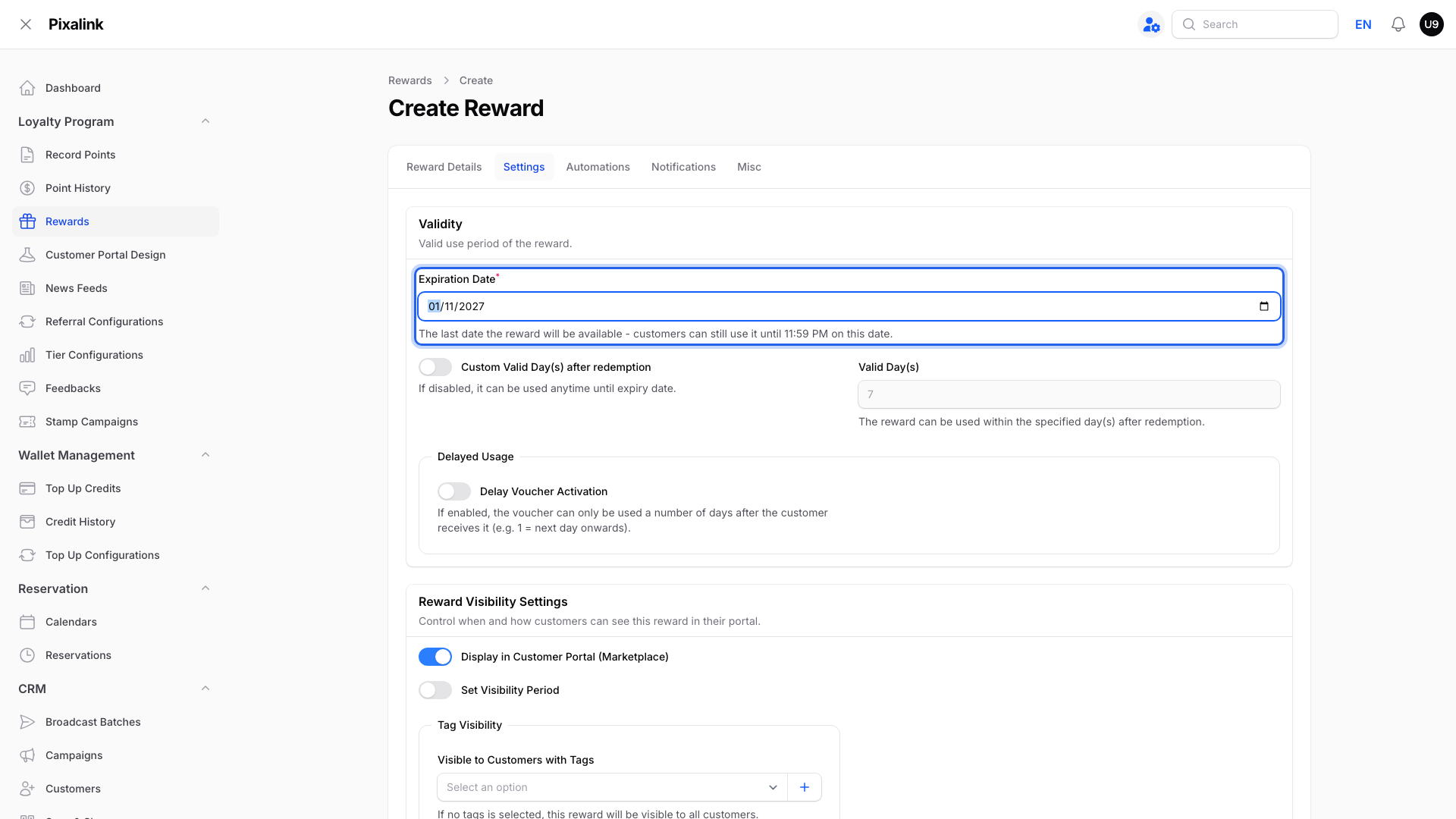
- Expiry. An Expiration Date on the reward's Settings tab limits how long the voucher can be used.
- Eats365 outlets can apply a minimum bill on the POS system itself. See How to Give Every Member a Festive Voucher with a Minimum Spend.
- Enable Conditional Distribution is different. It decides who can receive a reward, based on past spending. It does not check the bill when the voucher is used.
Need Help?
If a member reached a tier but did not get the voucher, contact our support team with their phone number.