
How the Reward Activation Delay Works
How the Reward Activation Delay Works
What Is This?
Activation delay lets you hold back a reward so customers can't use it the moment they claim it. You choose how many days to wait, and the voucher stays locked until then. It's perfect for "claim today, come back later" offers that pull people in for a second visit.
How It Works
You switch the delay on per reward, and customers then see a locked voucher until the wait is over.
To set it up, open the reward, go to the Settings tab, and turn on Delay Voucher Activation. Then enter a number under Usable After (Day(s)) — 1 means the voucher works from the next day onwards.

When a customer claims the reward, the voucher appears in their My Rewards list with an amber Usable from badge and the date it unlocks. A reward with no delay shows a green Active badge right away.
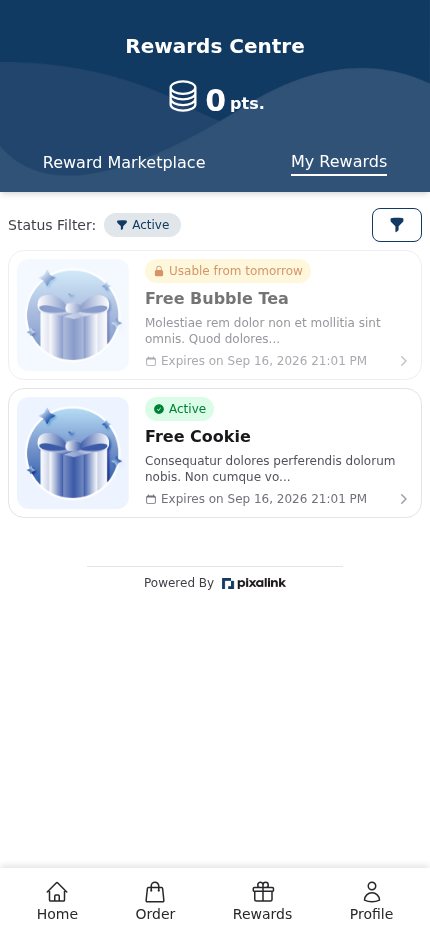
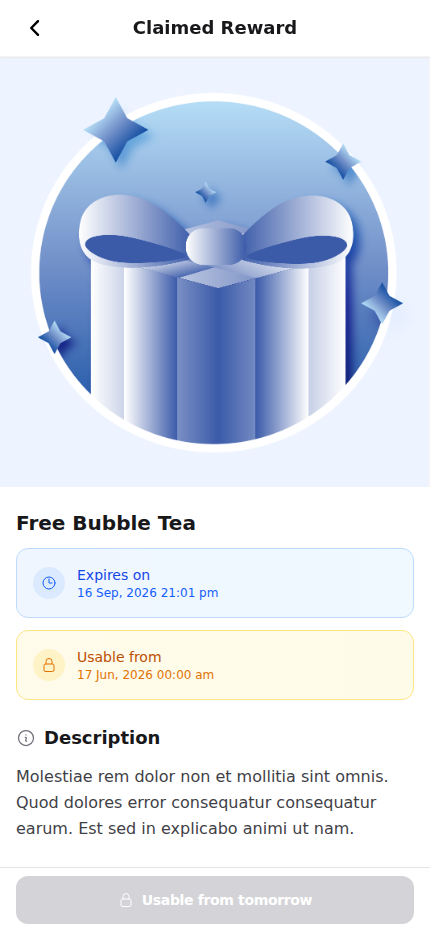
Opening a locked voucher shows the Usable from date and a greyed-out button, so the customer can't redeem it early.
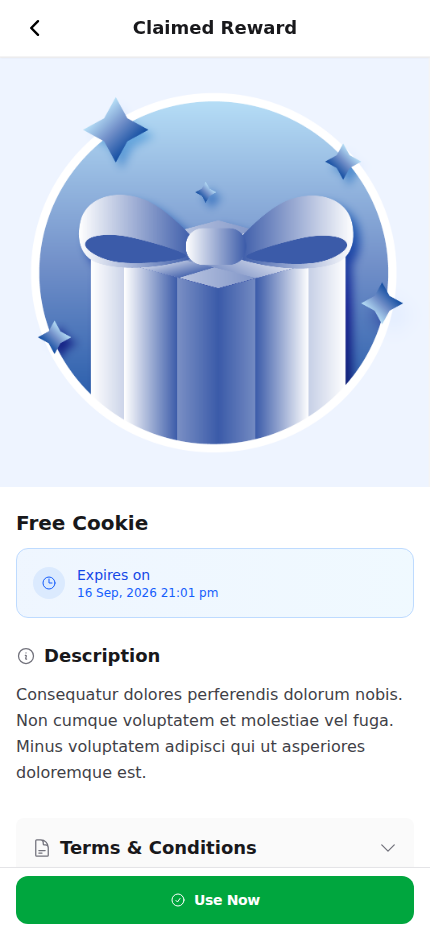
Once the wait is over, the notice disappears and the Use Now button turns green and ready.
Real-Life Example
Aishah runs Boba Lab, a bubble tea shop in Petaling Jaya. She wants first-time visitors to return rather than redeem on the same day. So she creates a "Free Bubble Tea" reward and sets the delay to 1 day. A customer claims it at the counter, but the voucher stays locked until tomorrow. The next day it turns active, and the customer drops by again for their free drink. Aishah turns one visit into two.
Good to Know
- Enter 1 to unlock the voucher from the next day onwards. The wait counts from the day the customer claims it.
- The delay is set per reward, so you can mix instant and delayed rewards in the same catalog.
- A locked voucher still shows its expiry date, so customers can see the full window.
- If your staff mark a reward as already redeemed, the delay does not apply.
- Leave the toggle off for rewards you want customers to use right away.
Need Help?
Not sure what delay to set? Reach out to our support team and we'll help you decide.