
What Single Redemption and Reward Limit Mean
What Single Redemption and Reward Limit Mean
What Is This?
Two settings decide how many times a reward can be claimed. Single Redemption limits each customer to one claim. Enable Reward Limit caps the total claims across all your customers. Used together, they stop a promotion from costing more than you planned.
How It Works
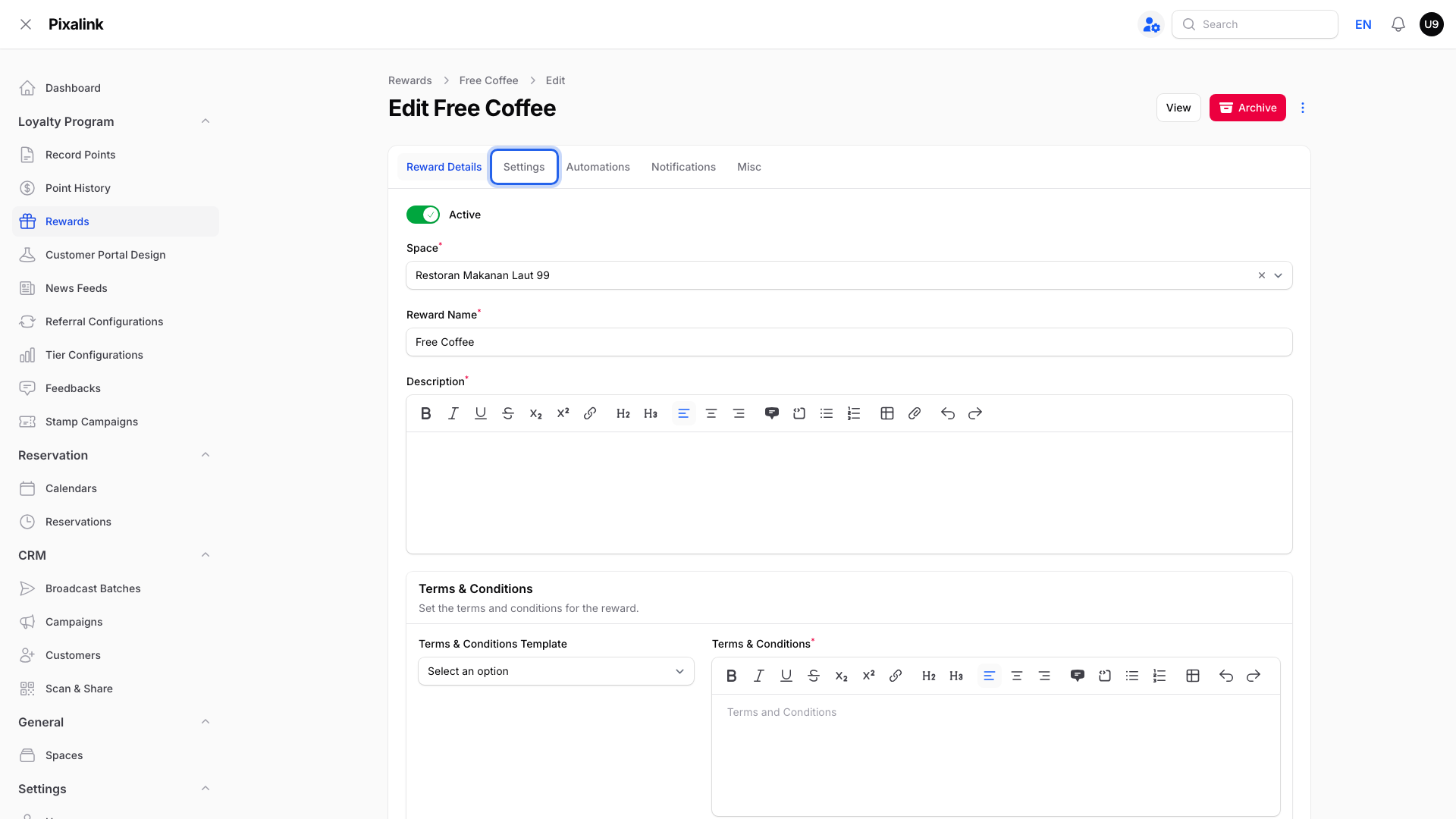
Both settings are in Loyalty Program → Rewards → Edit, on the Settings tab, inside the Details box.
Single Redemption: Once per Customer
With Single Redemption on, each customer can get this reward only once. After they claim it, their button says You have redeemed this reward. This applies even if they haven't used the voucher yet.
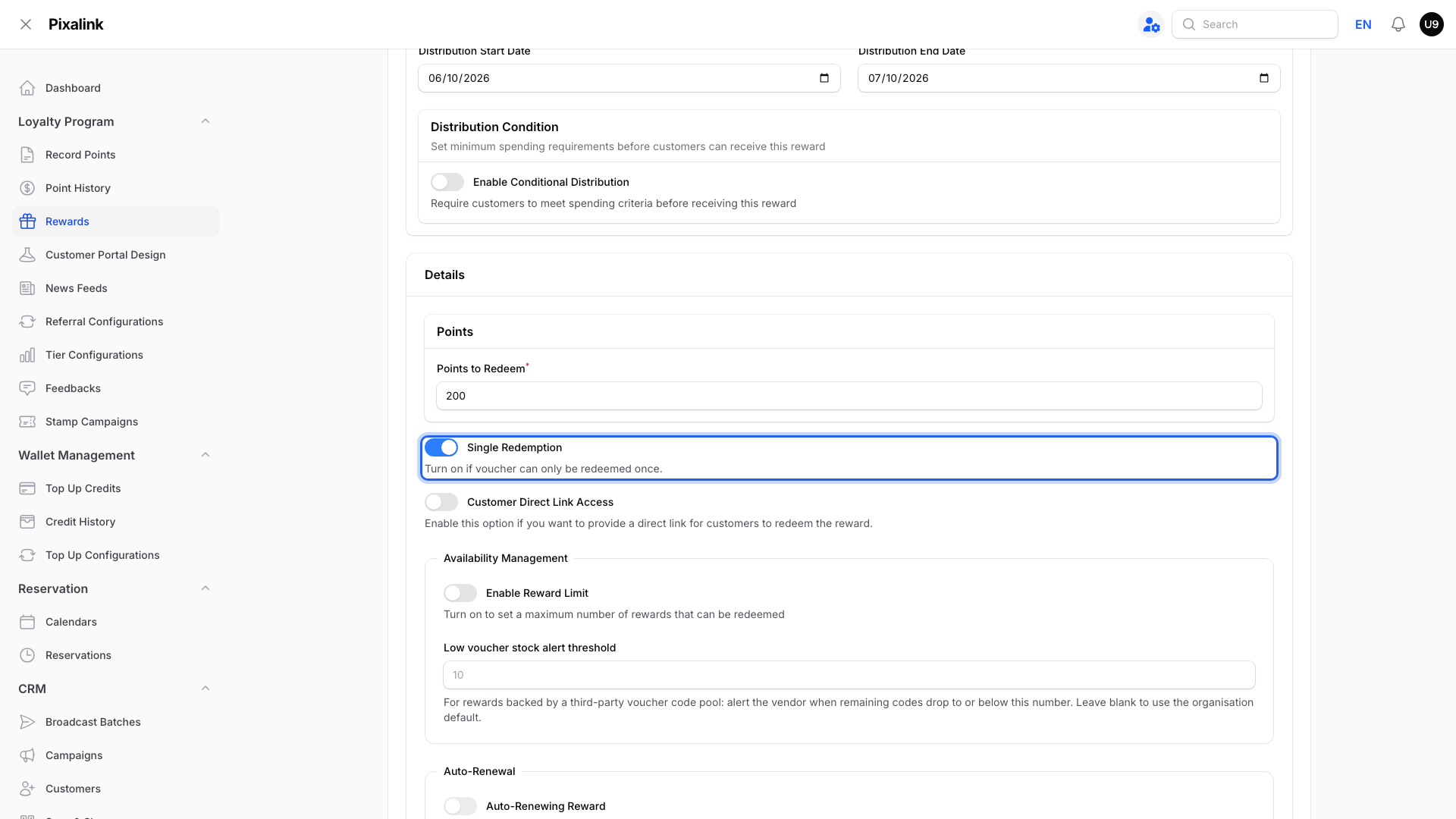
The help text under the toggle says the voucher "can only be redeemed once". It means once per customer, not once in total.
Enable Reward Limit: a Total for Everyone
Turn it on and type a number in Total Available Rewards. Total Redeemed counts up with each claim, including vouchers you give out yourself. When Total Redeemed reaches Total Available Rewards, no more claims are allowed.
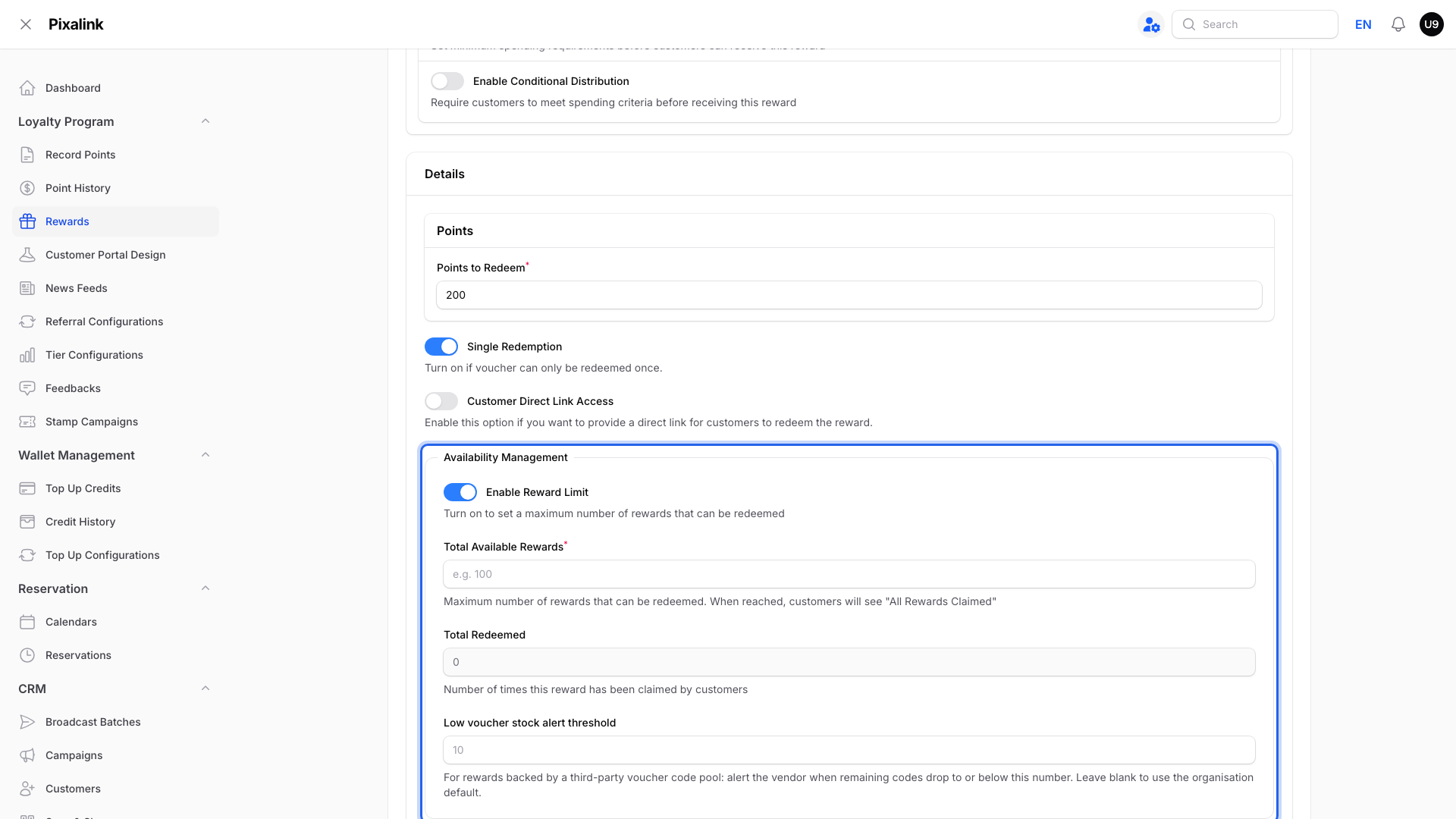
Note
Total Redeemed only counts claims made while Enable Reward Limit is on. Claims from before you turned it on aren't included.
Which Message a Customer Sees
The portal checks a customer's claim in a fixed order and shows the first message that applies. So a customer who already claimed a sold-out reward sees You have redeemed this reward, not All Rewards Claimed.
flowchart TD
    A["Customer opens the reward"] --> B{"Single Redemption on<br/>and already claimed?"}
    B -->|Yes| C["You have redeemed this reward"]
    B -->|No| D{"Reward Limit on<br/>and total used up?"}
    D -->|Yes| E["All Rewards Claimed"]
    D -->|No| F["Other checks such as<br/>dates and points"]
How the Two Settings Work Together
| Single Redemption | Enable Reward Limit | Result |
|---|---|---|
| Off | Off | No limit from these two switches. Dates, conditions and voucher-code stock still apply. |
| On | Off | One per customer. No cap on how many customers claim it. |
| Off | On | Customers can claim more than once until the total runs out. |
| On | On | One per customer, until the total runs out. |
No limit never means free. Each claim still takes the Points to Redeem from the customer's balance.
Real-Life Example
Aishah runs Boba Lab in Petaling Jaya. She launches a "Free Bubble Tea" reward for 100 points. She turns on Single Redemption, so Nurul can claim one drink, not five. She also turns on Enable Reward Limit with 200 rewards, which is all the stock she wants to give away. After the 200th claim, no more customers can claim it. Her everyday "RM5 Off" reward keeps both settings off, so regulars can use it every week.
Good to Know
-
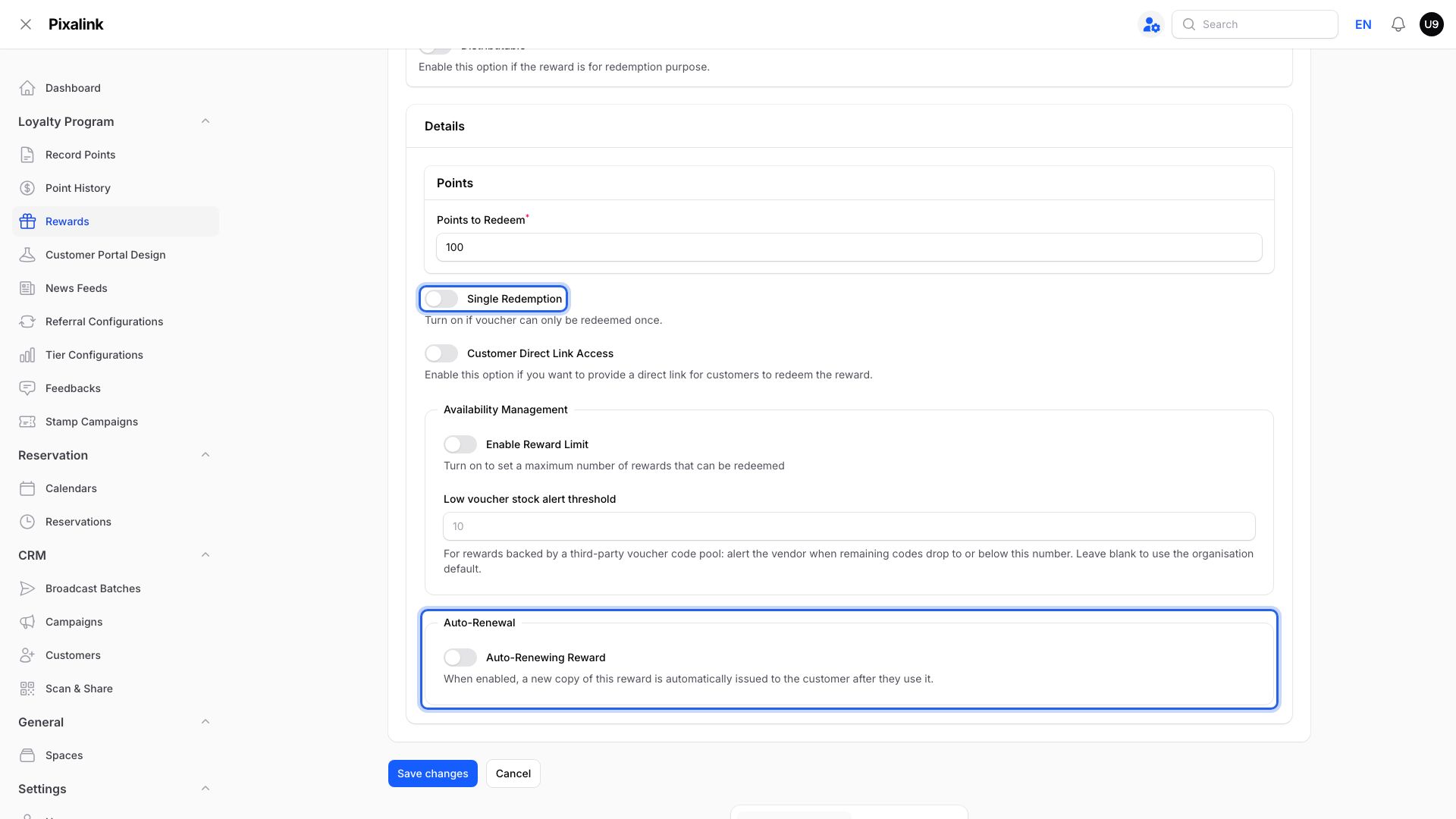
Single Redemption and Auto-Renewing Reward can't both be on. Turning on Single Redemption switches Auto-Renewing Reward off.
-
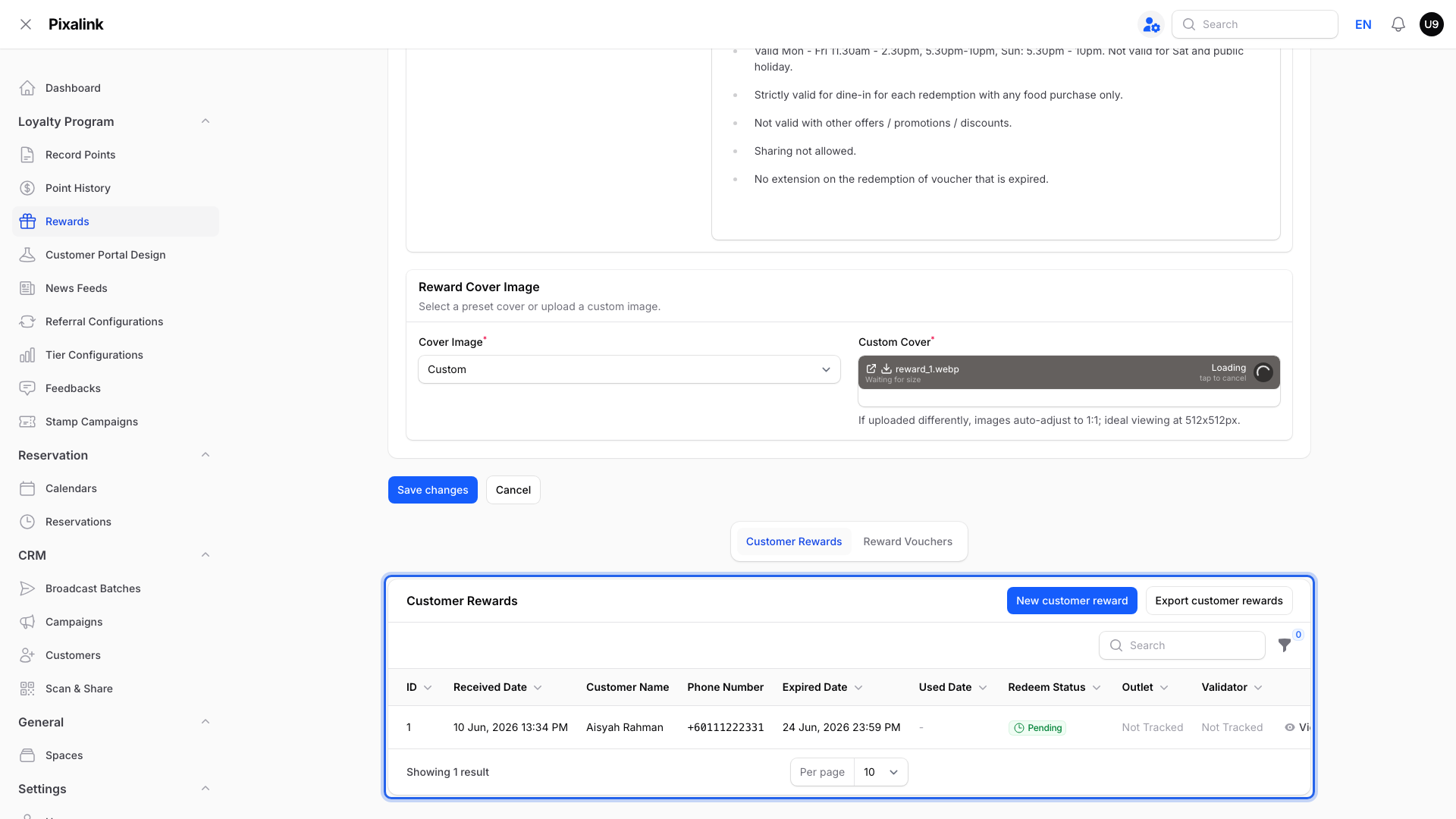
Revoking a customer's only voucher lets that customer claim again. Their other claim rules still apply, and Total Redeemed does not go down. You can revoke from the Customer Rewards list below the form while the voucher is unused and less than 48 hours old.
-
Raise Total Available Rewards at any time to open up more claims.
Need Help?
Not sure which mix suits your promotion? Contact our support team.