
AutoCount Members vs Debtors: Who Gets the Points?
AutoCount Members vs Debtors: Who Gets the Points?
What Is This?
Get points to the right shopper, every time. An AutoCount sale can carry a debtor (the account you bill) and a member (the shopper's loyalty card). Here's which one Pixalink picks.
How It Works
A sale has both a debtor and a member. Who gets the points?
On a cash sale, the member comes first, the same way AutoCount credits its own bonus points. Pixalink checks each sale in this order, stopping at the first match:
flowchart TD
  A["Paid sale arrives<br/>from AutoCount"] --> C{"Cash sale with a<br/>matching member?"}
  C -->|Yes| P["Points go to<br/>that customer"]
  C -->|No| B{"Debtor code matches<br/>a customer?"}
  B -->|Yes| P
  B -->|No| D{"Phone 1 matches<br/>a customer?"}
  D -->|Yes| P
  D -->|No| E["Waits as Pending<br/>for you to Adopt"]
- Invoices check the debtor, then Phone 1.
- Cash sales check the member, then the debtor, then Phone 1.
- POS terminal bills check the member only.
I create a new debtor in AutoCount. Will Pixalink create a PXL- member?
Sometimes. When the debtor first arrives, it happens only if all of these are true:
- Customer Sync is on.
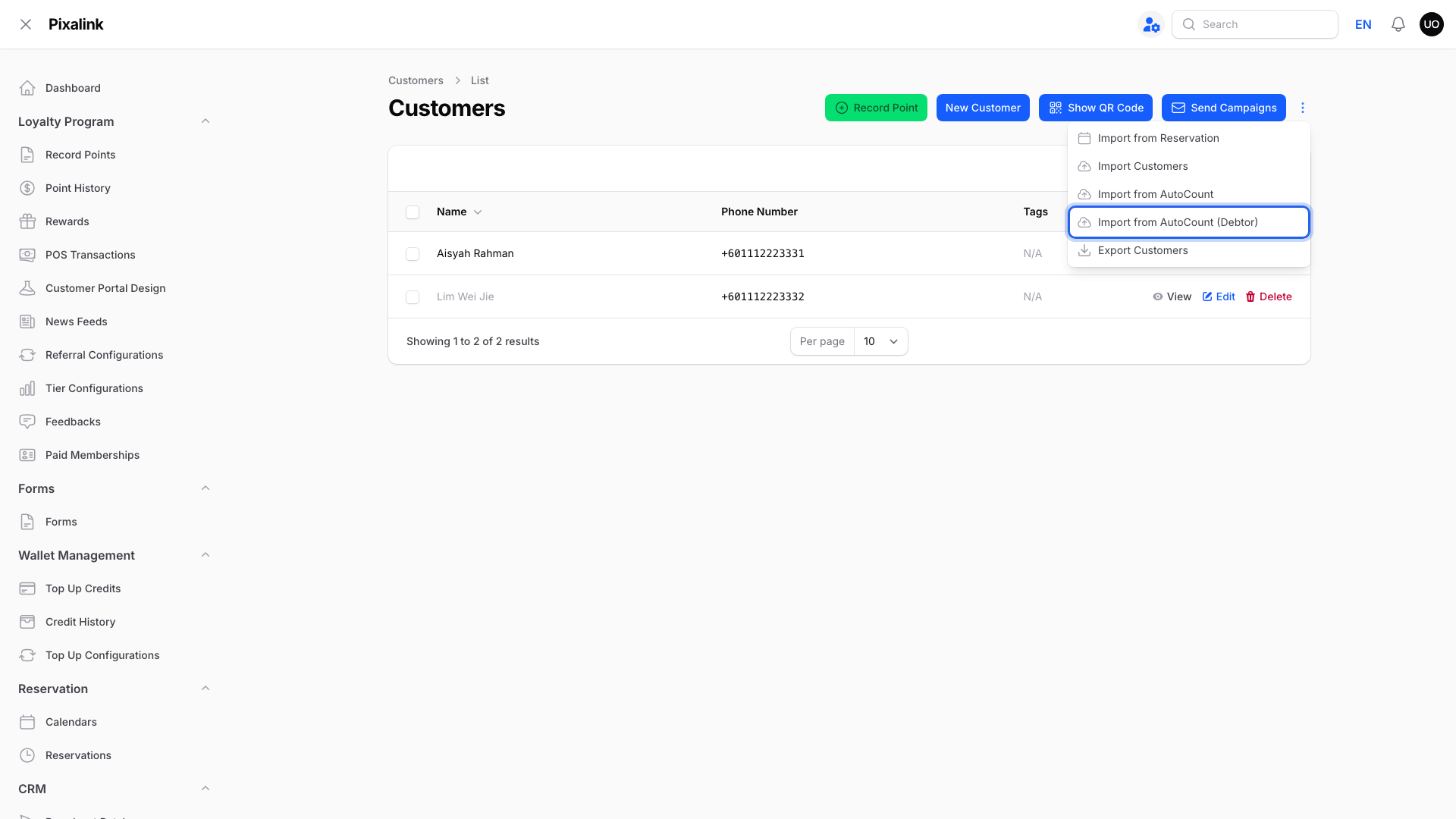
- The debtor has a phone number and arrives through the regular automatic sync, not the first import or the Import from AutoCount (Debtor) button.
- The debtor is new to Pixalink, not matched to an existing customer.
Before creating anything, Pixalink looks for an AutoCount member with the same number as the debtor code, then one with the same phone. If it finds one, it links to that member. Only if none exists does it create a PXL- member.
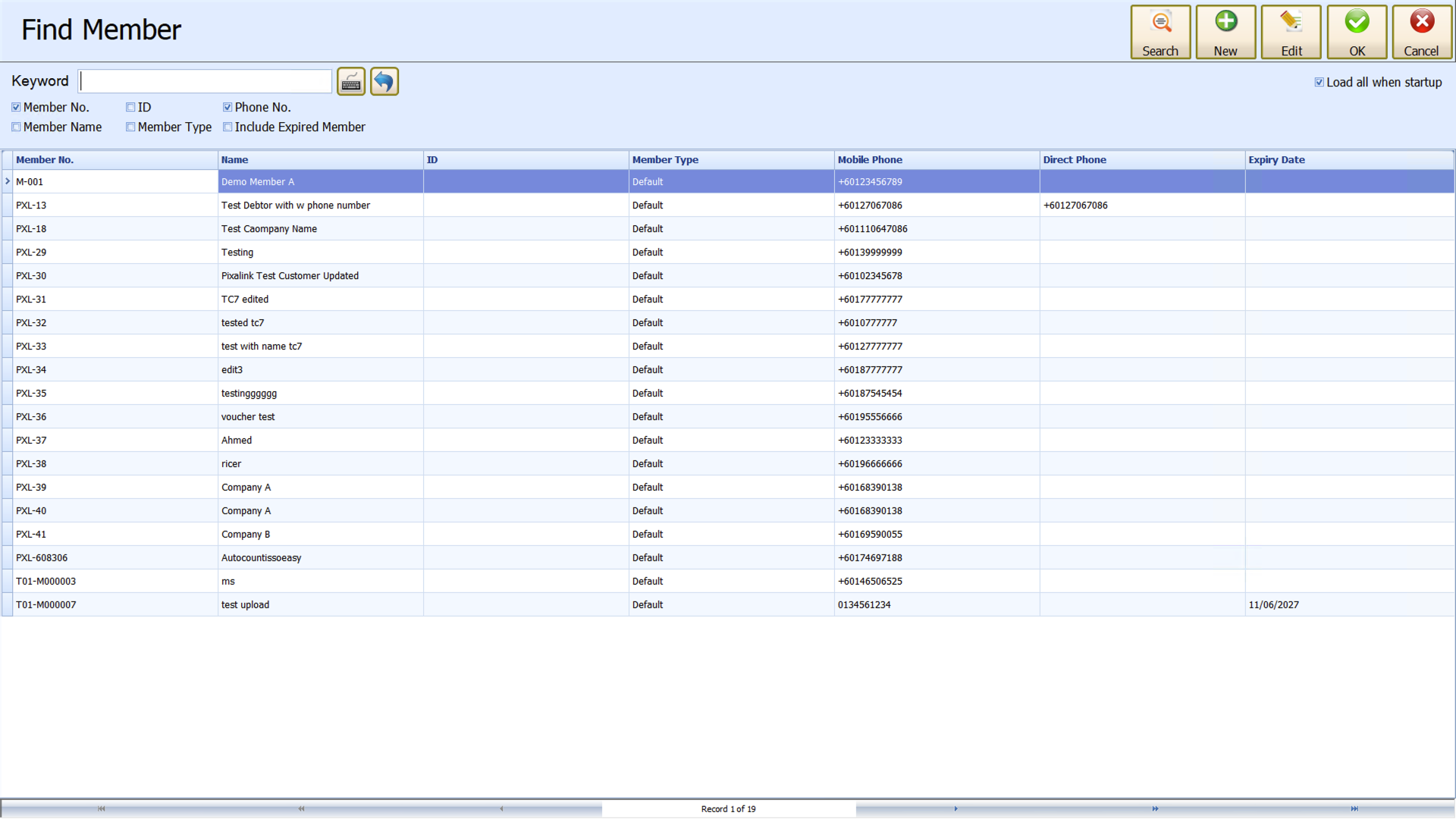
Some AutoCount setups add a member per debtor themselves. That's AutoCount, not Pixalink.
If I delete a member in AutoCount, is the customer removed from Pixalink?
No. Pixalink never removes a customer because of an AutoCount change. Their points stay.
In the other direction, with Customer Sync on, deleting a customer in Pixalink also deletes their linked AutoCount member, but only a PXL- member Pixalink created. Members you created in AutoCount, and debtors, are never deleted.
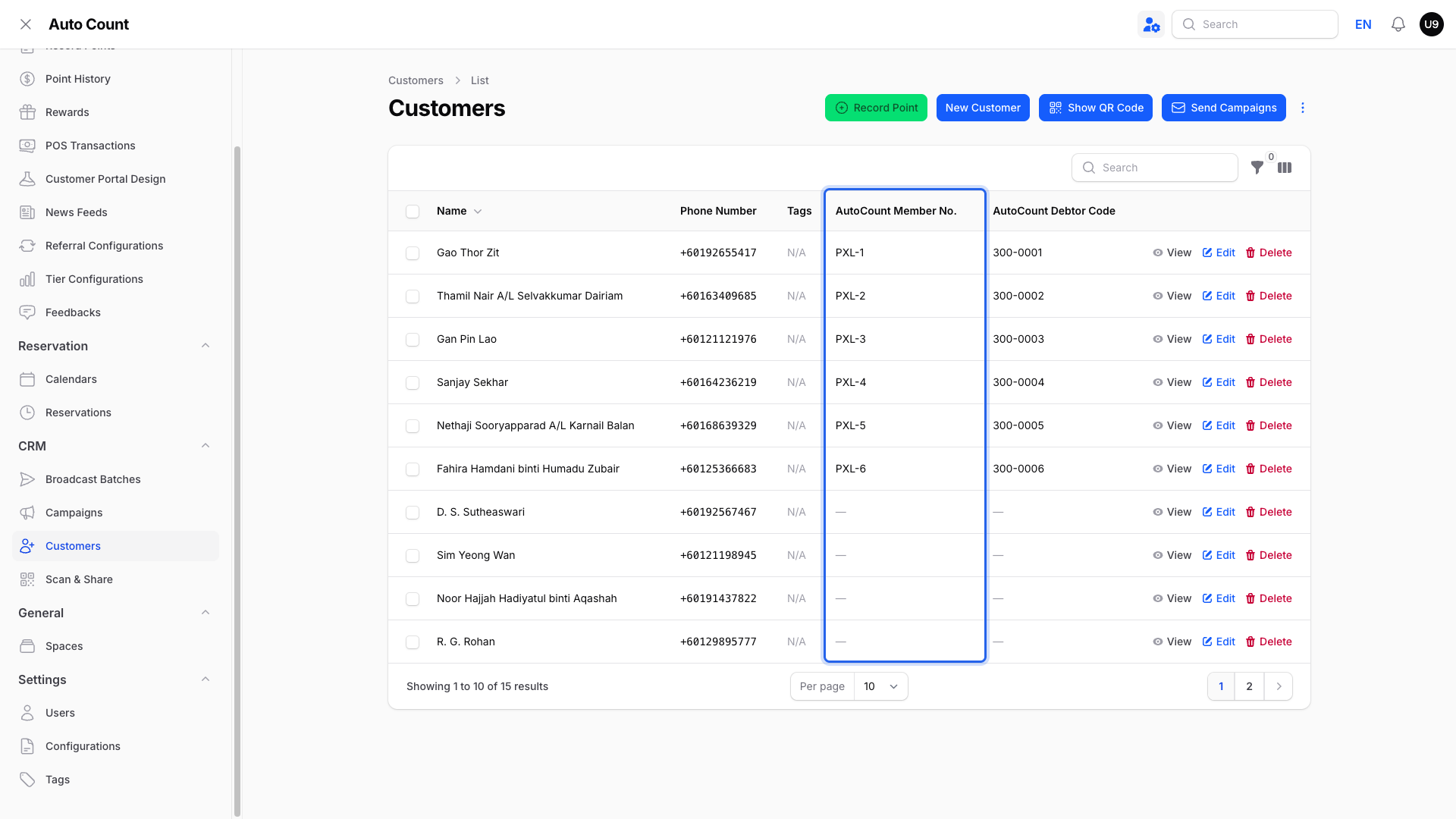
To see the linked member, go to Admin Panel → CRM → Customers and check the AutoCount Member No. column.

Does the "Has Bonus Point" box on a member matter?
No. Points follow your own earning rules in Pixalink. To stop an account earning, such as a wholesale buyer, ask our team to add its debtor code to your no-points list.
Does Pixalink ever change my AutoCount data?
Mostly it reads: sales, credit notes, debtors, members and vouchers. It writes in two cases only:
- Customer Sync on: creates PXL- members, can update a linked member's name, phone and email to match Pixalink, and deletes a linked PXL- member when you delete the customer.
- Voucher Sync on: creates, updates and removes reward vouchers.
Pixalink never creates, edits or deletes debtors, invoices or cash sales.
Real-Life Example
Siti runs Kedai Emas Seri, a jewellery shop in Shah Alam. Her cashier rang up a RM800 cash sale under Farah's debtor account, with Farah's husband's member card attached. The points went to her husband, because the member on the bill is checked first. That matches the Member Points report in AutoCount, so both systems show the same balance.
Good to Know
- A shared walk-in debtor with a phone number becomes a customer in Pixalink. It takes the points on every cash sale billed to it that has no member attached. Leave its phone fields empty.
- New sales to a debtor on your no-points list earn nothing, even with a member attached.
- A new debtor on its own never triggers your welcome reward.
- A deleted customer can come back if you import from AutoCount again.
Need Help?
Our support team can check your Customer Sync and Voucher Sync settings.