
How to Remind Customers Before Their Points Expire
What Is This?
An expiry reminder tells customers their points will expire soon. It goes by WhatsApp, email or both, a few days before the date. A reminder turns points that would vanish into a reason to visit.
This guide was split out of Point Expiry Explained.
Real-Life Example
Siti runs a bakery in Ipoh, and her points last 180 days. Many customers forgot their points until they were gone. She sets a reminder 7 days before expiry, for customers with at least 100 points expiring. A regular with 150 points gets a WhatsApp message on a Monday. She comes in on Tuesday, redeems a cake, and buys coffee too. Siti keeps a loyal customer who might have drifted away.
How to Set It Up
-
Go to Admin Panel → Settings → Configurations.

Notification Settings shows on this page once a WhatsApp number is connected.
-
Scroll down to Notification Settings and stay on the Transaction tab.

The reminder is under Notifications for Customers.
-
Expand Point Expiry Reminder Notification and turn on Enabled.

This section appears only when point expiry is on for your business.
-
Choose Email, WhatsApp or both in Send this notification by.

Email goes to the address on the customer's profile.
-
Set the fewest expiring points in the first box and Days Before Expiry, then edit the Message if you want.
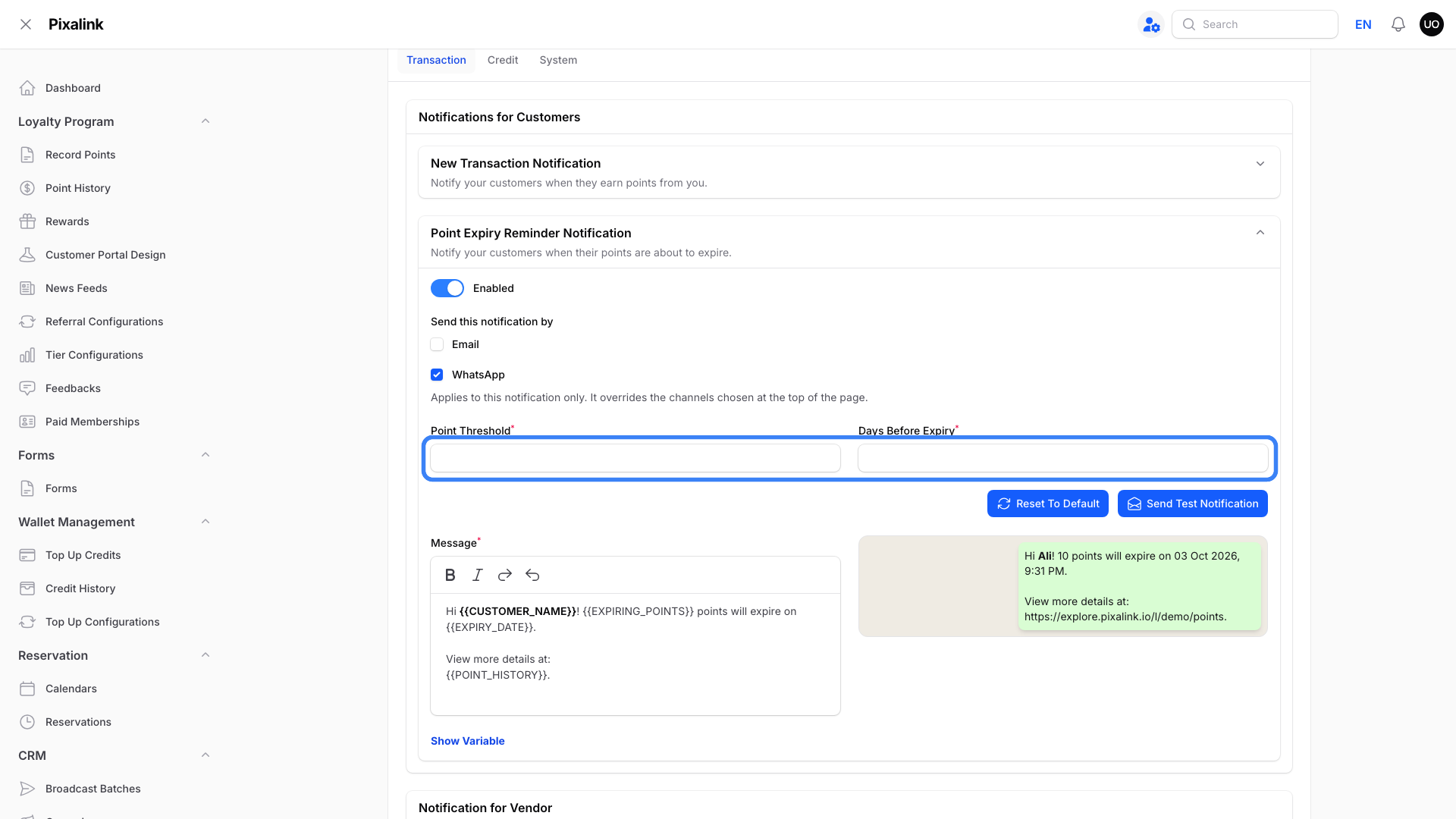
The first box is the minimum number of expiring points that triggers a reminder. Days Before Expiry starts at 7.
Click Show Variable to see the variables available for this message.

Click the clipboard icon to copy a variable into your message.
Email has its own subject and message fields. When you finish, click Save at the bottom of Notification Settings.
What Your Customers Will See
A message with their name, how many points expire, the expiry date and a link to their point history. It arrives when the points due on one date reach your minimum.
Good to Know
- Reminders go out once a day for points expiring on the date that is Days Before Expiry days away.
- Only points expiring on that one date count toward the minimum.
- Days Before Expiry can't be more than the number of days your points last.
- WhatsApp needs a connected number. Email needs an email address on the customer's profile.
Need Help?
If Point Expiry Reminder Notification isn't in the list, point expiry is off for your business. Ask the Pixalink team to turn it on and tell us how many days points should last.