
How to Redeem a Reward by Its Voucher Code
How to Redeem a Reward by Its Voucher Code
What Is This?
Some rewards carry a fixed voucher code. This is common when you bring in voucher codes from your online shop. At your counter, your staff can redeem the reward by typing that voucher code. The code never changes, so it is easy for the customer to read out. The reward is then marked as Used in one step.
Real-Life Example
Aishah runs Boba Lab, a bubble tea shop in Petaling Jaya. Nurul walks in to use her Free Bubble Tea reward. Nurul opens her claimed reward and reads out the voucher code. Aishah opens Record Points and picks Voucher code. She types the code and sees Nurul's reward appear. She clicks Submit, and the reward turns Used. Nurul gets her drink in seconds.
How to Set It Up
-
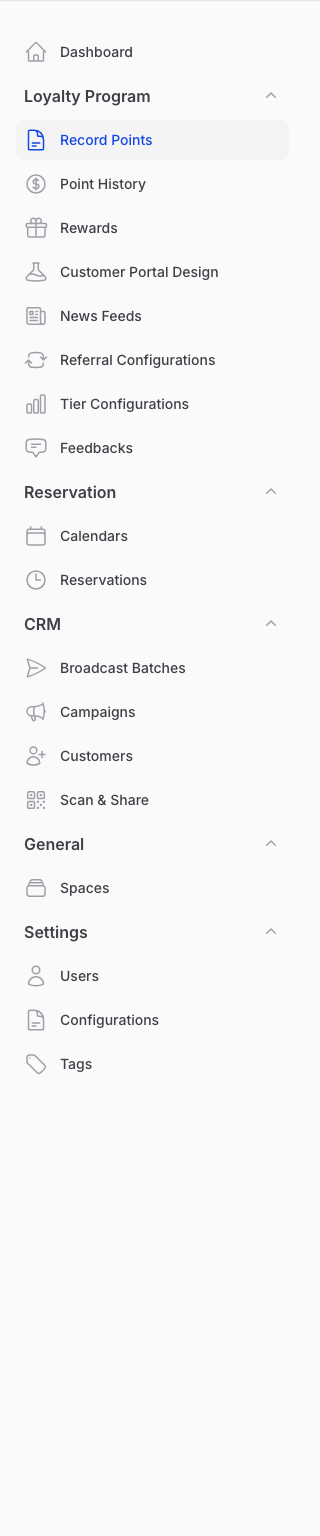
Go to Admin Panel → Loyalty Program → Record Points
-
Click Validate Reward at the top of the page

-
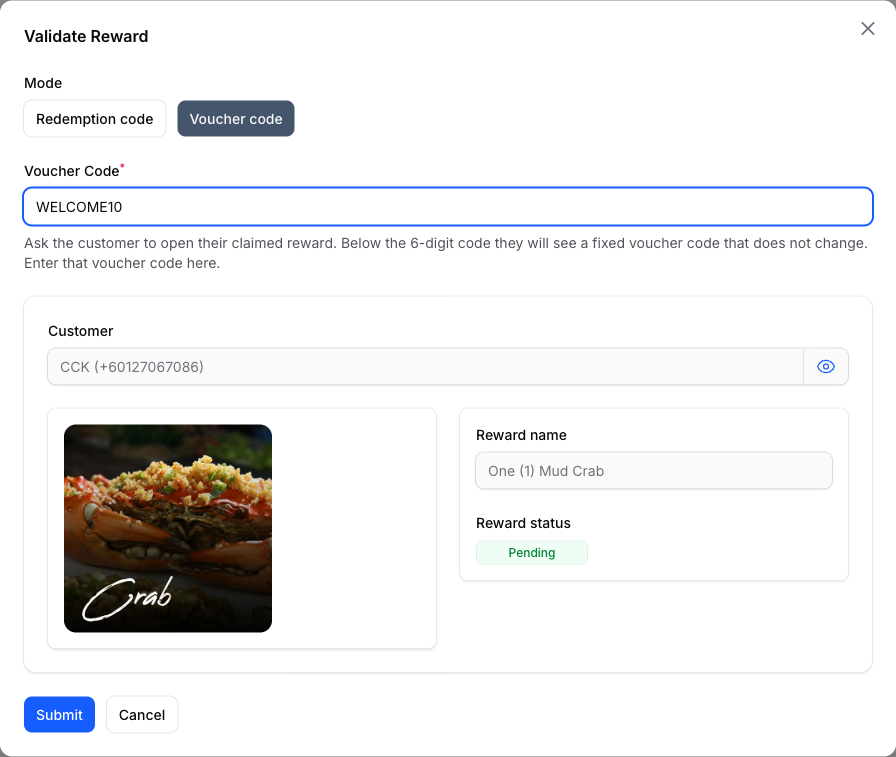
Choose Voucher code, then type the customer's voucher code. Check the customer name and reward shown below it.
-
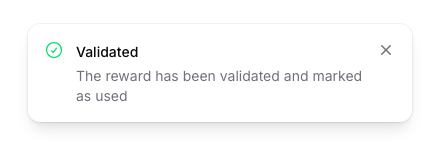
Click Submit to mark the reward as Used
What Your Customers Will See
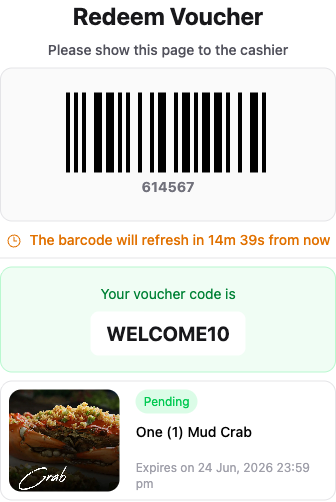
Your customer opens the rewards page in their portal. They tap the reward they want to use. Below the barcode and the 6-digit code, they see a fixed voucher code. They read this voucher code out to you. The reward stays as Pending until you submit it. It will not disappear on its own.
Good to Know
- The voucher code stays the same. The 6-digit code is different, and it refreshes every 15 minutes.
- If the code is not found, you will see a short message. Check for typos and ask the customer to read it again.
- If the customer has not claimed the reward yet, ask them to open it and tap Claim, then try again.
- A reward that is already Used or Expired cannot be redeemed again.
- If two rewards share the same voucher code, use the 6-digit redemption code instead.
- The Voucher code option is turned on by Pixalink. Ask us to switch it on if you do not see it.
Need Help?
Can't see the Voucher code option at your counter? Send us a message and we will turn it on.