
How to Lower the Risk of a WhatsApp Block on Your Own Number
How to Lower the Risk of a WhatsApp Block on Your Own Number
What Is This?
Most businesses link their own WhatsApp number to Pixalink by scanning a QR code. It adds nothing to your bill, but WhatsApp watches those numbers closely, and a careless blast can get one silenced for days or lost for good. These settings keep yours sending.
Real-Life Example
Siti runs Rasa Sayang restaurant in Shah Alam and has 1,200 customers on her list. Her first promotion went out in one fast burst, and by morning WhatsApp had stopped her number. She lost three days of bookings in a school holiday. Now she sends in Safe Mode at a 2 minute gap, only to customers who joined in the restaurant, and leaves weekends off. Six months on her number has not been stopped once, and more tables are booked through WhatsApp than before.
How to Set It Up
-
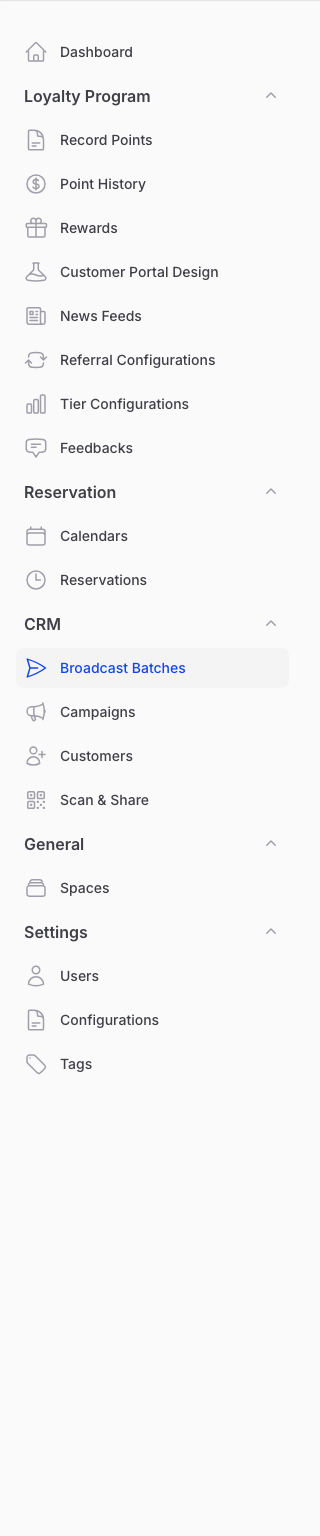
Go to Admin Panel → CRM → Broadcast Batches and start a new broadcast.
-
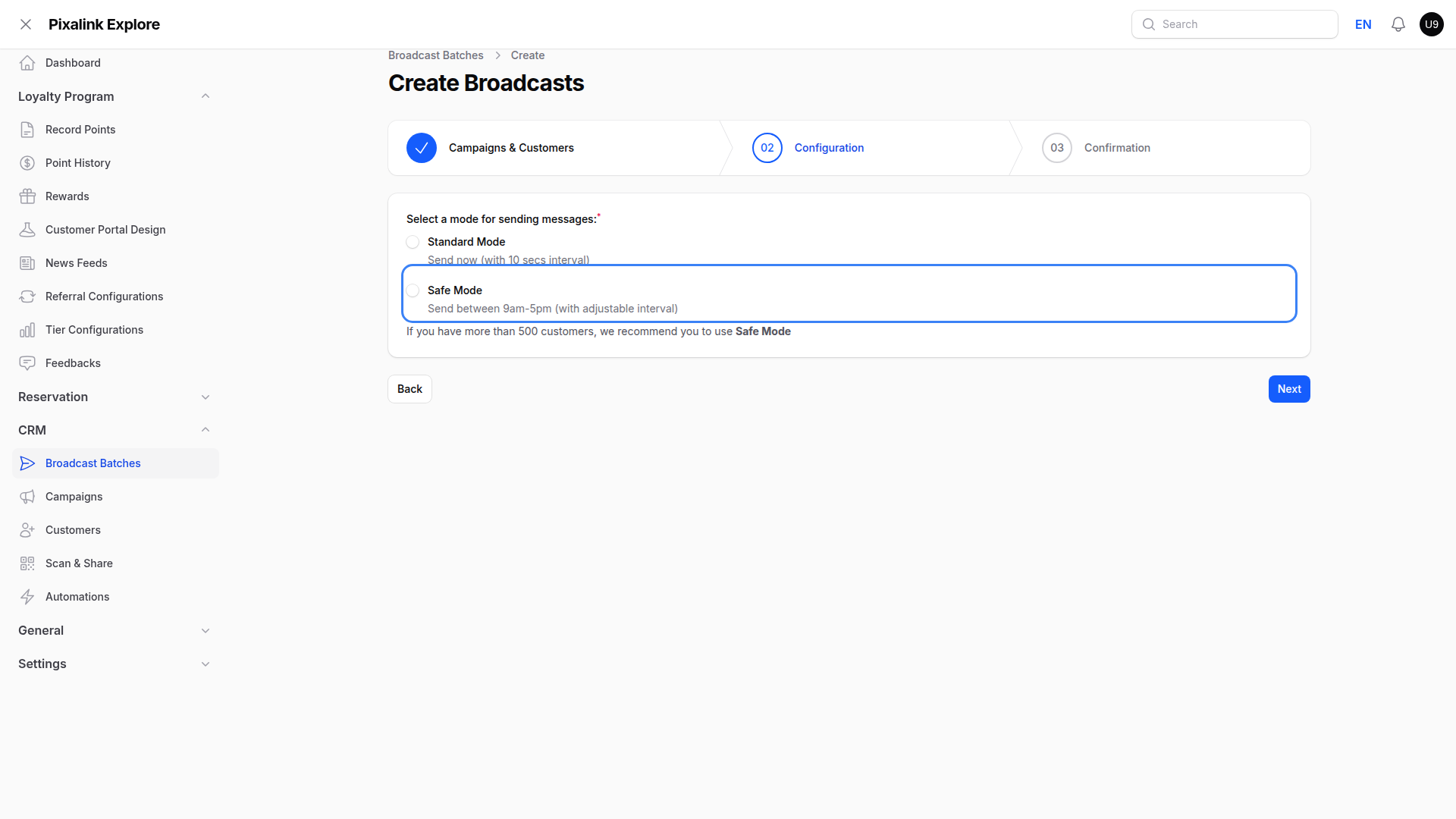
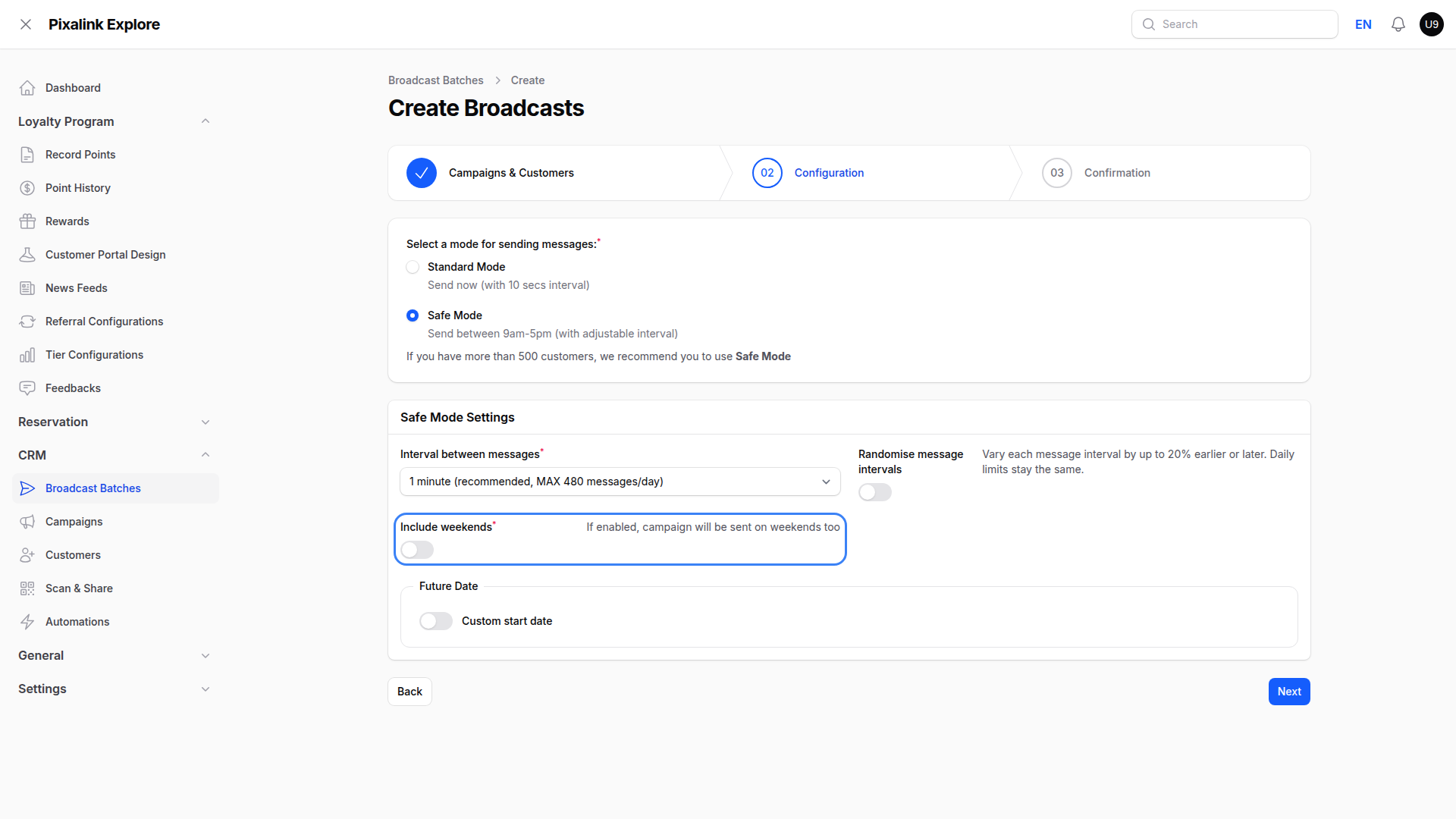
Choose Safe Mode on the Configuration step. Standard Mode sends every 10 seconds, far too fast for a real list.
-
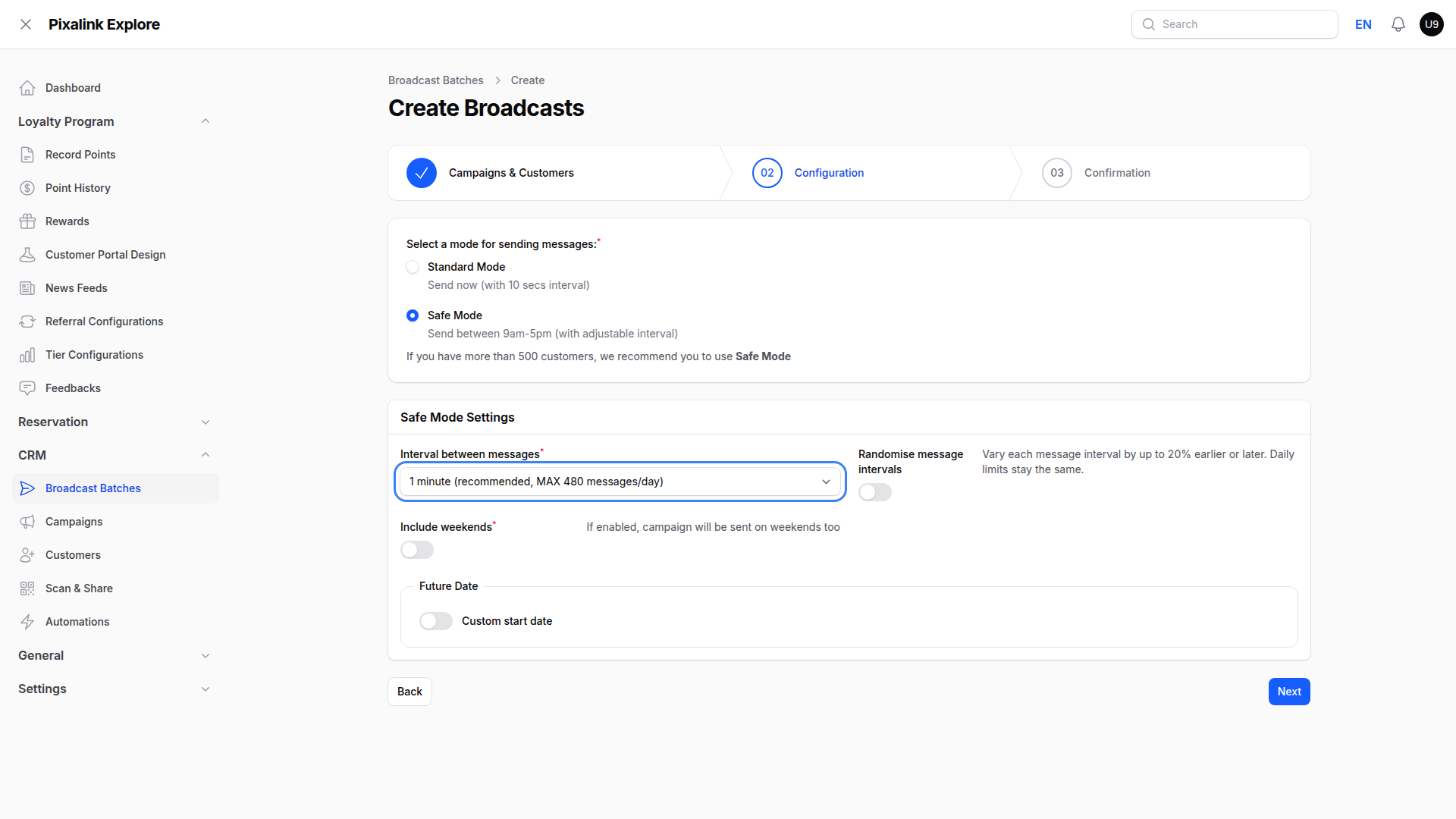
Pick your Interval between messages. Each choice shows the most it sends in a day. Bigger lists need a wider gap, and the rest rolls to tomorrow.
-
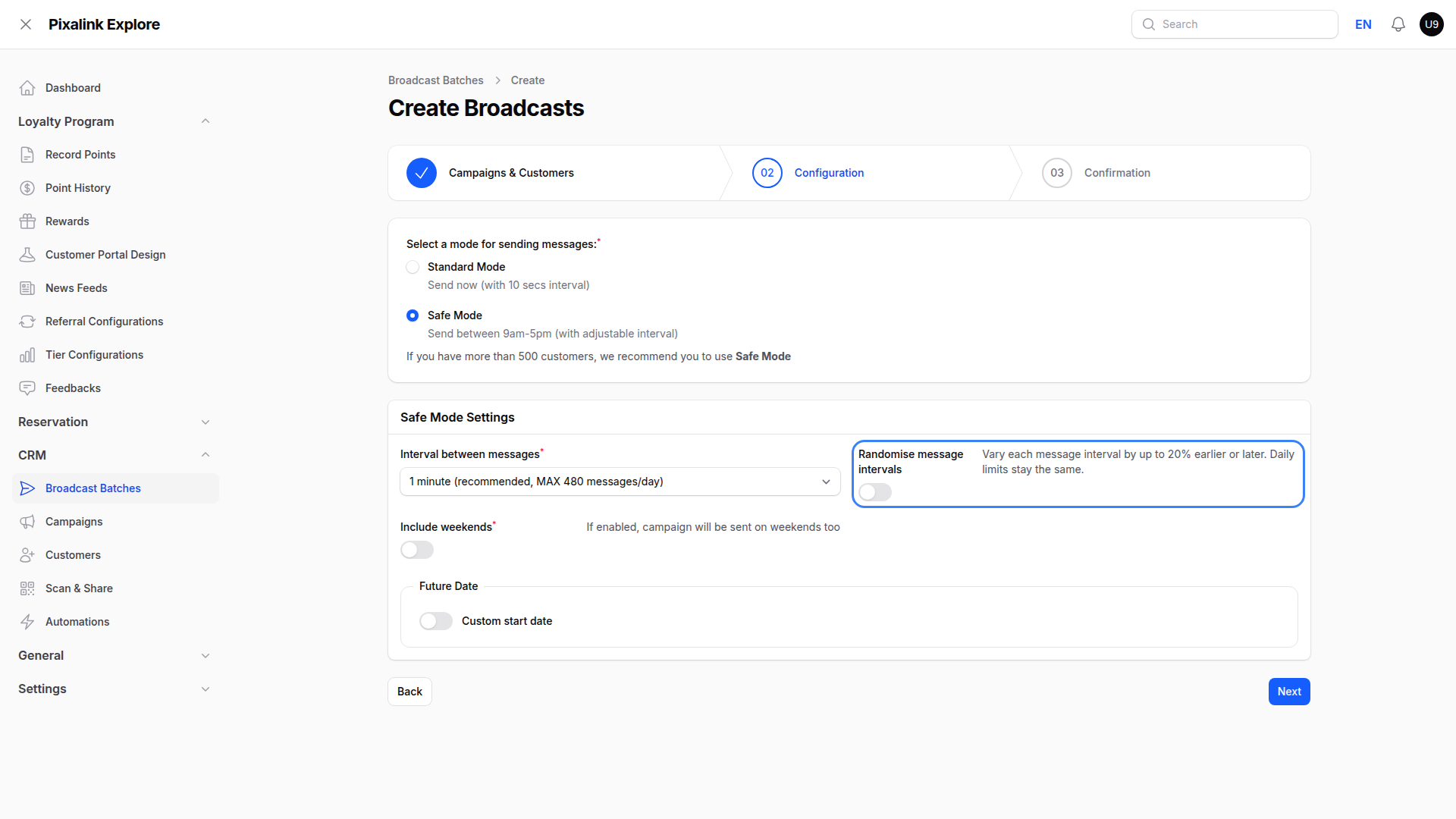
Switch on Randomise message intervals. Gaps then vary by up to 20% either way, so the sending looks less like a machine. Your daily limit stays the same.
-
Leave Include weekends off unless you trade then. Two quiet days rest your number.
What Your Customers Will See
Messages arrive spread across the working day, between 9am and 5pm, rather than landing on everyone at once. A broadcast reads just like a message you typed.
Good to Know
- Complaints are what get a number banned. A handful of people tapping Report is enough. Everything else here only lowers how often that happens.
- Everyday messages count too. Point, voucher and booking messages also go out from your own number. WhatsApp sees every message your number sends, so a busy sales day adds to your daily volume. The daily limits shown when you set up a broadcast do not include them, so pick a wider gap on busy days.
- Only message people who gave you their number. Messaging strangers is the fastest way to lose one, and bought lists are worst of all.
- If you see "WhatsApp Broadcasting Temporarily Limited", stop. Sending again, or logging out and back in, usually makes it last longer.
- That limit does not look like a fault. Your number still shows as connected.
- Official WhatsApp from Meta removes this risk and suits frequent sends.
Need Help?
Talk to your Pixalink account manager or our support team. We can check your number and say whether it is safe to send.