
How to Clean Your List Before a WhatsApp Blast
How to Clean Your List Before a WhatsApp Blast
What Is This?
Blasting a WhatsApp message to your whole customer list is the fastest way to burn your sending limit and get your number flagged. The fix is simple: message only the people who still want to hear from you. Pixalink's auto-tagging finds your inactive customers, so you send to a clean, focused list.
Real-Life Example
Farah runs a four-outlet nasi lemak chain. Her list had grown to 70,000 — but more than half hadn't bought in over a year. Last Hari Raya she blasted all 70,000 at once — halfway through, her number got flagged and the rest never sent.
This year she turned on auto-tagging, which marked 45,000 lapsed customers as "Inactive." She tagged her 25,000 regulars as "Promo Target" and sent only to them, in Safe Mode — her number stayed healthy and her response rate doubled.
How to Set It Up
-
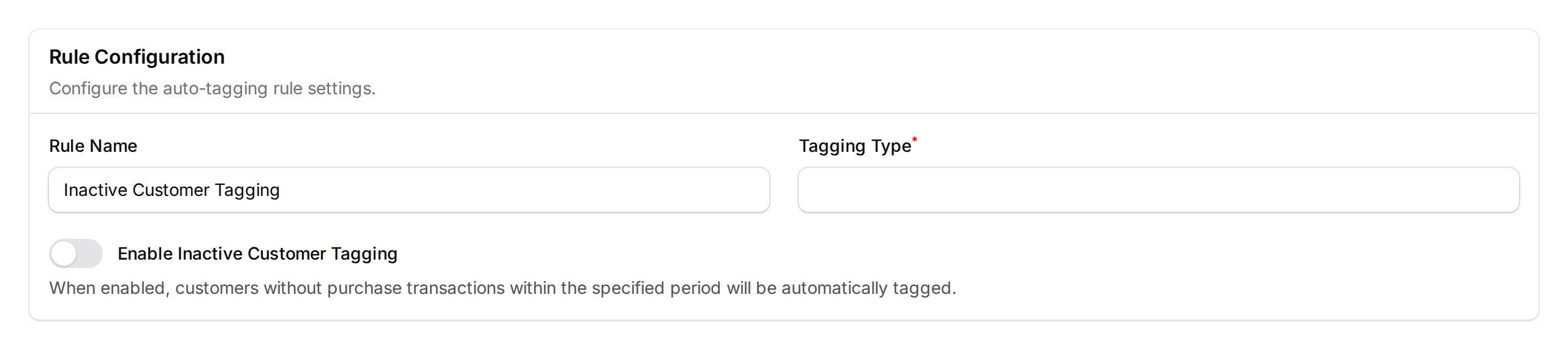
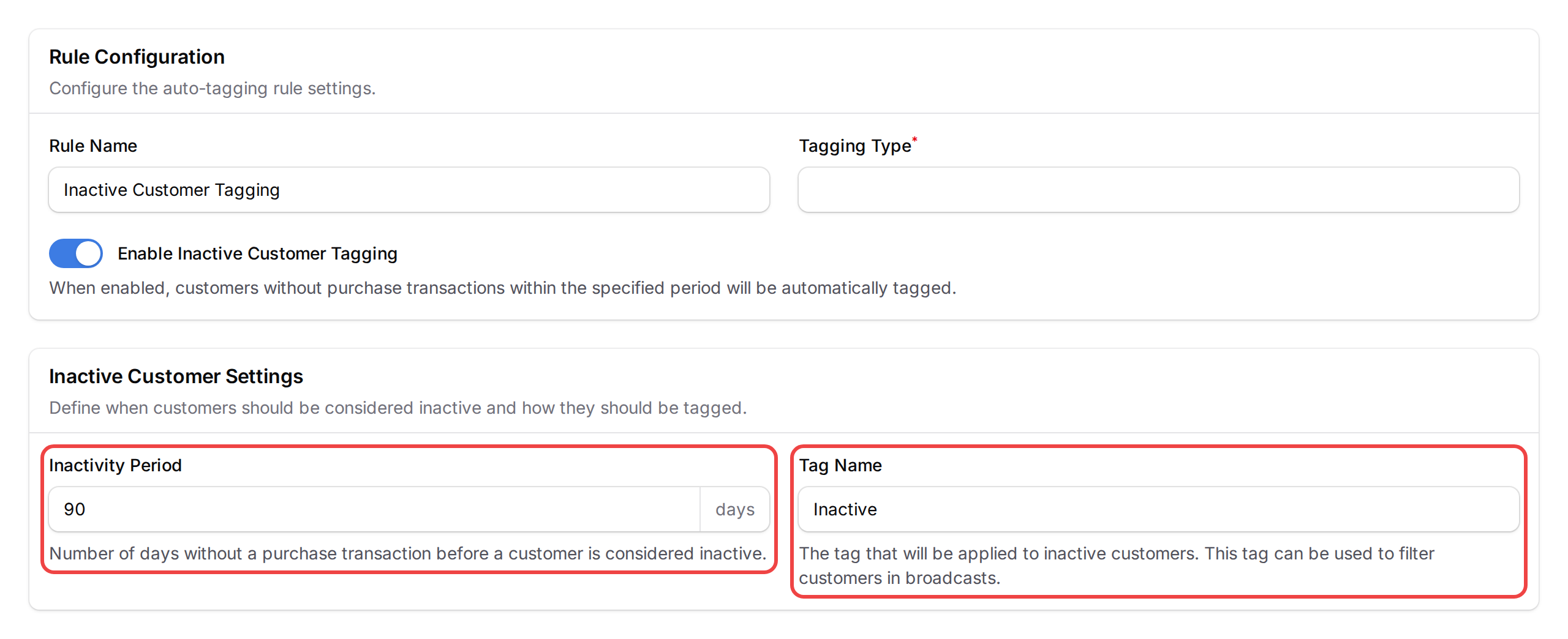
Turn on auto-tagging. Go to Admin Panel → CRM → Auto Tagging Rules and set the inactivity window. Anyone who hasn't bought in that time gets an "Inactive" tag.
-
Check your dead weight. The preview shows how many match — often half of a large list.
-
Tag the audience you do want to reach. Create a tag like "Promo Target" and apply it to your active customers.

-
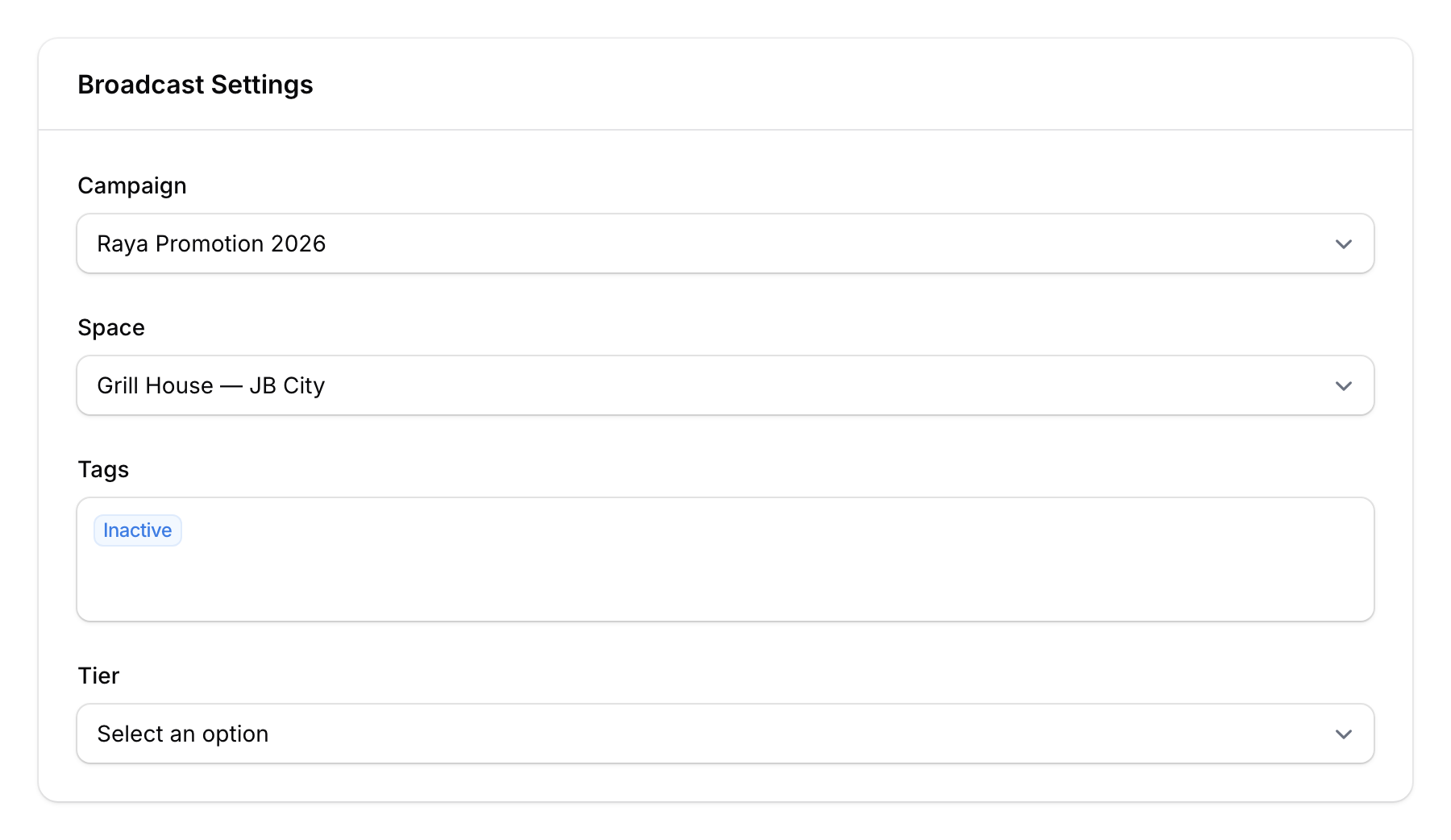
Start a broadcast. Go to Admin Panel → CRM → Broadcast Batches, click Create, choose your campaign, then filter by your "Promo Target" tag.
-
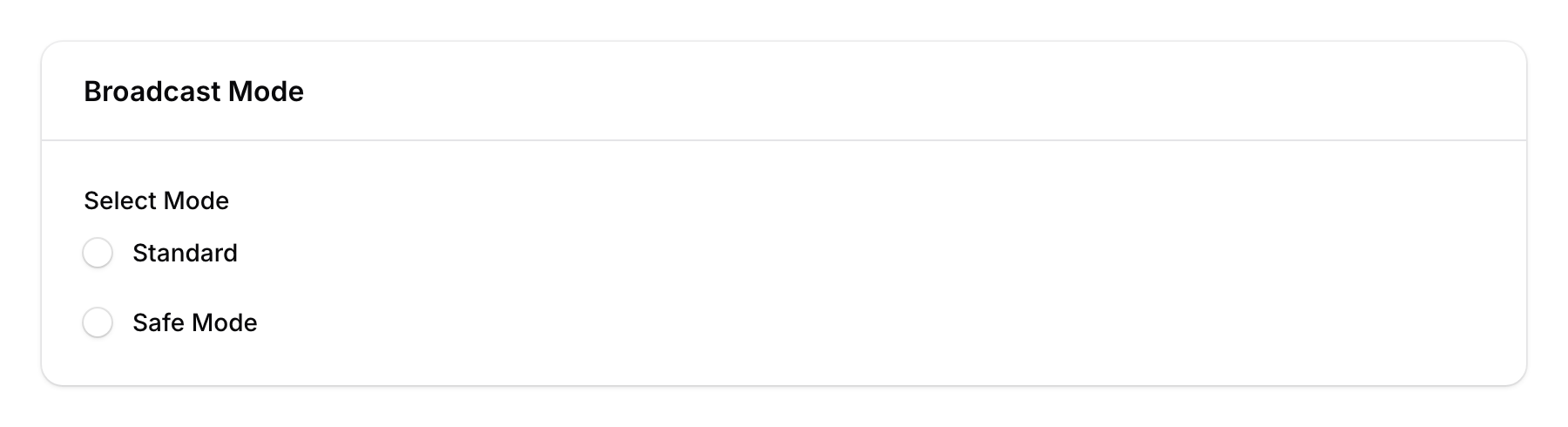
Send in Safe Mode. Choose Safe Mode, set a sending interval, and keep weekend sending off.
What Your Customers Will See
Only your active customers get the message. Lapsed customers aren't bothered, so fewer people block or report you — keeping your WhatsApp number in good standing.
Good to Know
- You target, not exclude. The broadcast filter only adds people in — it can't skip a tag. So you tag the audience you want, not the ones to leave out.
- Auto-tagging updates once a day, overnight. If an "Inactive" customer buys again, the tag is removed on the next run — not straight away.
- Blocked customers are always left out. Anyone marked as blocked or "do not contact" is skipped from every broadcast.
- Using loyalty tiers? Target a tier directly instead of making a new tag.
Need Help?
Reach out to our support team — we're happy to help you set up your first clean blast.
What's Next?
- How to Set Up Auto-Tagging Rules — the full auto-tagging walkthrough
- Preventing WhatsApp Blocks During Broadcasts — keep your number safe while sending
- How to Send a Broadcast Campaign — the complete broadcast guide