
Why Broadcasts Send Gradually: Delivery Timing Explained
What Is This?
When you send a broadcast, the messages do not all leave at once. Pixalink sends them one at a time, with a short gap between each message. This is on purpose. Firing hundreds of messages in the same second is the fastest way to get your WhatsApp number flagged or banned. The steady pace protects your number so your messages keep landing.
This article explains how that pacing works and how long a broadcast really takes.
How It Works
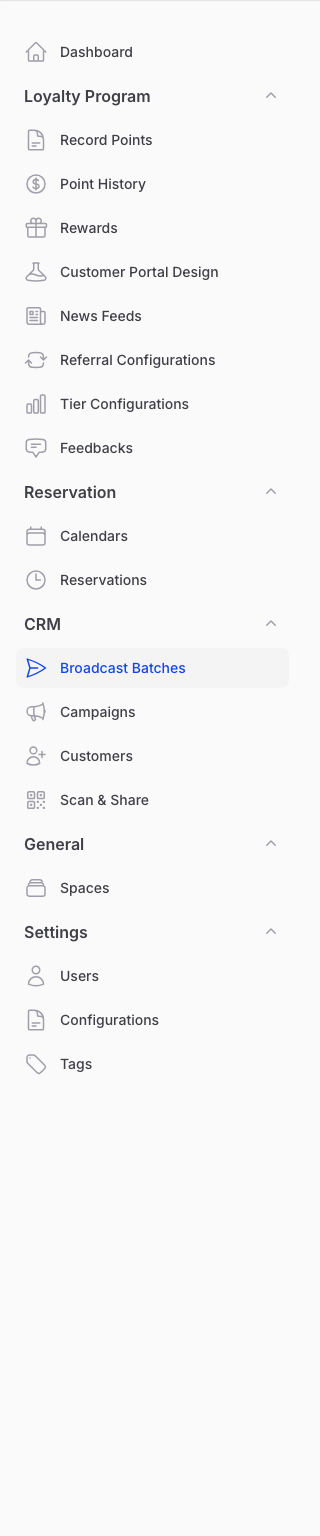
You choose a send mode on the Configuration step when you create a broadcast under CRM → Broadcast Batches.
There are two modes:
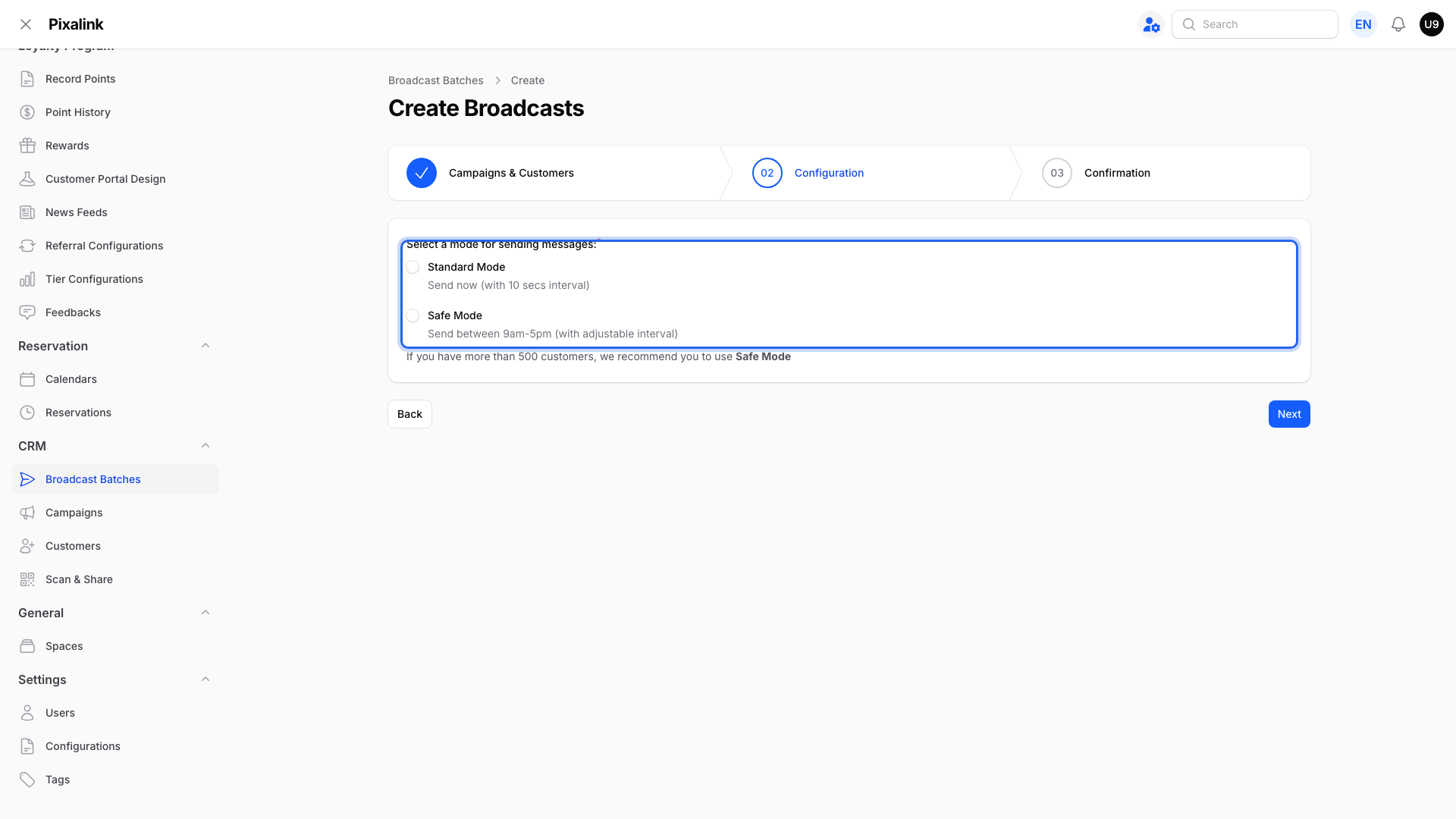
- Standard Mode sends straight away, with a 10-second gap between each message.
- Safe Mode sends only between 9am and 5pm on weekdays (weekends are skipped unless you switch on Include weekends), with a gap you choose.
The gap is the safety control. In Safe Mode you set how far apart messages go, and each choice shows a daily limit.
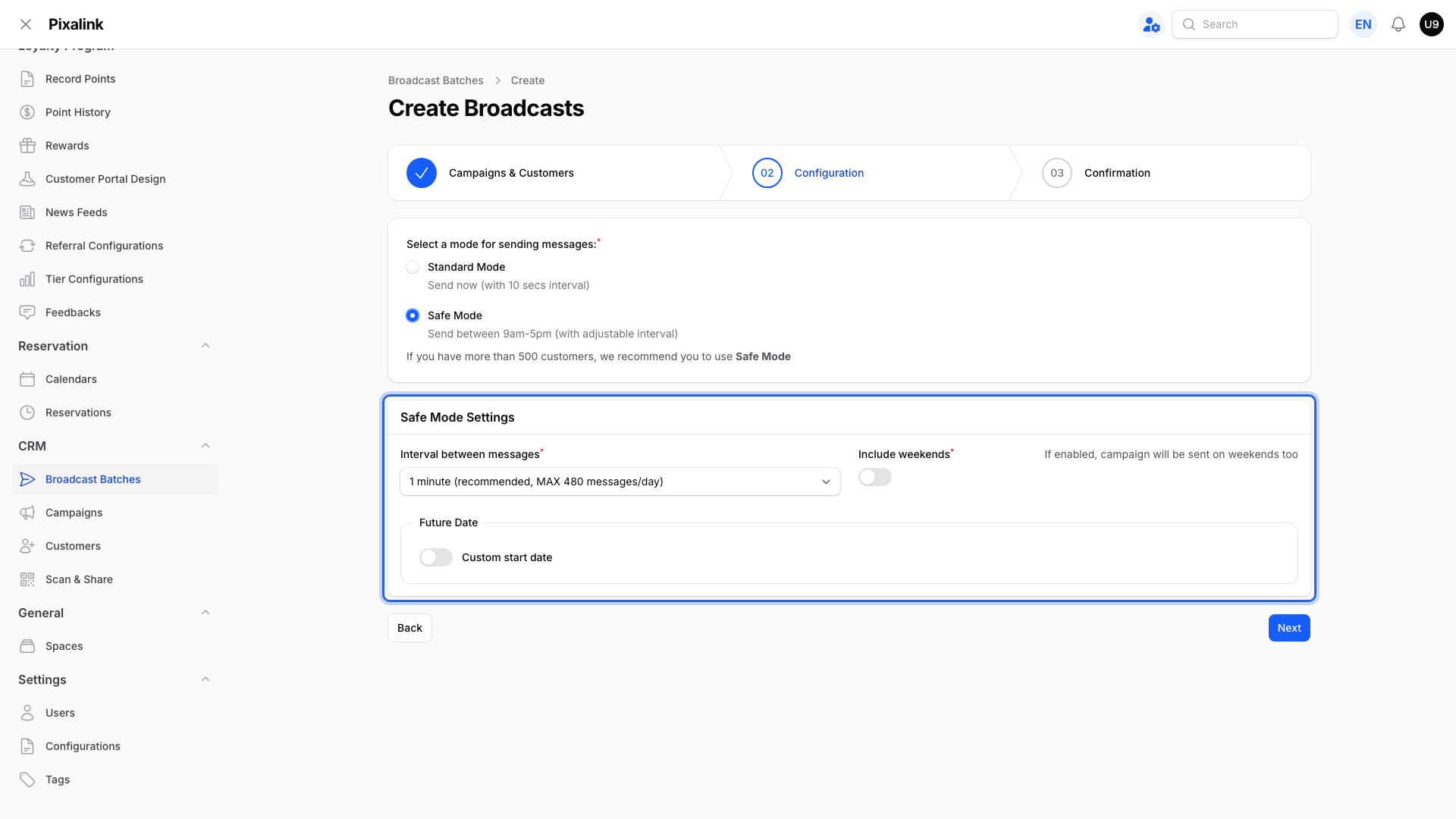
A 1-minute gap sends up to 480 messages a day. A wider gap sends fewer, which is even safer for a new number.
How long it takes
The timing comes from the gap, and in Safe Mode from the 9am to 5pm window on weekdays.
| Audience | Standard (10-sec gap) | Safe Mode (1-min gap) |
|---|---|---|
| 100 customers | Under 20 minutes | Same working day |
| 1,000 customers | Under 3 hours | About 3 working days |
Safe Mode sends only during working hours. If you start it after 5pm, it begins the next morning at 9am. Customers left over at the end of a day roll into the next working day.
Pausing and resuming
You can pause a broadcast at any time. Messages already sent stay sent. When you resume, Pixalink re-spaces the remaining messages from that moment, so the finish time moves later. If your WhatsApp number is disconnected, the Resume button first asks you to reconnect it before sending can carry on.
Real-Life Example
Farah runs a cafe and wants an 800-customer weekend promo to arrive before Saturday. In Safe Mode at a 1-minute gap, 800 messages take about two working days. So she starts the broadcast on Wednesday. It sends across Wednesday and Thursday, and every customer has the message before the weekend rush.
To plan backwards, count the working days your list needs, then start that many days before your target date.
Good to Know
- The pacing is protection, not a delay for its own sake. See How to Protect Your WhatsApp Number from Being Banned and Preventing WhatsApp Blocks During Broadcasts.
- A new number should build up slowly first. See the WhatsApp Number Warm-Up Guide.
- Automatic messages, like a welcome note, also wait their turn and may take a short while rather than arriving instantly.
- A broadcast moves through Scheduled, Ongoing, and Finished, so you can follow its progress any time.
Need Help?
If a broadcast seems stuck or slower than you expected, contact the Pixalink support team with the campaign name and we will check it for you.