
How to Carry Your AutoCount Points Balance into Pixalink
What Is This?
Switching your AutoCount points programme to Pixalink shouldn't cost any member a point. Follow this order, and each balance will match AutoCount.
Real-Life Example
Siti runs Bayu Health, a pharmacy on AutoCount points. On 1 March she reset points and kept each member's old balance as their Opening Points. Siti asked support to import sales from 1 March and imported her debtors and members. Support then loaded the opening points. Four regulars she checked matched AutoCount exactly.
How to Set It Up
Important
Before AutoCount is connected, tell Pixalink support the date your AutoCount points start from. Support sets it as Import sales from. Sales dated before that day never earn points. Sales dated on that day do.
-
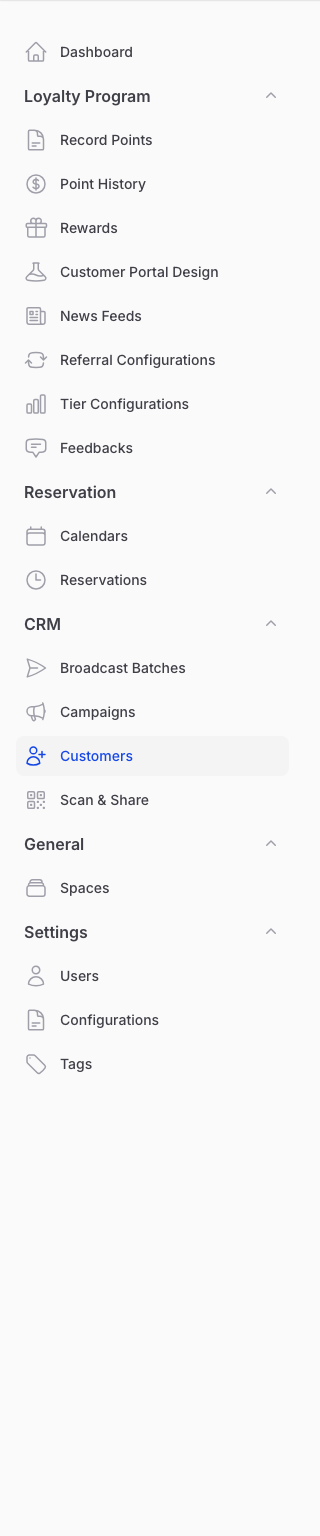
Go to Admin Panel → CRM → Customers once AutoCount is connected.
-
Open the ⋮ menu. Run Import from AutoCount (Debtor), then Import from AutoCount.
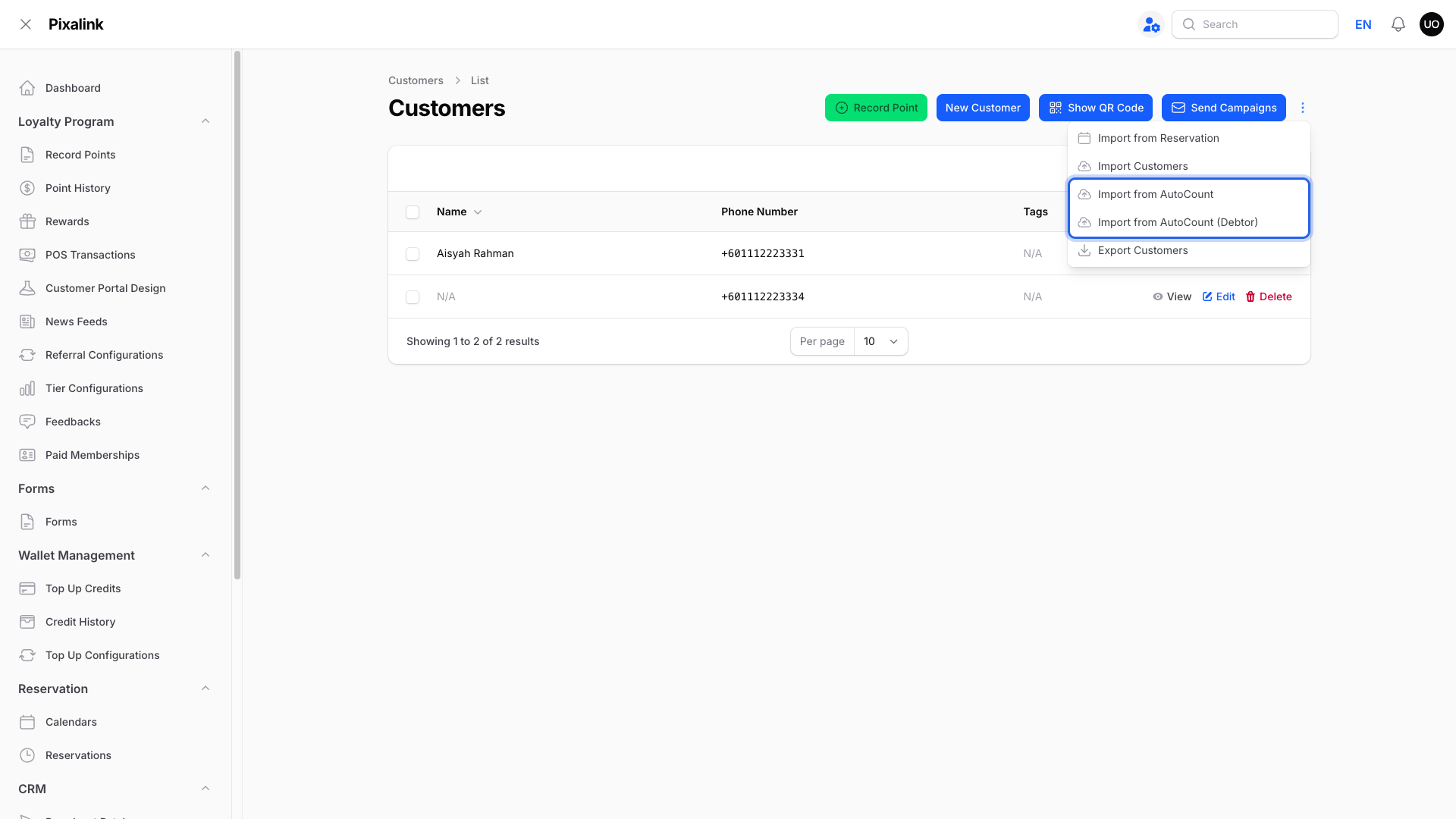
Do this before sales arrive. Pixalink checks for sales every 15 minutes, and a sale with no matching customer waits as Pending.
-
Go to Admin Panel → Loyalty Program → Tier Configurations and set each tier's Point Multiplier to your AutoCount earning rate.
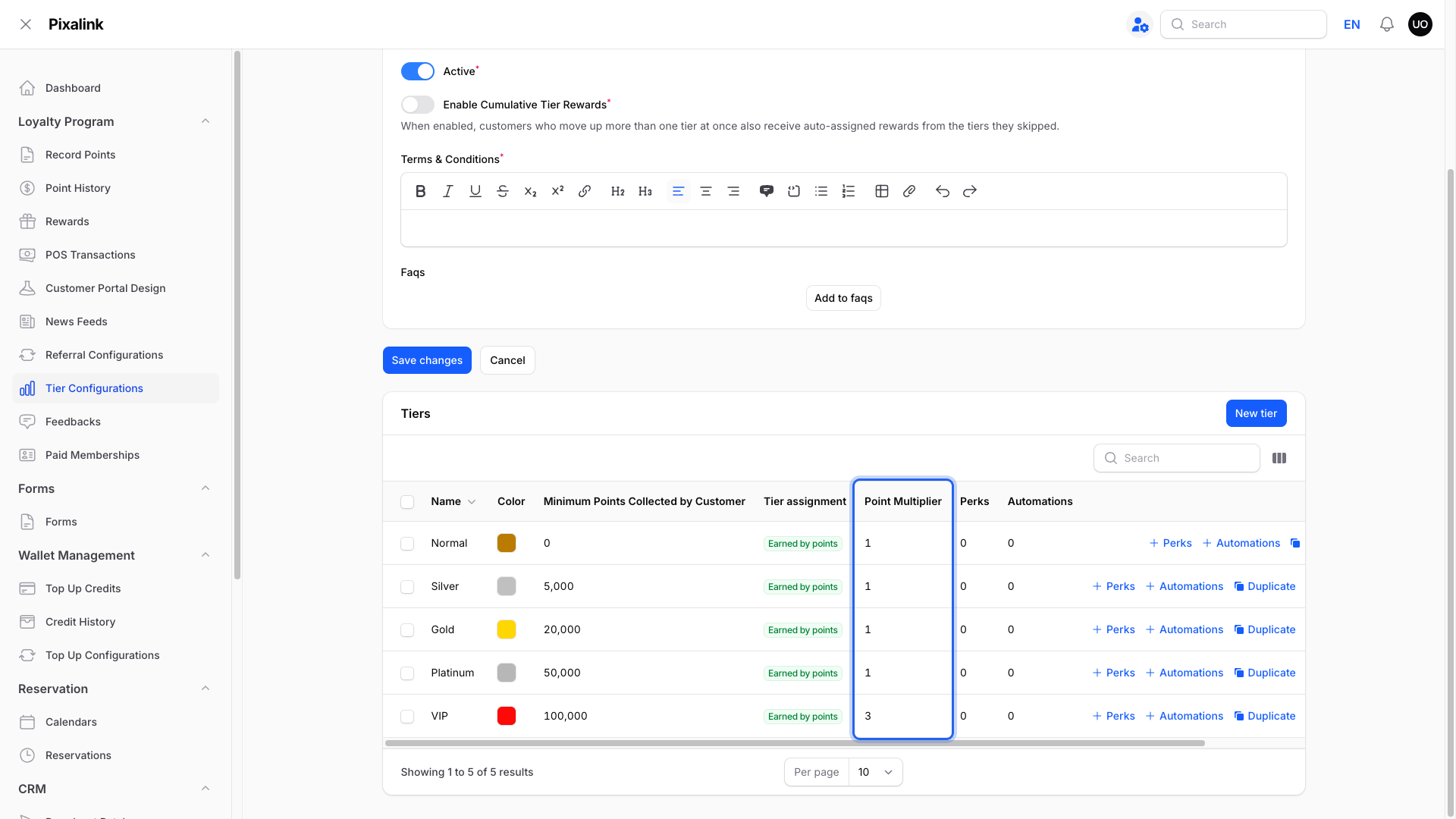
Pixalink gives 1 point per RM1, times the multiplier. If AutoCount gives 2 points per RM1, set 2. Members with no tier earn 1 point per RM1.
-
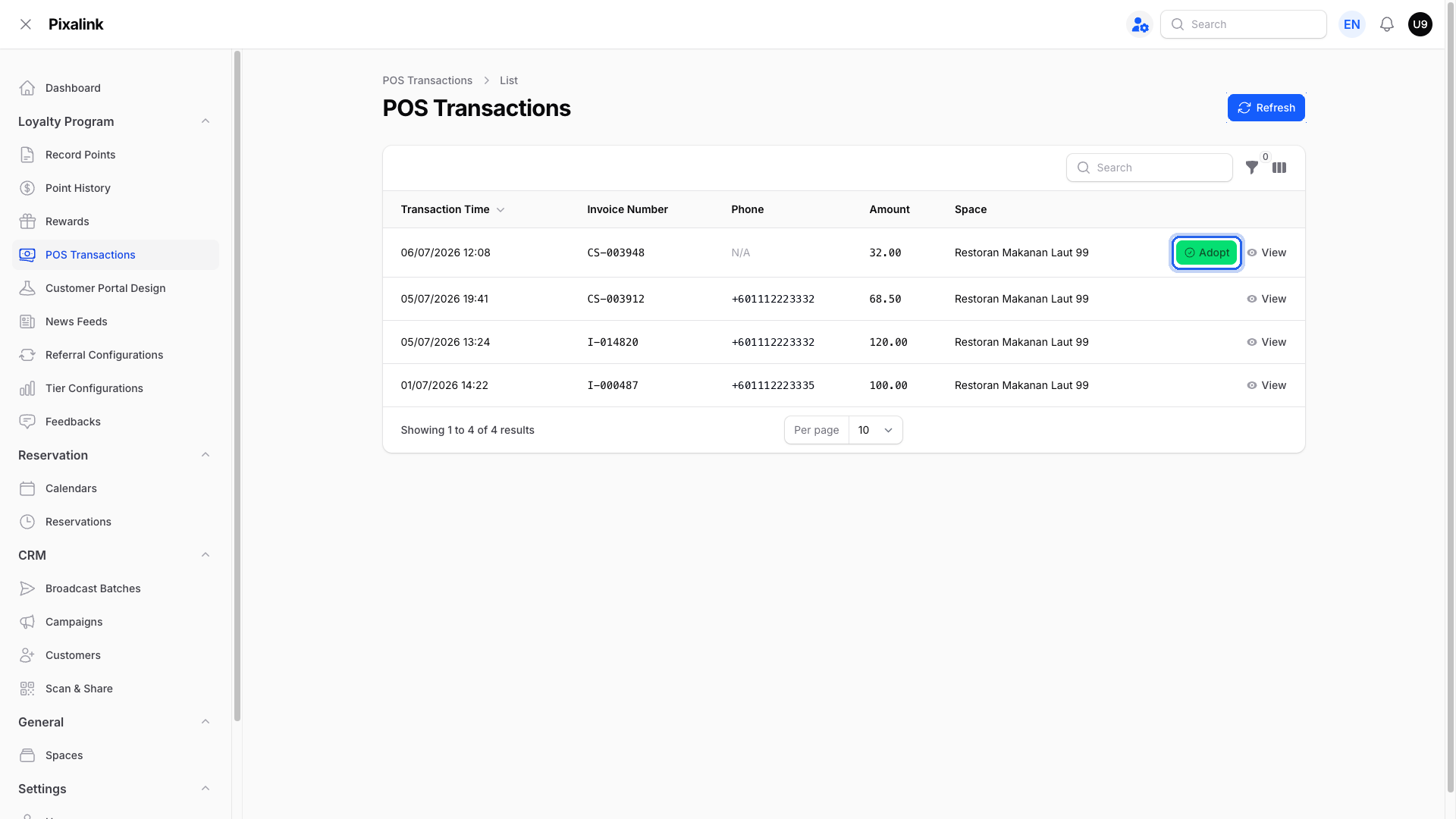
Go to Admin Panel → Loyalty Program → POS Transactions. For a Pending sale, tap Adopt and enter the member's registered phone number.
Note
Now send Pixalink support each member's Opening Points. There's no upload button for these yet, so support adds them.
-
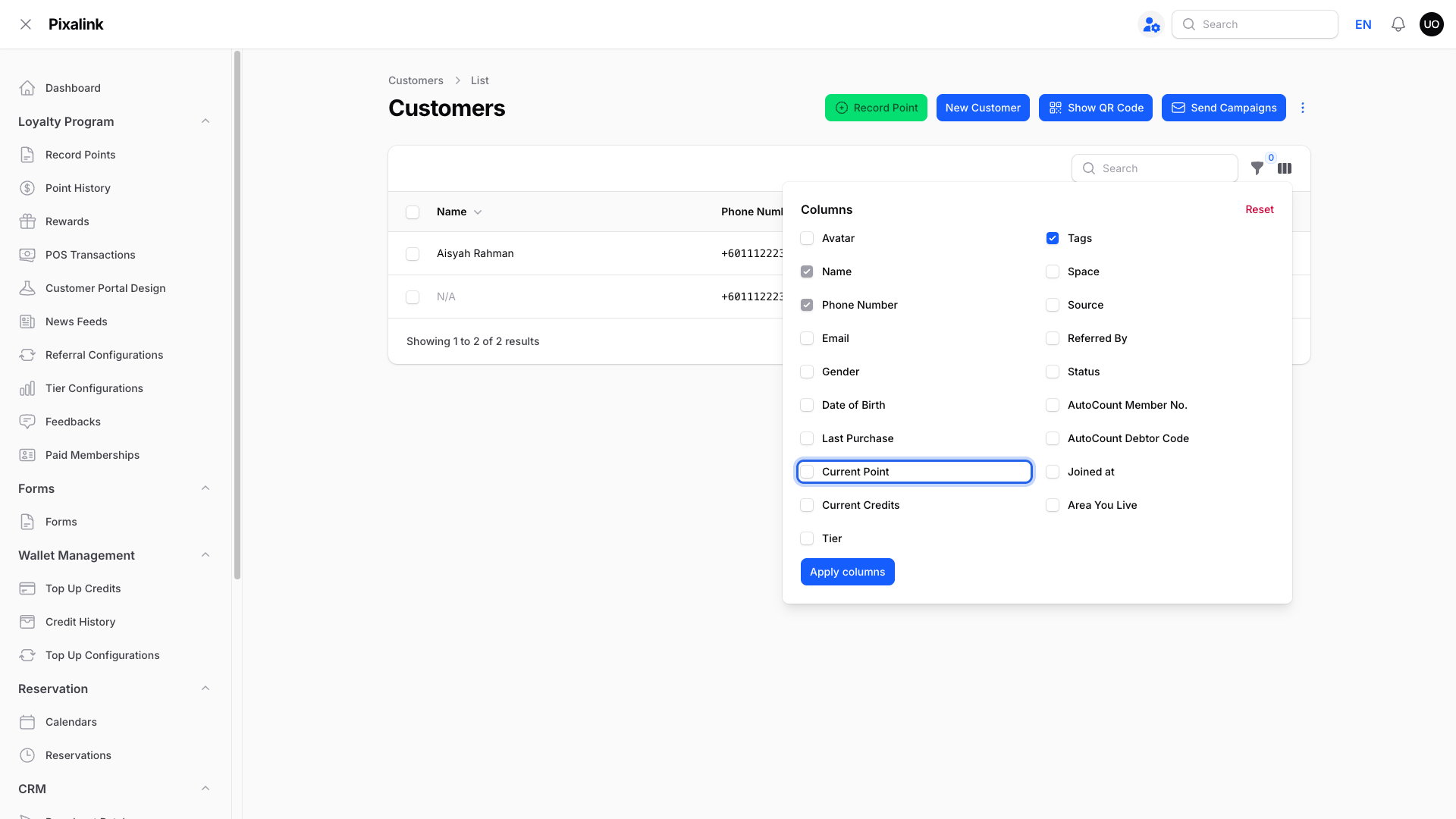
Open Customers, tick Current Point in the columns panel, and compare 3 or 4 members with AutoCount's Member Points report.
What Your Customers Will See
Nothing changes. Their loyalty page shows the same balance AutoCount did.
Good to Know
- Cash sales match the member on the bill first, then the debtor, then the phone number, the same way AutoCount credits its bonus points. Invoices match the debtor, then the phone number. POS terminal bills match the member only.
- Pending invoices and cash sales match on their own within the hour once the customer exists.
- Adopt with an unknown phone number creates a new customer.
- Keep each outlet's Points Multiplier at 100%. It stacks with the tier multiplier.
- Setting Import sales from later won't remove points already given.
- The historical-points upload in this guide treats each row as a bill, so multipliers would inflate opening points.
Need Help?
Our support team is happy to plan your switch-over date.