
Why Some Tagged Customers Don't Get Your Broadcasts
Why Some Tagged Customers Don't Get Your Broadcasts
What Is This?
A tagged customer can still be skipped by your broadcast — and that's on purpose. When someone opts out of marketing messages, Pixalink leaves them out for you. This keeps your WhatsApp number safe from spam reports. Here's how to spot who opted out, and what you can do about it.
How It Works
Every customer has a marketing status. It comes from a tickbox they see when they sign up: "I agree to receive marketing messages."
- Ticked → status is set to Open by default. They can get your broadcasts.
- Unticked → status is Do Not Contact. They're left out of broadcasts.
A broadcast skips any customer whose status is Do Not Contact or Blocked — everyone else can get it. So a customer can sit inside your VIP tag and still be skipped, because their status says Do Not Contact.
Think of it this way: tags and tiers decide who you want to reach. The marketing status decides who you're allowed to reach.
flowchart LR
    A["Customer ticks<br/>Receive Marketing"] --> B["Status: Open<br/>(default)"] --> C["Gets your<br/>broadcast"]
    D["Customer unticks<br/>Receive Marketing"] --> E["Status:<br/>Do Not Contact"] --> F["Left out of<br/>broadcast"]
Customers marked Blocked are also left out of every broadcast.
A customer also becomes Do Not Contact when they tap the unsubscribe link at the bottom of one of your email broadcasts.
Real-Life Example
Aishah runs a café in Petaling Jaya. She tags her two best customers as VIP and tries to send them a weekend promo. But the broadcast reaches no one.
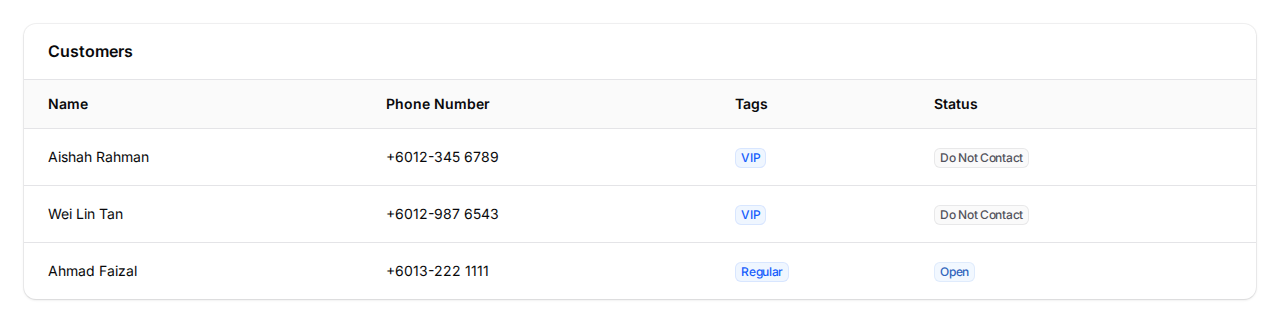
When she opens her customer list, both VIPs show a grey Do Not Contact badge. They had unticked the marketing tickbox when they signed up.
Aishah can't blast those two — they asked not to be messaged. So she sends the promo to her opted-in customers instead, and it lands in their chats. She makes a note to invite both VIPs to opt in next time they drop by. Her WhatsApp number stays safe, and her promo reaches people who actually want it.
Video Walkthrough

How to Check a Customer's Status
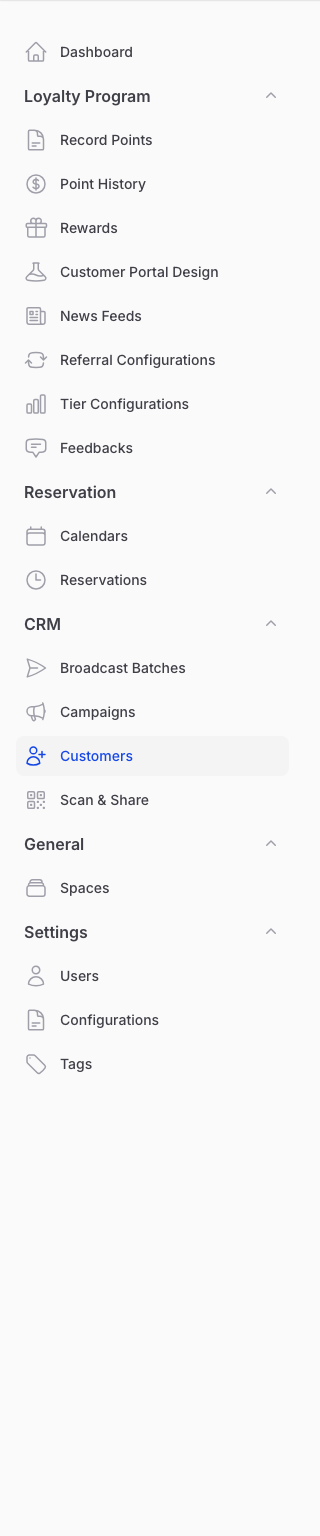
Go to Admin Panel → CRM → Customers.
The Status column is hidden at first. Click the Column manager icon above the list and tick Status to show it. A grey Do Not Contact badge means that customer is left out of broadcasts. A blue Open badge means they can get them.
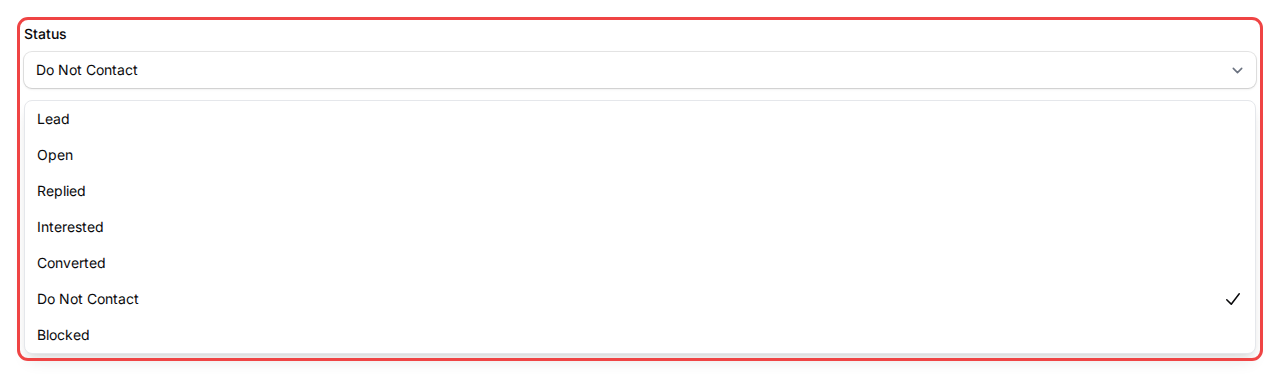
To change a status, open the customer and pick a new option in the Status dropdown. To change many at once, tick them in the list and use Change Status.
Good to Know
- Do Not Contact and Blocked customers are always left out of broadcasts. Customers with any other status can receive them.
- You can switch a customer from Do Not Contact back to Open — but think twice first.
- If a customer asked not to be messaged and you blast them anyway, they may report you as spam. Too many spam reports can get your WhatsApp number banned.
- The marketing tickbox only shows at sign-up if your loyalty page has it switched on. Ask our team if you'd like it.
- Customers can opt out anytime by unticking I want to receive marketing campaigns. on their profile page. Ticking it again doesn't opt them back in, so if a customer asks to hear from you again, switch their status back to Open yourself.
Need Help?
Unsure why a broadcast skipped someone, or need a hand with a customer's status? Reach out to the Pixalink support team and we'll help you sort it out.