
Who Gets a Big Spender Campaign Message?
What Is This?
A Big Spender campaign thanks your best customers with a special message. It helps you reward the people who bring in the most sales.
Many owners think it goes to members with a high point balance today. It doesn't. It goes to members who have earned enough points from purchases over time.
Video Walkthrough
How It Works
You set the target when you create the campaign.
-
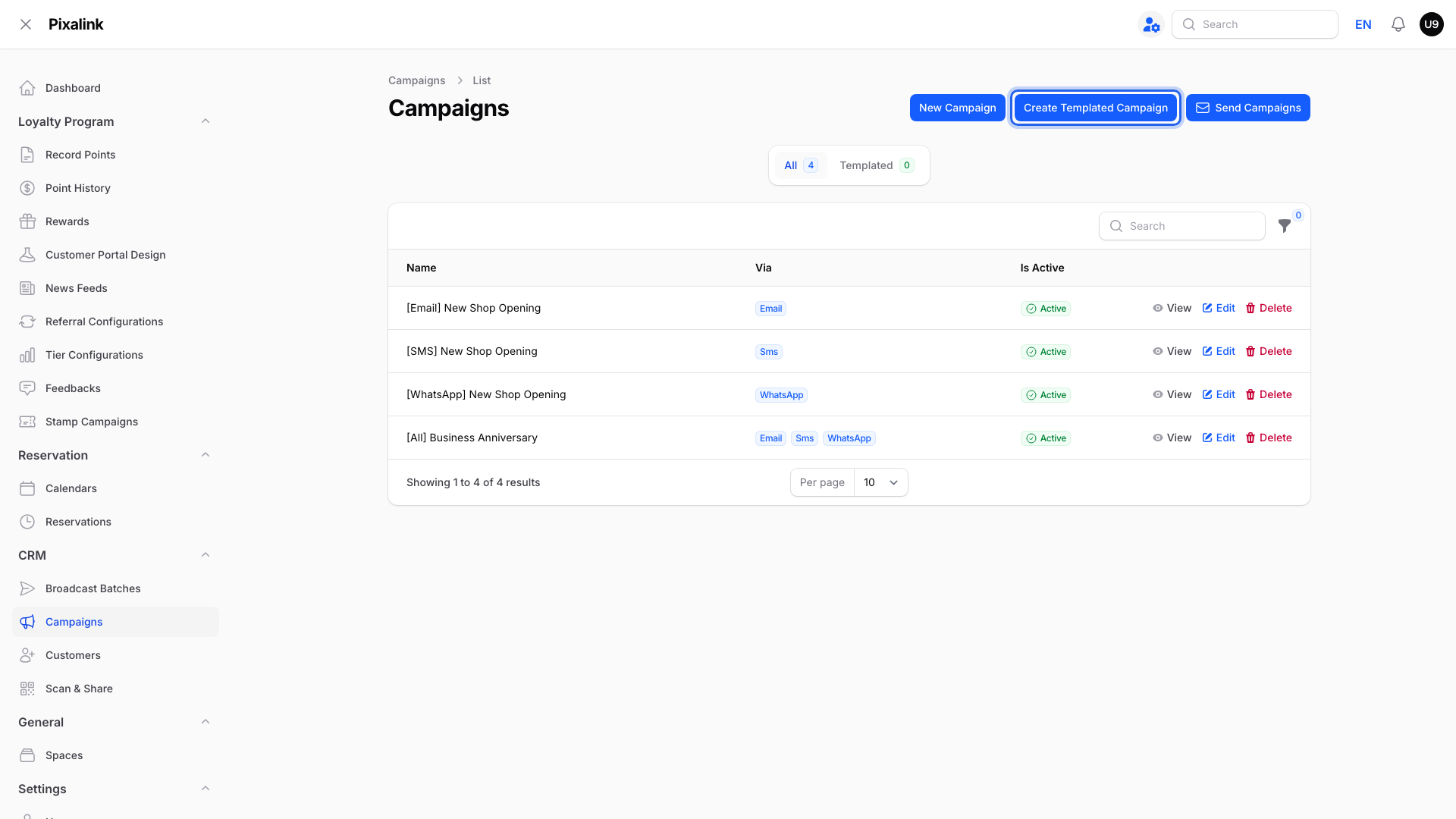
Go to CRM → Campaigns and click Create Templated Campaign.
-
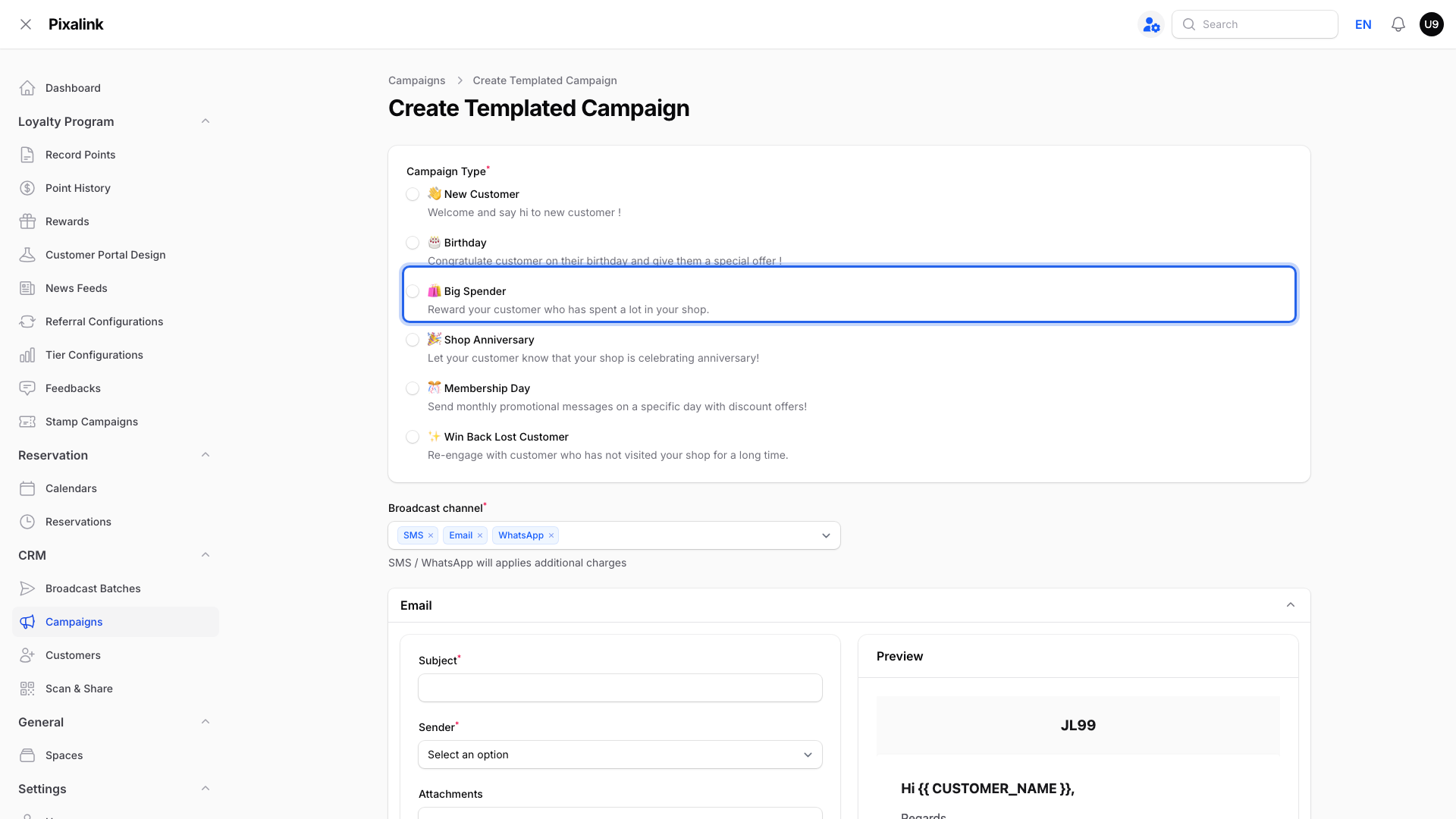
Under Campaign Type, pick Big Spender.
-
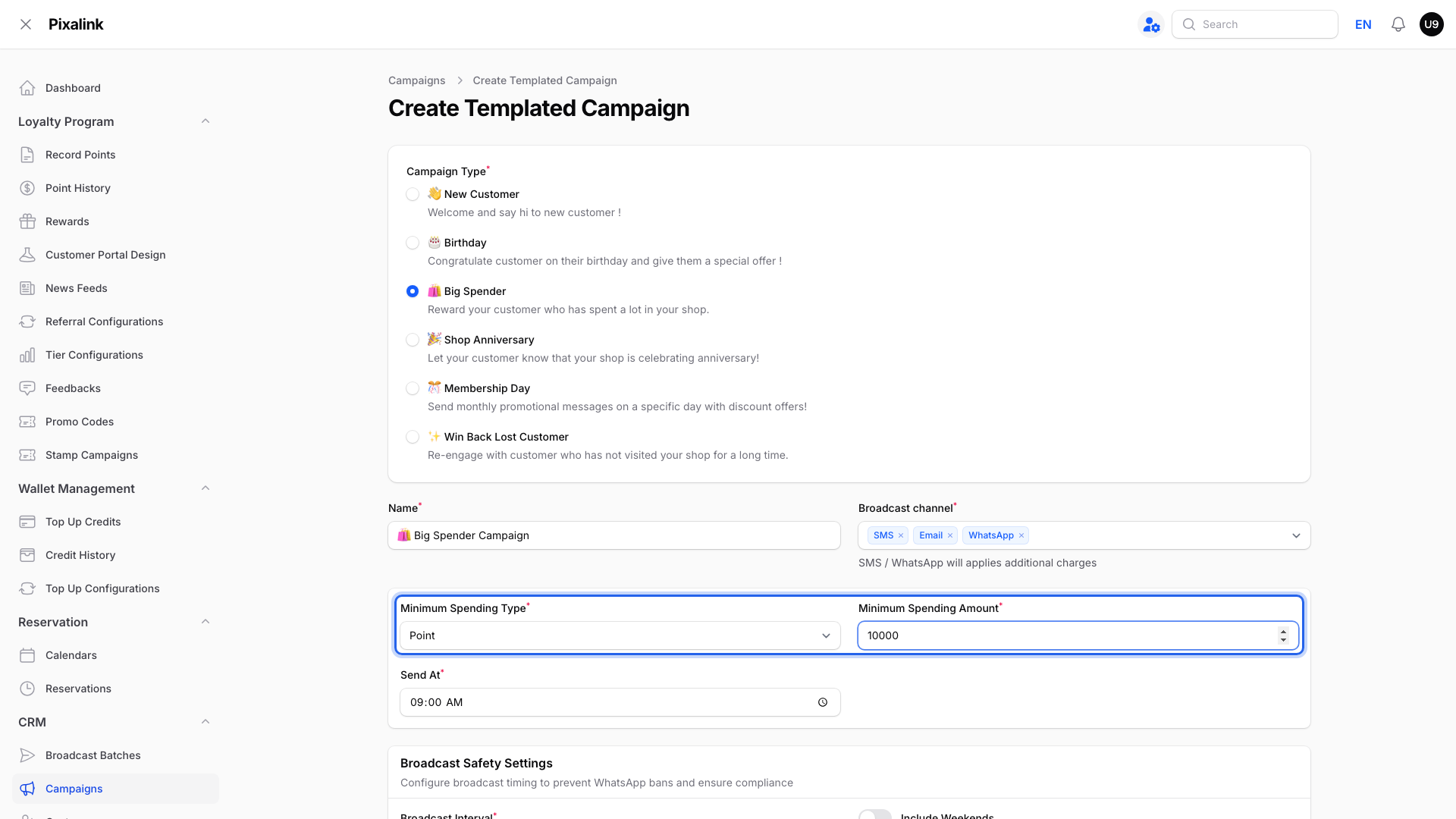
Choose Point as the Minimum Spending Type and type the Minimum Spending Amount.
-
Set the Send At time. Turn on Include Weekends if you want messages on Saturday and Sunday too.
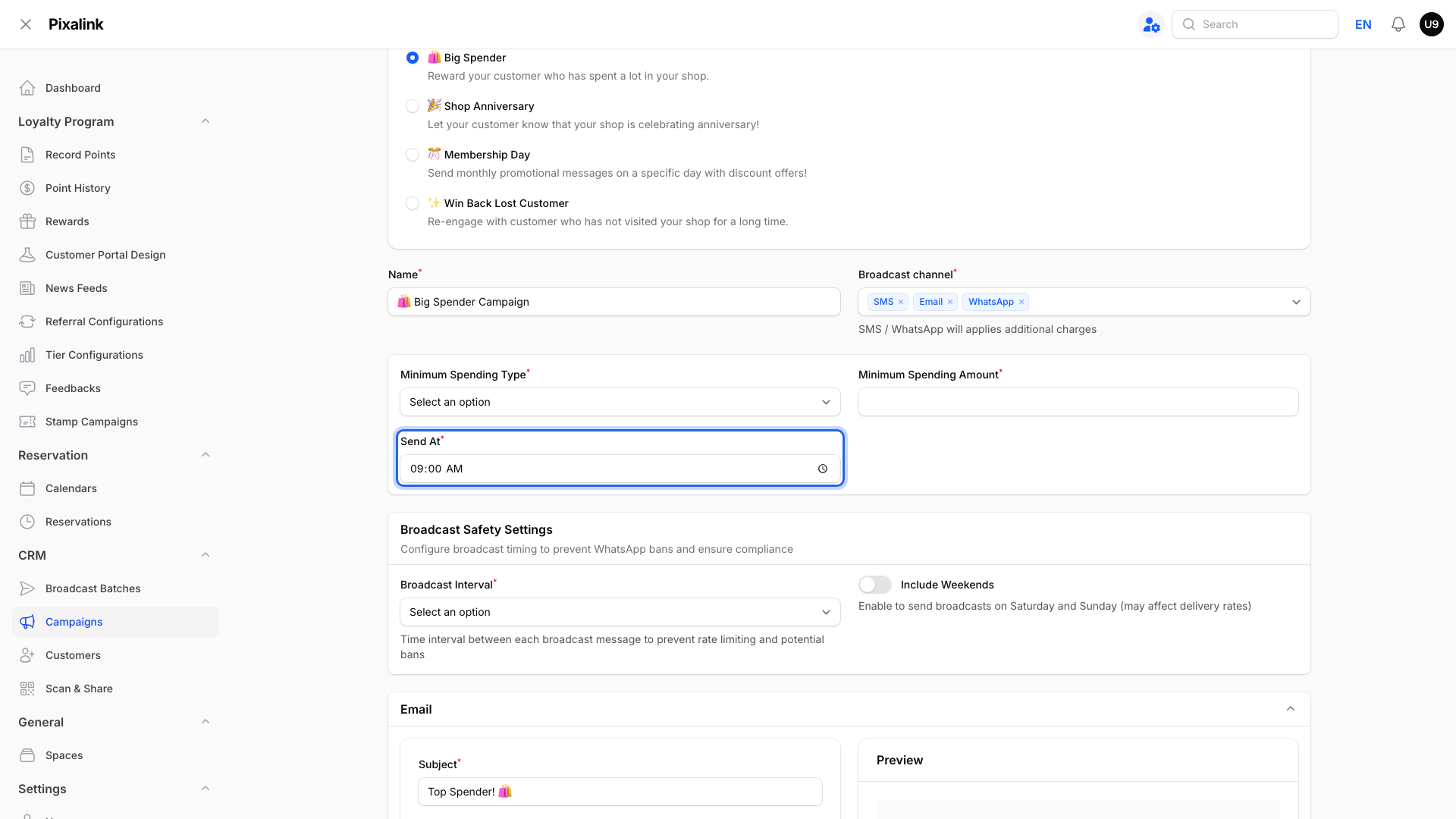
Who qualifies
With 10000 in the amount box, a member gets the message when all of these are true:
| Rule | What it means |
|---|---|
| Earned from purchases | The points they earned from purchases add up to 10,000 or more. Referral points and automatic bonuses, like a welcome bonus, don't count. |
| Spent points still count | A member who earned 12,000 and redeemed 5,000 still qualifies. |
| Expired points don't count | Only if you have point expiry turned on. |
| Not already scheduled | This campaign has not already been scheduled for them. A member with a scheduled, paused or failed message is not added again automatically. |
| Can be contacted | They are not marked Do Not Contact or Blocked. |
So "only members with 10,000 points and above?" means members who earned 10,000 points or more, not members whose balance is 10,000 today.
When it sends
Pixalink checks every day while the campaign is active. Members who qualify are scheduled from Send At, within the 9 am to 5 pm sending window. Weekends are skipped unless weekend sending is on. Messages go out one at a time to keep your WhatsApp number safe.
Real-Life Example
Siti runs a car accessories shop in Shah Alam. She sets up a Big Spender campaign at 10,000 points.
Her regular, Ahmad, has earned 11,000 points but spent 4,000 on rewards, so his balance shows 7,000. Siti expects him to miss out. But he earned 11,000 from purchases, so he qualifies for the next scheduled send. A new member with 10,000 points from a welcome bonus does not.
Good to Know
- If you have the credit wallet, you can pick Credit (Deduction) instead. Then the amount means credits your members have spent.
- A member already included in this campaign is not added again automatically, even if their message has not arrived. To send a new promotion, use a different campaign.
- Members need a contact detail for the channel you chose. No WhatsApp number means no WhatsApp message.
- For current balances, see How to filter customers by points and activity.
Need Help?
Contact our support team if a member you expected did not get the message.