
What Is the Difference Between Rewards and Campaigns?
What Is the Difference Between Rewards and Campaigns?
What Is This?
Make sure your birthday offer includes both the gift and the message. A reward gives your customer a voucher, such as a free drink or RM10 off. A campaign sends a message by WhatsApp, SMS or email.
Video Walkthrough
How It Works
| Reward | Campaign | |
|---|---|---|
| What it is | A voucher or gift | A message |
| Where you set it up | Loyalty Program → Rewards | CRM → Campaigns |
| What the customer gets | A voucher in their portal, used at your counter | A WhatsApp, SMS or email message |
| How it reaches them | They claim it with points, or you give it to them | You send it, or it goes out on a trigger |
| Can it send a message? | Yes, if its New Reward Notification is on | Yes, that is its whole job |
| Can it give a voucher? | Yes | No |
Where rewards live
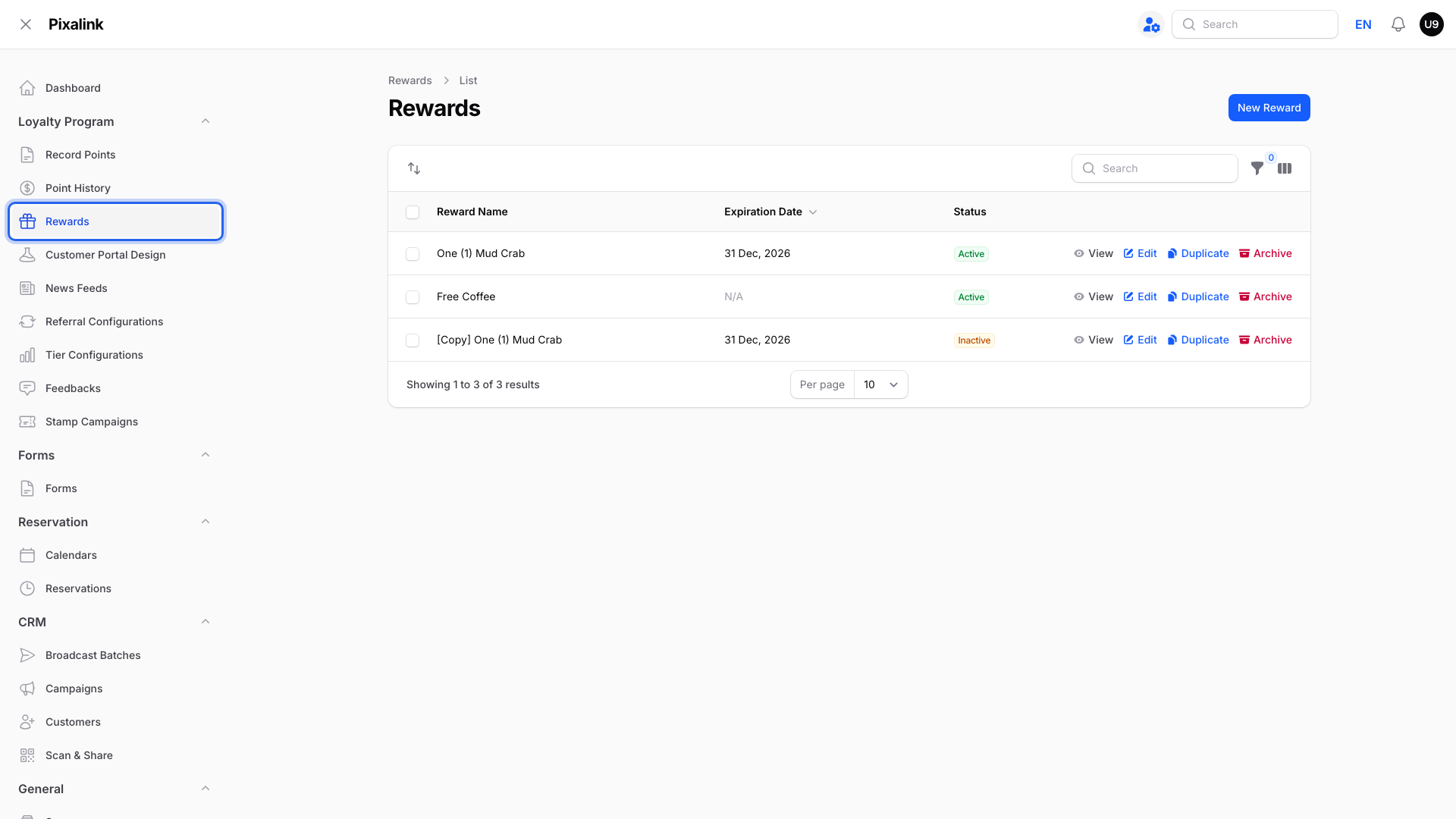
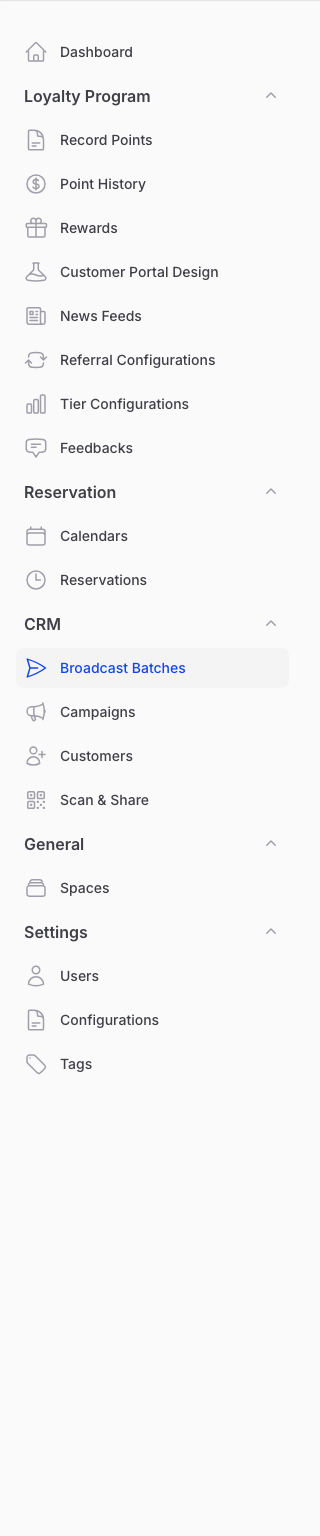
Your rewards sit under Loyalty Program → Rewards. Each one is a voucher your customer can hold in their portal.
Where campaigns live
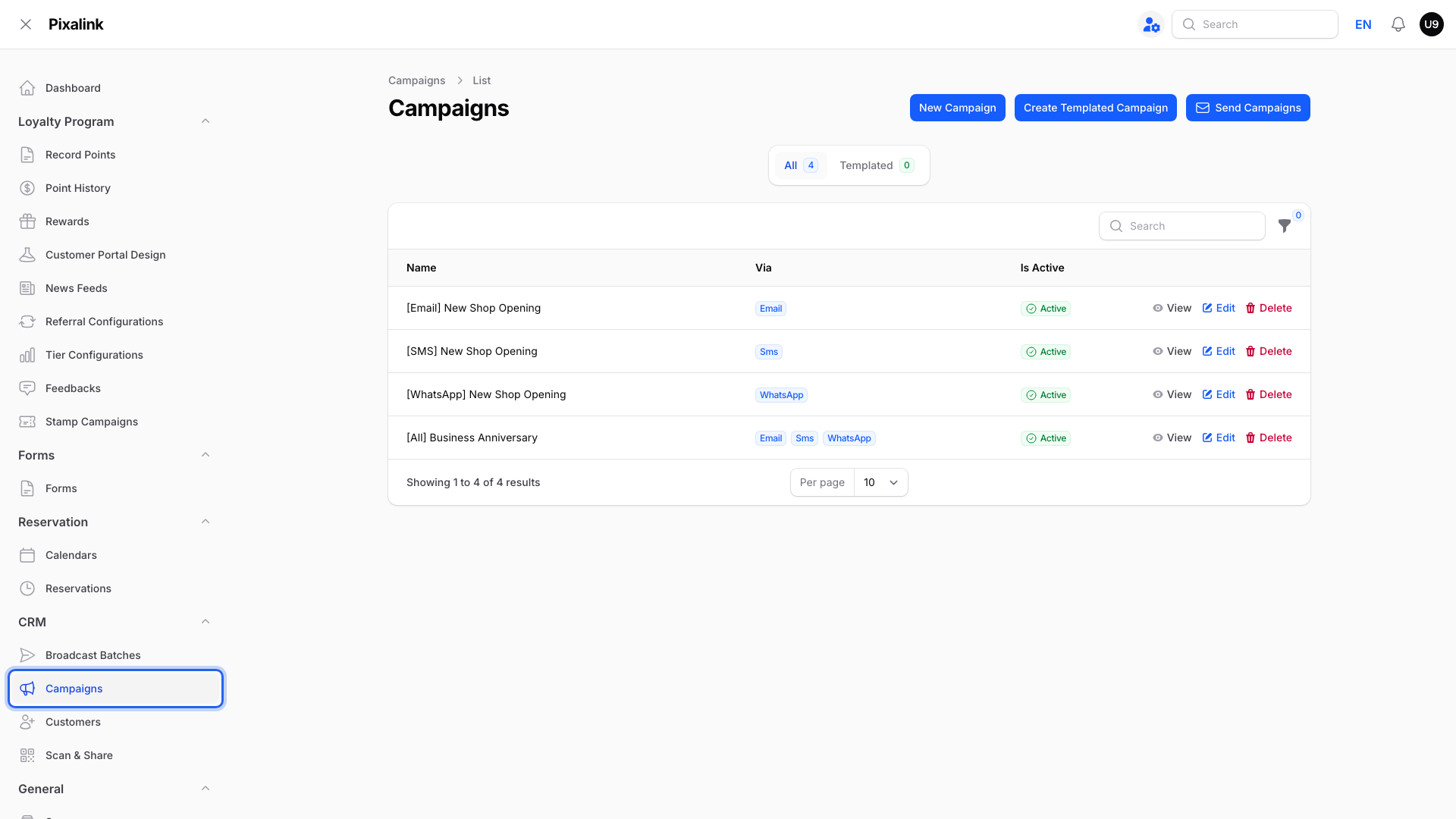
Your campaigns sit under CRM → Campaigns. A campaign only carries words, pictures and links. It never puts a voucher in the portal on its own.
How to send a gift and a message together
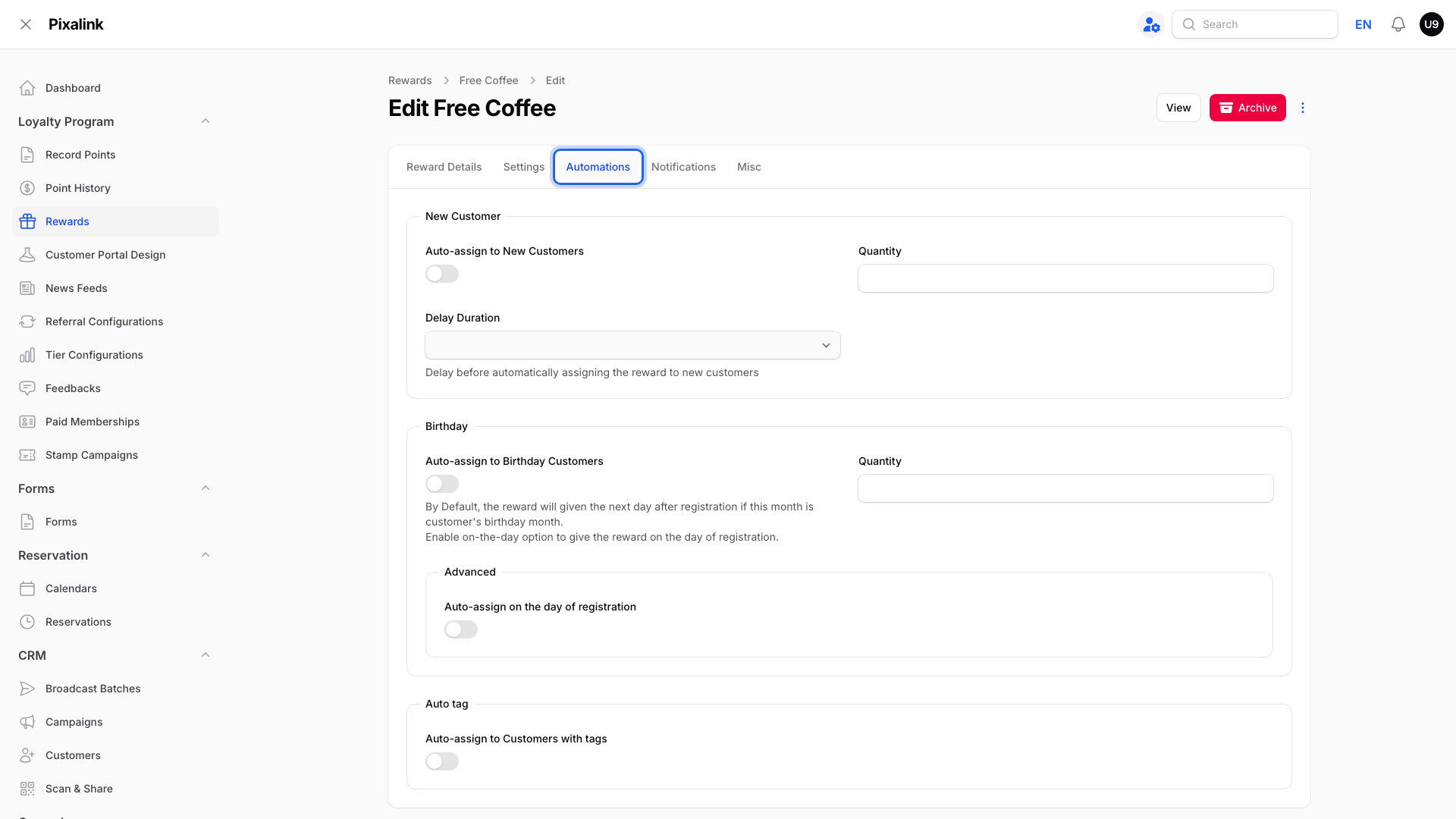
The gift: open the reward and go to its Automations tab. Turn on Auto-assign to New Customers, Auto-assign to Birthday Customers, or Auto-assign to Customers with tags.
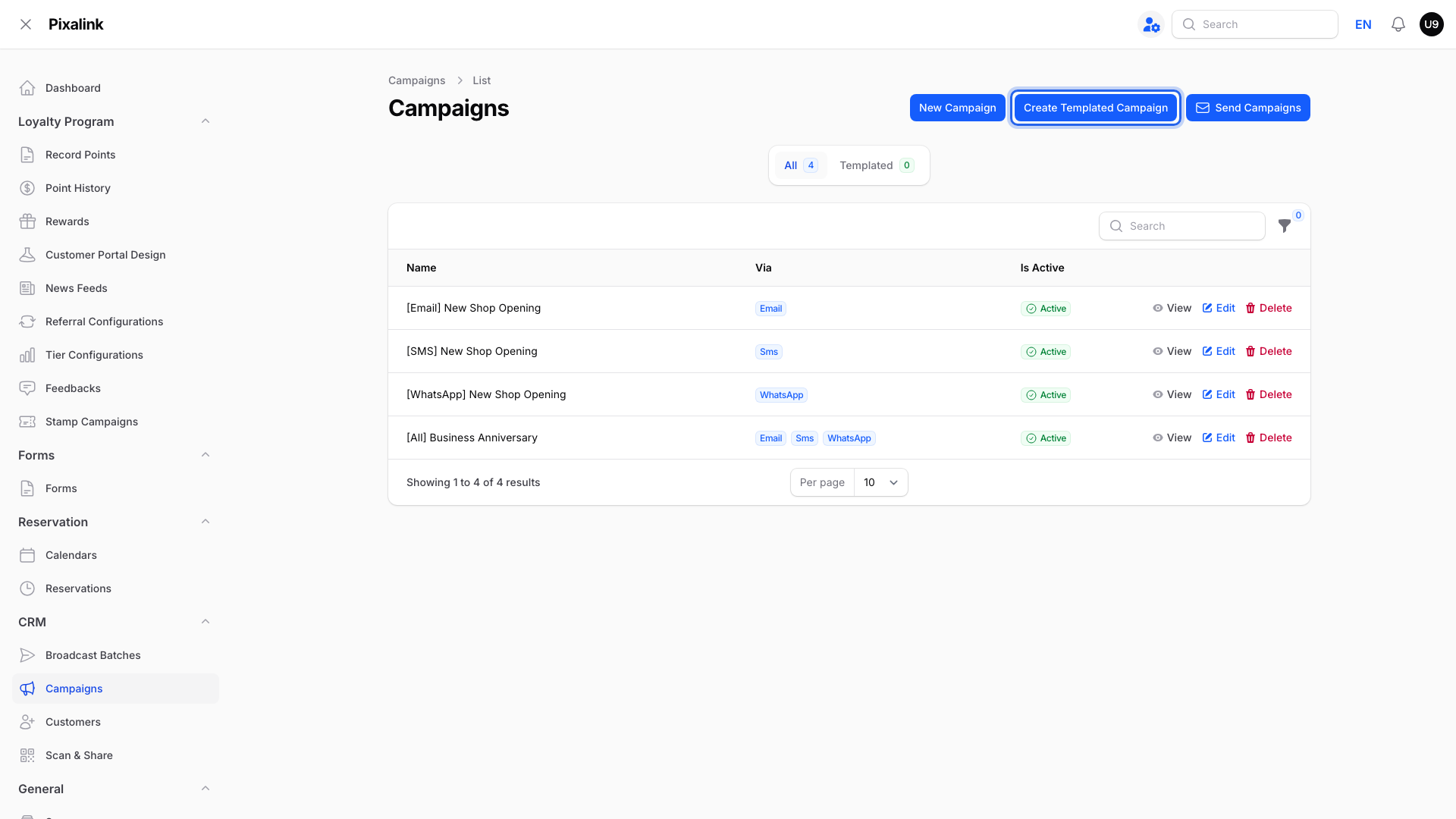
The message: click Create Templated Campaign for one that goes out on its own, such as New Customer or Birthday. A campaign made with New Campaign goes out when you send it under CRM → Broadcast Batches.
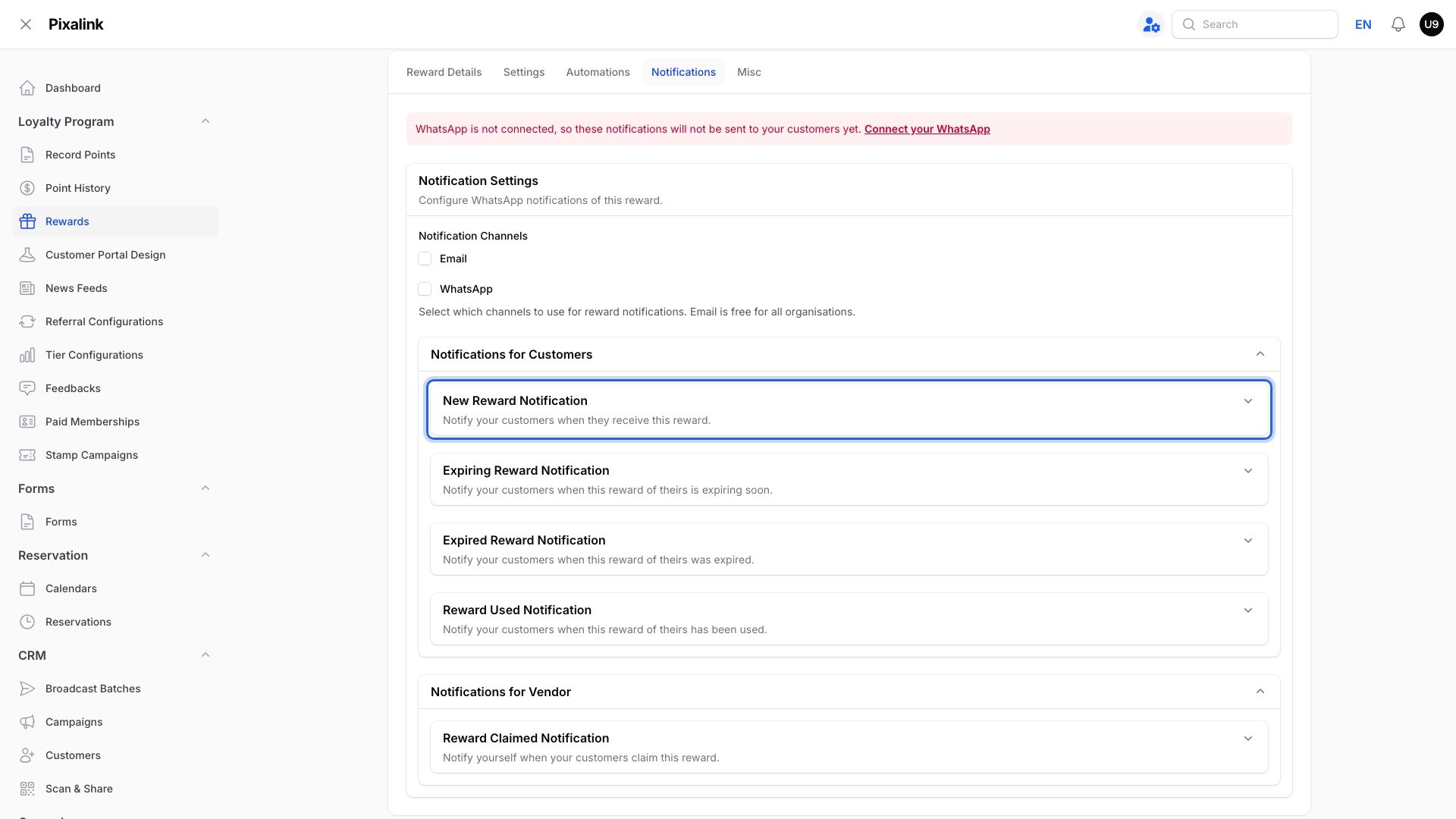
A short message only: the reward can tell the customer about itself. Open its Notifications tab and turn on New Reward Notification. It goes by email or WhatsApp, whichever channels you tick.
If your account shows CRM → Automations, one automation can do both. Pick a trigger such as Customer Birthday. Then add the actions Give a Voucher and Send a Message.
flowchart LR
    R["Reward<br/>the gift"] --> C1["Customer's portal<br/>voucher waiting"]
    M["Campaign<br/>the message"] --> C2["Customer's phone<br/>WhatsApp, SMS or email"]
    A["Automation or<br/>reward toggle"] --> R
    A --> M
Real-Life Example
Siti runs a hair salon in Petaling Jaya. She set up a Birthday campaign that says "Happy birthday! Enjoy a free hair wash this month." Her customers loved the message. But when they came in, there was no voucher in their portal. Siti had only set up the message. She created a "Free Hair Wash" reward and turned on Auto-assign to Birthday Customers in its Automations tab. Now each birthday customer gets the message and a voucher they can show at the counter.
Good to Know
Warning
A campaign alone never gives a voucher. If your message promises a treat, set up the reward too.
-
A free gift you hand out (welcome, birthday or tag gifts) must cost 0 points. Pixalink won't save a reward with auto-assign turned on and a points price.
-
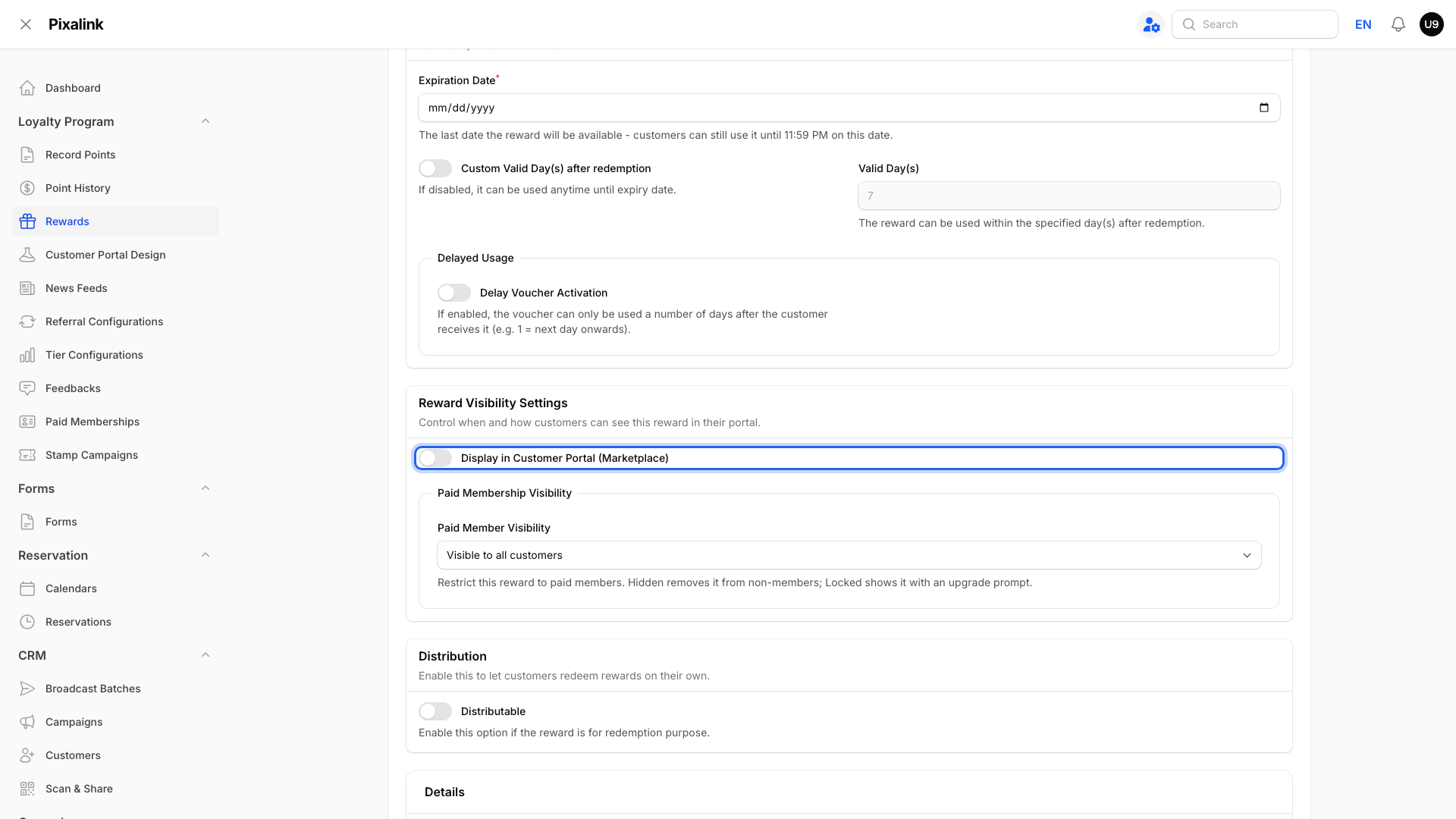
Rewards customers buy with points show up in their portal marketplace. Turn on Display in Customer Portal (Marketplace) in the reward's Settings tab.
-
Sending a campaign uses the message channel you chose. Giving a reward can also send a message when its New Reward Notification is on.
Need Help?
Not sure which one you need? Contact our support team and tell us what you want your customers to get.