
Own Number vs Official WhatsApp (Meta): Which Should You Use?
What Is This?
Pixalink can send your WhatsApp messages two ways. Your own number, linked by QR code, has no per-message charge but can be restricted. Official WhatsApp from Meta charges per message, and it's built for business sending. This guide helps you pick.
How It Works
| Your own number (QR code) | Official WhatsApp (Meta) | |
|---|---|---|
| Setup | You scan a QR code on Settings → Configurations | Our team sets it up with you |
| Risk of restriction | High on busy days and big blasts | Much lower, but not zero |
| Cost per message | No charge from Meta or Pixalink | Meta charges per message |
| Campaign wording | Send any wording, any time | Meta approves the wording first, then it's locked |
| Points and voucher messages | Sent as you write them | Sent from a Meta-approved template. Until Meta approves one, they go as plain text from your other number |
| Phone | Needs a phone with an active, topped-up SIM | No QR code, nothing to re-link |
Restrictions. WhatsApp restricts own numbers that look like bulk senders, and a lapsed prepaid SIM can lose its WhatsApp. Official WhatsApp avoids both. Meta still rates your number, and it can pause or disable a template it finds spammy.
Cost. We don't set Meta's prices. They depend on the message type and your customer's country. See WhatsApp and SMS Message Costs Explained for where to check them.
Login codes. Customers log in through WhatsApp. They can also tap Still cannot login? request an OTP to get a code on WhatsApp. These codes come from Pixalink's number, not yours, unless our team switches on your Official number for them. You can't send a customer their login code by SMS.
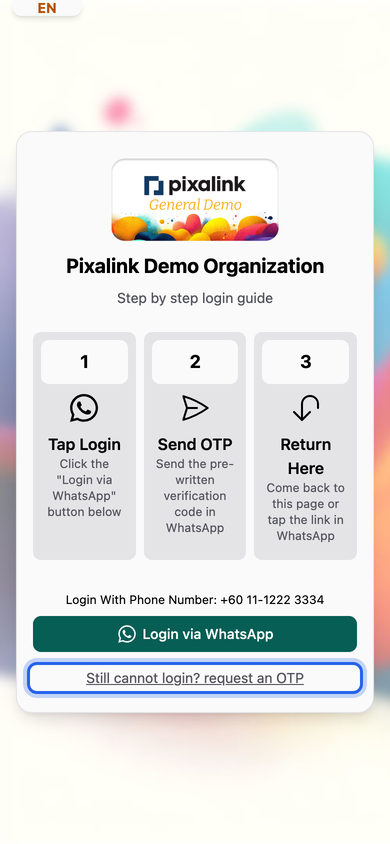
What customers see when they log in. Both ways need WhatsApp.
Customers without WhatsApp. SMS works for campaigns only. It uses Pixalink SMS credits: 1 credit per message to a Malaysian number, more to an overseas one. Points and voucher messages go by WhatsApp or email, not SMS.
Switching. Our team sets up Official WhatsApp with you in an online session. You'll need a Meta business account and a number for it. Ask us whether your current number can move, or use a new one. You can keep your own number linked as well. Campaigns use Official WhatsApp only when Use Official WhatsApp is on. Points messages still take turns with your own number, so it can still be restricted.
Real-Life Example
Siti runs Rasa Sayang restaurant in Shah Alam. She bought prepaid SIMs to send promotions from her own numbers. Two lost WhatsApp when nobody topped them up, and a third was restricted after a few blasts. Her Hari Raya promotion stalled halfway. She asked Pixalink to move her to Official WhatsApp. Our team set it up with her. She switched on Use Official WhatsApp, and Meta approved her wording. The next promotion went out without a restriction, and she checks the cost in Meta's WhatsApp Manager.
Good to Know
- Keep a valid card on your Meta account. If a payment fails, Meta can stop your messages.
- Official WhatsApp isn't ban-proof. Only message customers who agreed to hear from you.
- A customer without WhatsApp can't log in by WhatsApp. Your staff can still record points for them by phone number on Record Points.
Need Help?
Message us in your WhatsApp support group to talk through switching.