
How to Set Up Tier Point Multipliers
How to Set Up Tier Point Multipliers
What Is This?
Tier multipliers reward your most loyal customers by giving them bonus points on every transaction. A multiplier of 2 means a Gold-tier customer earns double points on the same purchase a Bronze customer makes. This turns your loyalty tiers into a real reason for customers to keep coming back and climb the ranks.
Real-Life Example
Siti runs two cafe outlets in KL. She wants to reward regulars who spend more, so she sets up a Gold tier with a 2x point multiplier. Now when Ahmad — a Gold member — spends RM15 on a meal combo, he earns 30 points instead of 15. Ahmad notices his points climb faster and visits more often. Siti sees repeat visits go up by 25% after enabling tier multipliers.
Video Walkthrough

How to Set Up Tier Point Multipliers
-
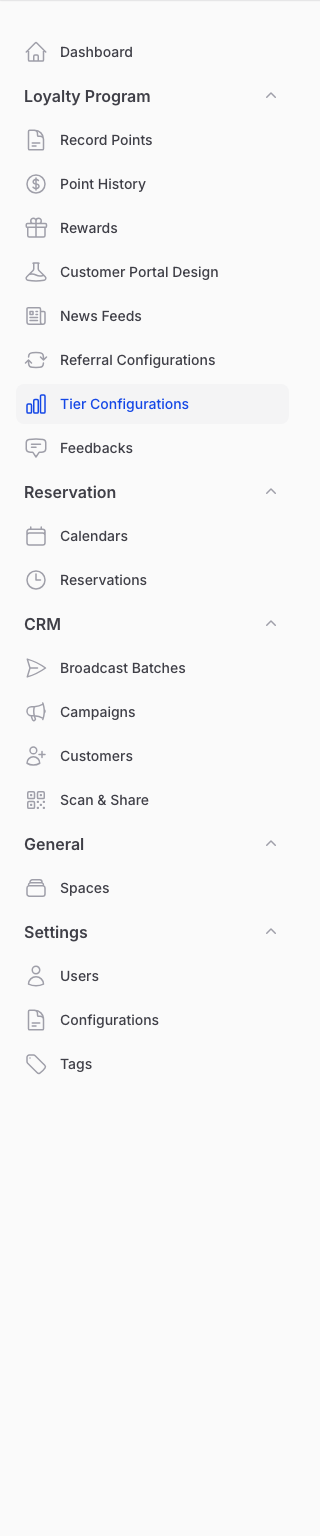
Go to Admin Panel → Loyalty Program → Tier Configurations
-
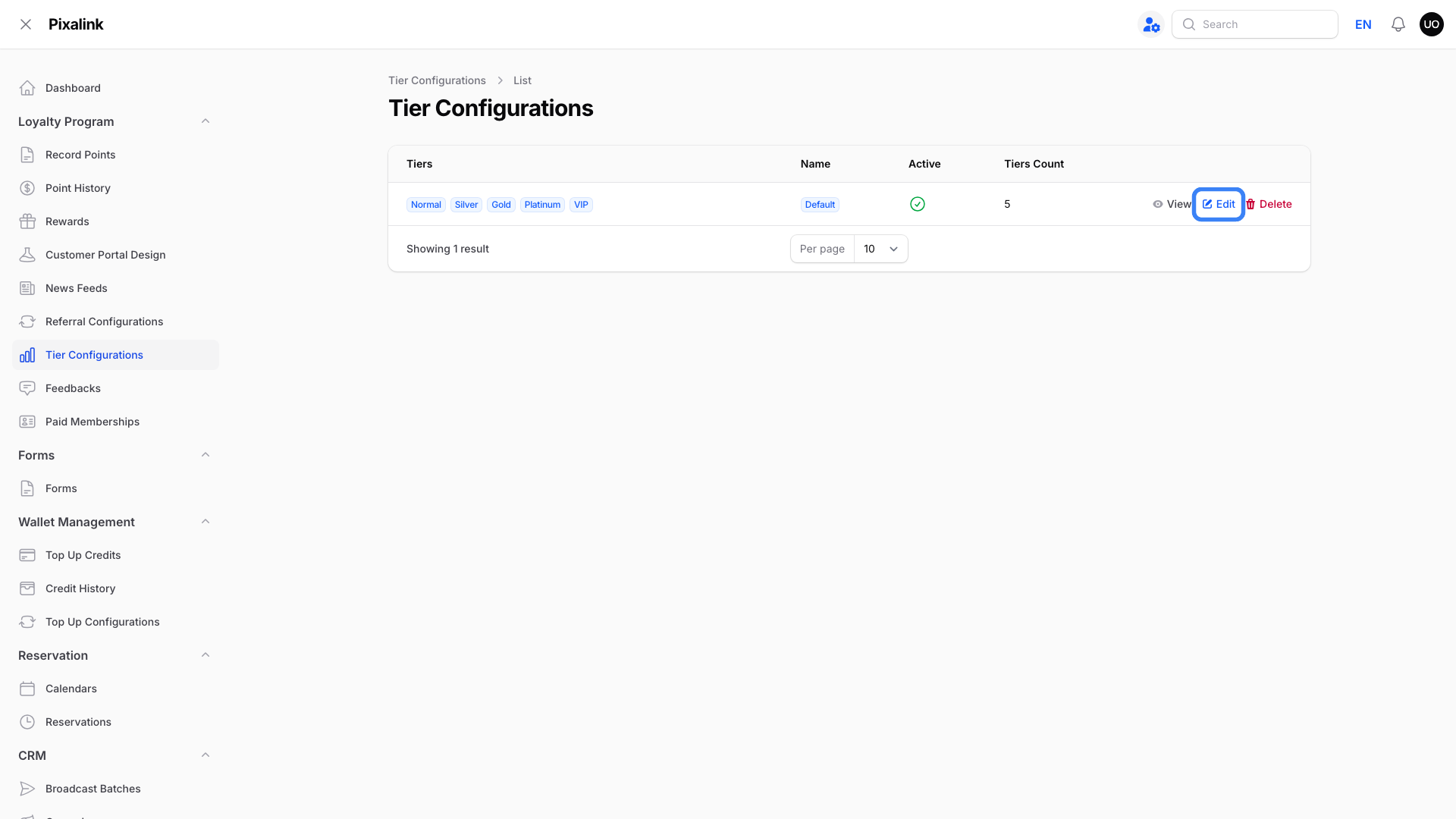
Click Edit on your tier configuration. The Tiers table appears below the configuration details and lists all tiers in this configuration.
-
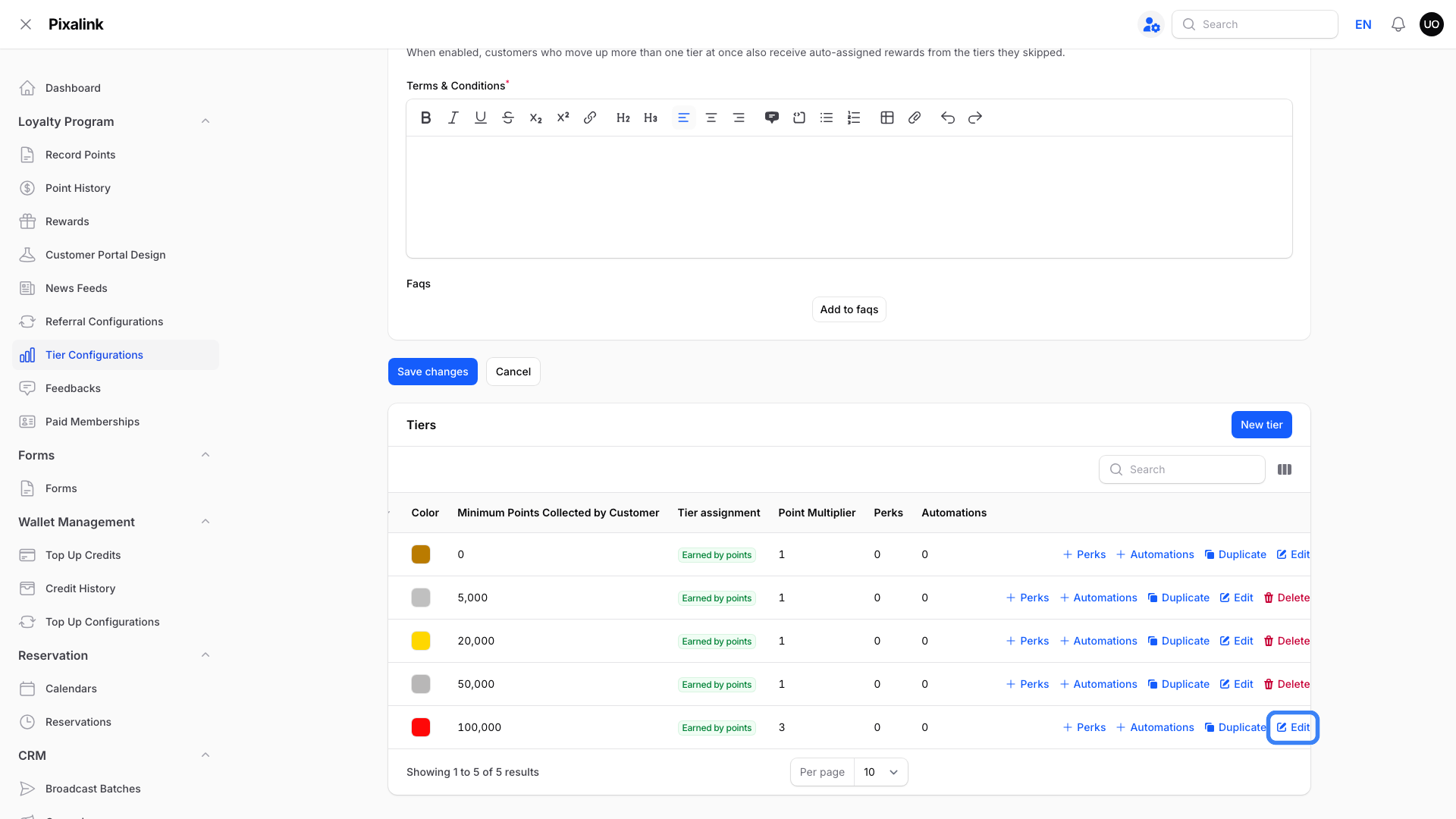
Click Edit on the tier row you want to change. On a smaller screen, scroll the table sideways to reach it.
-
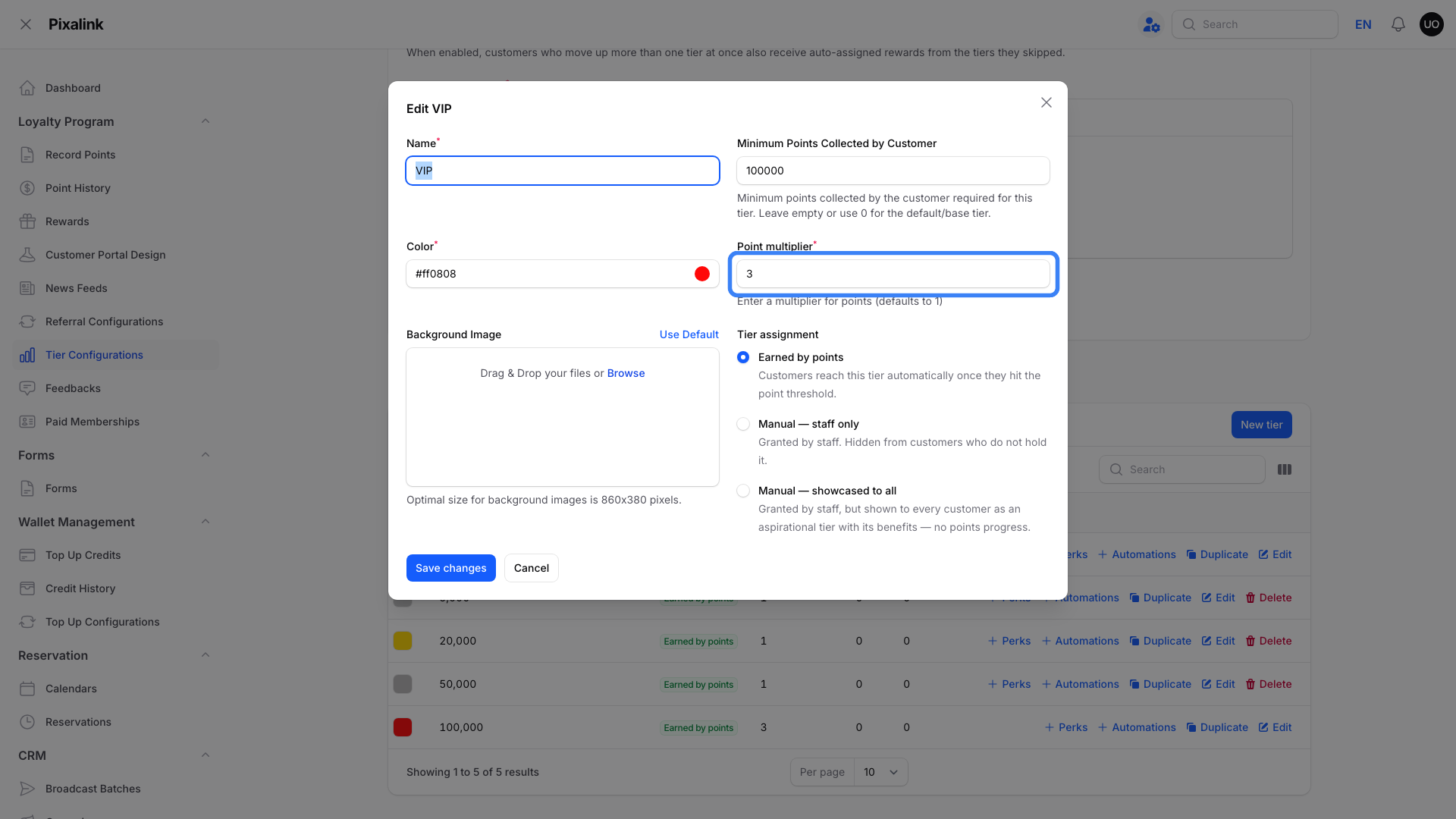
Set the Point multiplier field to your desired value.
- The default is 1 (no bonus — earns the base point amount)
- 2 means customers in this tier earn double points
- Decimals like 1.5 give a 50% bonus
- Typical setup: 1x for Bronze, 1.25x for Silver, 1.5x or 2x for Gold
-
Click Save changes. The new multiplier takes effect on the next transaction.
How Multipliers Apply to a Transaction
The multiplier kicks in automatically every time a customer earns points — whether through manual point recording, POS sync, e-commerce checkout, credit-wallet conversions, or integration-based earnings like Bukku invoice syncs. If the customer is in a tier with a multiplier, the multiplier is applied to the awarded amount before it lands in their wallet.
For example, if you record 20 points for a Gold-tier customer with a 2x multiplier, they receive 40 points on their wallet. The customer doesn't need to do anything — the bonus is applied for them.
Multipliers do not apply to point deductions or admin corrections — those use the exact amount you enter.
Tier and outlet multipliers stack
Each outlet can also have its own Points Multiplier (a percentage on the outlet's settings, where 100% is the normal rate). For purchases, the tier multiplier and the outlet multiplier multiply together. A VIP member at 3x buying at an outlet set to 200% earns 6x the usual points. The result is rounded down once, at the end.
What Your Customers Will See
Customers see their multiplied point balance reflected in their loyalty portal right after each transaction. If they're in a tier with a multiplier, the bonus is already baked into the displayed total — there's no separate "bonus" line. Their tier badge in the portal also shows their current tier and any next-tier benefits.
Good to Know
- Points are whole numbers — if a multiplied amount results in a decimal (e.g., 15 × 1.5 = 22.5), the system rounds down to 22.
- Multipliers apply to all earning transactions — manual point entry, POS, e-commerce, credit-wallet conversions, referral and automation points, and integration-based earnings (e.g. Bukku invoice syncs). If points are being added, the multiplier applies.
- Multipliers do not apply to point deductions or admin corrections — those use the exact amount you enter.
- Each customer's tier is recalculated automatically from the points they earned through purchases, including the multiplier bonus. Spending points on rewards doesn't lower it. If point expiry is on, expired points stop counting. See Customer Loyalty Tiers — How Point Usage and Expiry Affects Your Tier Level.
- The multiplier used is the customer's tier at the moment of the transaction. Customers placed in a manual tier don't move with their points.
- If you change a multiplier, only future transactions get the new rate — past transactions are not retroactively recalculated.
Need Help?
Not sure which tier multiplier to set, or whether your customers are seeing the right point totals? Send us a message and we'll walk through it with you.
What's Next?
- How to Set Up Loyalty Tiers — define your tier ladder before configuring multipliers
- How to Record Points for a Customer — manually award points (multipliers apply automatically)