
How to Send Reward Notifications by Email
How to Send Reward Notifications by Email
What Is This?
Reward notifications can go out by email, WhatsApp, or both. Email is free for every business and never puts your WhatsApp number at risk of a ban. If you'd rather not spend WhatsApp messages on reward alerts, you can switch a reward to email only in a few clicks.
Real-Life Example
Wei Lin runs a small bakery chain in Penang. Every WhatsApp message she sent for reward updates ate into her quota — and one busy month her number got flagged. So she switched her rewards to email only. Now her customers still get a clear email when they earn a reward or when it's about to expire. It costs her nothing, and her WhatsApp number stays safe for the messages that really need it.
Video Walkthrough
How to Set It Up
-
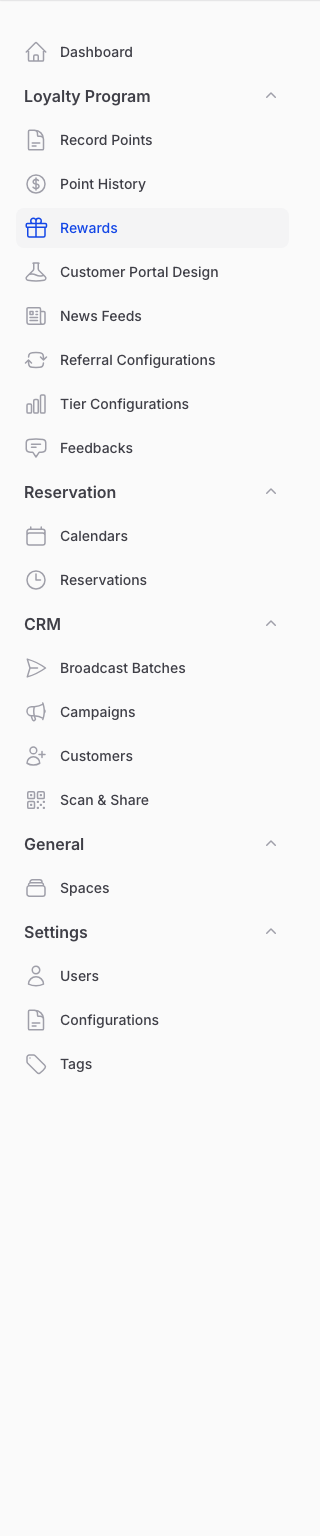
Open the reward you want and click the Notifications tab. To find your rewards, go to Admin Panel → Loyalty Program → Rewards.
-
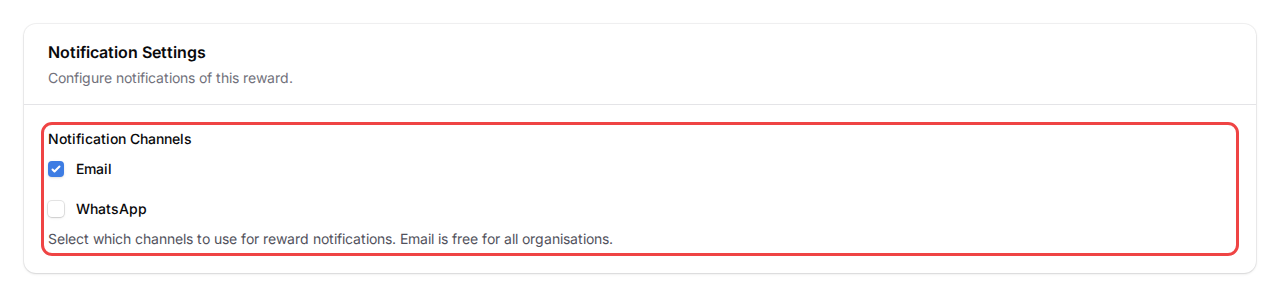
Find Notification Channels under Notification Settings. Tick Email. For email only, untick WhatsApp.
-
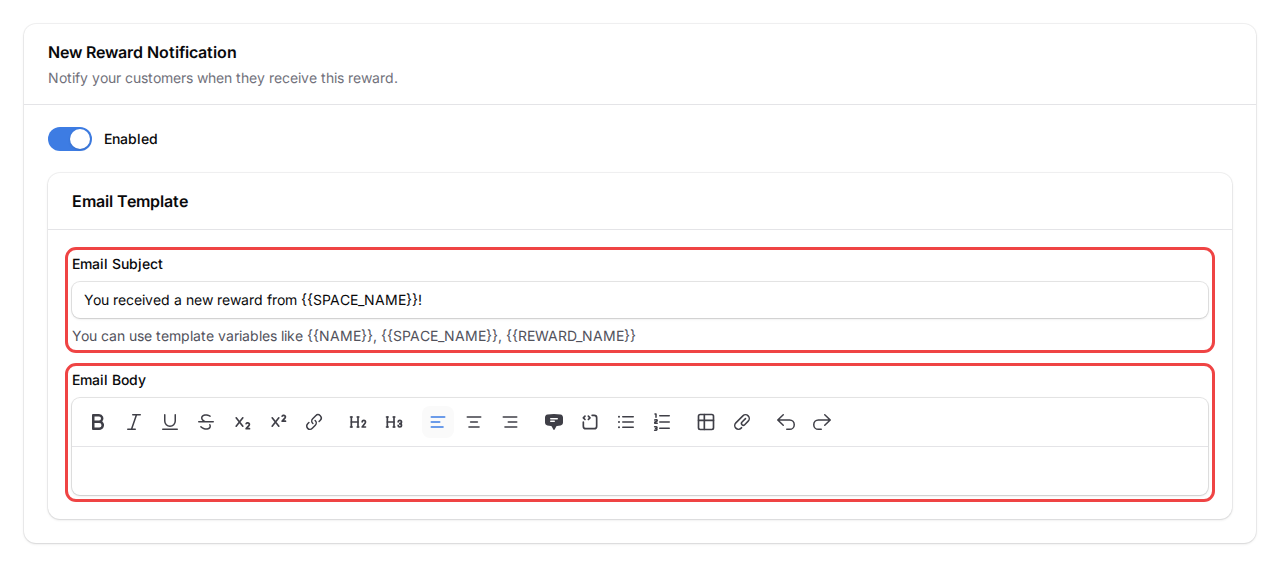
Turn on each notification you want to send, then write the Email Subject and Email Body. Each one comes with a ready-made template — edit it, or use Reset Email to Default to start over. Add variables like {{NAME}} and {{REWARD_NAME}} to personalise the message.
-
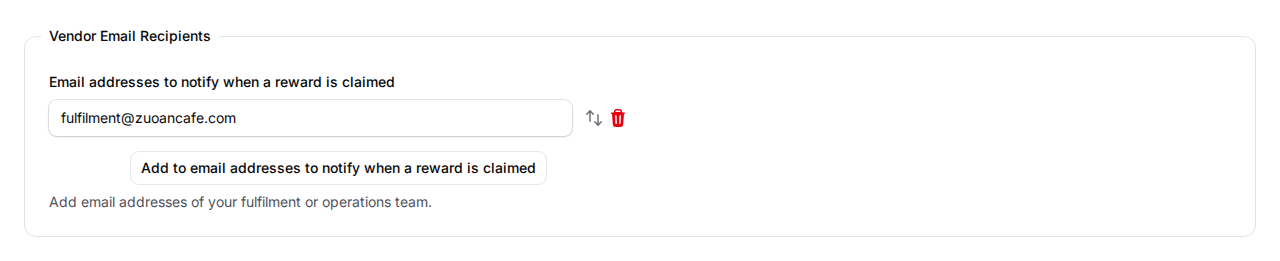
Add your team's address under Vendor Email Recipients to get an email when a customer claims a reward. Click Save changes when you're done.
What Your Customers Will See
Your customers get a clear email at each step — when they receive a reward, when it's about to expire, after it expires, and when it's used at your counter. Each email uses the subject and message you wrote, with their name and reward details filled in for them.
Good to Know
- Email is free for every business. Unlike WhatsApp, there's no sending cost and no risk of your number being blocked.
- WhatsApp is the default. New and existing rewards stay on WhatsApp until you switch the channel, so nothing changes unless you choose email.
- You can use both. Tick Email and WhatsApp together to send through both at once.
- Personalise with variables. Tags like {{NAME}}, {{SPACE_NAME}} and {{REWARD_NAME}} are swapped for real details in each email.
Need Help?
Reach out to our support team — we're happy to help you set up your reward emails.
What's Next?
- What Are Rewards and How to Create Them — start here if you're new to rewards
- How to Manage Your Rewards (View, Edit & Delete) — update your rewards anytime