
How to Handle a Customer's Request to Export or Delete Their Data
What Is This?
Customers can ask you for a copy of their personal data, or ask you to delete it. Their requests land in one list called Data Requests. You approve or reject each one before its deadline. This keeps you in control of what you send and what you delete.
Video Walkthrough

Music: "Carefree" by Kevin MacLeod (incompetech.com), licensed under CC BY 4.0.
Real-Life Example
Farah runs a cafe in Subang. Ahmad opens My Data in her portal and asks for his data to be deleted. Farah opens Data Requests and sees it under Awaiting review. A bold line warns that Ahmad still holds 285 points. She checks it is really him, then approves. Ahmad's details are removed, and Farah tells him it is done.
How to Set It Up
-
Go to Admin Panel → Settings → Data Requests.
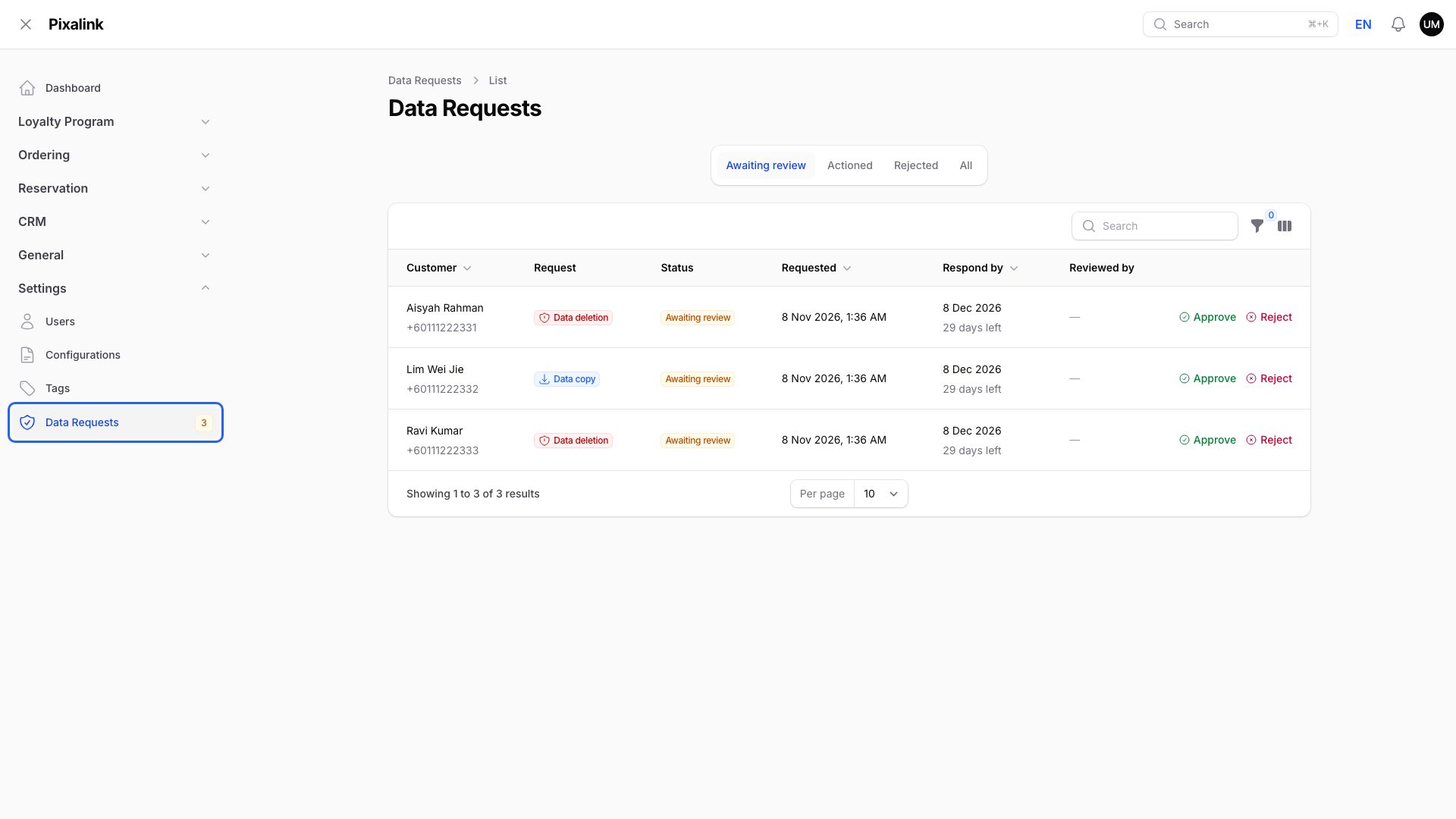
The number on the menu is how many requests wait for you.
-
Click the Awaiting review tab.
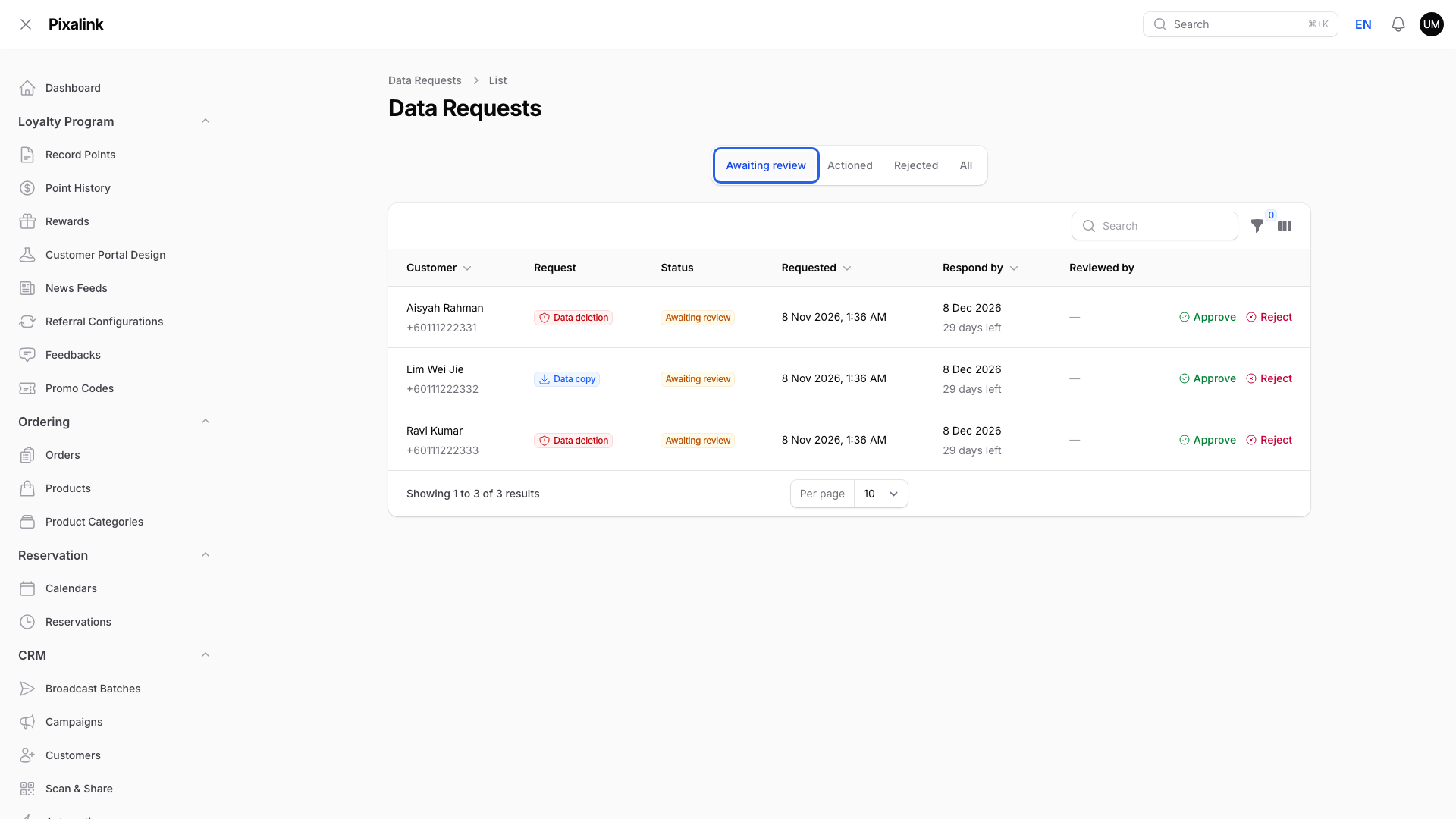
The Respond by column shows how many days are left.
-
To send a customer a copy, click Approve on a Data copy request.
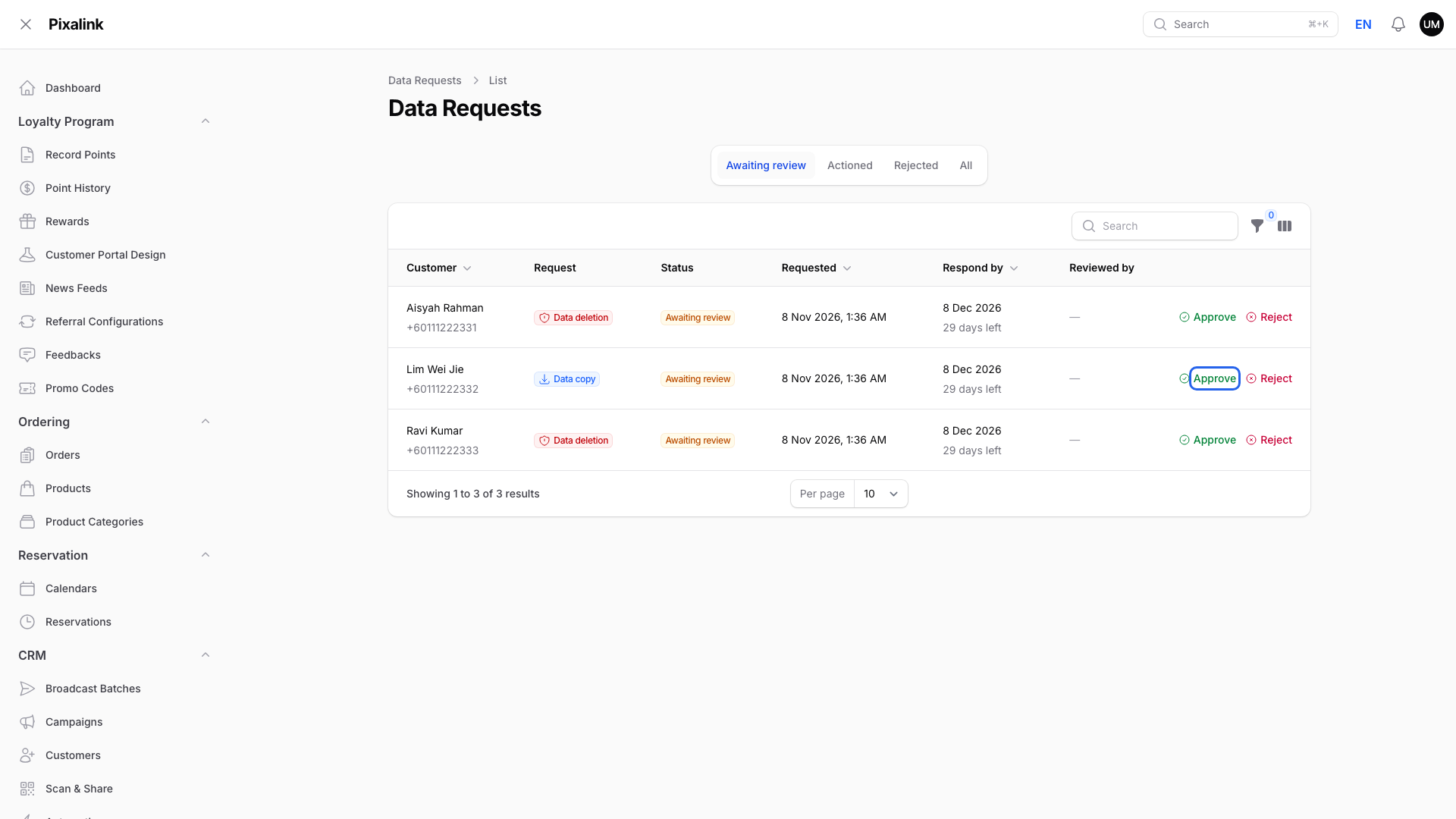
A box opens. Click Confirm and the customer gets an email with their file.
-
To delete a customer's data, click Approve on a Data deletion request.
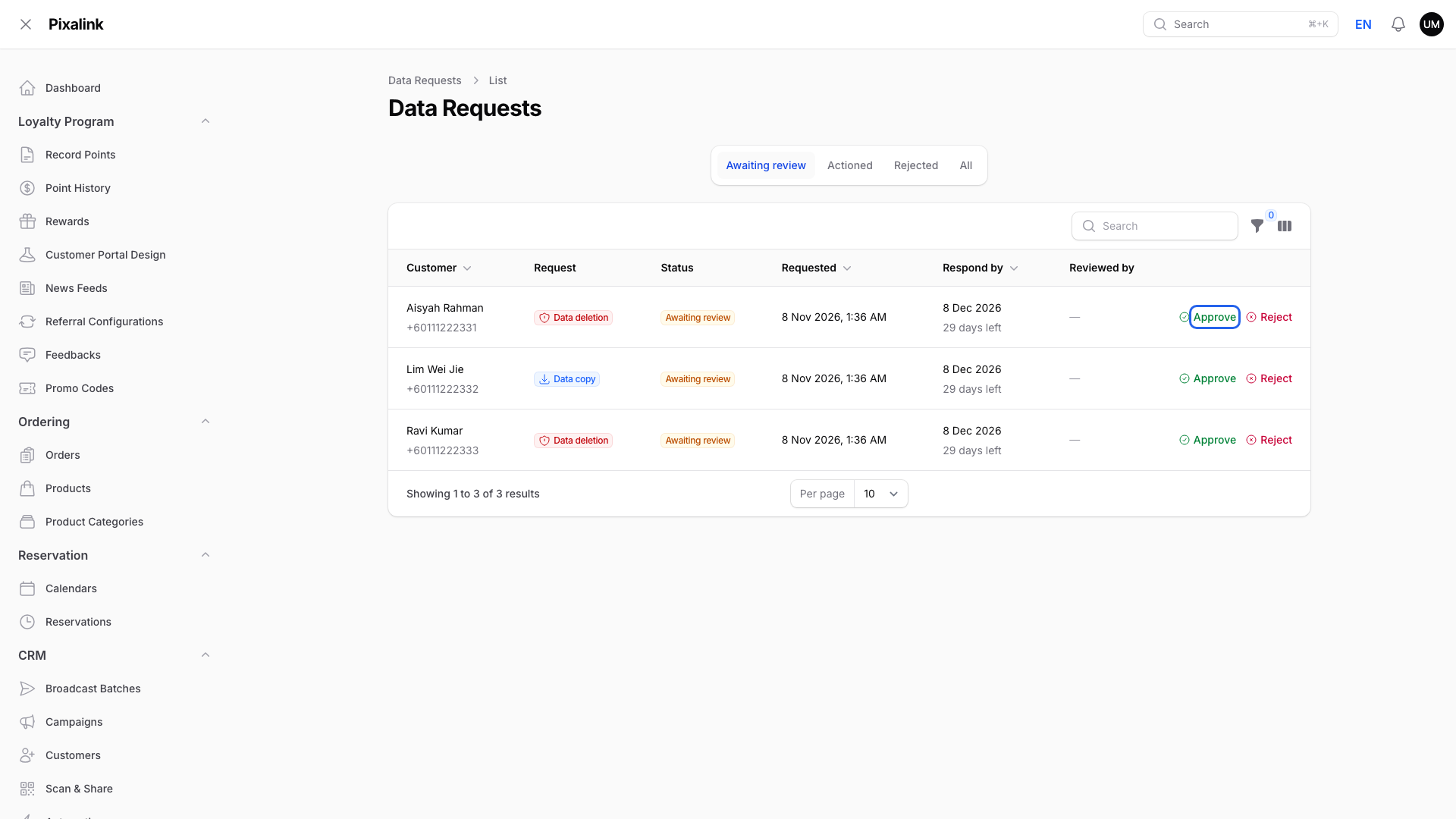
A Data deletion request removes the customer for good.
-
Read the warning, then tick I understand this cannot be undone.
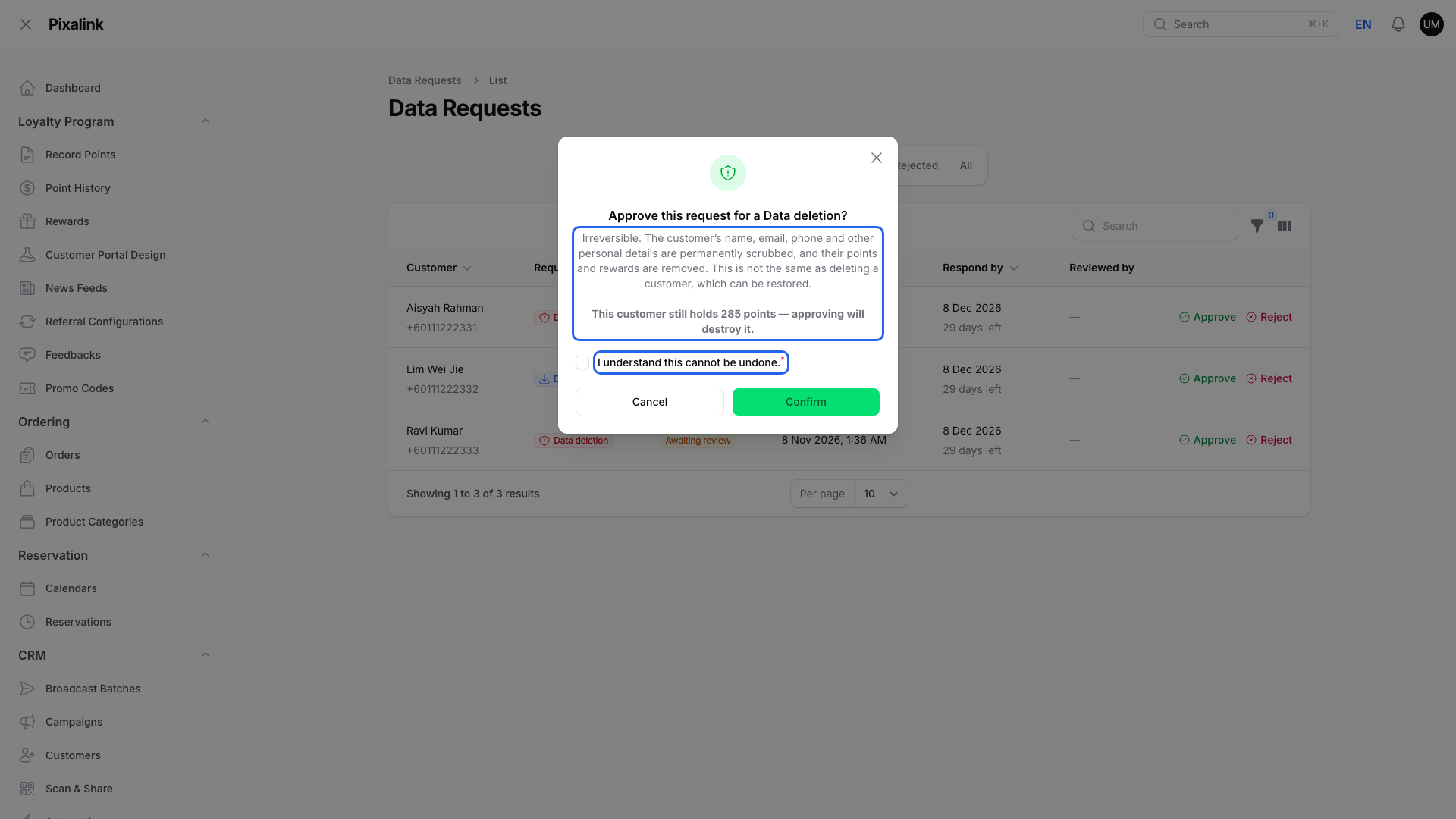
If the customer still holds points, wallet credit or a paid membership, a bold line lists them.
-
Click Confirm.
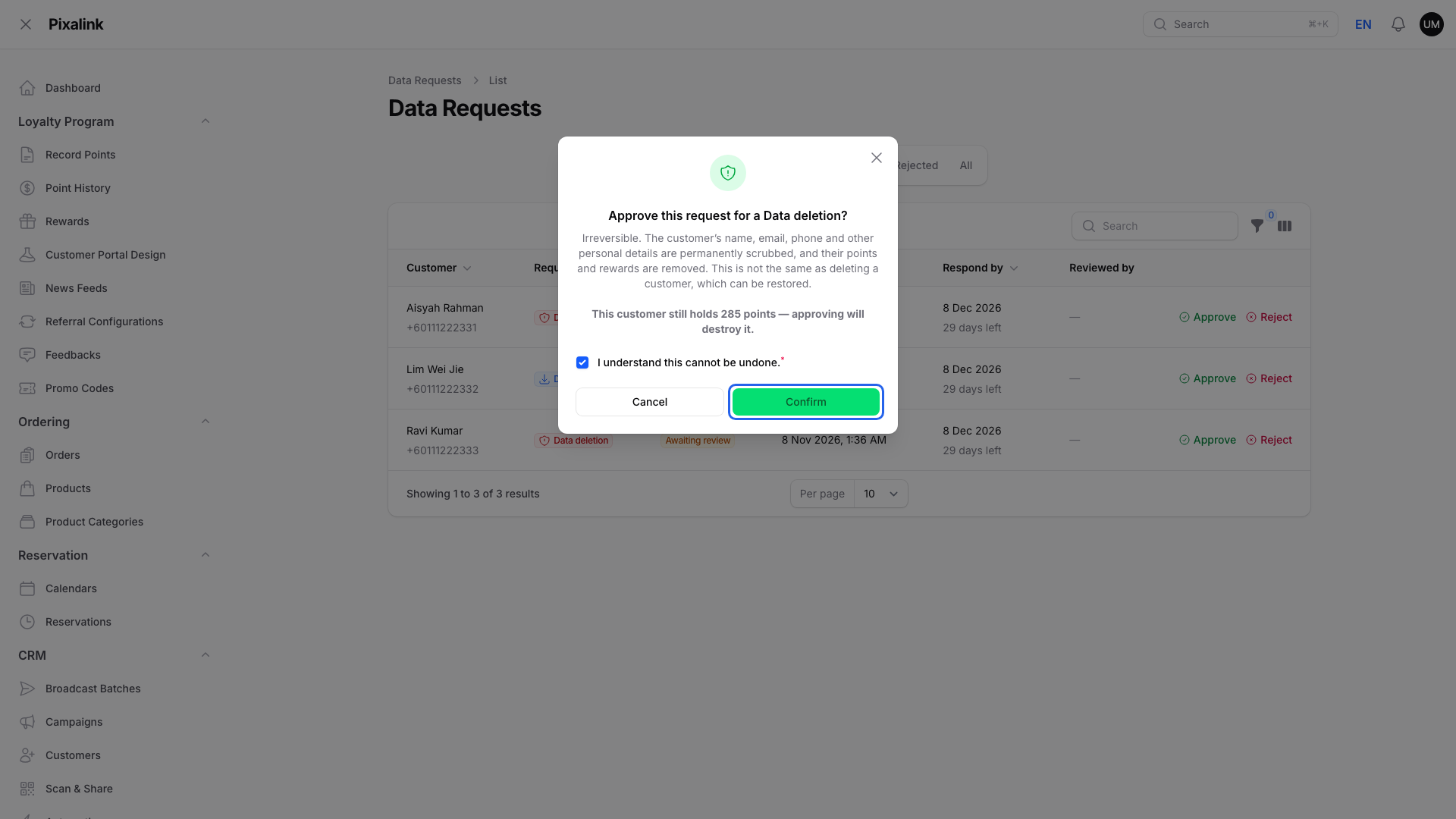
The request moves to In progress, then Completed.
-
Click Reject on a request you can't approve.
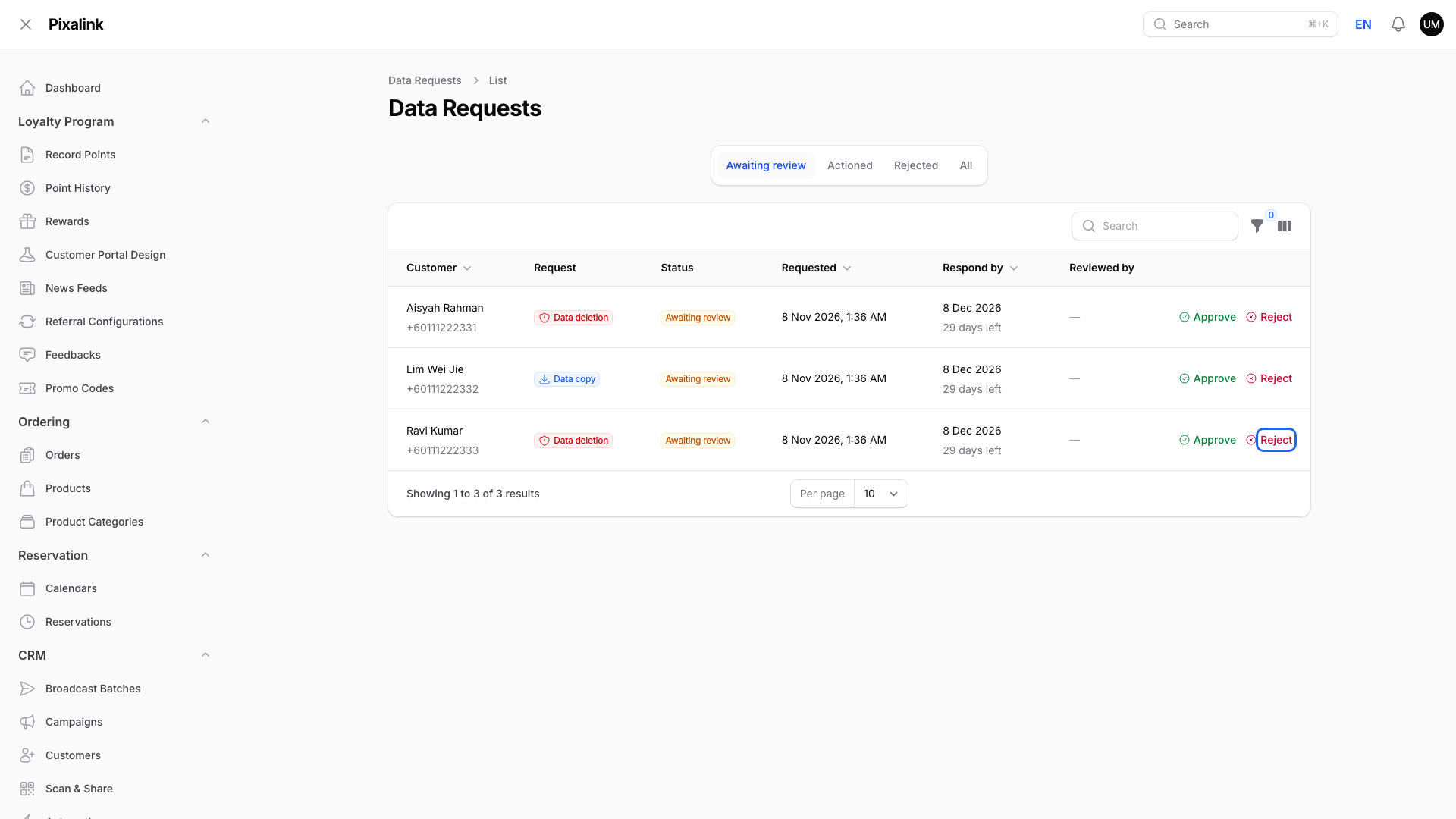
Reject is next to Approve on each row.
-
Type a Reason, then click Submit.
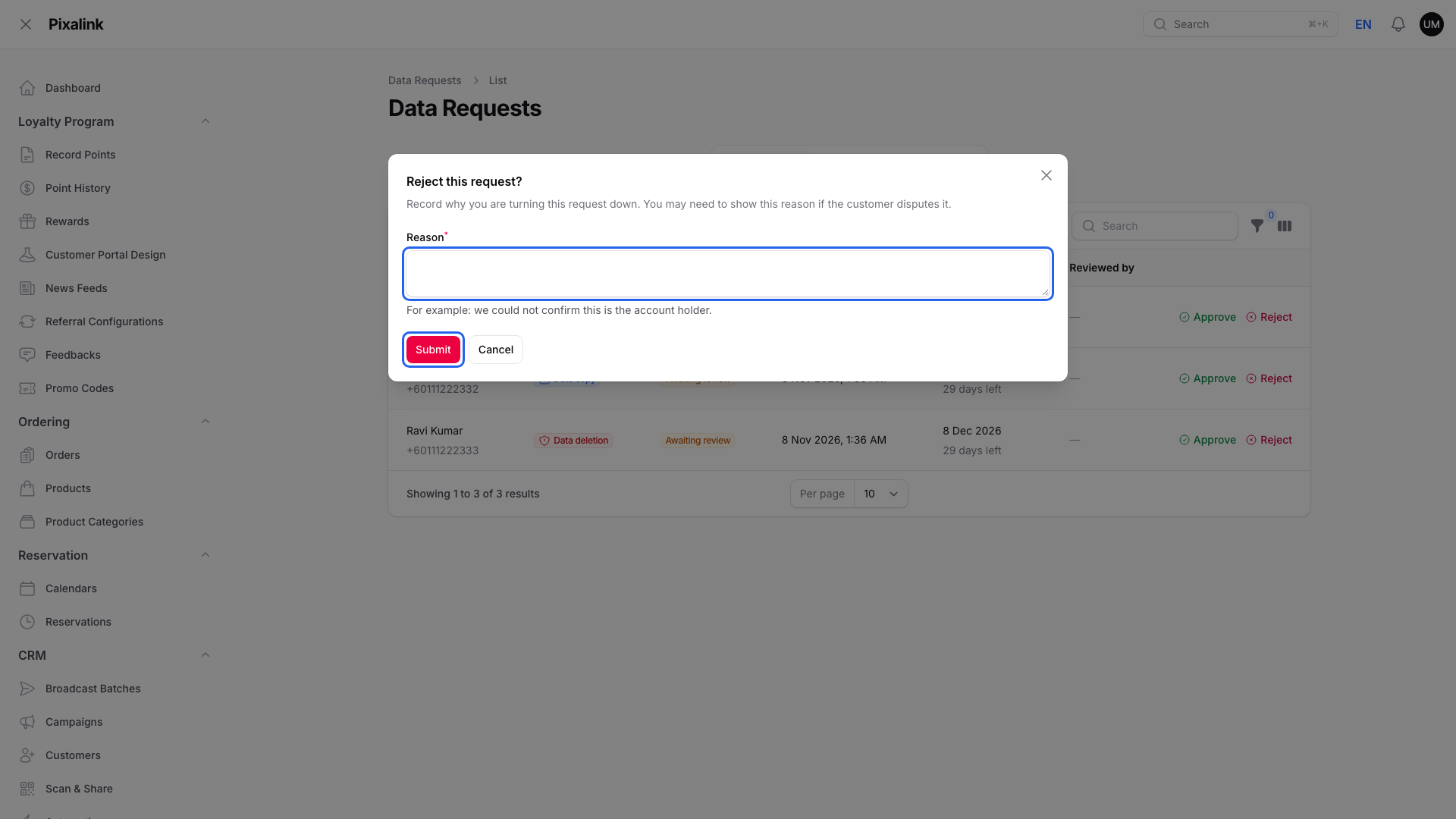
Your reason is saved. You may need it if the customer disputes the decision.
What Your Customers Will See
Customers open their profile and tap My Data.

My Data is in the Settings buttons on the profile page.
They tap Request my data for a copy, which needs an email on their profile. They tap Request deletion to ask for removal.
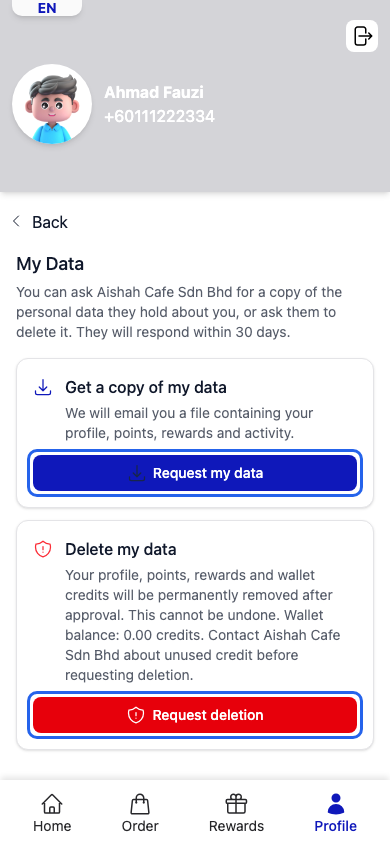
The deletion button only shows when deletion requests are on for your business.
Good to Know
- Your deadline depends on your billing country: 21 days for Malaysia, 30 days for every other country.
- Only a data copy sends the customer an email. For a deletion or a rejection, tell the customer yourself.
- A request can show Failed. You find it on the All tab. Tell the Pixalink team.
- Approving a deletion goes further than deleting a customer. It also wipes name, email and phone. Neither can be undone. See What Happens When You Delete a Customer.
- Businesses billed in the EU, EEA or UK have Data Requests on already. Deletion requests are a separate switch, off until the Pixalink team turns them on.
- This is not legal advice. Ask your lawyer what applies to your business.
Legal Background: Malaysia's PDPA and the 2024 Changes
Note
Research note. This summary comes from the Malaysian law itself, the Personal Data Protection Commissioner's guidelines and law-firm explainers. Each one is linked in the footnotes at the end of this article, and we opened and read every one. It is general information, not legal advice. Ask your lawyer or Data Protection Officer (DPO) what applies to your business.
Malaysia's Personal Data Protection Act 2010 (Act 709) was amended by the Personal Data Protection (Amendment) Act 2024 (Act A1727). It became law in stages: 1 January 2025 for small housekeeping changes, 1 April 2025 for the rename of "data user" to "data controller" and higher penalties, and 1 June 2025 for the DPO, breach notification and data portability rules (Gazette P.U. (B) 522).1234 As the business that decides how customer data is used, you are the data controller.
When a customer asks to see their data (sections 30 and 31). A customer can make "a data access request in writing". You must answer "not later than twenty-one days" from receiving it.1 That is why Malaysian businesses get a 21-day deadline on the Respond by column.
When a customer asks to fix their data (sections 34 and 35). If their data is wrong, you also have 21 days to correct it.1 Data Requests covers copies and deletions. Correct a profile yourself under CRM → Customers.
When a customer asks you to send their data to another business (section 43A, new in 2024). The customer can ask you "to transmit his personal data to another data controller". The request is "subject to technical feasibility" and the data format. The Act says the time limit will be "as may be prescribed", and we could not find a limit yet.12 A Data copy request emails the file to the customer. It does not send the data to another business, so ask your lawyer how to handle that kind of request.
When a customer asks you to delete their data. We found no general right to demand deletion in the Act, unlike the EU's GDPR. The Act gives other duties:
- Keep data only as long as needed (section 10). Personal data "shall not be kept longer than is necessary". You must take reasonable steps to have it "destroyed or permanently deleted" when no longer needed.1
- Stop when consent is withdrawn (section 38). Once a customer withdraws consent in writing, you "shall ... cease the processing".1
- Stop direct marketing (section 43). A customer can require you to stop using their data for marketing.1
Approving a Data deletion request is how you act on these duties in Pixalink. You decide each request, so check the customer's identity first.
If something goes wrong (section 12B, new in 2024). Sending a customer's file to the wrong person can be a personal data breach. The Commissioner's guideline lists sending personal data without authorisation as an example.256 If you have reason to believe a breach happened:
- Tell the Commissioner "as soon as practicable", and within 72 hours. The guideline's examples start the clock when you find out.
- Tell affected customers within 7 days after that, if the breach could cause them significant harm. A breach affecting more than 1,000 people counts as significant scale.
- Keep a record of every breach for at least 2 years.
- Failing to notify the Commissioner can mean a fine up to RM250,000, up to 2 years in jail, or both.27
Data Protection Officer (section 12A, new in 2024). The Act says a controller "shall appoint one or more data protection officers". The Commissioner's guideline requires one if you handle data of more than 20,000 people, sensitive data of more than 10,000 people, or regular and systematic monitoring. It says running a loyalty programme only to manage accounts may not count as monitoring. If you need a DPO, register them with the Commissioner within 21 days of appointment.287
This is a summary. Pixalink gives you the tools, and your duties as data controller stay with you. See Your PDPA Responsibilities When Using Pixalink for the full checklist.
Need Help?
If you don't see Data Requests under Settings, data requests aren't turned on for your business. Ask the Pixalink team to turn on customer data requests, and deletion requests if you want them.
What's Next?
Footnotes
Personal Data Protection Act 2010 (Act 709), English reprint, Personal Data Protection Commissioner. Sections 10, 30, 31, 34, 35, 38, 43 and 43A. ↩ ↩ ↩ ↩ ↩ ↩ ↩
Personal Data Protection (Amendment) Act 2024 (Act A1727), text of the Act. New sections 12A, 12B and 43A, and the new penalty in section 5(2). Official page: pdp.gov.my. ↩ ↩ ↩ ↩ ↩
Gazette P.U. (B) 522, Appointment of Date of Coming Into Operation, 24 December 2024. ↩
Rajah & Tann Asia, News Alert on the dates of coming into operation, 27 December 2024. ↩
Personal Data Protection Guidelines on Data Breach Notification, Personal Data Protection Commissioner. ↩
CMS, New guidelines on mandatory breach notifications under Malaysia's PDPA. ↩
DLA Piper, Guidelines issued on data breach notification and DPO appointment, 4 March 2025. ↩ ↩
Personal Data Protection Guidelines on the Appointment of Data Protection Officer, Personal Data Protection Commissioner. ↩