
How to Give Points for a POS Sale Missing a Phone Number
What Is This?
When a cashier forgets to add the member at your POS, the sale still reaches Pixalink, but nobody gets the points. You don't need to copy or "clone" the sale. You Adopt it: type the customer's phone number once and Pixalink adds the points for that sale amount.
So yes, if the number wasn't keyed in at the counter, you type it in when you adopt. If your POS sent a number with the sale that Pixalink recognises, the box is already filled in for you.
Real-Life Example
Siti runs a bakery cafe in Petaling Jaya. On a busy Saturday, a regular named Farah pays RM38.50, but the cashier skips the member lookup. Farah messages that evening asking where her points are. Siti opens POS Transactions and finds the RM38.50 sale showing N/A under Phone. She clicks Adopt, types Farah's number and clicks Submit. Farah's points land straight away, and Siti never has to re-enter the sale.
How to Set It Up
-
Go to Admin Panel → Loyalty Program → POS Transactions.
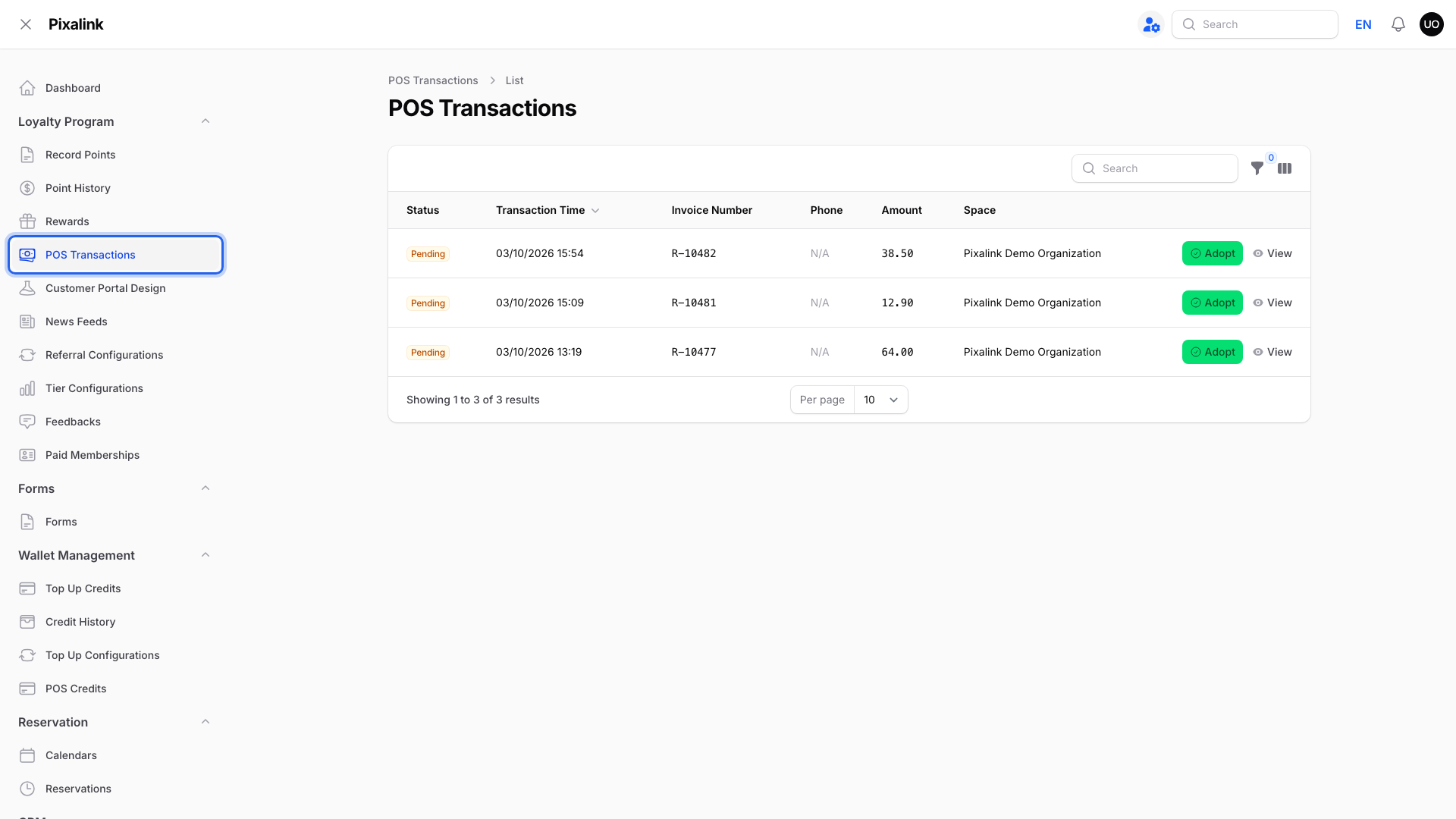
-
Find the sale by its time and amount, plus the invoice number if your POS shows one, then click Adopt on that row.
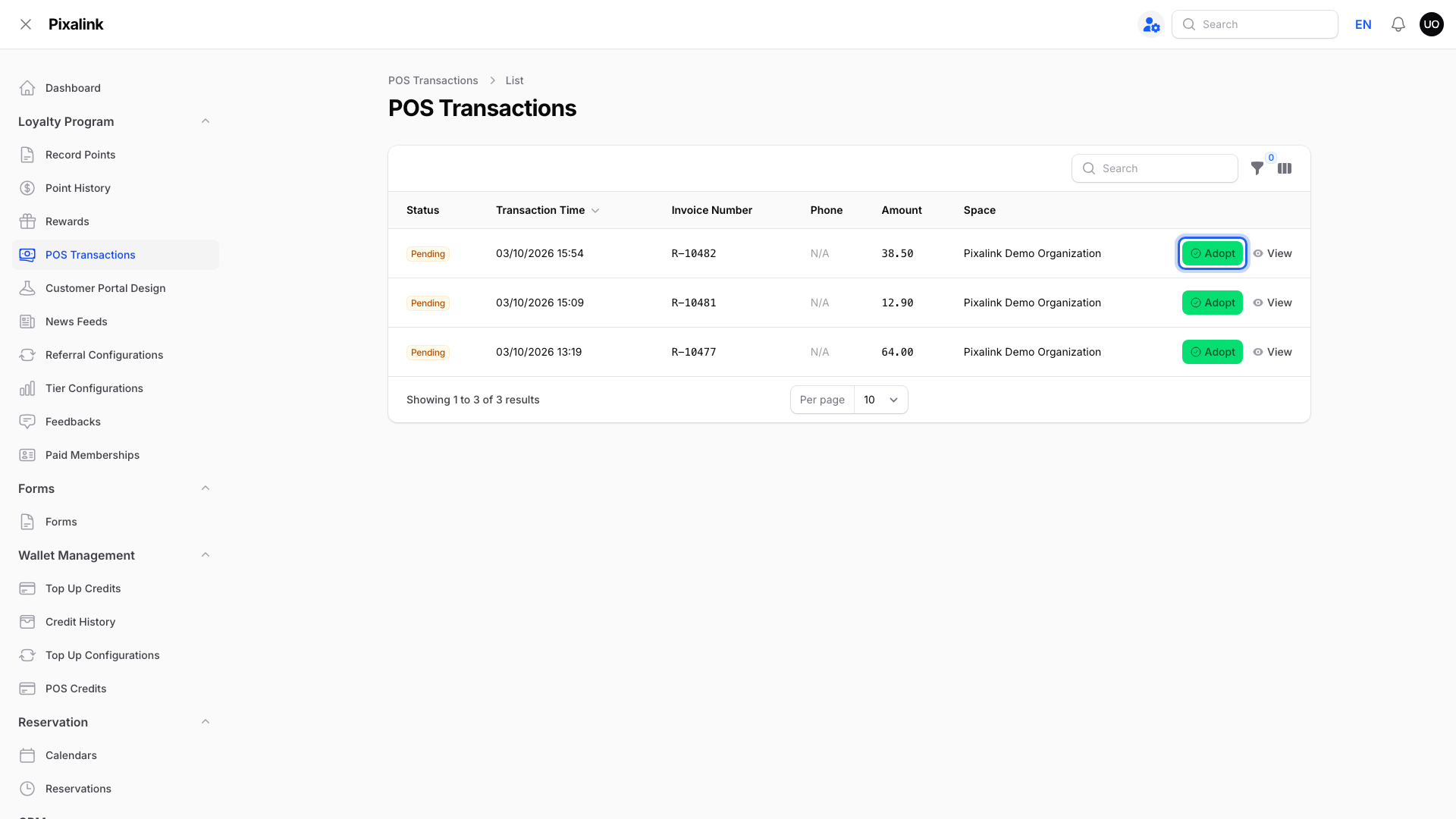
-
Type the customer's number in Phone Number.
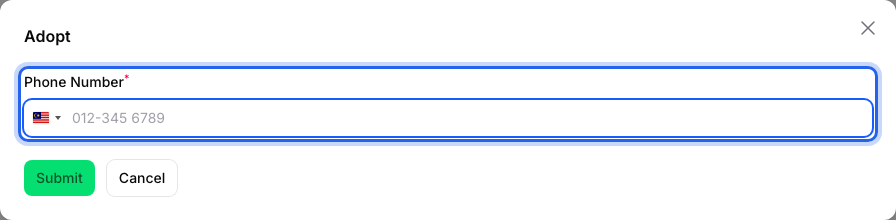
-
Click Submit.
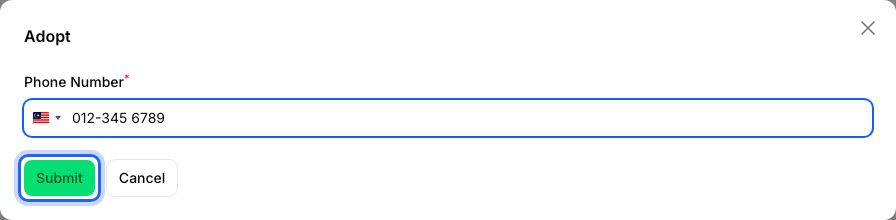
You'll see Point recorded successfully! and the sale changes from Pending to Adopted.
What Your Customers Will See
The points for that sale appear in the customer's points balance straight away.
Good to Know
- Each sale can be adopted once. The Adopt button only shows on Pending sales, so the same sale can't be adopted twice.
- Points follow the sale amount from your POS. You don't type an amount.
- Adopt counts the whole bill. If the bill included a credit top-up or a paid membership, those items earn points too, which an automatic award would leave out.
- New numbers become new customers. If the number isn't in your customer list yet, Pixalink creates a profile for it, unless your account only allows existing customers.
- Sale not in the list? Use Admin Panel → Loyalty Program → Record Points instead, and type the phone number and Point Amount yourself. Don't do both for the same sale, or the customer gets double points.
- Remind cashiers to ask for the phone number at checkout. It prevents most missing-points cases.
Need Help?
Reach out to our support team, and we're happy to help you sort out any missing points.