
Does Pixalink Give Points to a Phone Number That Hasn't Registered?
What Is This?
Yes. If your staff record points for a phone number that isn't in your customer list yet, Pixalink creates a new customer for that number. The points are saved straight away.
When that person later signs up on your portal with the same number, the points are already waiting for them. Nobody loses a visit just because they hadn't registered yet.
How It Works
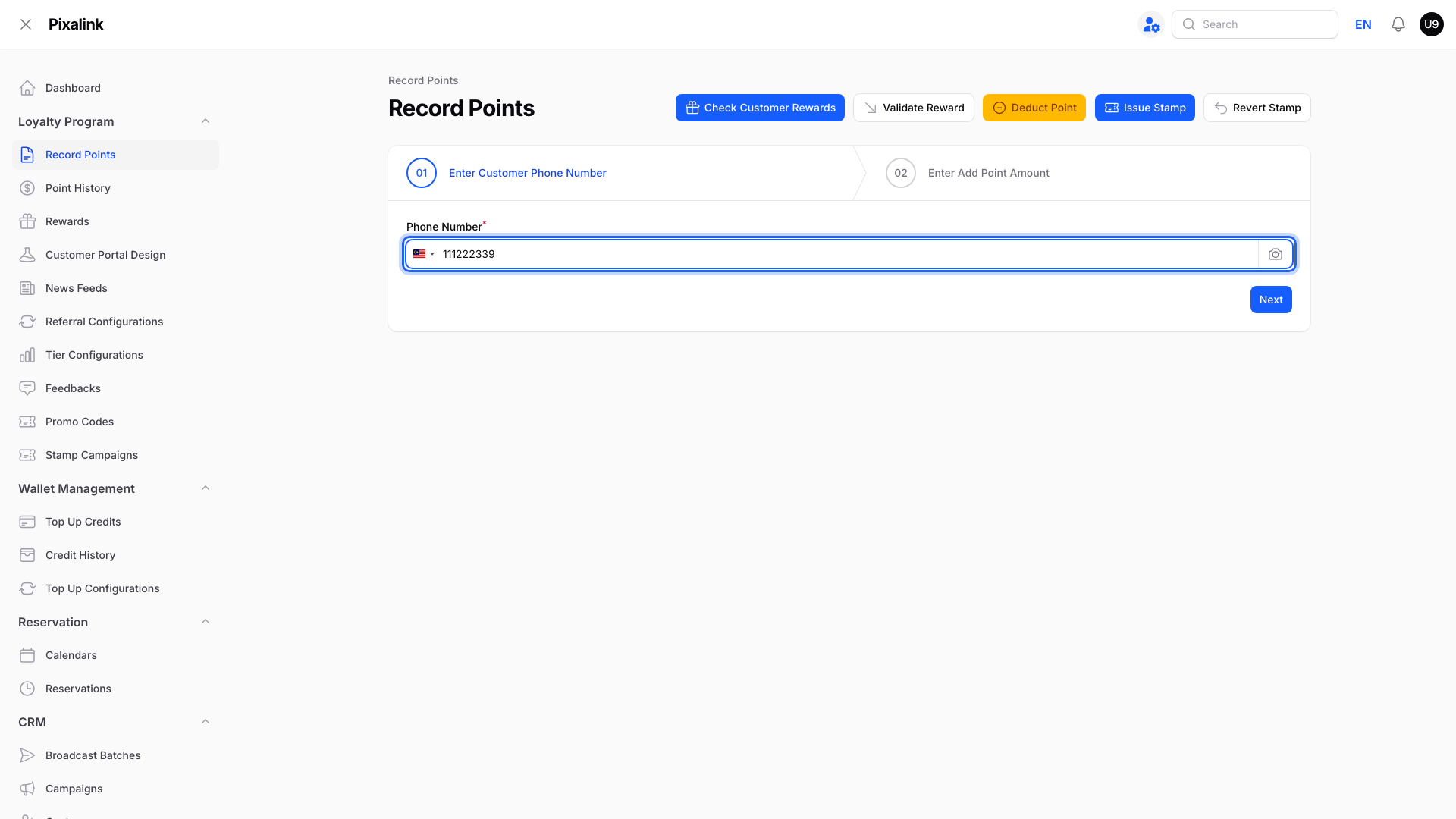
On Record Points: staff enter a phone number under Loyalty Program → Record Points.
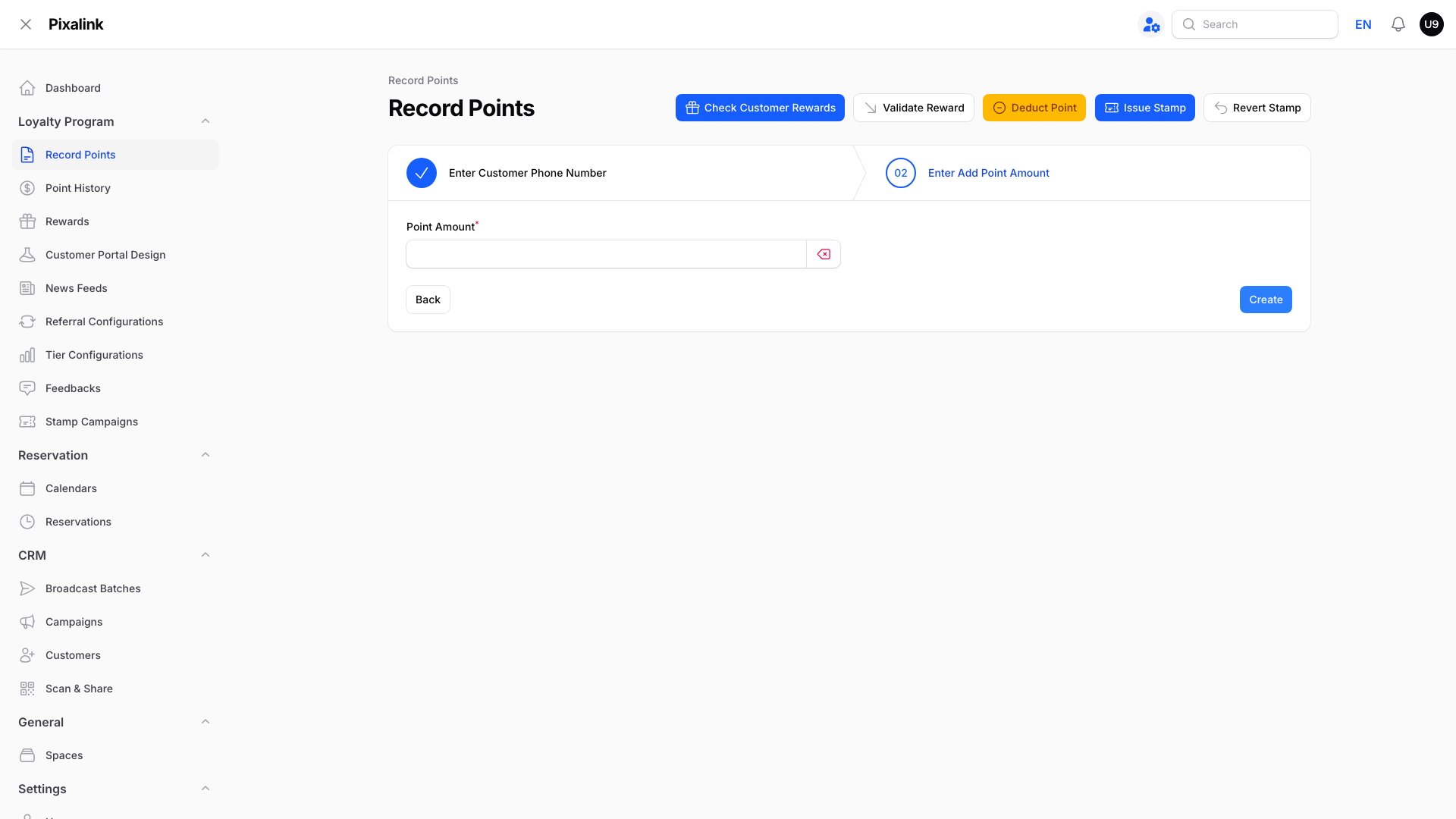
For a new number: the next screen has no Customer Information box. Point Amount appears, and your account may also show outlet or other fields. Saving the points creates the customer.
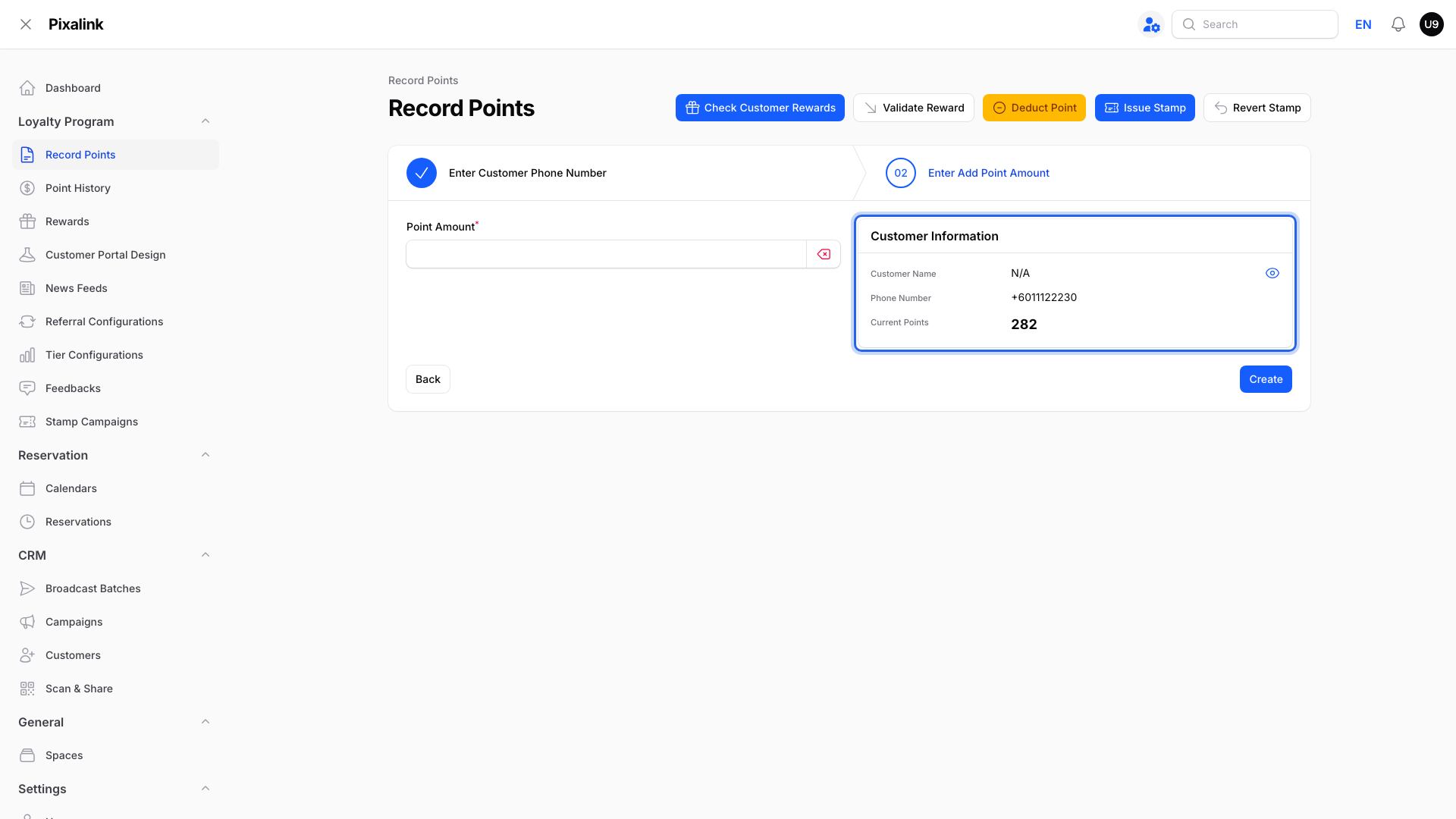
For an existing customer: the Customer Information box shows their name, phone number and current points. A missing box means the number was not found in your customer list.
Tip
Teach staff to look for the Customer Information box before saving. If it is missing for a regular, check the number.
What happens next
| When | What happens |
|---|---|
| Points are saved | A new customer appears under CRM → Customers with the source Direct and no name yet |
| The person logs in on your portal with that number | They land on the same profile, with their points already there |
| First portal visit | The portal asks them to fill in their name and birthday |
Real-Life Example
Ahmad runs a nasi lemak stall in Shah Alam. A regular pays at the counter but has never joined the loyalty programme. The cashier records 12 points against her phone number anyway.
That evening she scans the QR code, logs in with the same number and adds her name. She sees her 12 points, plus the welcome voucher Ahmad gives every new member.
Good to Know
- Welcome messages and vouchers can still apply. A customer first created through Record Points can receive your new-customer welcome, subject to its conditions and delay.
- The new customer belongs to the outlet chosen when the points were recorded.
- Prefer to block unknown numbers? Pixalink can switch your account to "existing customers only". Staff then see "Customer does not exist, please add customer first." and must add the customer before recording points.
Warning
Check the phone number carefully. A typo can create another customer or give points to an existing customer with that number. For corrections, see How to Deduct Points from a Customer.
Need Help?
Want unknown numbers blocked at Record Points? Contact our support team and ask for "existing customers only" to be turned on for your account.