
Restrict Point Earning to Active Paid Members
Paid-Member Validation keeps your points exclusive to the customers who actually pay for your membership, so non-members can't quietly build up points at your outlets and water down what membership is worth.
What Is This?
Paid-Member Validation is a check that runs when a cashier records points. If the customer does not have an active paid membership, the cashier is either warned or stopped — your choice. It is built for loyalty programs that run on a paid membership, especially when other outlets record points on your behalf.
How It Works
Cashiers add points from the Record Points page, inside the Loyalty Program menu.
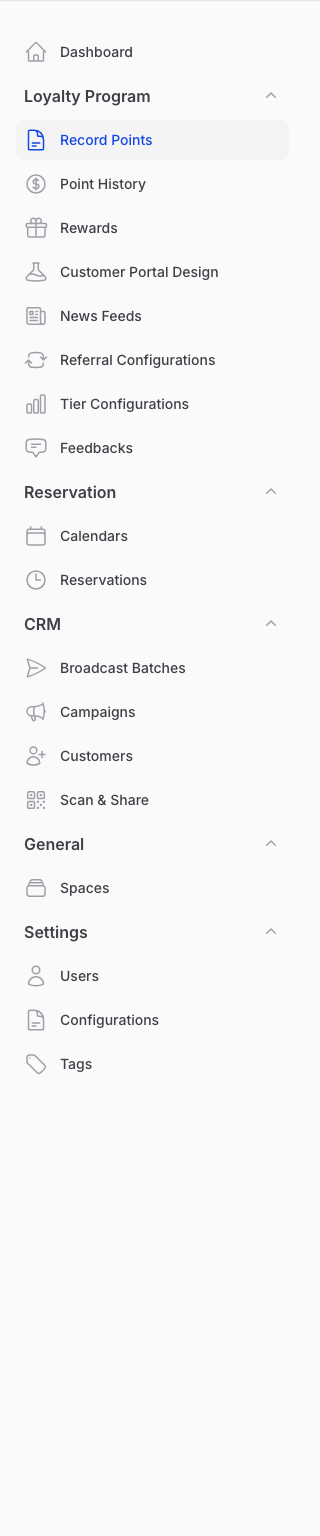
When points are recorded, Pixalink checks whether the customer has an active paid membership and then applies one of two modes:
- Warning — the cashier sees a heads-up that the customer is not an active paid member, but can still go ahead if they decide to. A good fit for partner outlets you trust to use their judgement.
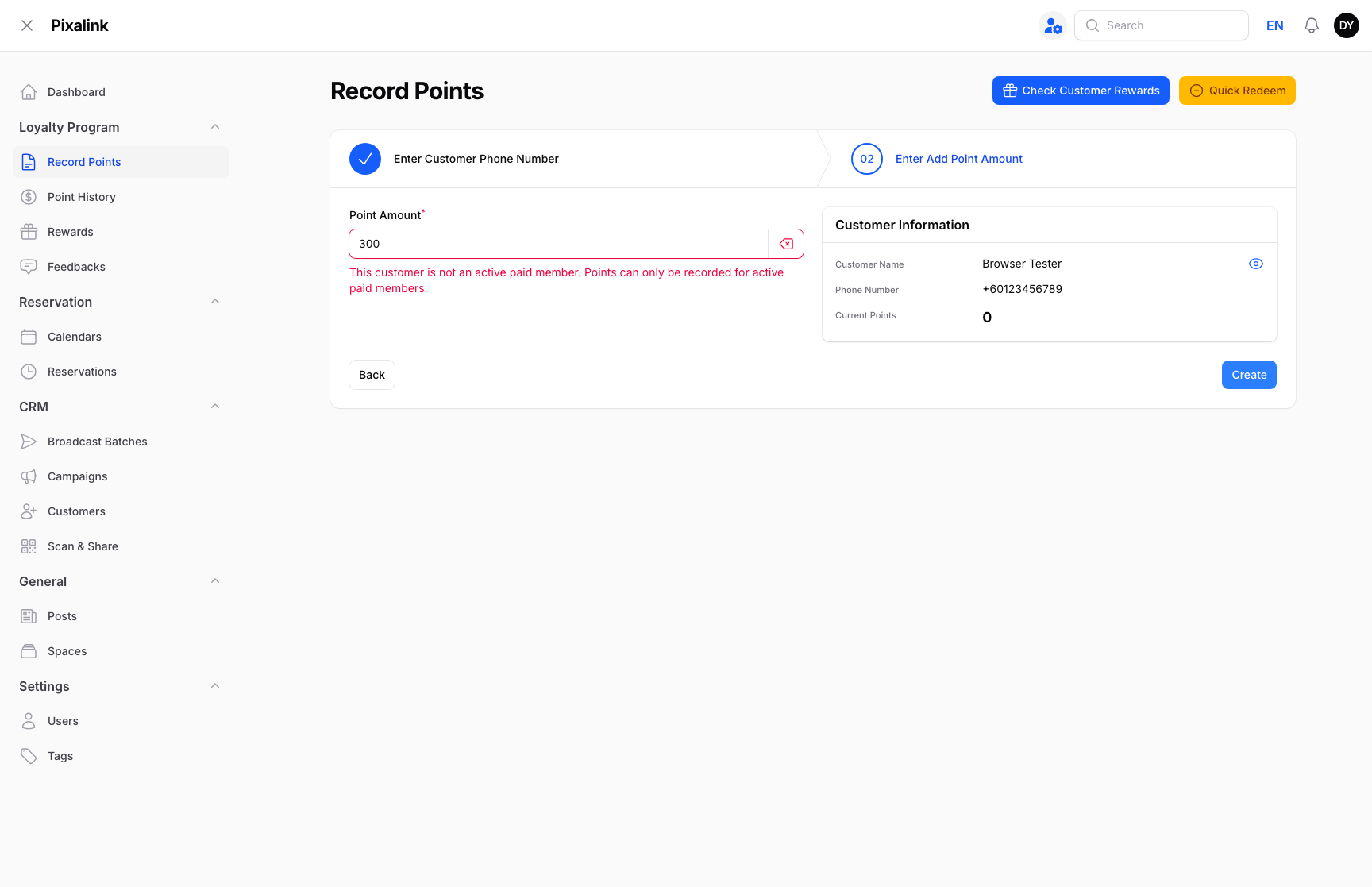
- Block — the cashier sees an error and no points are recorded at all. Best when membership must be enforced strictly.
In Block mode, a non-member is stopped with a clear message and nothing is saved:
flowchart TD
    A[Cashier records points] --> B{Active paid<br/>membership?}
    B -->|Yes| C[Points recorded]
    B -->|No — Warning mode| D[Cashier warned<br/>can still continue]
    B -->|No — Block mode| E[Blocked<br/>no points recorded]
    D --> C
Real-Life Example
Ahmad runs Kopi Corner in Bangsar and sells a paid "Kopi Club" membership, with a few nearby cafes recording points for his members. A walk-in named Nurul, who has never joined Kopi Club, asks a cashier to add points for her coffee. With Block mode on, the cashier sees the error and no points are added — so Kopi Club points stay something only paying members enjoy.
Good to Know
- A customer counts as an active paid member only while their membership is switched on and has not expired. Points start the moment someone joins and stop on their own when the membership lapses.
- The feature is off by default, so nothing changes for your outlets until you ask for it.
- You can choose Warning or Block to match your agreement with each partner outlet.
Need Help?
Paid-Member Validation is set up by the Pixalink team for your account. Reach out to your Pixalink contact to switch it on, or to change between Warning and Block later.
What's Next?
- Paid Memberships — set up the membership your customers buy.
- How Customer Membership Statuses Work — see when a membership counts as active.