
How Customer Membership Statuses Work
How Customer Membership Statuses Work
What Is This?
Every paid membership is either Active or Inactive. This status controls benefit access and what the customer sees in the portal.
stateDiagram-v2
    [*] --> Active: Membership assigned
    Active --> Active: Extended<br/>or renewed
    Active --> Inactive: Expired<br/>or deactivated
    Inactive --> Active: Renewed<br/>with payment
Video Walkthrough
Statuses
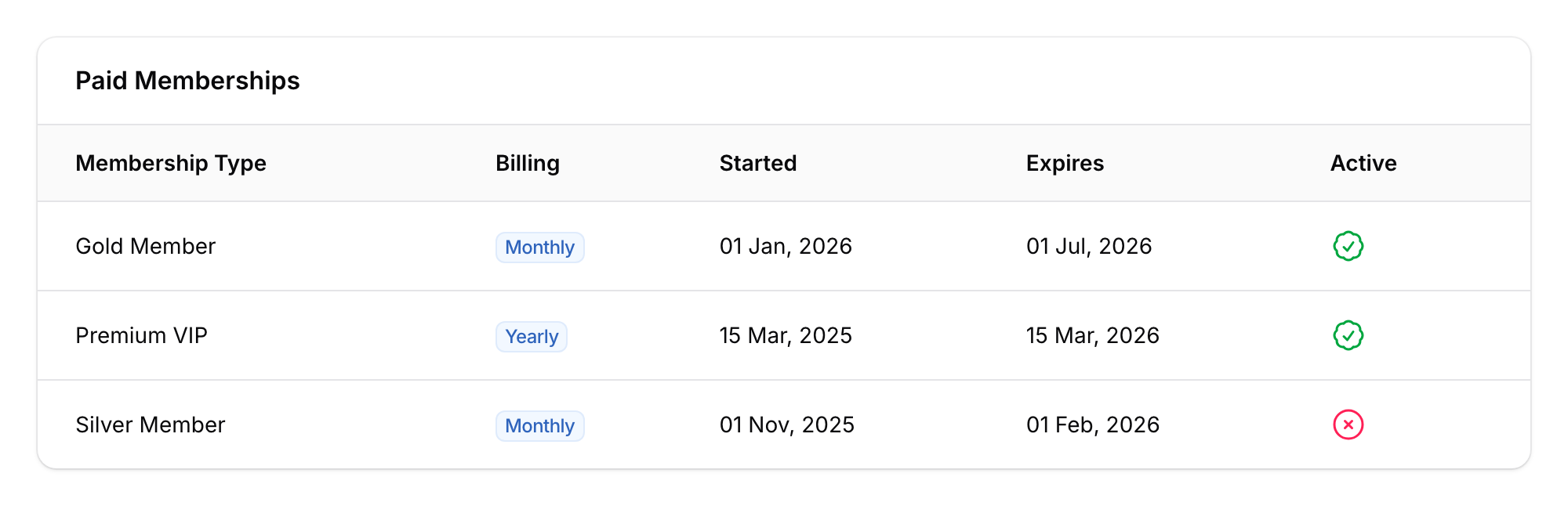
- Active — membership is current, benefits are accessible. Shown with a green check badge.
- Inactive — membership has expired or been deactivated. Benefits are revoked. Shown with a red x-circle icon.
What makes a membership Active?
- It has been assigned or purchased
- Its expiry date hasn't passed
What makes a membership Inactive?
- Expired — the system automatically deactivates it daily when the expiry date passes
- Manually deactivated — you turn it off from the customer's profile
- Replaced — when a connected system (such as your POS) switches the customer onto a different membership, the old one is deactivated. Buying the same plan again doesn't replace anything: it extends the existing membership, so its status stays Active and the dates simply move out. In the Admin Panel, you deactivate the current membership first, then assign the new one
When a membership becomes Inactive
- Benefits are revoked
- Portal shows Expired with a Renew Membership button (if online payments are enabled), or No longer active if you deactivated it
- All history is kept — nothing is deleted
Automatic notifications
Pixalink can message the member by WhatsApp or email at key moments. Turn each notification on in the membership type's settings. WhatsApp needs a connected WhatsApp number, and email needs an email address on the member's profile.
- Activated — membership is now active
- Expiry reminder — sent on the exact day matching your reminder window (e.g. 7 days before expiry)
- Expired — membership has ended
- Extended — new expiry date after extra days added
- Renewed — membership successfully renewed
Good to Know
- A customer can only have one active membership at a time. The Assign Membership button only appears when the customer has no active membership, so to switch plans, Deactivate the current one first.
- You can extend an active membership by adding extra days.
- The Renew action appears in the admin panel when a membership is within 30 days of expiry or already expired. It needs online payment turned on for your account.
- Assigning, extending, renewing and deactivating are logged in the membership's History. A membership that expires on its own date isn't added there; check its Expires date instead.
What Customers See in the Portal
-
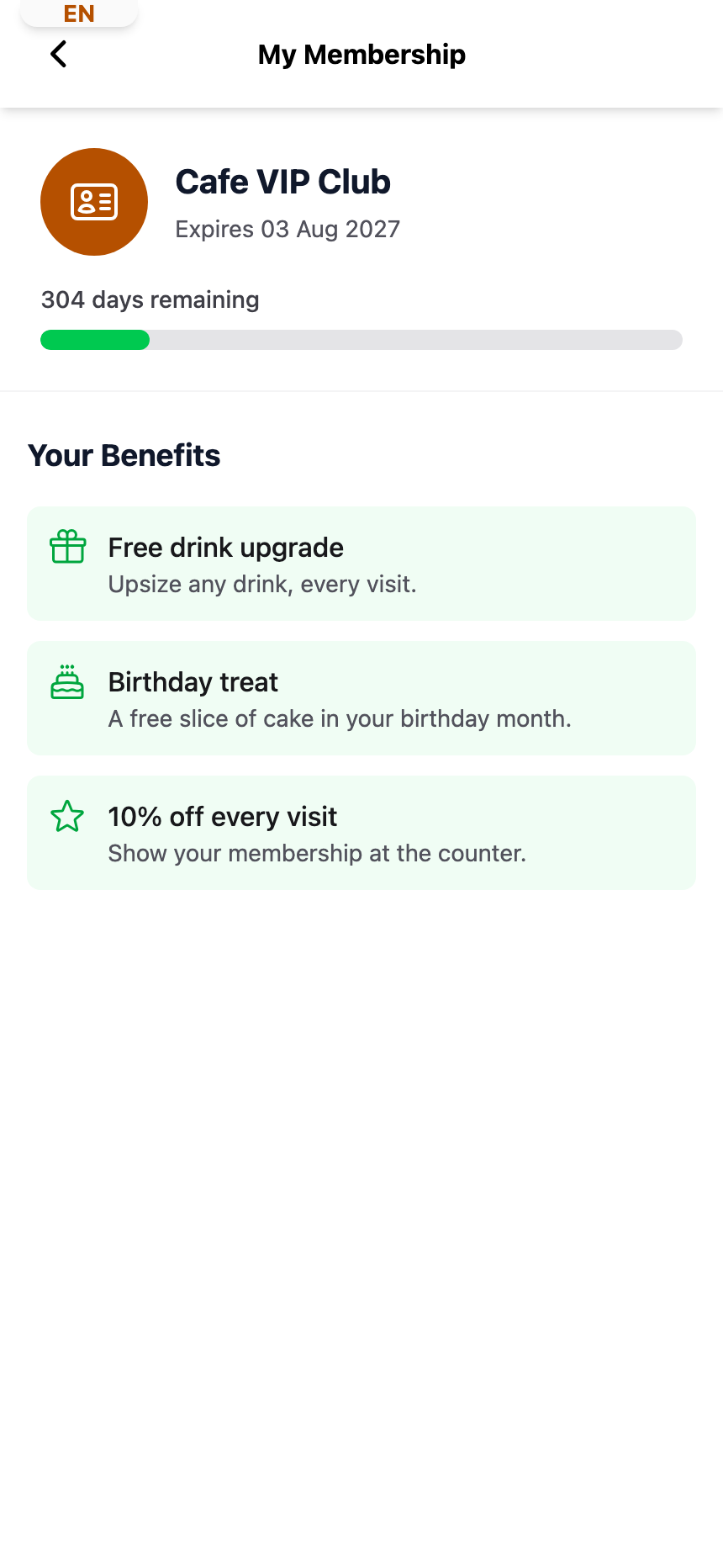
Active — membership name, expiry date, days remaining with a progress bar, and Your Benefits
-
Nearing expiry — a Renew Early button appears within 30 days of expiry (requires online payments)
-
Expired — Expired label with a Renew Membership button (requires online payments), and the plans they can join
-
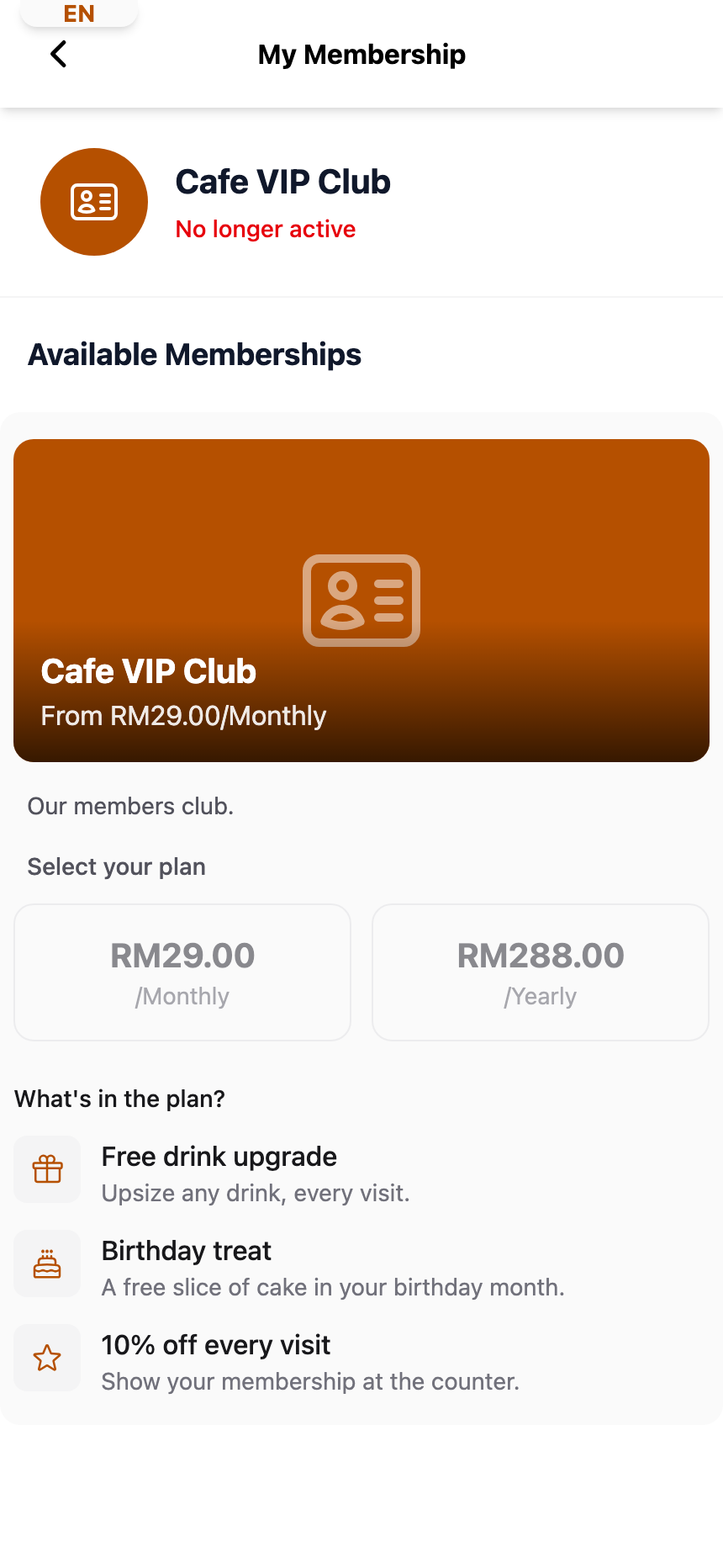
Deactivated — No longer active label, with the plans they can join
-
No membership — "Normal Member" heading with a carousel of available membership types