
How to Encourage Customers to Pin Your Portal to Their Home Screen
How to Encourage Customers to Pin Your Portal to Their Home Screen
What Is This?
Your customer portal lives at a web link, and most customers forget where to find it after signing up. The Announcement feature in your Customer Portal Design lets you show a friendly pop-up nudging customers to "Add to Home Screen" — turning your portal into a tap-from-home icon. Pinned users come back three to five times more often.
How to Set It Up
-
Go to Admin Panel → Loyalty Program → Customer Portal Design and click Edit on your active theme.
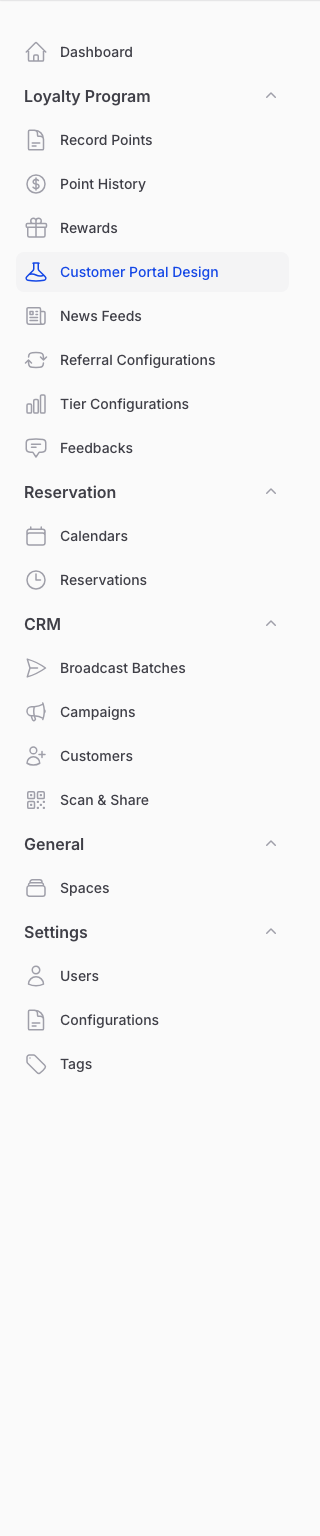
-
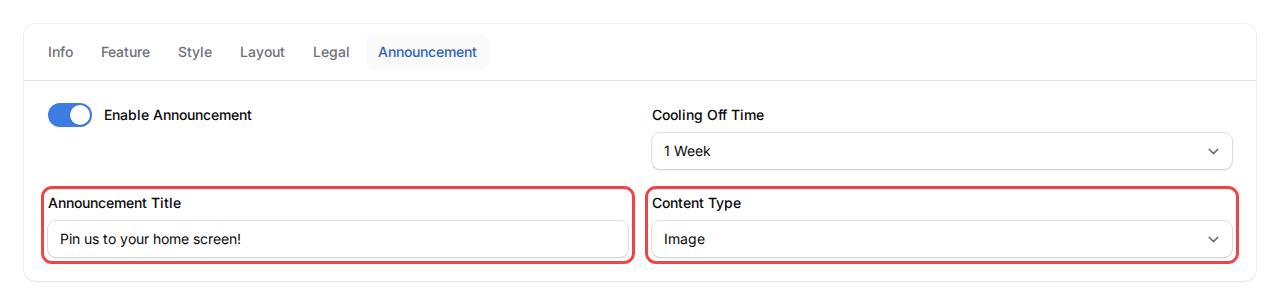
Click the Announcement tab. Turn on Enable Announcement, then set Cooling Off Time to 1 Week — one week nudges casual visitors without nagging regulars.

-
In Announcement Title, write a friendly line like "Pin us to your home screen!" Set Content Type to Image. Pictures work better here because customers need to see which buttons to tap on their phone.
-
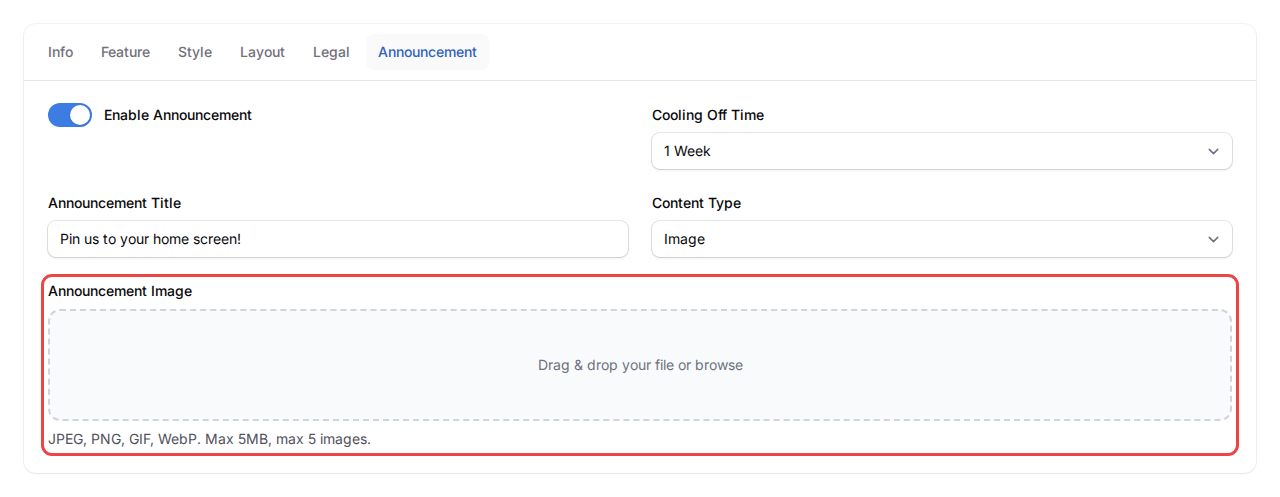
Create one image showing both flows — iPhone (tap share → Add to Home Screen) and Android (tap the three-dot menu → Add to Home screen). Canva has free templates. Drag your image into Announcement Image and click Save.
What Your Customers Will See
The next time a customer opens your portal, your pop-up appears over the home page. They see your image with both phone types covered, follow the steps, and won't see it again for a week. Members who already pinned the portal just close it once.
Good to Know
- Pictures over text — phone diagrams with arrows beat a wall of text. Customers shouldn't need to read to know what to tap.
- One week is the sweet spot — short enough to nudge stragglers, long enough that regulars don't feel pestered.
- Re-open button (optional) — turn on Custom Button under the Feature tab and set a button mode to Announcement pop-up. Customers can then re-open your pin guide on demand.
- Refresh seasonally — once most regulars are pinned, swap the announcement to a promo or holiday menu so it stays useful.
Need Help?
Can't see the Announcement tab? Send us a message.