
How to Set When Reservation Reminders Are Sent
What Is This?
Get fewer no-shows and empty slots. Pixalink reminds customers before their booking, so fewer forget. You pick how early the reminder goes out, from 30 minutes to 1 day before.
Real-Life Example
Siti runs a beauty salon in Shah Alam. Her customers book facials days ahead, and some forget to turn up. A reminder 2 hours before was too late for them to change plans. Siti changed her Reminder Window to 1 day. Now customers get the reminder the day before and cancel early if they can't come. Siti fills those slots again.
How to Set It Up
-
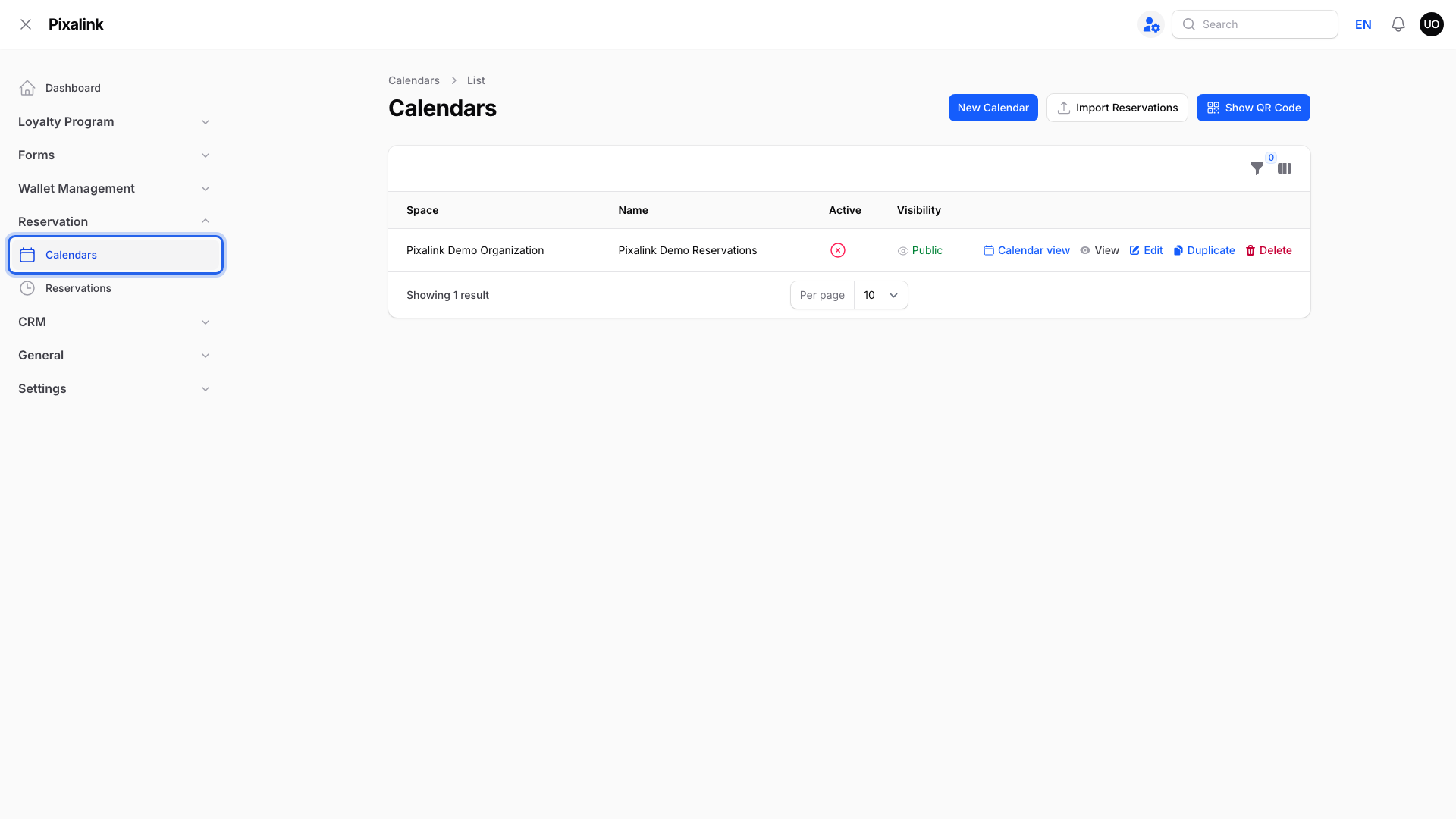
Go to Admin Panel → Reservation → Calendars.
-
Click Edit on your calendar.
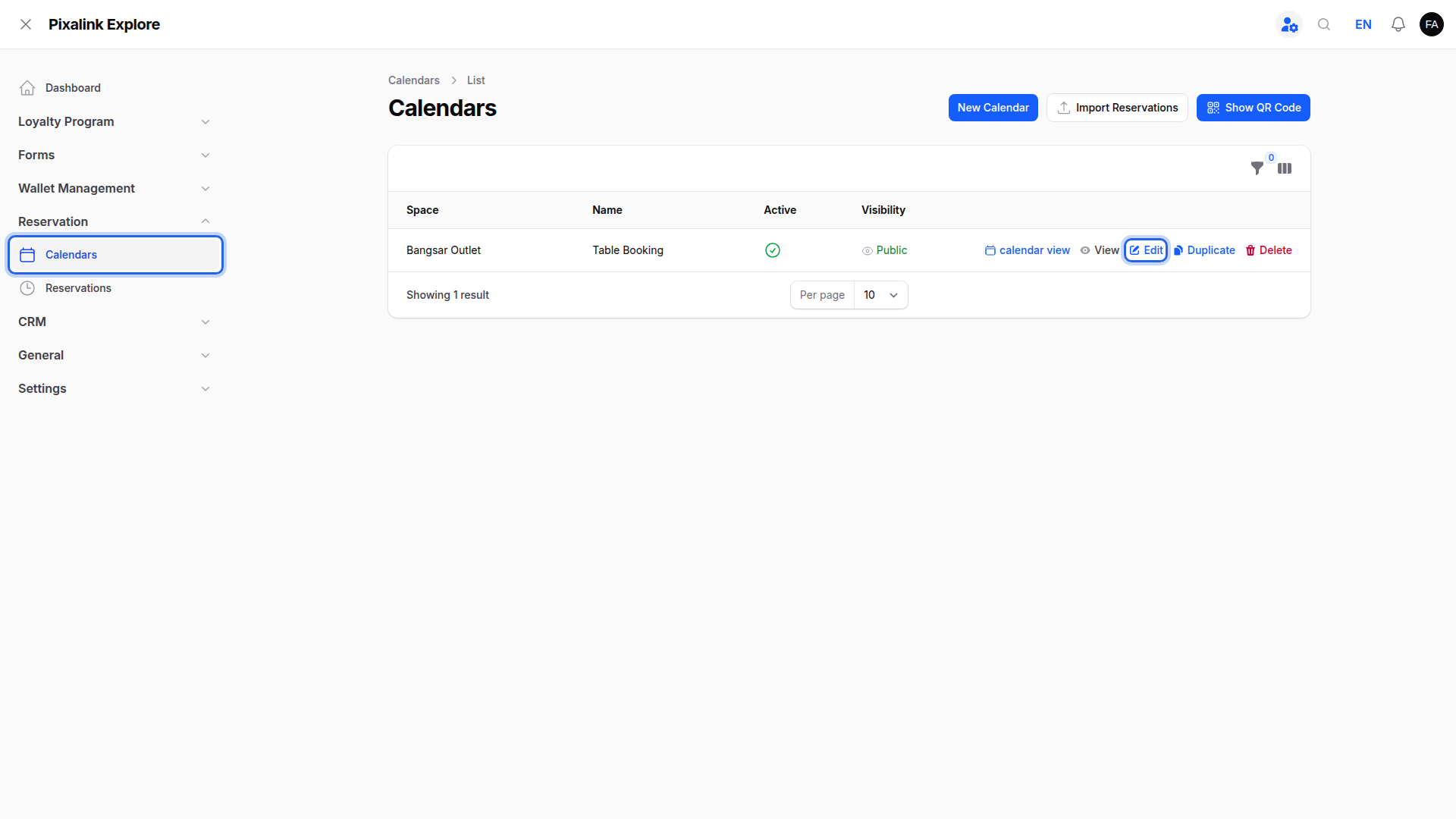
Each calendar has its own reminder setting.
-
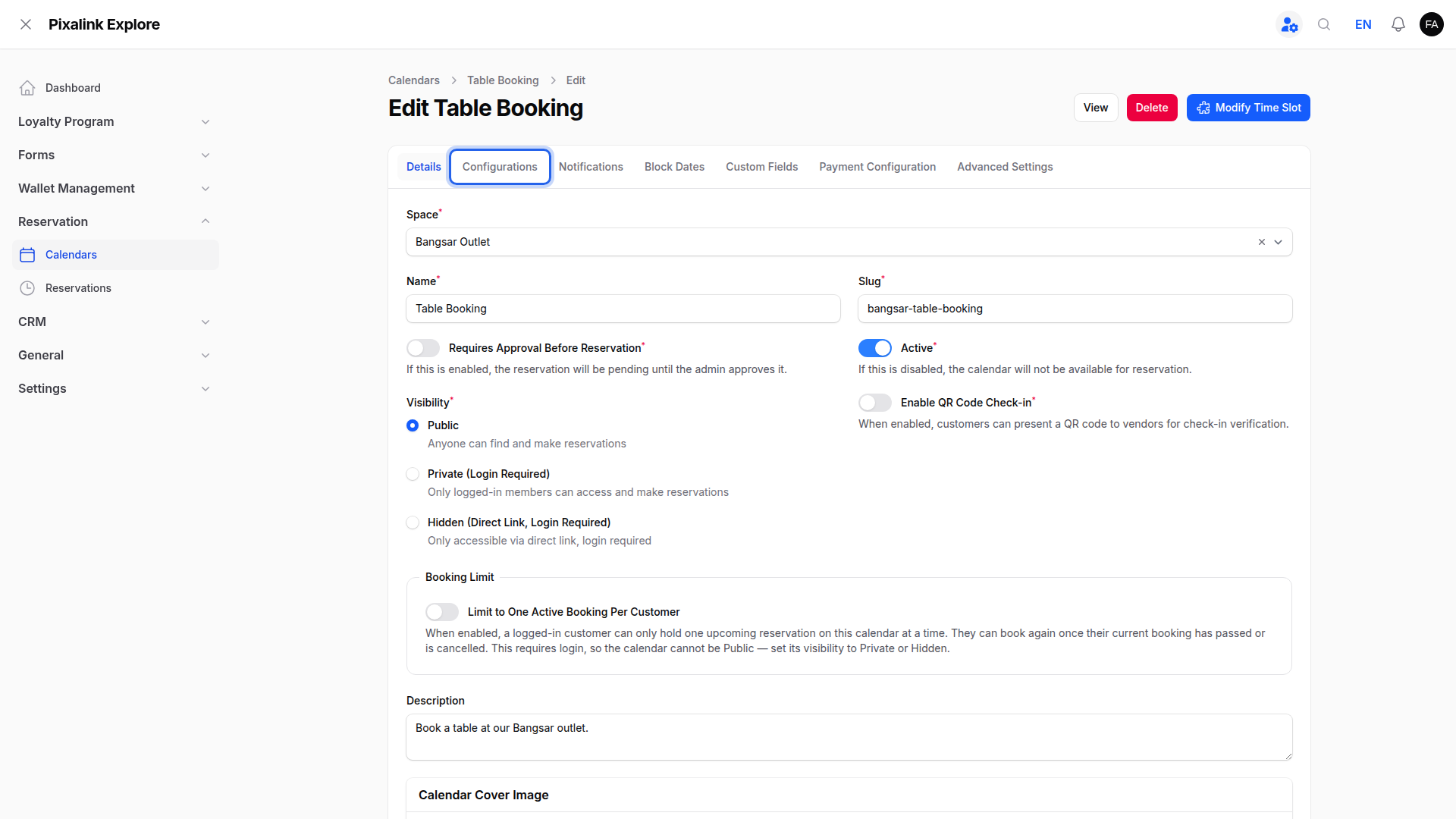
Click the Configurations tab.
-
Choose how early to remind customers in Reminder Window.

The default is 2 hours. Pick Do not remind customer to stop reminders.
-
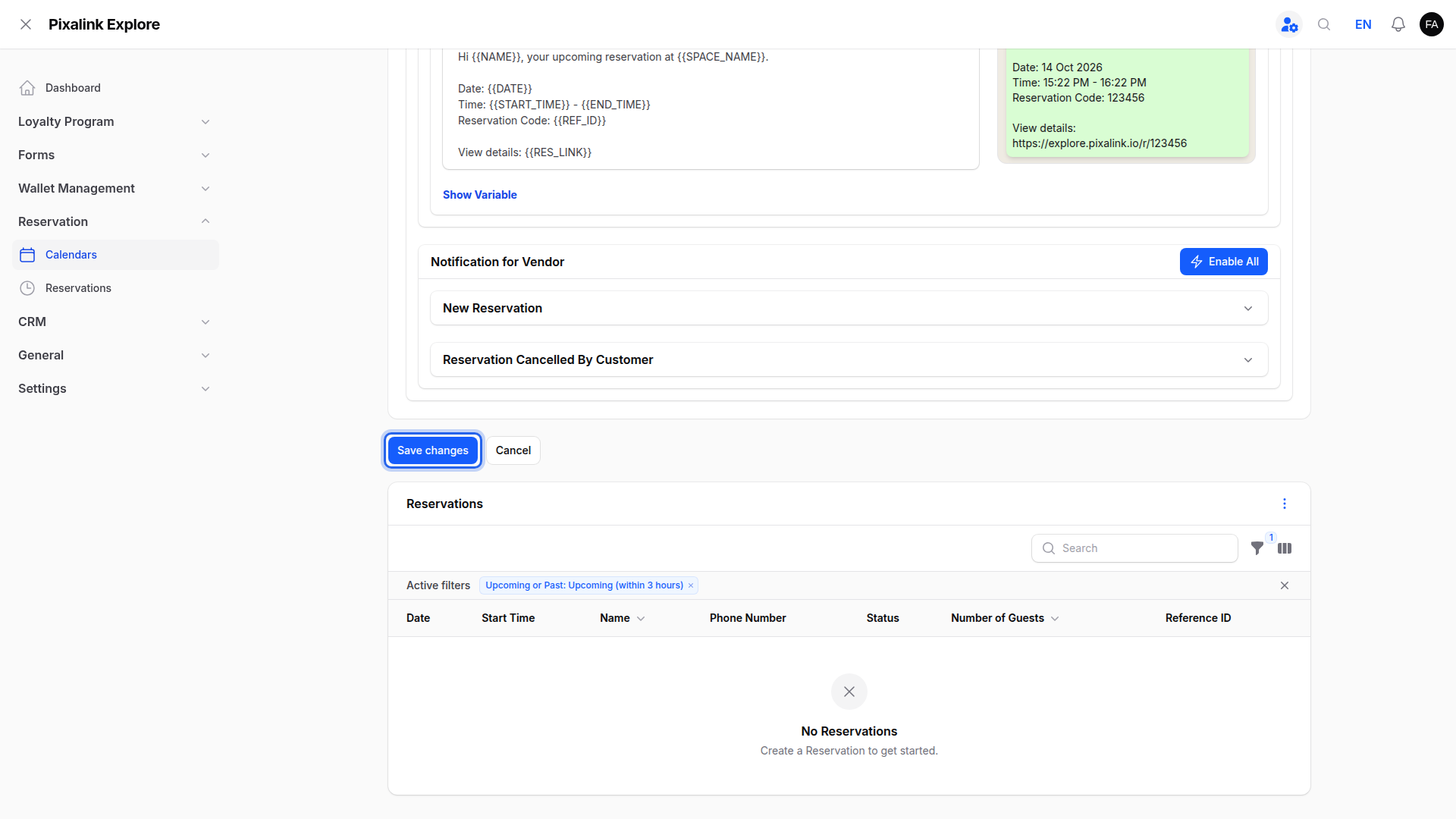
Click the Notifications tab.

-
Tick the ways this calendar messages customers under Channels.

Reminders use these channels. Email is free. WhatsApp works only after you connect your WhatsApp number. Web Push does not send reminders.
-
Open Reservation Reminder and check that Enabled is on.

If Enabled is off, no reminders go out.
-
Click Save changes.
What Your Customers Will See
The reminder email shows your outlet name, booking date, time, reference code and a link to the booking. If you ticked SMS or WhatsApp, the customer gets a short reminder there too.
Good to Know
- Pixalink checks for upcoming bookings every 30 minutes. With 2 hours, the reminder arrives between 2 hours and 1.5 hours before.
- If someone books inside the window, the reminder goes out at the next check, unless the booking has already started.
- Short windows (30 minutes to 2 hours) suit cafes and restaurants. Middle windows (4 to 10 hours) suit same-day bookings. Longer windows (12 hours or 1 day) suit salons and classes booked days ahead.
- Each booking gets one reminder. Changing the window doesn't resend old reminders.
- Bookings waiting for your approval get no reminder. If you approve a booking yourself, it gets its reminder as normal. Bookings the calendar approves automatically get no reminder.
Need Help?
If a WhatsApp reminder is missing, look at the top of the Notifications tab. If it says WhatsApp is not connected, click Connect your WhatsApp to link your number.