
How to Give Staff Access to Only Their Outlet
How to Give Staff Access to Only Their Outlet
What Is This?
Stop branch staff mixing up outlets. Give each branch a login that only shows its own reservations, point history and figures, while head office keeps the full picture.
Real-Life Example
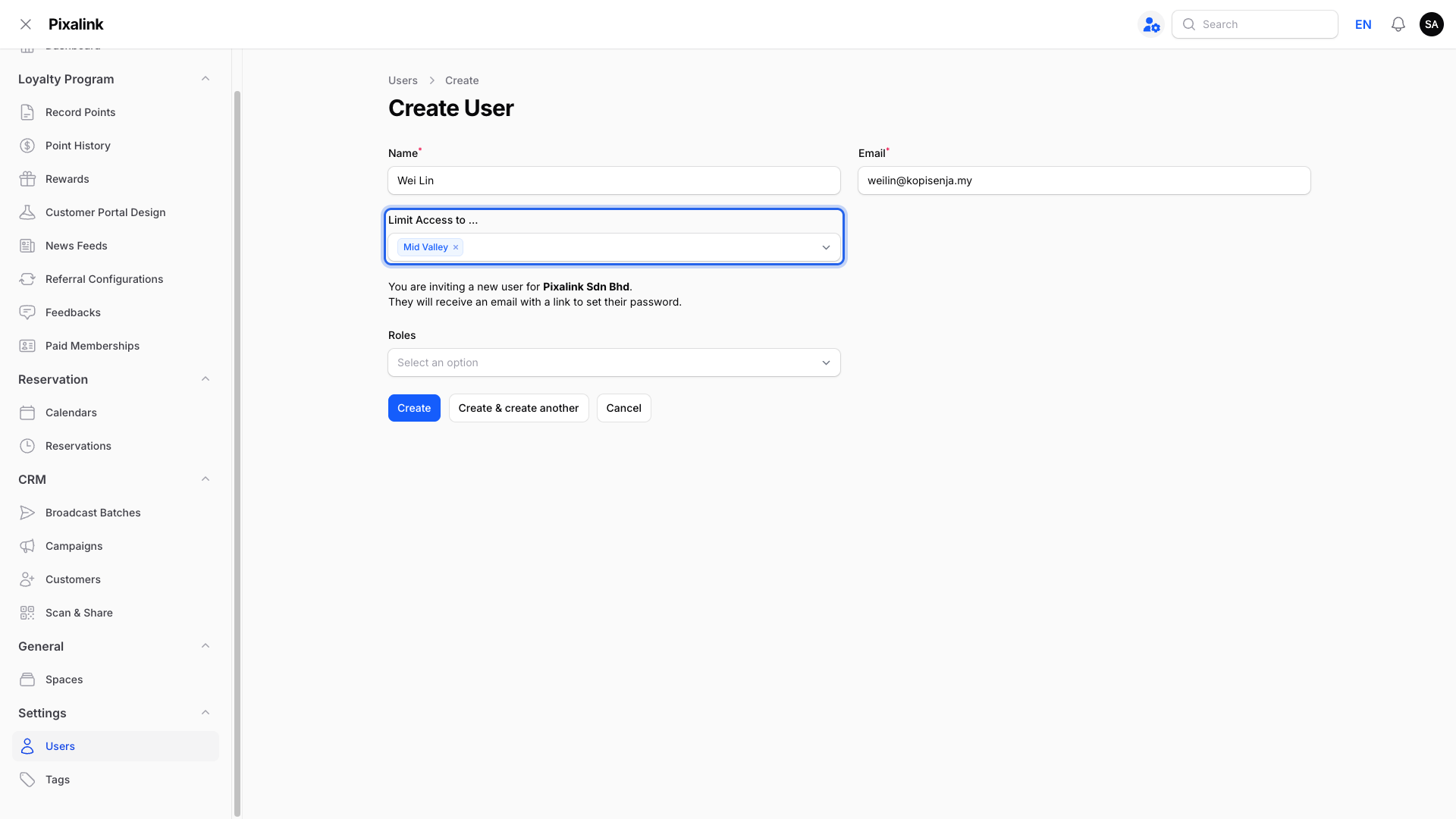
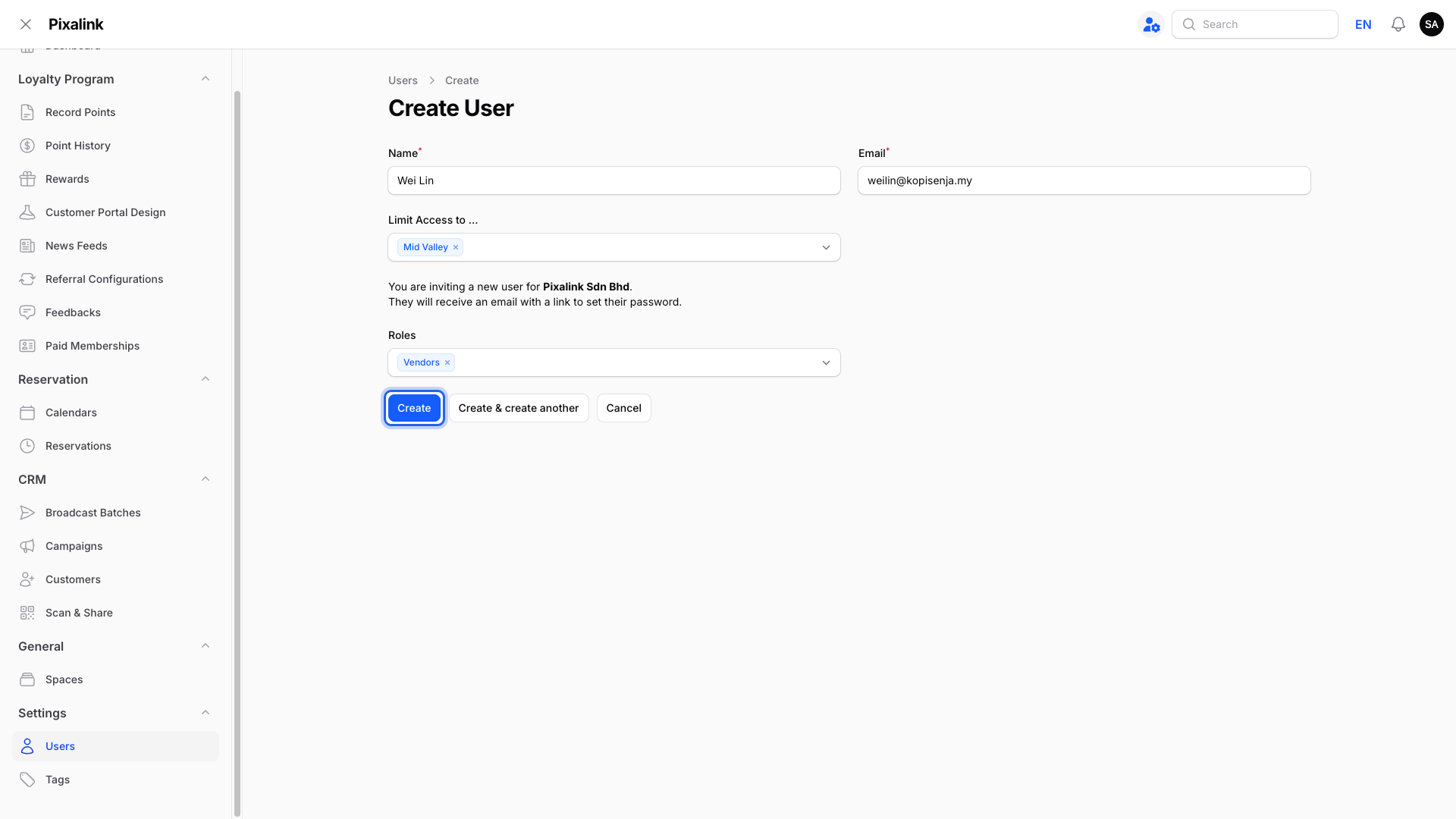
Farah owns Kopi Senja, a cafe with outlets in Mid Valley and One Utama. Her Mid Valley supervisor, Wei Lin, kept scrolling past One Utama's reservations and once recorded points against the wrong outlet. Farah edited Wei Lin's login and picked only "Mid Valley" under Limit Access to .... Now Wei Lin's reservations, point history and dashboard figures show Mid Valley only, and the points and vouchers he records go to Mid Valley automatically. He can still look up any member, because a One Utama regular who visits Mid Valley should still collect points there.
How to Set It Up
-
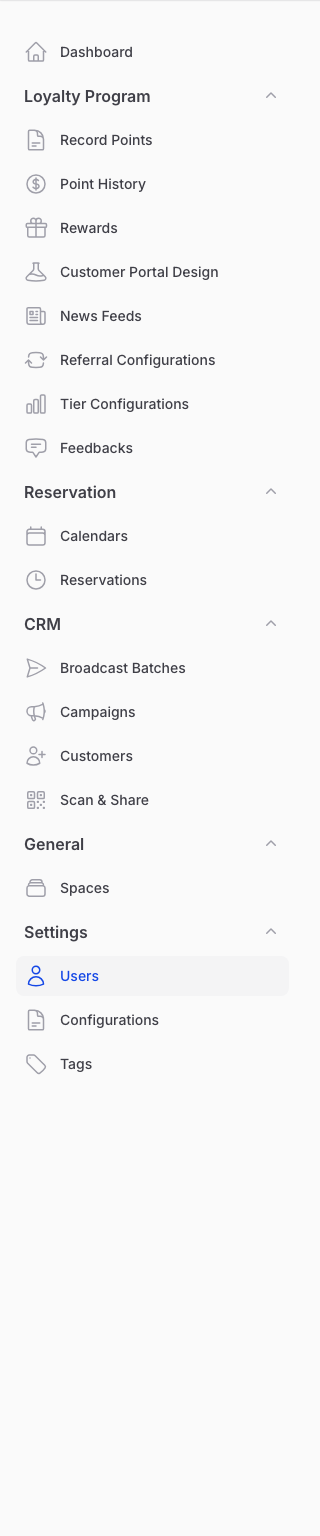
Go to Admin Panel → Settings → Users.
-
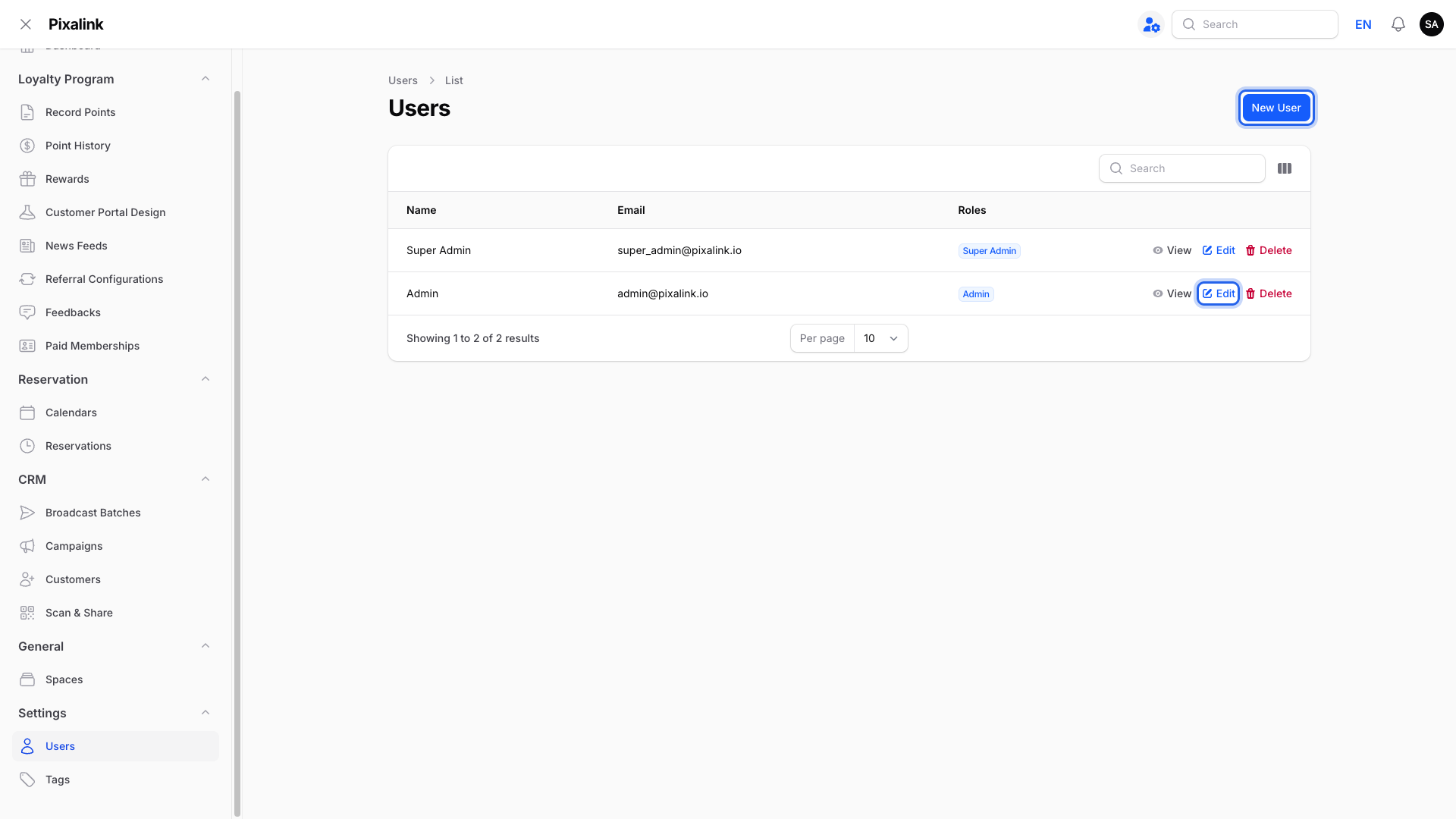
Click New User for a new teammate, or click Edit on an existing teammate's row.
-
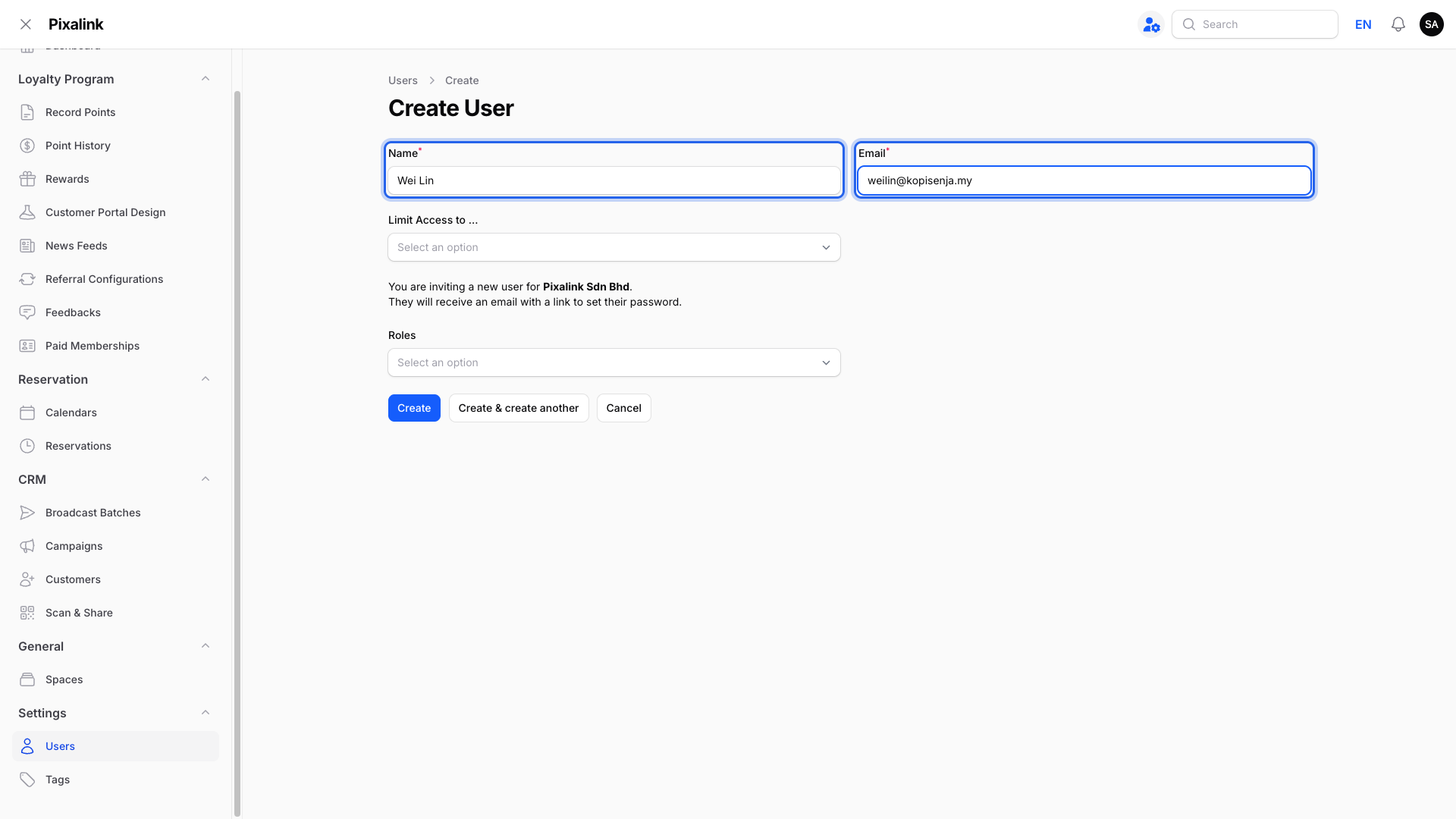
Fill in the teammate's Name and Email.
-
Pick one or more outlets in Limit Access to .... Leave it empty only for people who should see every outlet.
-
Set Roles to Vendors, then click Create (or Save changes when editing).
Limited to their outlets:
- Reservation → Reservations, Calendars and Tables
- Loyalty Program → Point History, plus Wallet Management → Credit History and Credit Top-Ups
- Spaces, News Feeds, Customer Portal Design, Feedbacks, Scan & Share, Orders, Ecommerce Transactions and POS Credits
- Most dashboard figures, and the Analytics dashboards
- The outlet used when recording points, topping up credits or validating a voucher
- Settings → Users, which only lists teammates whose access includes the same outlets
Still shared across all outlets:
- CRM → Customers. Members belong to your whole business, so any outlet can serve them.
- POS Transactions, Rewards, Tier Configurations and Broadcast Batches
- Point History and Credit History entries with no outlet attached, such as referral bonuses
Outlet-limited staff can't see CRM → Campaigns at all.
What Your Customers Will See
Nothing changes for your customers. They still collect points and redeem rewards at any outlet.
Good to Know
- An empty Limit Access to ... means every outlet, including outlets you open later.
- Teammates can't change Limit Access to ... on their own login.
- A teammate limited to some outlets can only give other logins those same outlets, never more.
Need Help?
Reach out to our support team and we'll help you set up branch logins.