
How to Give a Reward When a Customer Tops Up Credits
What Is This?
A milestone reward gives a customer a free voucher when one top-up reaches an amount you choose. For example, top up RM100 or more and get a free drink. It turns a big top-up into a gift the customer can feel right away.
This guide was split out of How to Give Bonus Credits When Customers Top Up.
Real-Life Example
Aishah runs a café in Bangsar and wants customers to top up RM100, not RM30. She makes a 0-point reward called "Free Iced Latte". She adds a milestone: top up RM100 or more, get one, first time only. Within two weeks, many regulars top up RM100 to claim it. They come back to use the voucher, too.
How to Set It Up
-
Go to Admin Panel → Wallet Management → Top Up Configurations.

Top Up Configurations is in the Wallet Management group.
-
Turn on Enable credit top-up milestone rewards in the Milestone Rewards section.
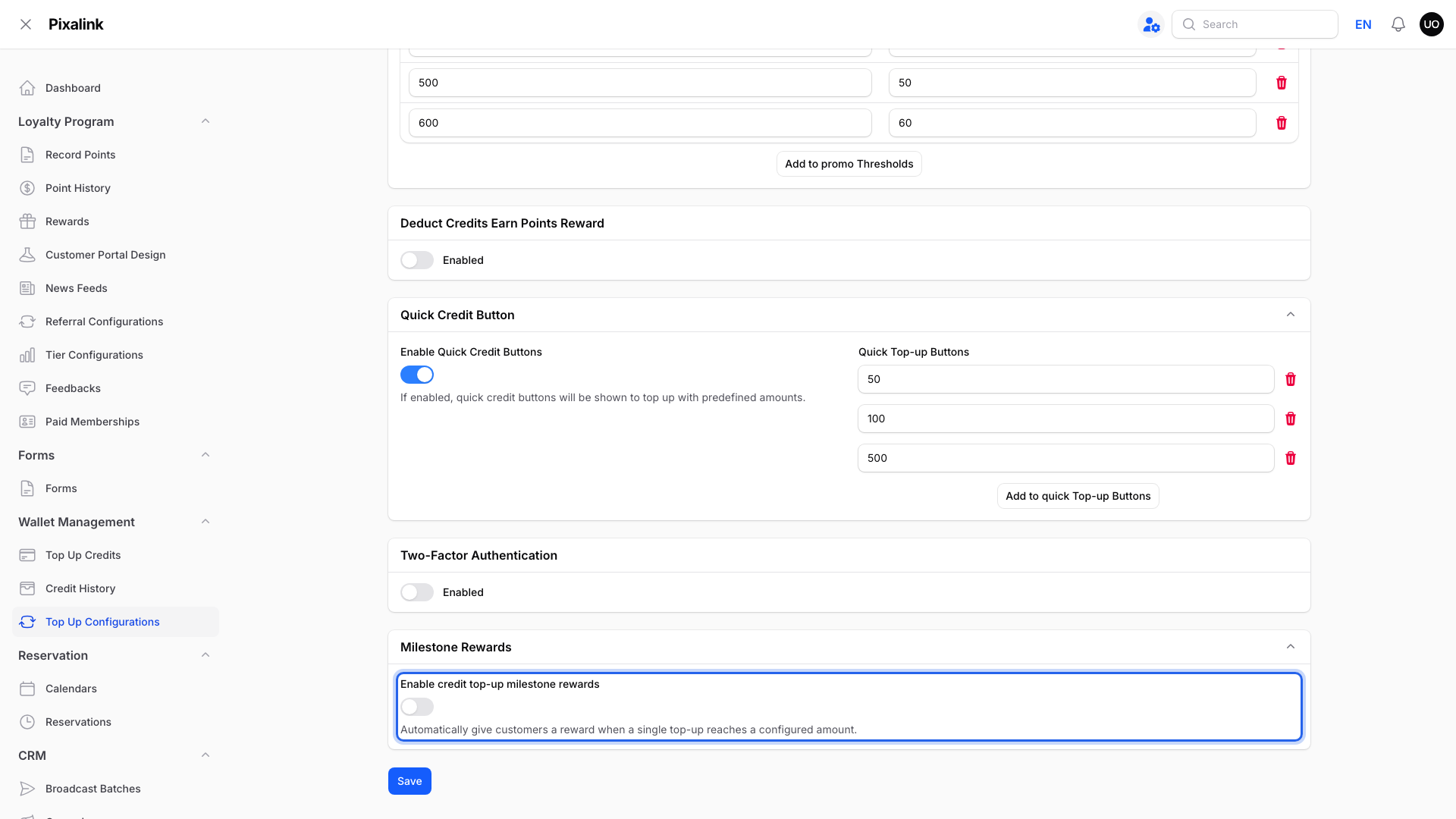
Milestone Rewards is the last section on the page.
-
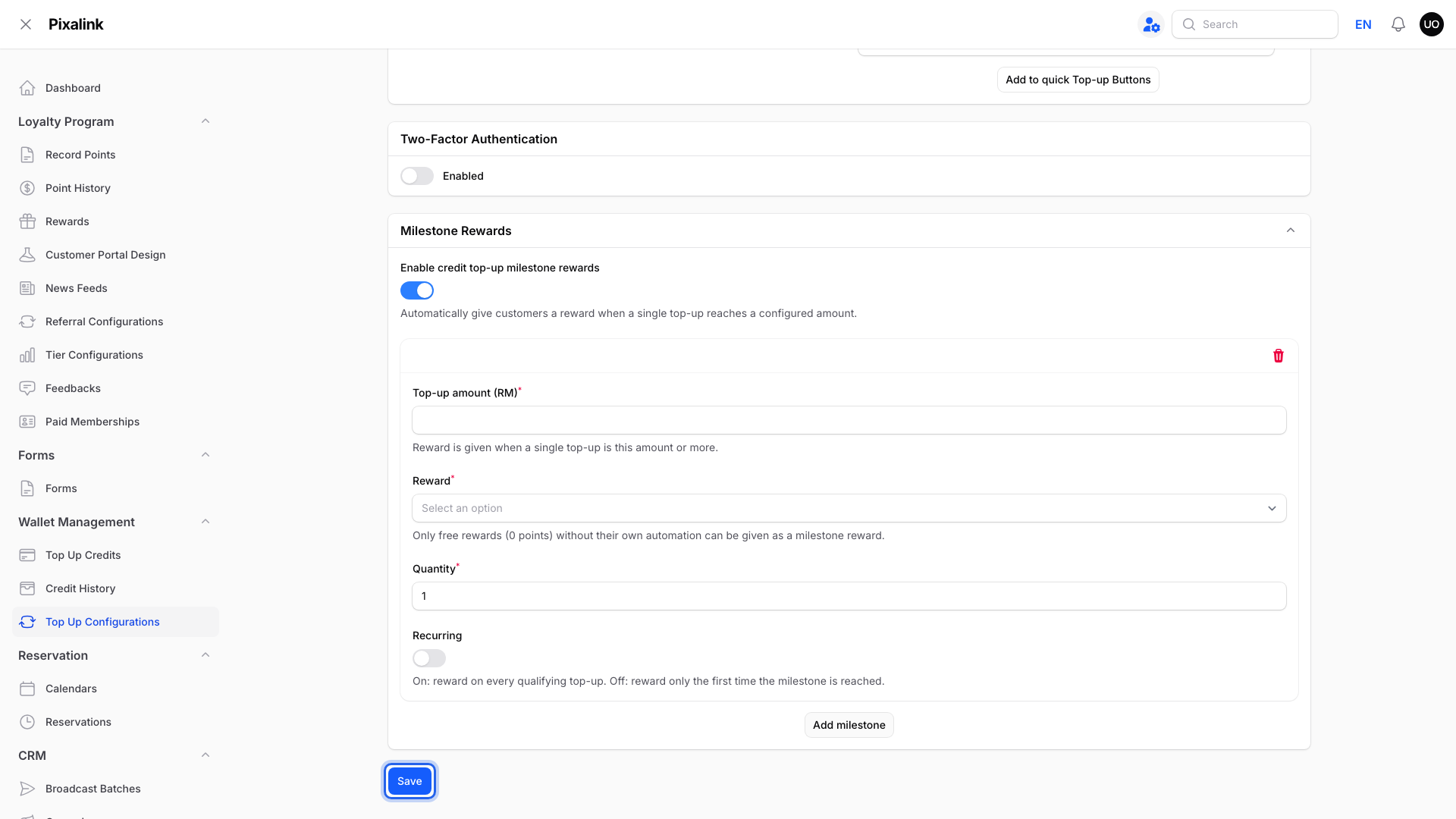
Click Add milestone.

Each milestone is one top-up amount and one reward.
-
Fill in Top-up amount (RM), Reward, Quantity and Recurring.

The Reward list shows only active rewards that cost 0 points and have no automation.
- Top-up amount (RM): the reward is given when one top-up is this amount or more.
- Reward: the voucher to give.
- Quantity: how many vouchers to give each time.
- Recurring: on gives the reward on every top-up that qualifies. Off gives it only the first time.
-
Click Save at the bottom of the page.
Milestones start with the next top-up after you save.
What Your Customers Will See
The voucher appears in the customer's rewards in the portal after the top-up. If the reward has an activation delay, it can be used from its start date.
Good to Know
- One milestone per top-up. If a top-up reaches several, the customer gets the highest one they can still receive. A first-time-only milestone they already got is skipped.
- Bonus credit doesn't count. Only the amount topped up counts toward the milestone.
- One top-up, not a total. Two RM50 top-ups don't reach a RM100 milestone.
- If a milestone's reward is turned off or sold out, it is skipped. The customer may get a lower milestone instead.
Need Help?
If the Reward list is empty, you have no reward that is active, costs 0 points and has no automation of its own. Create one first. See What Are Rewards and How to Create Them.