
How Birthday Voucher Timing Works: Month, Late Sign-ups, Notifications
How Birthday Voucher Timing Works: Month, Late Sign-ups, Notifications
What Is This?
A birthday voucher rewards each customer around their birthday, without you tracking dates by hand. This guide explains when the voucher becomes claimable. It also settles the most common question: is the voucher valid for the whole birthday month, or only a few days around the date?
How It Works
The short answer: by default, a birthday voucher follows the birthday month, not the exact date. Any customer whose birth month matches the current month is eligible. A Delivery Schedule setting on the reward can change this to each customer's exact birthday instead.
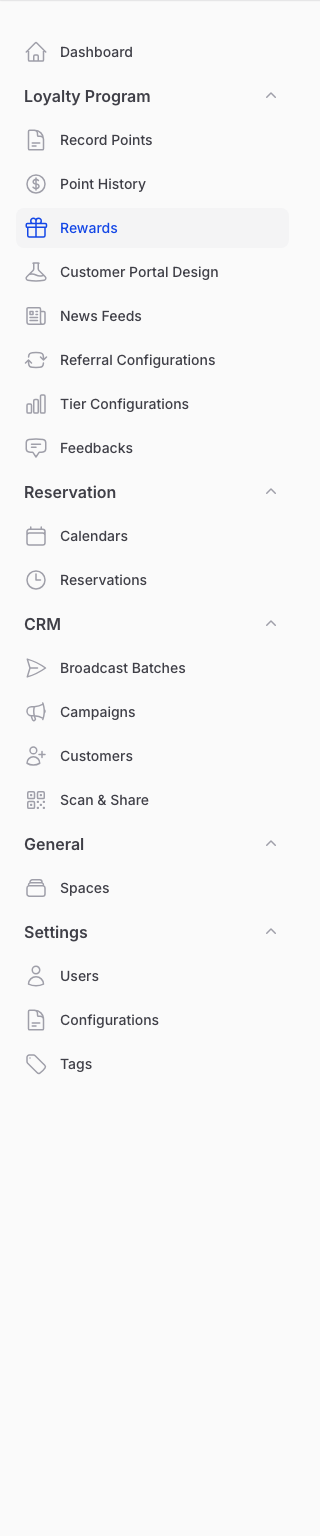
You set the birthday voucher on a reward, under Loyalty Program > Rewards.
Open a reward and choose the Automations tab. Turn on Auto-assign to Birthday Customers, then set the quantity and the Birthday Reward Assignment Time. This time is the hour of day the voucher is delivered.
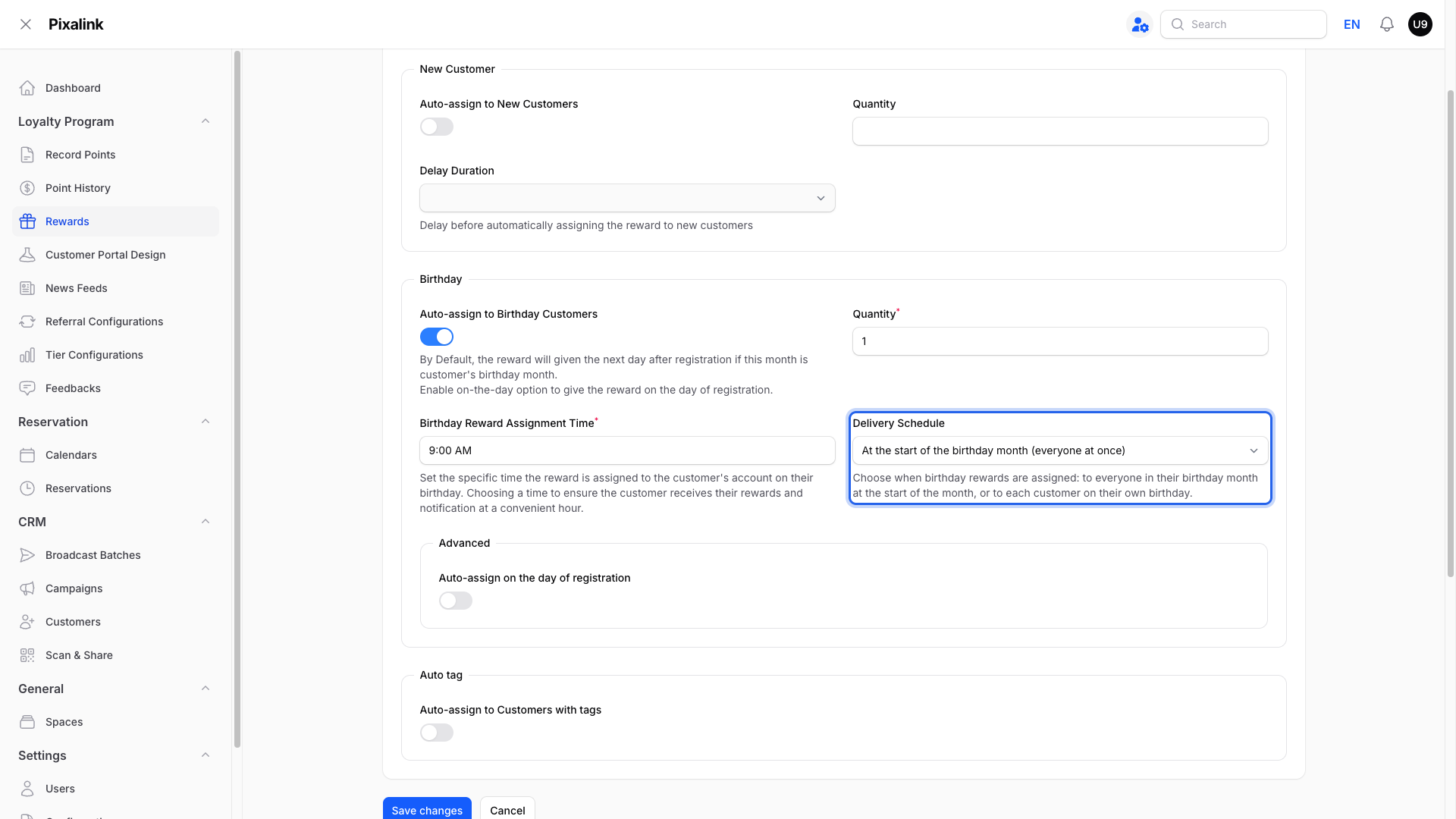
By default, an eligible customer receives the voucher on the next daily run during their birthday month. A brand-new sign-up does not get it on the spot. This holds back people who register only to collect a free voucher and leave. If you would rather use the voucher as a welcome treat, turn on Auto-assign on the day of registration so a customer who signs up during their birth month gets it straight away. The same applies when a date of birth in the current month is added to a customer's profile. Choose based on your business: protection from voucher hunters, or a stronger reason to sign up.
Want it on the exact date instead? Set Delivery Schedule to On each customer's birthday. A Send in advance option can also send it up to two weeks early.
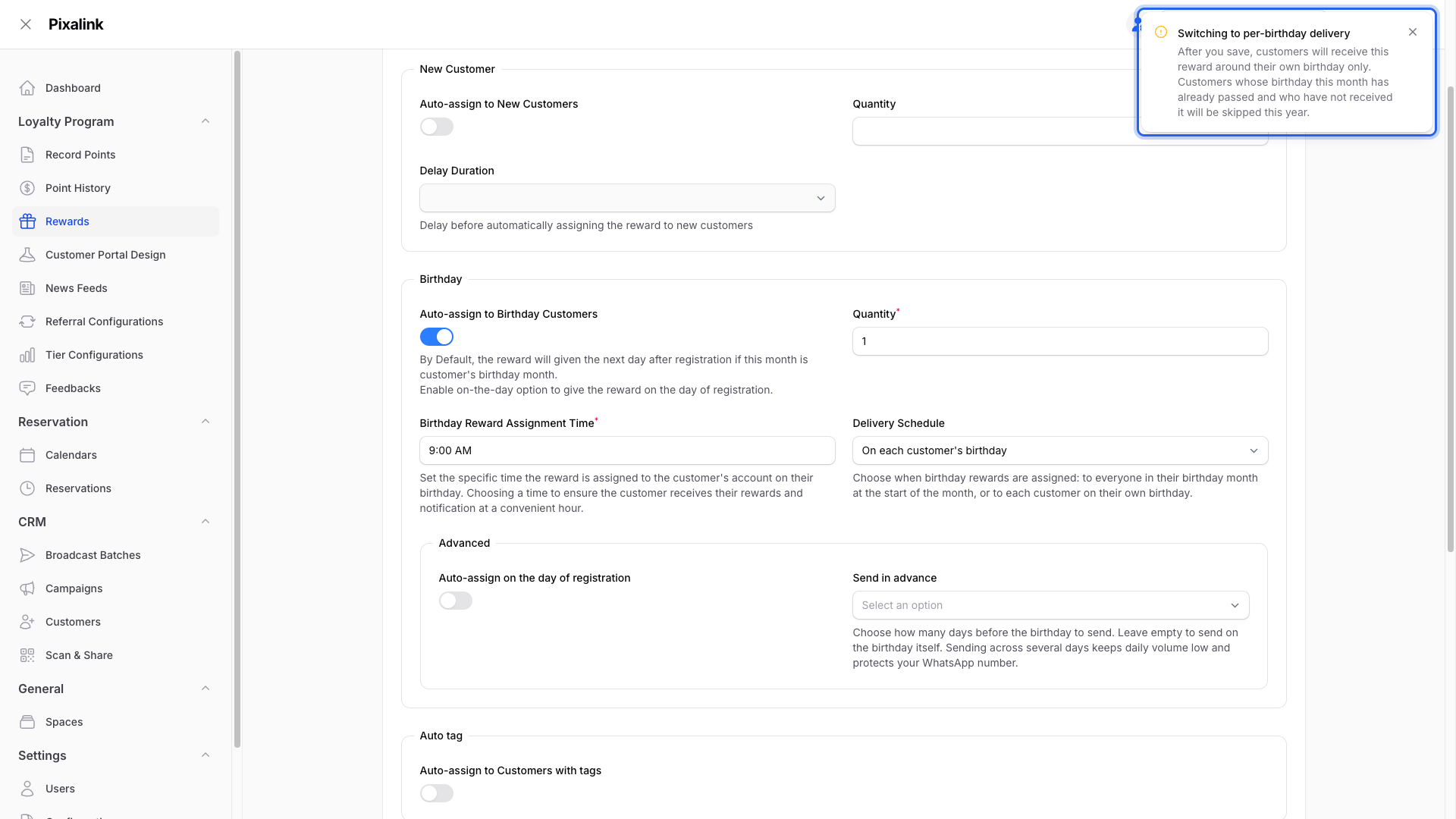
Changing this setting on a live reward shows a warning first. Month-start delivery sends to everyone in the current month on the next run. Per-birthday delivery skips customers whose birthday this month has already passed.
Each customer receives a given birthday voucher once per calendar year. The voucher appears in their portal, and they get a message if reward notifications are on.
Real-Life Example
Aishah runs a cafe. A regular, Ahmad, signs up on 20 May, but his birthday was on 3 May. Because eligibility covers the whole month of May, Ahmad still qualifies. He receives his voucher the next day, even though the date had passed.
Aishah also has customers who shared only their birth month, not the exact day. That works fine, because the voucher is month-based to begin with.
Good to Know
- Whole month by default. The standard window is the birthday month. Use the Delivery Schedule setting to switch to exact-date delivery instead.
- A date of birth is needed. A customer with no birthday on file will not receive a birthday voucher.
- Member-restricted rewards only reach members. If the reward's Paid Membership Visibility is set to Hidden from non-paid members or Locked for non-paid members, the birthday automation only issues the voucher to customers with an active paid membership. This applies to the daily run and to same-day assignment on registration alike. A customer whose birthday matches but who has no active membership will not receive it — that is the restriction working, not a fault.
- Once per year. Each birthday voucher reaches a customer only once in a calendar year.
- Keep "Single Redemption" turned off for a yearly birthday voucher. The once-per-year behaviour only repeats every year while the reward's Single Redemption setting is off. If you turn Single Redemption on, each customer can receive that voucher only one time ever: they get it the first year and then never again, with no error shown. For a birthday voucher you want to repeat every year, leave Single Redemption off.
- Long-standing customers are included. A daily check assigns the voucher to everyone in the birth month, not only new sign-ups.
- Notifications land when the voucher is given, at the assignment time you set.
- Free rewards only. A birthday reward that still has a points or credits cost is skipped, so set its cost to 0.
- Want the voucher a few days early? Use per-birthday delivery with Send in advance, or send an early message with a birthday campaign.
Need Help?
If a customer did not receive their birthday voucher, first check the two most common reasons: their profile has no date of birth, or the reward is restricted to paid members and they do not hold an active membership. If neither explains it, contact Pixalink support and we will check it with you.