
Using Your Rewards (Coupons) at Eats365 POS
Using Your Rewards (Coupons) at Eats365 POS
What Is This?
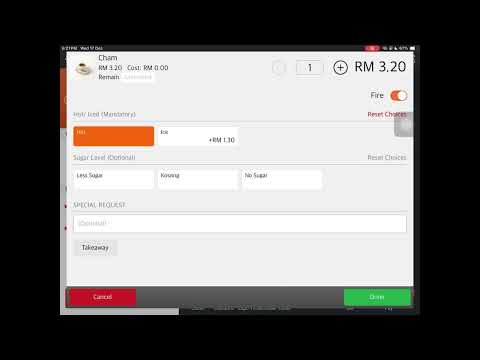
When your business uses Eats365 POS with Pixalink, your customers' loyalty rewards automatically appear as "coupons" on the POS terminal. Your cashier applies these at checkout to give customers their earned discounts — no manual codes or paper vouchers needed.
Video Walkthrough
Real-Life Example
Aishah runs a cafe in Petaling Jaya. Her regular customer Danish earned a "10% Off Your Next Visit" reward. He visits for lunch and orders a RM40 meal. The cashier looks up Danish on the POS, sees the 10% coupon, and applies it — his bill drops to RM36. Later, the cashier voids the order due to a mistake. The coupon automatically returns to Danish's account, ready for his corrected order.
How It Works
- Customer is looked up — your cashier searches by phone number or member ID on the POS.
- Rewards appear as coupons — all unused Eats365-enabled rewards show up in the customer's profile.
- Cashier selects a coupon — the POS sends the redemption request to Pixalink.
- Pixalink checks and marks it as used — the system confirms the coupon exists, belongs to that customer, and hasn't been used before.
- Discount is applied — the POS applies the discount based on the reward's offer type.
Types of Rewards
| Offer Type | What It Does | Example |
|---|---|---|
| Percentage discount (whole bill) | Percentage off the total | 10% off |
| Fixed amount (whole bill) | RM amount off the total | RM5 off |
| Percentage discount (specific items) | Percentage off selected items | 20% off pasta |
| Fixed amount (specific items) | RM amount off selected items | RM3 off coffee |
| Free items | Specific products at no charge | Free cake slice |
What Happens If an Order Is Voided
The coupon is automatically returned to the customer's account so they can use it again. Your staff don't need to do anything extra — the rollback happens when the void is processed.
Good to Know
- One coupon per redemption — once used on a completed order, it can't be used again (unless voided).
- Works across outlets — rewards enabled for multiple spaces can be redeemed at any of them.
- Only Eats365-enabled rewards appear — the Eats365 toggle must be on in the reward settings.
- Conditions are enforced by the POS — minimum spend, minimum items, etc. are checked before the coupon can be applied.
Need Help?
Reach out to support if a coupon isn't showing up on the POS or if you have questions about reward types.
What's Next?
- Learn how to set up reward offer types for Eats365
- See how credit wallet payments work at the POS