
How to Set Referral Rewards with Claim Conditions
What Is This?
Referrals turn your happy customers into your sales team. When they invite a friend, both sides can earn rewards, points, or credits. You can also add claim conditions: rules that hold back the inviter's reward until the new customer spends. The friend's own reward still lands at sign-up, unless you use Paid Membership Purchase (see below). This guide covers invitee and inviter setup, Slot Consumption Trigger, and the Minimum Purchase Policy Types.
Real-Life Example
Wei Lin runs Kopi Lab, a small café in PJ. She set up a referral where the new customer gets a free latte and the inviter earns 100 bonus points. To stop fake sign-ups, she added a claim condition: Cumulative, 30 points (her customers earn 1 point per RM1, so that's about RM30 of spending). Her regular Ahmad invites his colleague Siti. Siti gets her free latte at sign-up. Ahmad's reward shows as waiting on his Referral page. Siti spends RM18 on lunch, then RM15 the next day. Once her purchases add up to 30 points, her status turns to Pending Claim, and Ahmad taps Claim to collect his 100 points.
Video Walkthrough

How to Set Up Invitee and Inviter Rewards
-
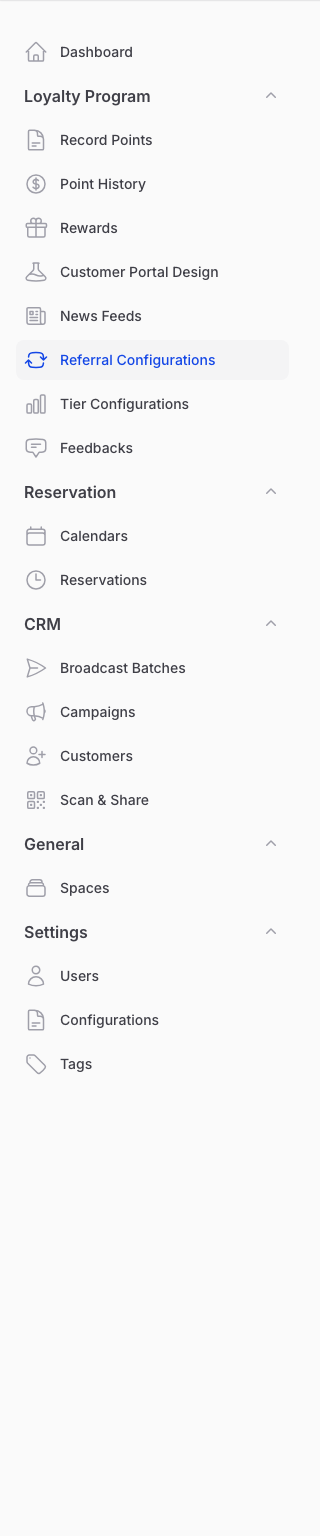
Go to Admin Panel → Loyalty Program → Referral Configurations. Each business has one referral programme: click Edit on it, or New referral configuration if you haven't set one up yet.
-
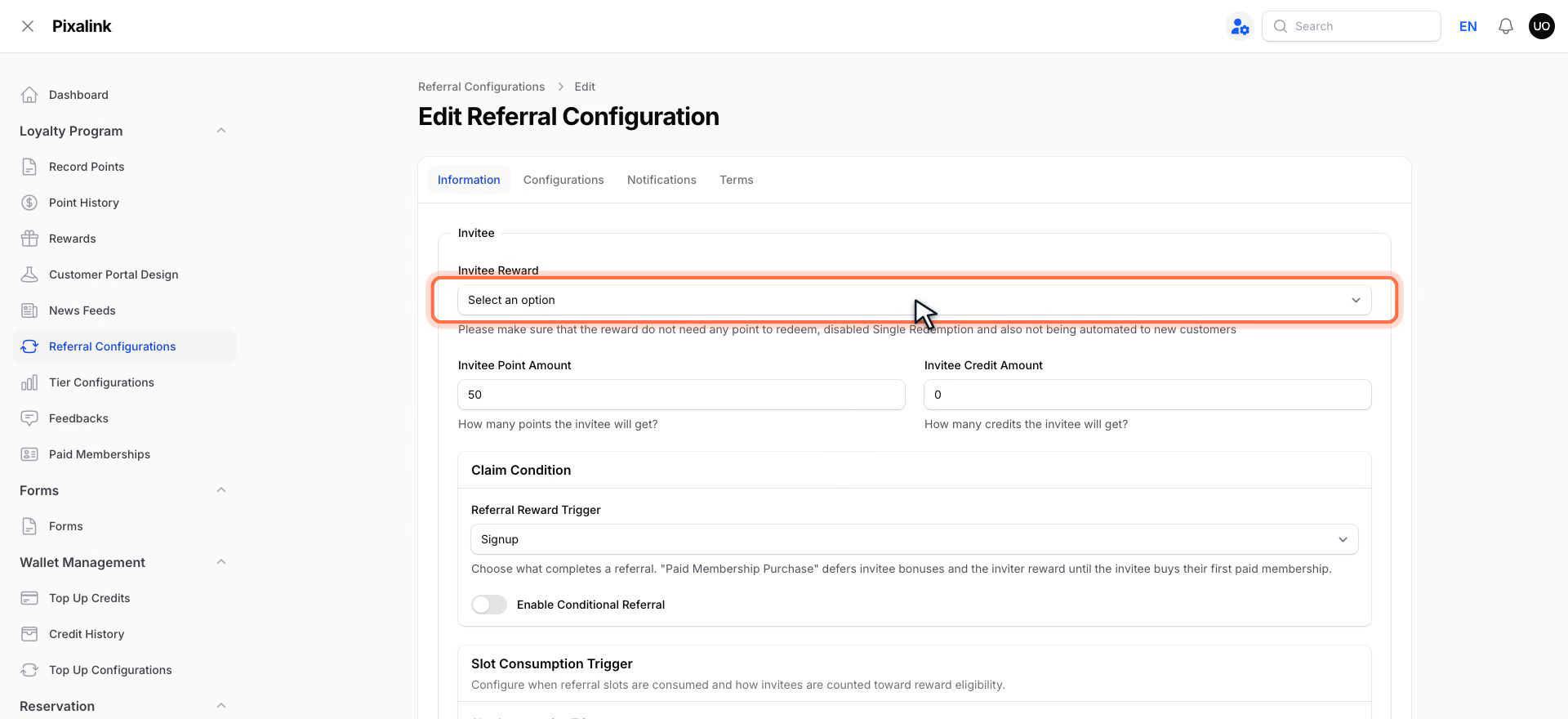
On the Information tab, set what the new customer (invitee) gets. Pick an Invitee Reward, set the Invitee Point Amount, and the Invitee Credit Amount if your credit wallet is on.
-
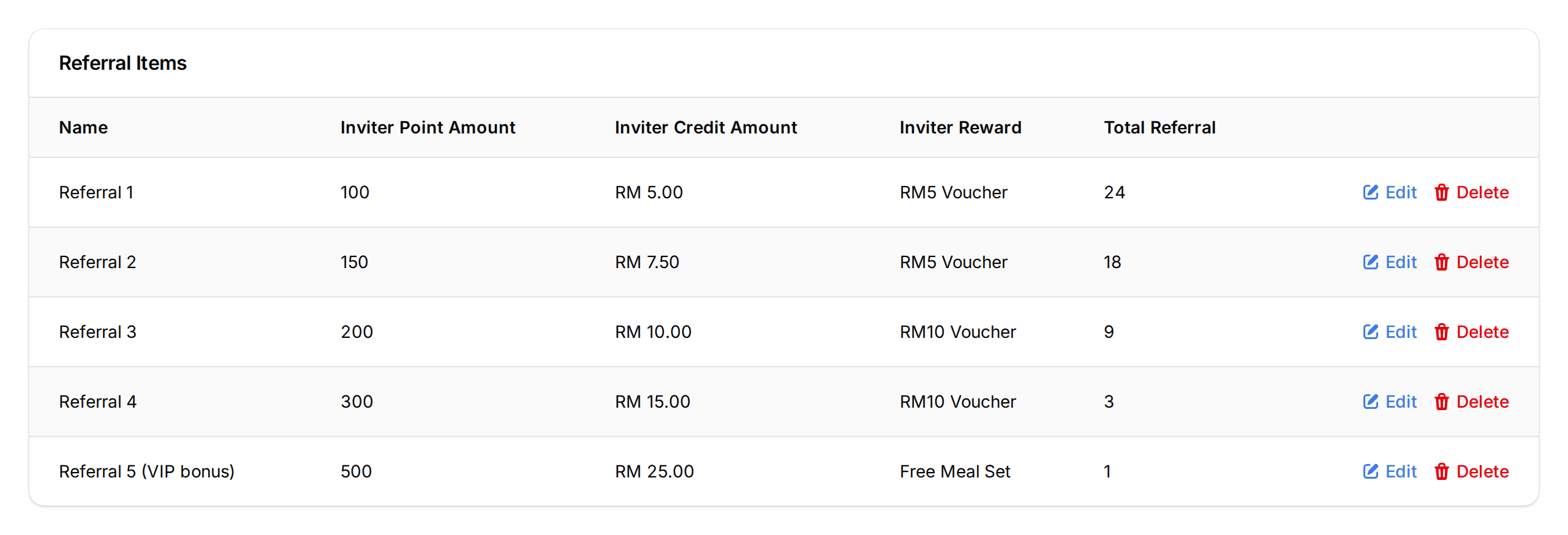
Set what the inviter gets for each friend. When you first create the programme, the Inviter Settings tab shows 10 referral slots, each tied to one referral in order. Fill in the reward, points, or credits for each slot you want active and leave the rest at 0. Use Bulk Assign to apply one reward to all slots. After that, you edit the slots under Referral Items, below the form.
-
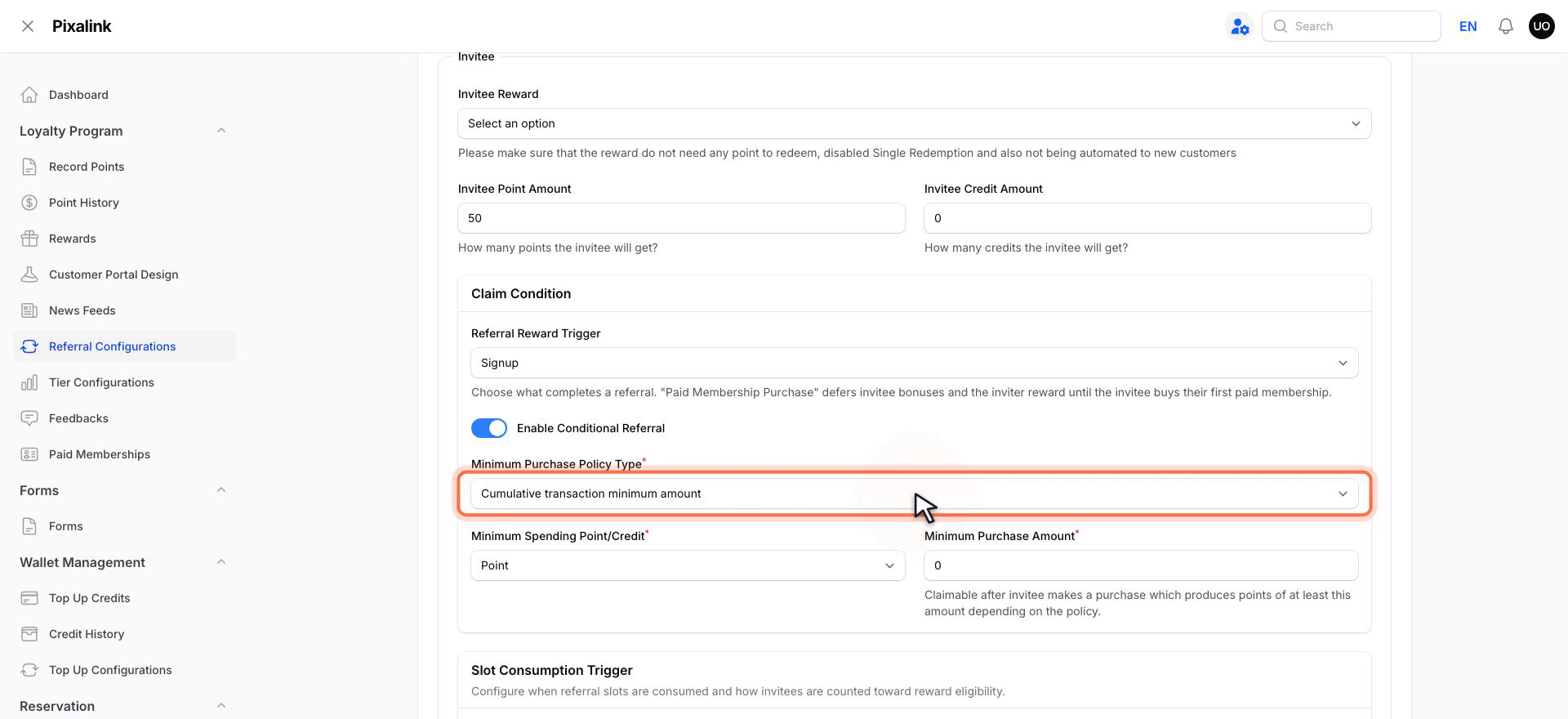
Back on the Information tab, under Claim Condition, turn on Enable Conditional Referral. Pick a Minimum Purchase Policy Type and set the Minimum Purchase Amount, then click Save changes (or Create for a new programme).
The Minimum Purchase Amount is counted in points the friend's purchases earn, not ringgit. At 1 point per RM1, 30 points is about RM30. Tier and outlet point multipliers count too.
What Your Customers Will See
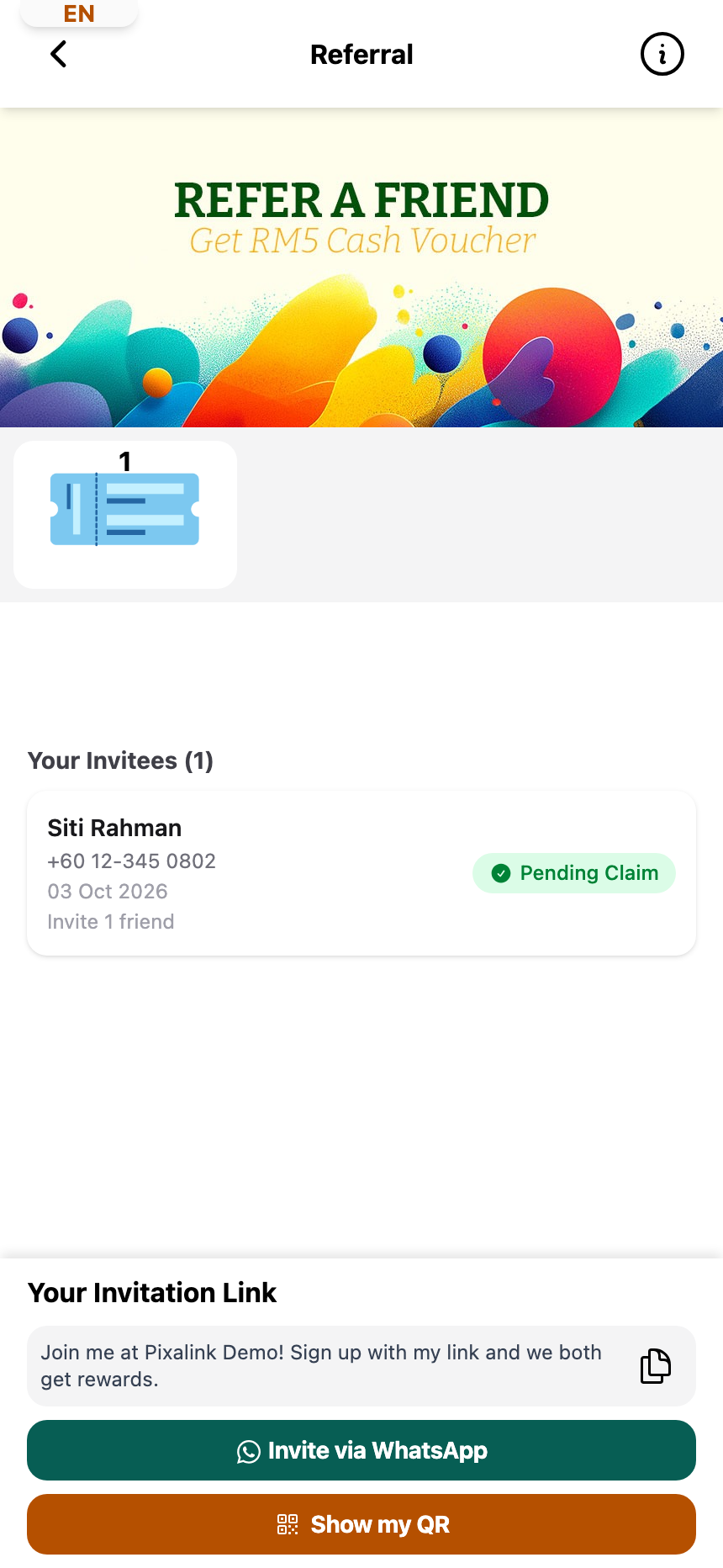
On their Referral page, members see each reward and the rule to unlock it, for example "Cumulative purchases of 30 or more points by the invitee".
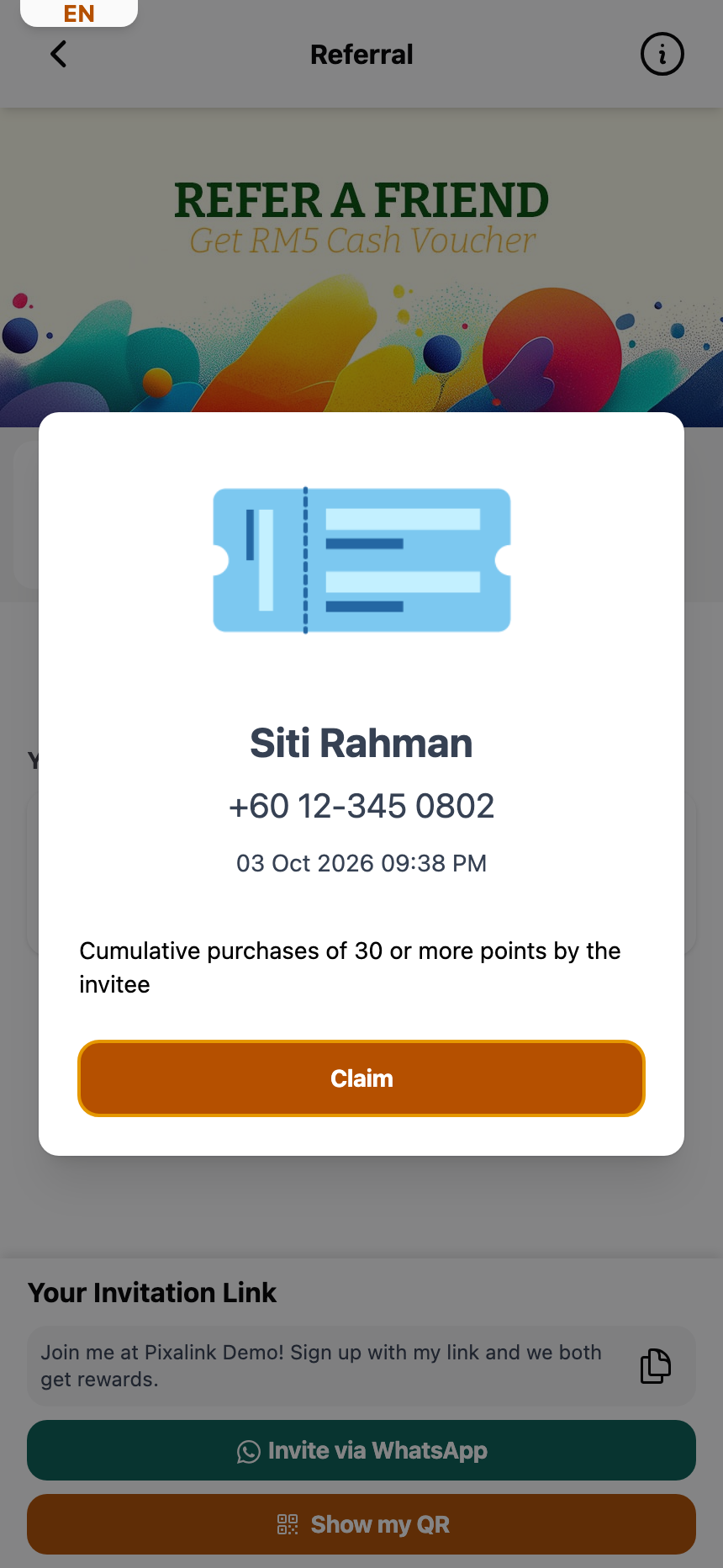
Under Your Invitees, each friend shows a status. Slot Consumed means the friend joined but hasn't spent enough yet. Pending Claim means the rule is met, and the member can tap Claim on that reward.
What Is the Slot Consumption Trigger?
Each successful referral uses up one slot from your inviter reward ladder. The Slot Consumption Trigger decides when that slot is used.
- Signup: the slot is used the moment the invitee registers. This caps total slot usage and stops inviters from spamming fake sign-ups. Once an inviter's slots run out, new friends aren't linked to them and don't get the invitee reward.
- Purchase: the slot is only used when the invitee makes their first purchase. Slots aren't burned on invitees who sign up but never visit.
Pick Signup for high-value inviter rewards where abuse is a risk. Pick Purchase for small everyday rewards.
Selling Paid Memberships? The Referral Reward Trigger
If your business sells paid memberships, you also see Referral Reward Trigger:
- Signup: the referral completes when the friend joins, plus any claim condition you set.
- Paid Membership Purchase: both the friend's and the inviter's rewards wait until the friend buys their first paid membership. The claim condition and Slot Consumption Trigger are hidden, because the membership purchase decides both.
The 3 Minimum Purchase Policy Types
These decide when the friend's spending unlocks the inviter's reward. Each one counts the points the friend's purchases earn.
1. First transaction minimum amount
The invitee's very first purchase must earn at least the minimum. If their first visit is too small, the reward can never be unlocked, because only that first purchase counts.
Use case: A salon sets First, 150 points so only big-ticket first visits unlock the inviter's reward.
2. Any transaction minimum amount
Any single purchase that earns at least the minimum unlocks the reward.
Use case: A boutique sets Any, 100 points. Siti's first visit earns 40 points, so no unlock. Her second earns 120 points, so it's unlocked.
3. Cumulative transaction minimum amount
All of the invitee's purchases are added together. Once the total reaches the minimum, the reward unlocks.
Use case: A café sets Cumulative, 50 points. Farah earns 12, 18, then 22 points across three visits. The third visit takes her total to 52, and her inviter's reward unlocks.
Good to Know
- The claim condition only holds back the inviter's reward. The friend's reward lands at sign-up, unless you use Paid Membership Purchase.
- Set Minimum Spending Point/Credit to Credit to count the friend's credit top-ups instead of purchases. Pick which kind in Minimum Spending Credit Type (Top Up by default).
- To tell the inviter when their reward is ready, turn on Inviter Claimable Notification on the Notifications tab. It's only there when Enable Conditional Referral is on.
- The inviter collects the reward themselves by tapping Claim on their Referral page.
Need Help?
Reach out to support for help picking the right combination.
What's Next?
- How to Set Up Referrals — full walkthrough of the referral programme
- Transaction Types Explained — see how referral transactions fit into the bigger ledger