
How to Find Your WhatsApp Business Account ID (WABA ID)
What Is This?
Your WhatsApp Business Account ID (WABA ID) is a number that connects your WhatsApp number to Pixalink. You need it when setting up the Official WhatsApp channel for broadcasts and campaigns. It takes less than two minutes to find.
Real-Life Example
Siti runs a bakery in Subang Jaya. She wanted to send WhatsApp broadcasts to her loyal customers through Pixalink. During setup, she needed her WABA ID but didn't know where to find it. She followed these steps, found the number in Meta Business Suite, and pasted it into Pixalink. Her WhatsApp channel was ready in minutes.
How to Set It Up
-
Open Meta Business Suite in your browser and log in with the Facebook account linked to your business.
-
Click the Settings icon (gear icon) at the bottom left of the screen.
-
Click Business Settings from the menu.
-
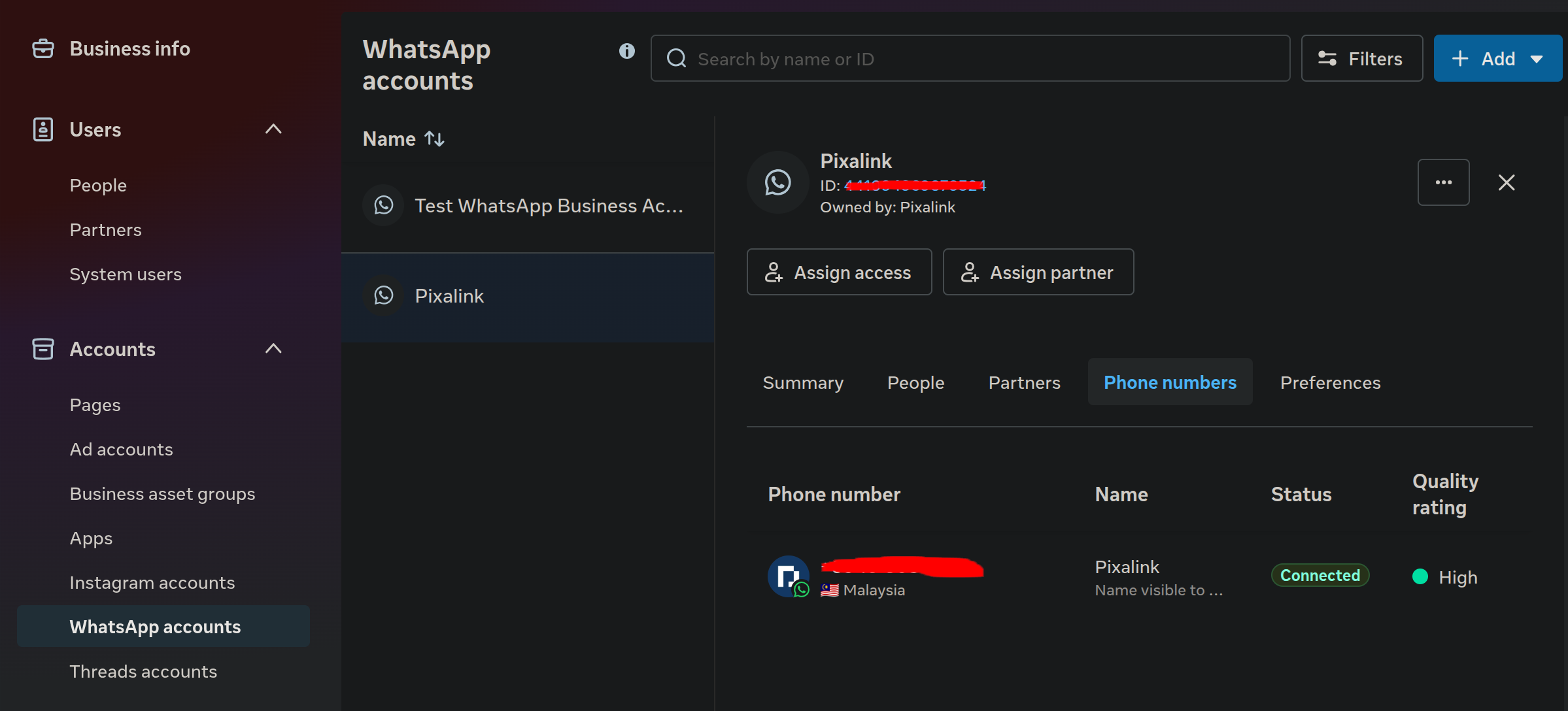
Look at the left sidebar. Under Accounts, click WhatsApp Accounts.
-
Click on your WhatsApp Business Account name (e.g. "Siti's Bakery").
-
Find your WABA ID — it is the long number shown next to or below your account name at the top of the page. Copy this number.
-
Go to your Pixalink Admin Panel → Organisation Settings → Features tab.
-
Scroll down to the Cloud API (Official WhatsApp) section.
-
Paste the WABA ID into the WABA ID field, alongside your Phone Number ID and Access Token.
-
Click Save to store your settings.
Good to Know
- Your WABA ID is a long number (usually 15–18 digits). It is not the same as your phone number or Phone Number ID.
- Each WhatsApp Business Account has one WABA ID. If you have multiple WhatsApp numbers under the same account, they share the same WABA ID.
- If you can't see WhatsApp Accounts in Meta Business Settings, ask the person who set up your Meta Business account to give you access.
- You only need to enter the WABA ID once. It stays saved in your organisation settings.
Need Help?
Contact Pixalink support and we'll help you find your WABA ID.