
How to Set How Far Ahead and How Soon Customers Can Book
What Is This?
Two settings decide when customers can book. Booking Window stops last-minute bookings on the same day. Maximum Advance Booking stops bookings too far into the future. Together they keep your team from being surprised.
Real-Life Example
Farah runs a dessert cafe in Ipoh. Customers kept booking a table 10 minutes before arriving, while her kitchen was still setting up. She set the Booking Window to 2 hours. She also limited bookings to 30 days ahead, so her calendar stopped filling with dates she could not plan for. Her mornings became calmer.
How to Set It Up
-
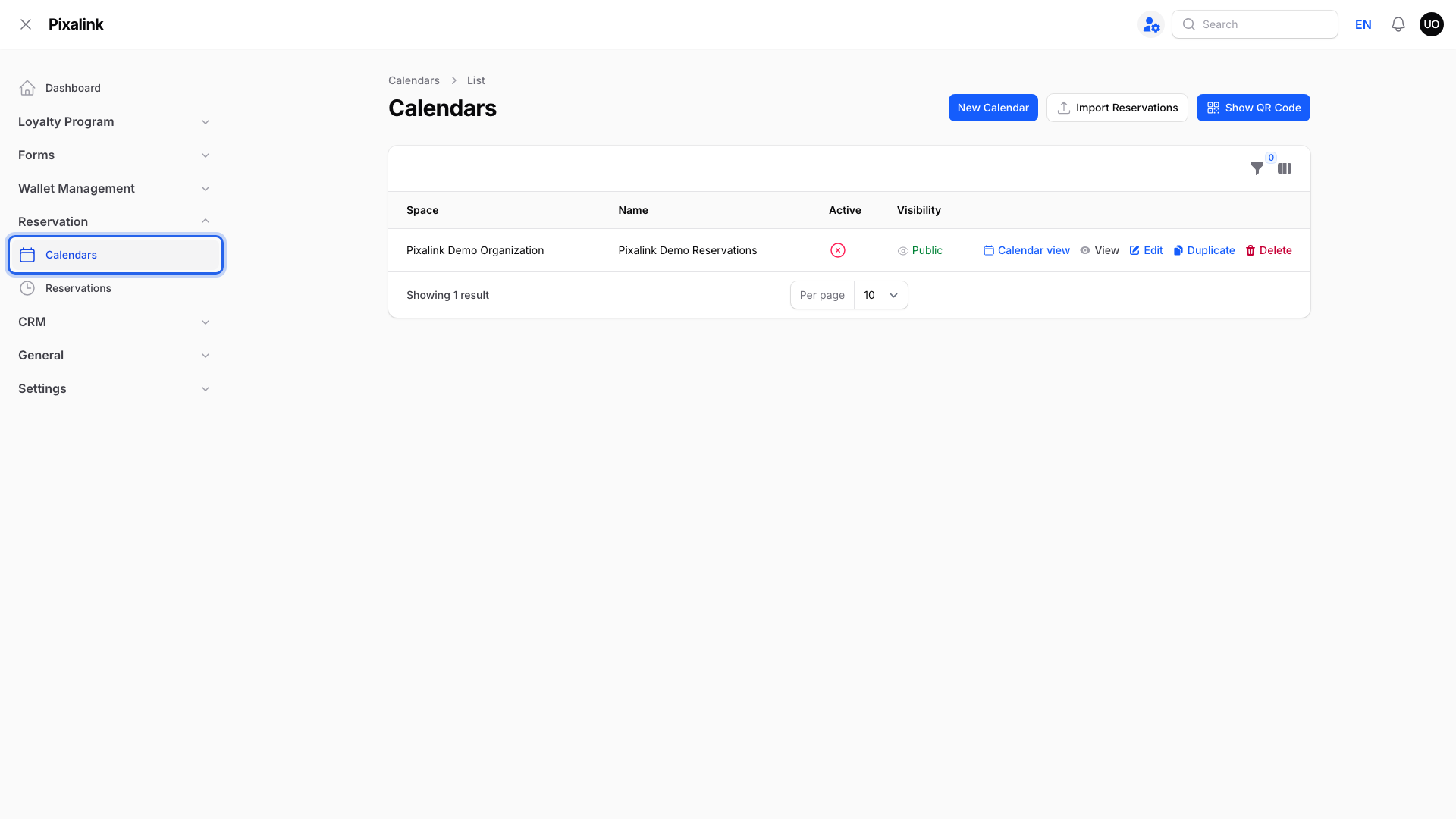
Go to Admin Panel → Reservation → Calendars.
-
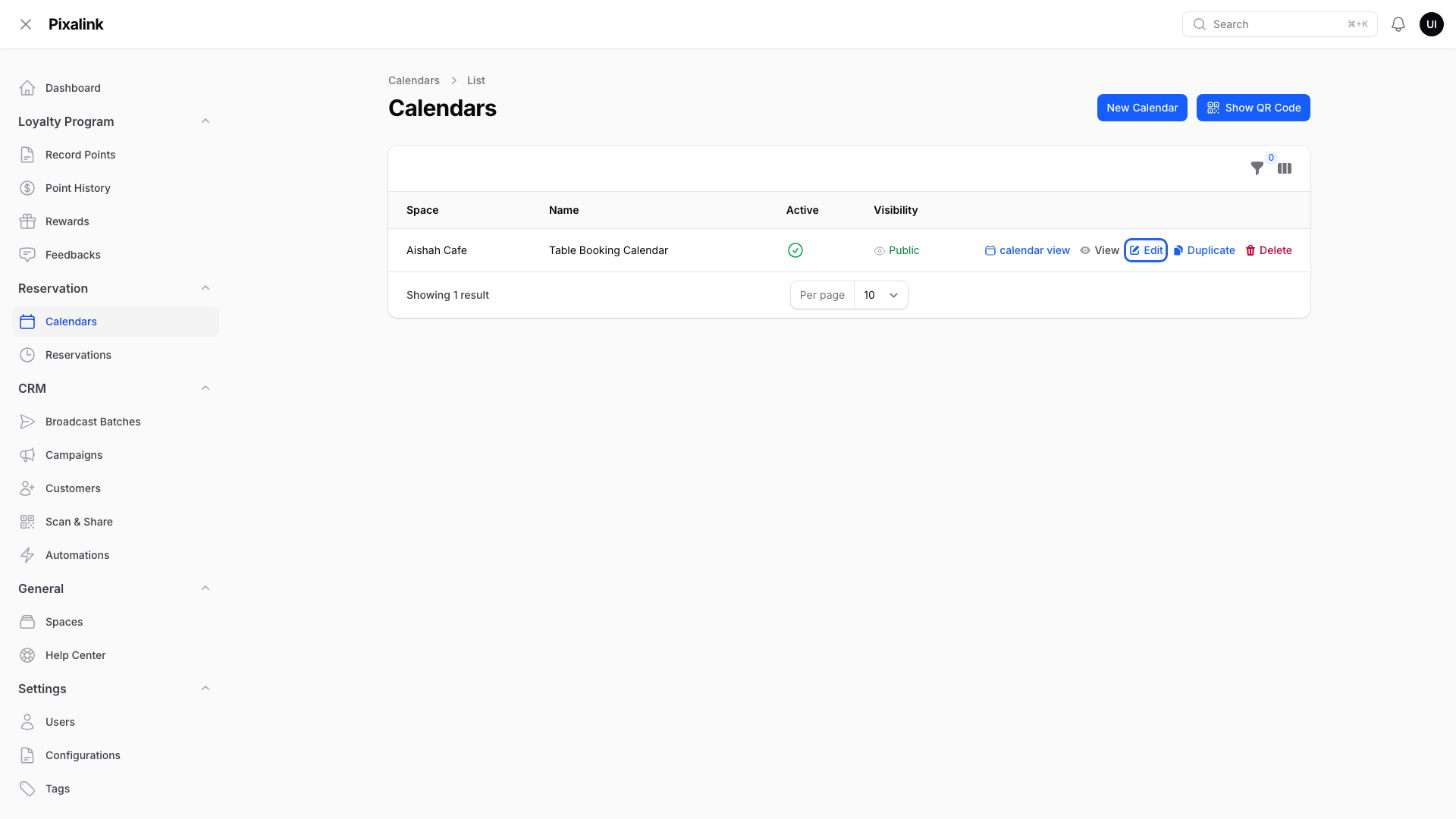
Click Edit on the calendar you want to change.
-
Open the Configurations tab.

-
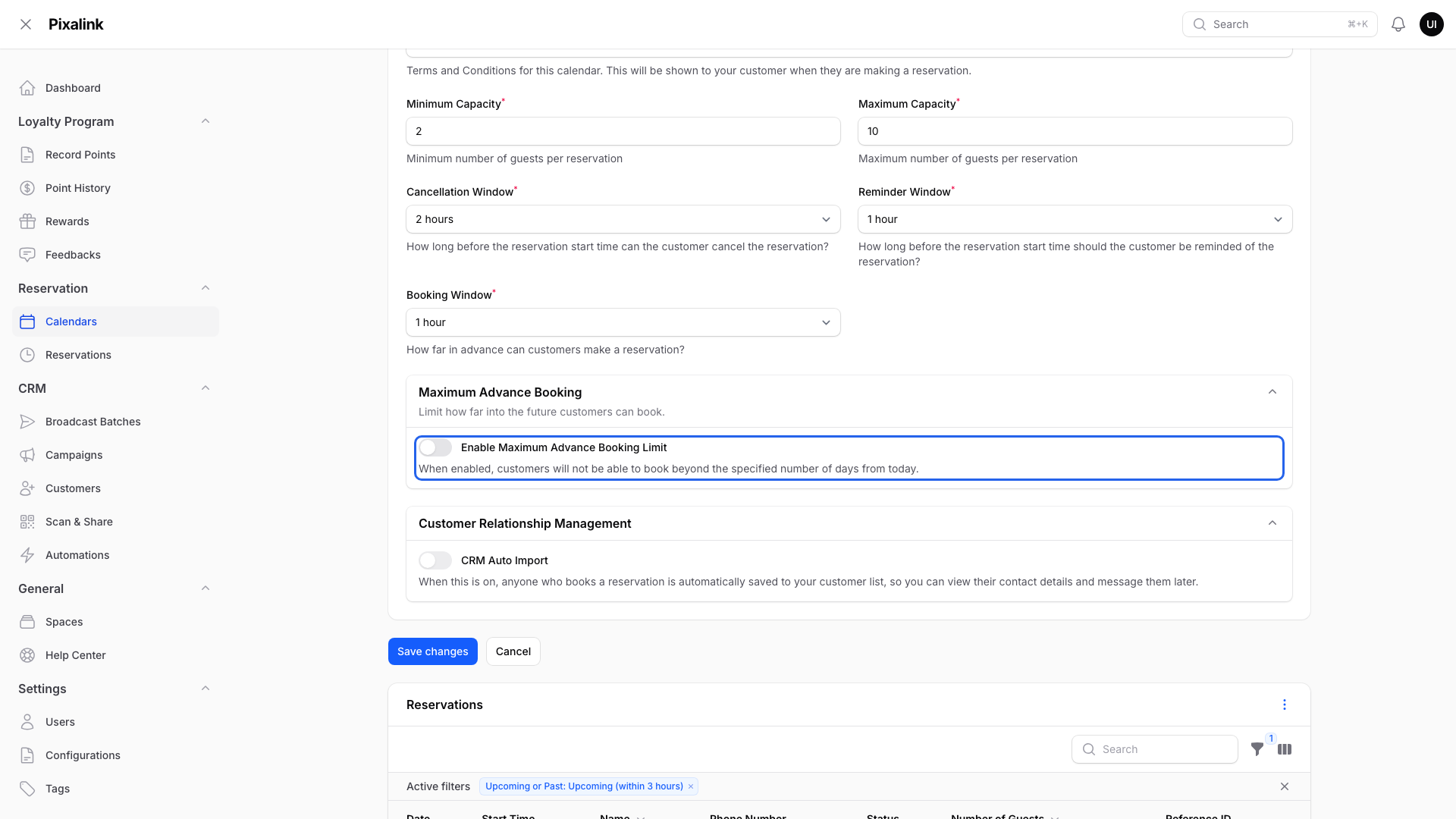
Choose a value in Booking Window.
- Choices run from 30 minutes to 1 day.
- The starting value is 1 hour.
- It only affects today's timeslots. A slot that starts sooner than the window is not offered to customers.

-
Scroll to Maximum Advance Booking and turn on Enable Maximum Advance Booking Limit.
-
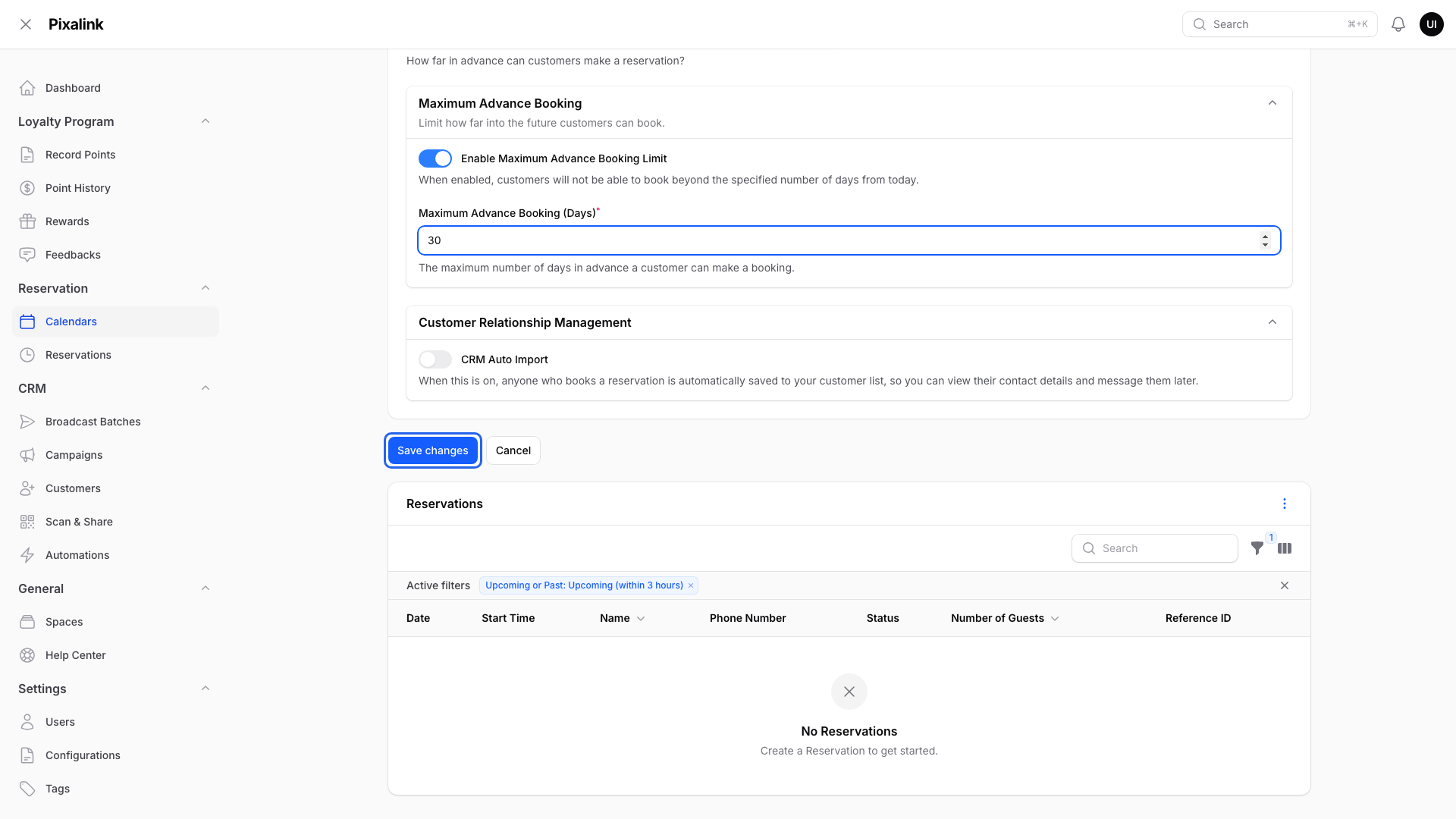
Type a number in Maximum Advance Booking (Days), from 1 to 365. For example, 30.

-
Click Save changes.
What Your Customers Will See
- Today's timeslots that start inside your Booking Window are not offered.
- On the date picker, dates after your limit can't be chosen. If a customer still enters one, they see "Bookings can only be made up to 30 days in advance." (30 is your number.)
- If you leave the limit off, customers can book up to the end of the month three months from now.
Good to Know
- At 2:00 PM with a 2 hour window, a 3:00 PM slot is hidden but a 4:00 PM slot is still offered.
- Booking Window only checks today. A slot tomorrow morning stays open, even if your window is 1 day.
- If Display fully booked timeslots is on (Advanced Settings tab), slots inside your Booking Window still show, but customers can't book them.
- To close specific days instead, see How to Block Dates on Your Calendar.
Need Help?
Reach out to our support team. We're happy to help you get started.