
Navigating Your Analytics Dashboard
What Is This?
The Analytics Dashboard gives you a bird's-eye view of your loyalty programme's performance. It shows key metrics like customer signups, reward usage, and engagement trends — all in one place. Use it to understand what's working, spot trends, and make data-driven decisions.
Real-Life Example
Puan Kamala manages Spice Route Restaurant chain across three outlets in KL. Every Monday morning, she opens the Analytics Dashboard to review last week's numbers — how many new customers signed up, which rewards are most popular, and whether the birthday campaign is driving visits. The charts help her present performance updates to the business owner.
How to Open the Analytics Panel
Analytics lives in its own panel, separate from the Admin Panel. You switch to it from the top bar.
-
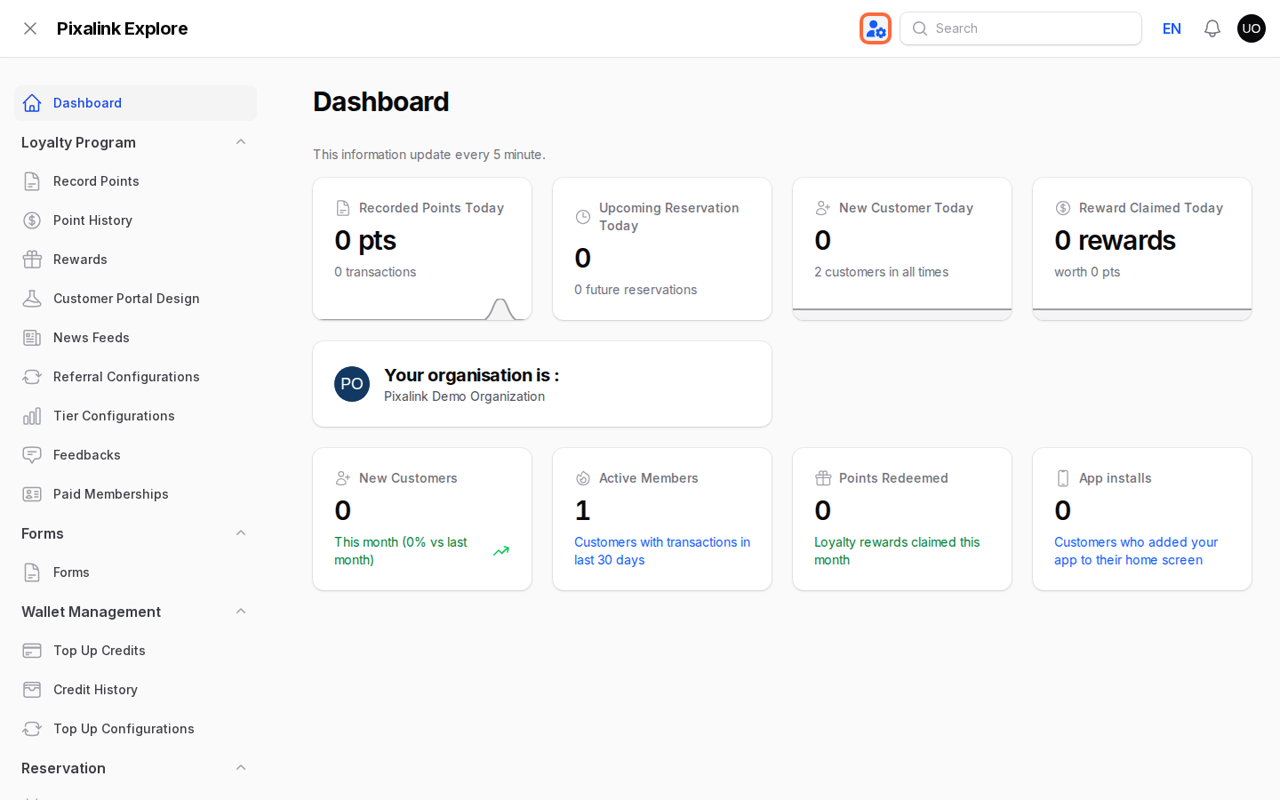
In the Admin Panel, click the panel switcher icon in the top bar, just left of the Search box.
-
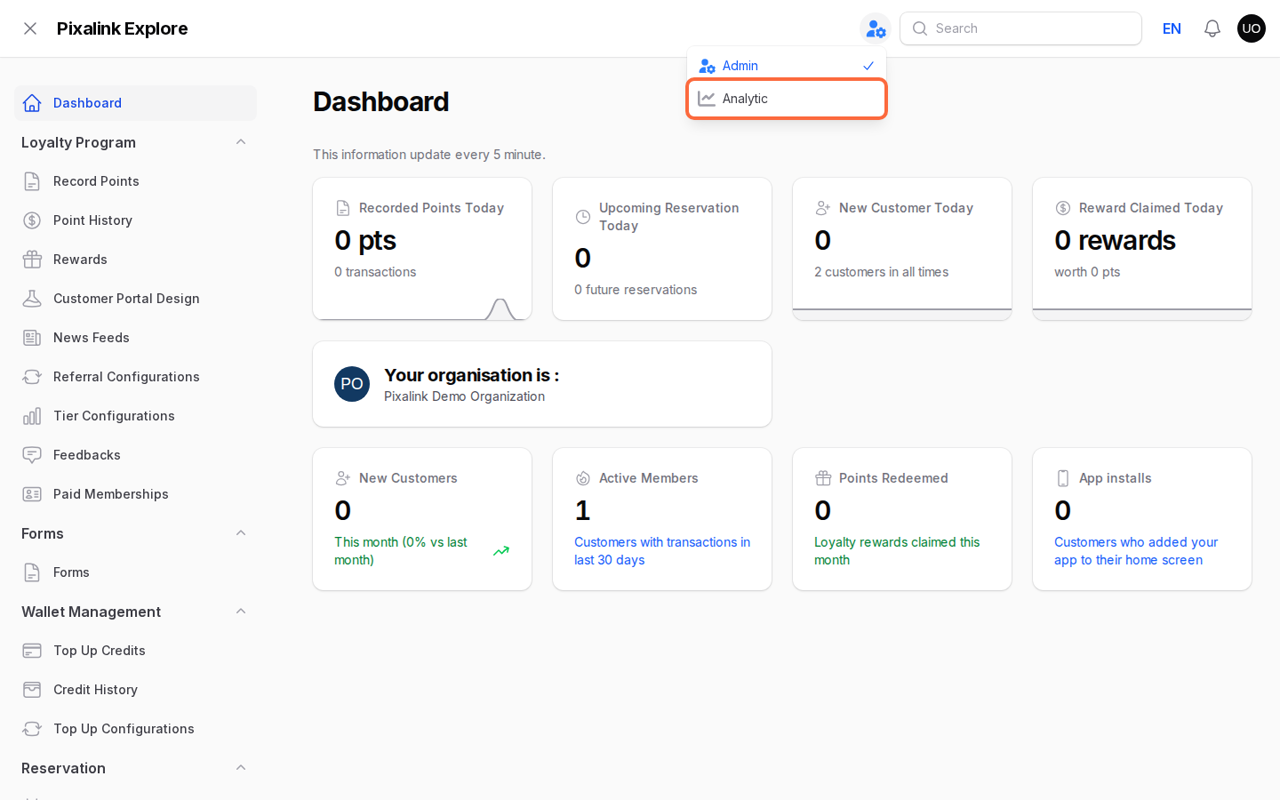
Click Analytic.
-
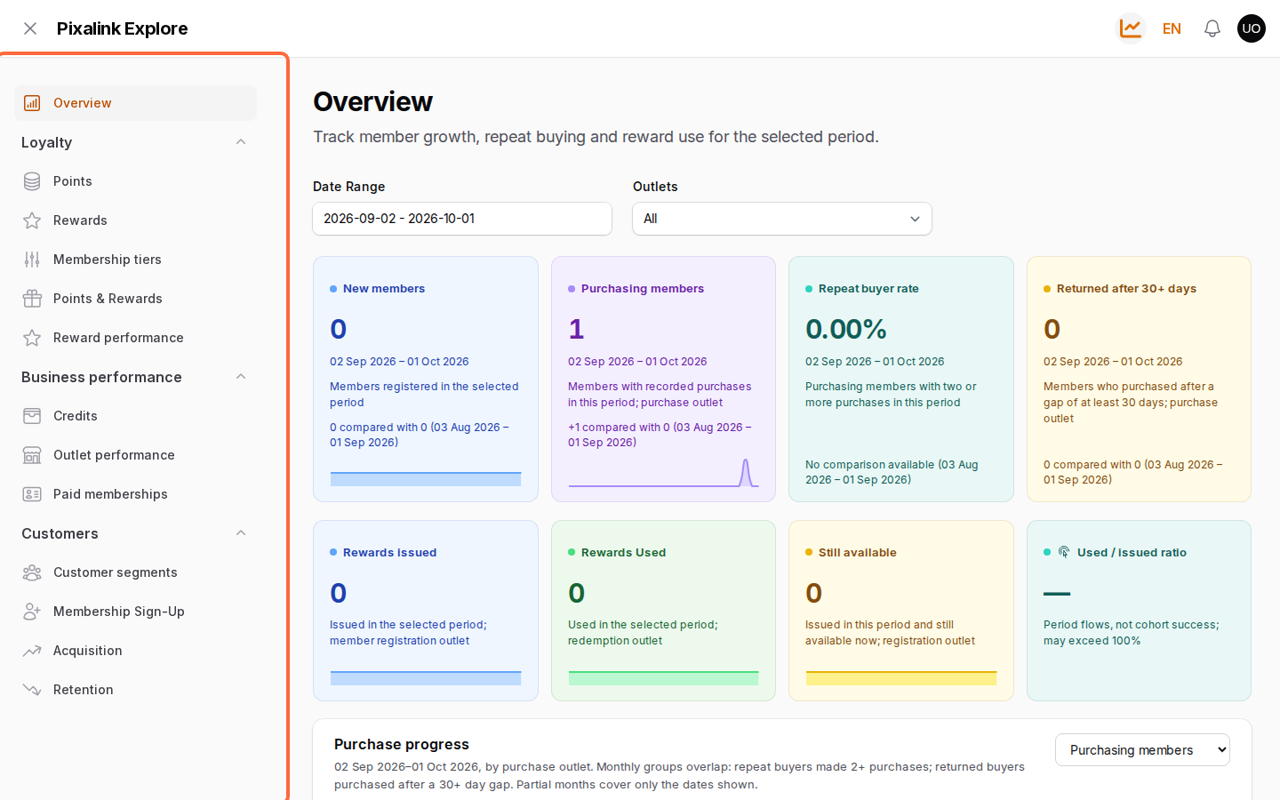
The Overview page opens. Every report is listed in the left menu.
To go back, click the same switcher icon in the top bar and choose Admin.
Note
Don't see the switcher icon, or no Analytic option? Analytics has not been switched on for your account yet, or your staff login does not have dashboard access. Contact the Pixalink support team to turn it on.
What You'll See
Overview Statistics
The Overview page shows your key numbers for the selected period:
Members:
- New members
- Purchasing members
- Repeat buyer rate
- Returned after 30+ days
Rewards:
- Rewards issued
- Rewards used
- Still available
- Used / issued ratio
Scroll down for trend charts such as Purchase progress.
Filtering
At the top of each page:
- Date Range: focus on a specific period
- Outlets: view one outlet or All
Reports in the Left Menu
| Group | Reports |
|---|---|
| Loyalty | Points, Rewards, Membership tiers, Points & Rewards, Reward performance |
| Business performance | Credits, Outlet performance, Paid memberships |
| Customers | Customer segments, Membership Sign-Up, Acquisition, Retention |
More detail on the most-used reports:
Good to Know
- Real-time data — Dashboard data updates in real-time as transactions happen.
- Date filtering — The Overview opens on the last 30 days. Change the Date Range to look at a different period.
- Multiple outlets — If you have multiple spaces, you can view combined or per-space analytics.
- Export — Some charts allow you to export data for further analysis in spreadsheets.
- Mobile friendly — The dashboard is responsive and works on tablets and phones.